
Google - Search & navigate
Seamless search engine for endless information and personalized recommendations.

- 16.44.62.ve.arm Version
- 4.3 Score
- 10B+ Downloads
- Free License
- 3+ Content Rating


Google App by Google LLC — Search, Reinvented with AI
Google is the official search and discovery app from Google LLC, turning the search box into an AI-assisted helper: ask by text, voice, or camera, get AI Overviews and AI Mode, then keep digging with follow-up questions and web links.
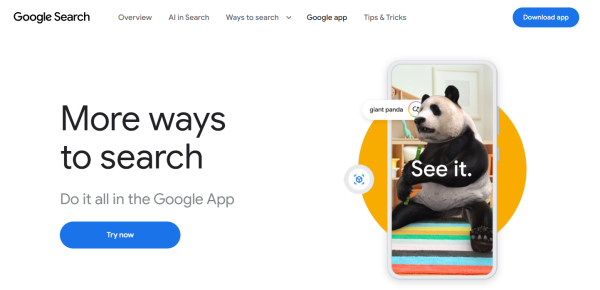
Beyond classic search, Google bundles Google Lens, Circle to Search, Search Live, Hum to Search, a personalized Discover feed, and a home-screen widget — all in one always-learning app.
What the Google app does:
Search anything with text, voice, or a photo
Use AI Mode for conversational, follow-up-friendly answers with web links
Get AI Overviews — a quick snapshot plus "keep exploring" links
Circle to Search what's on screen (select premium Android devices/languages)
Identify products, plants, animals, text via Google Lens + live translation
Hum to Search a tune, or identify a song playing nearby
Scroll Discover for news, weather, sports, and interests
Add the Google Search widget to the home/lock screen
Auto-optimizes results on weak networks; encrypted connection by default
How to Use the Google App — Faster Every Day:
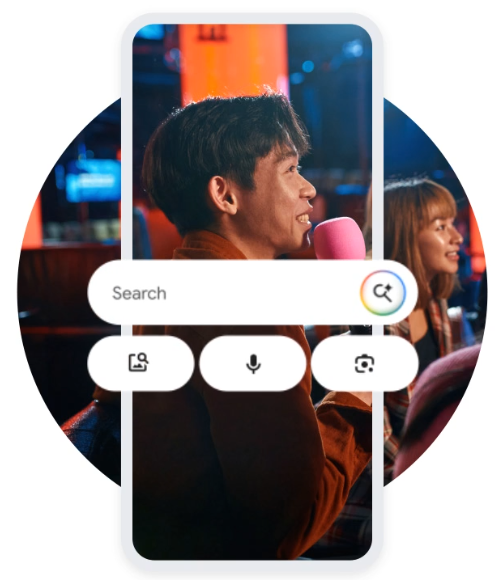
1. Install officially
Android: Google Play → Google by Google LLC (com.google.android.googlequicksearchbox).
Pre-installed on most Android phones — update it from Play, don't sideload APKs.
2. Daily loop
Open Google or tap the widget → type, speak, or snap.
For hard questions, jump into AI Mode and ask follow-ups.
See something IRL? Use Lens or Circle to Search instead of describing it in words.
Train Discover — follow topics, mute what's noisy.
3. Power-user habits
Lens for homework: snap the equation → step-by-step math/physics help.
Travel mode: point Lens at menus/road signs for 100+ language translation.
Song stuck in head: hum it — no lyrics needed.
Weak Wi-Fi: Google still returns optimized results and notifies you when full results load.
FAQ:
Is the Google app free?
Yes — free on Google Play, with optional linked services (e.g. subscriptions elsewhere in Google's ecosystem, not required to search).
Does AI Mode replace normal search?
No. AI Mode and AI Overviews sit on top of regular results — you still get links to the web and can drop back to classic search anytime. Google itself notes AI answers should be double-checked against sources.
What's new in late 2026?
The official Play listing shows Google updated 31 October 2026, with Nano Banana image generation in AI Mode/Lens (select languages/locations), AI Mode accessible from the app home screen, and Circle to Search on supported premium Android devices. Third-party mirrors list build 17.70.11 (Oct 2026) — treat that as mirror metadata, not the canonical Play version string.
Is my data safe?
Searches are encrypted in transit. Tap your profile → delete recent search history. The Play data-safety panel says Google may collect location, personal info, and other data types, no data is shared with third parties per Google's declaration, and data-deletion requests are supported.
- Version16.44.62.ve.arm
- UpdateNov 03, 2026
- DeveloperGoogle LLC
- CategoryTools
- Requires AndroidAndroid 9+
- Downloads10B+
- Package Namecom.google.android.googlequicksearchbox
- Signaturec3d5f94f2486a4bc4159d99cf53219f8
- Available on
- ReportFlag as inappropriate
-
NameSizeDownload
-
199.76 MB
-
325.83 MB
-
199.65 MB














Fast, all-in-one search.
Strong AI Mode + Lens.
Works offline-ish on bad networks.
Syncs with your Google account.
AI answers can be wrong.
Some features are region-locked.
Heavy on battery/permissions.
Personalization needs your data.