
My Glycemia : Diabete tracker - Glycemia monitoring & alerts
Take control of your health with easy blood sugar tracking, automatic reminders, & doctor report sharing for diabetics.
- 1.8.2 Version
- 3.0 Score
- 151K+ Downloads
- Free License
- 3+ Content Rating

Blood Glucose Tracker – App Overview and User Guide
1. App Overview
Blood Glucose Tracker helps users with diabetes record their blood glucose levels and monitor changes over time. Developed with input from someone living with diabetes, the app provides tools for organizing daily measurements and related health information.
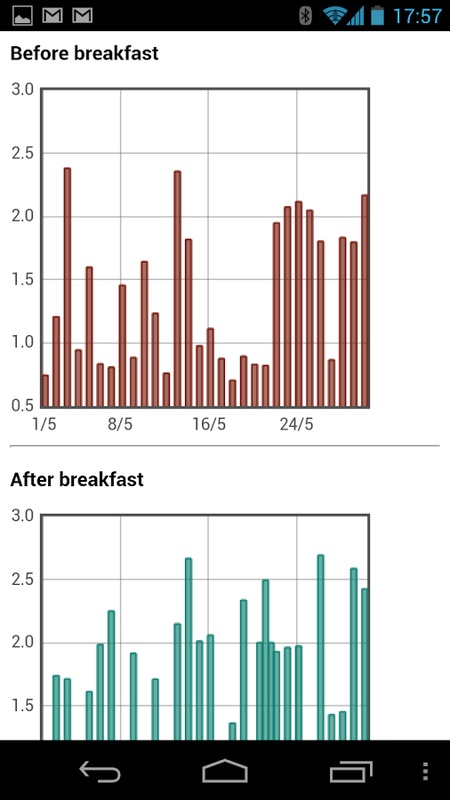
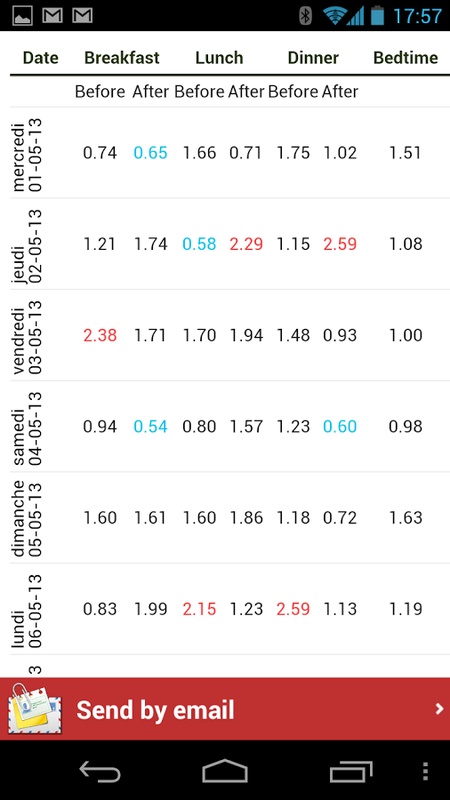
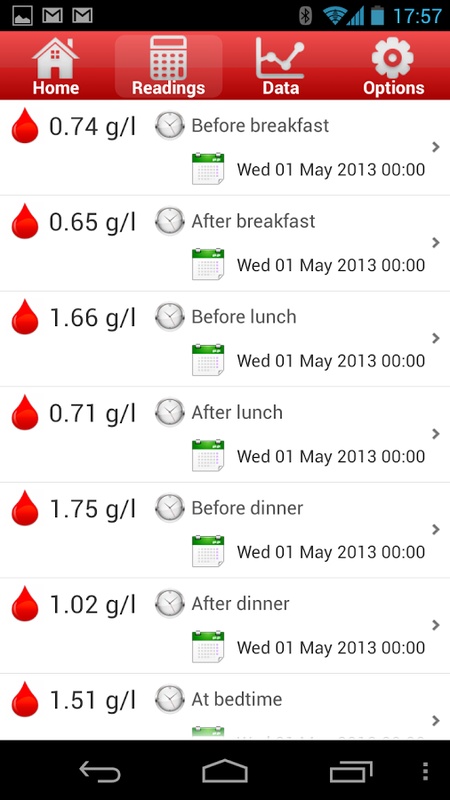
Users can log readings before and after meals, at bedtime, or at other times throughout the day. Measurements are displayed in tables and charts, allowing users to review their history and identify changes in glucose levels. Records can also be shared with healthcare providers by email.
The app supports multiple measurement units and includes reminders, insulin records, and additional health tracking features.
2. Key Features
Blood Glucose Monitoring
Record readings before and after breakfast, lunch, and dinner
Log bedtime and occasional measurements
Get suggested recording categories based on the time of day
View readings in tables and graphical charts
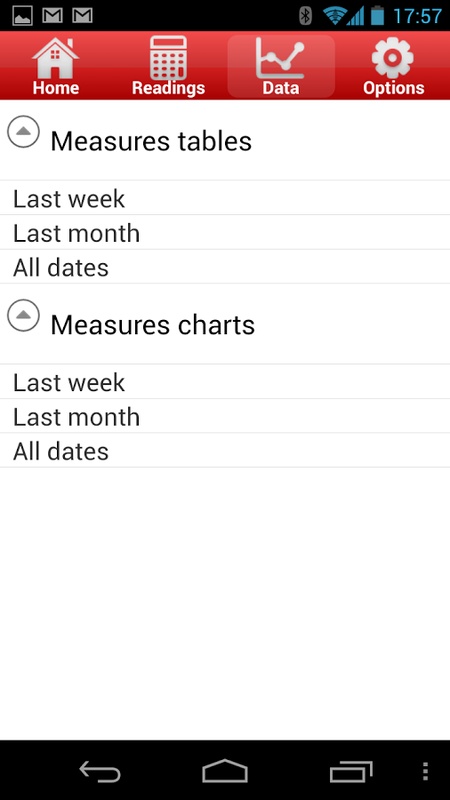
Review records by week, month, or across all recorded periods
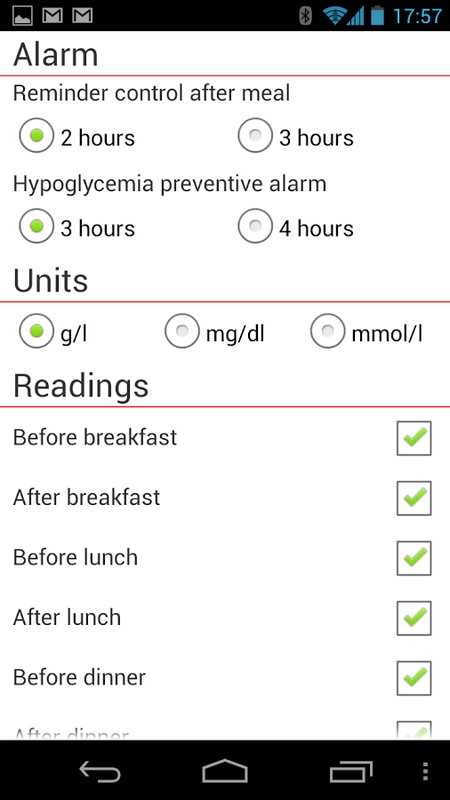
Choose between g/L, mg/dL, and mmol/L
Reminders and Emergency Contacts
Set regular glucose-check reminders at 3- to 4-hour intervals
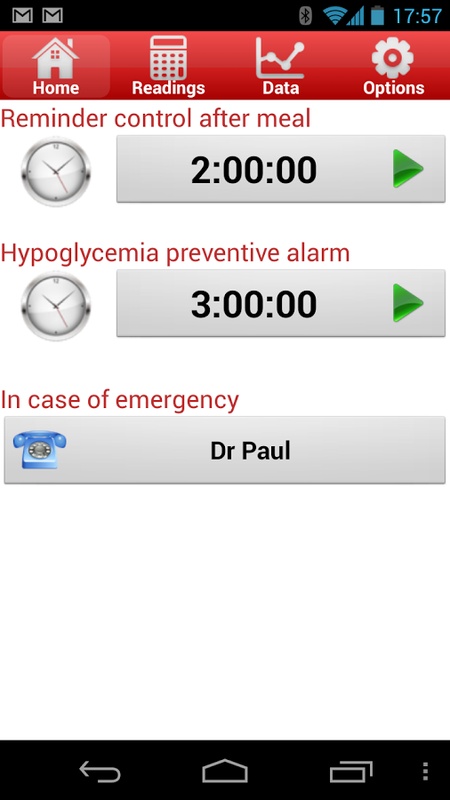
Schedule notifications for measurements two hours after meals
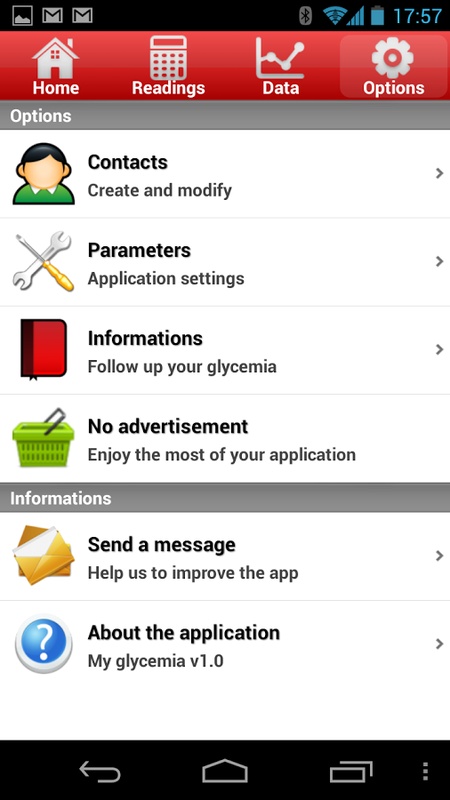
Save general practitioner and specialist contact details
Add emergency contacts for quick access
Additional Health Records
Record acetone levels and HbA1c results
Track rapid-acting and long-acting insulin usage
Email blood glucose charts to healthcare providers
Keep related diabetes health information organized in one place
3. Free and Premium Features
The free version includes essential blood glucose tracking tools, such as manual data entry, charts, reminders, and email sharing.
Premium adds more reporting and customization options:
HbA1c analysis
Customizable high and low glucose thresholds
Excel export for recorded measurements
Home screen customization
Additional health information and visual reports
Advanced settings and personalization options
The free version is suitable for basic daily tracking, while Premium provides additional tools for users who need more detailed reports and data management.
4. Getting Started
Step 1: Configure Your Settings
Open the app's settings and select your preferred measurement unit: g/L, mg/dL, or mmol/L. Enable notifications if you want reminders for regular glucose checks.
Step 2: Record Blood Glucose Readings
Use the home screen to enter your measurements. Select the appropriate category, such as before a meal, after a meal, or at bedtime. The app can suggest categories based on the time of day.
For measurements outside your usual schedule, choose the occasional or unexpected reading category.
Step 3: Set Reminders and Add Contacts
Configure notifications for post-meal measurements and regular glucose checks at 3- to 4-hour intervals.
You can also save your doctor's contact details and add emergency contacts for quick reference.
Step 4: Review and Share Records
Open the table or chart view to review your measurements. Switch between weekly, monthly, and full-history views to compare readings over time.
To share your records, select the relevant blood glucose chart and use the email-sharing option. Premium users can also export their data to Excel.
Step 5: Add Other Health Information
In addition to glucose readings, you can record acetone levels, HbA1c results, and rapid-acting or long-acting insulin usage.
These records provide a more complete overview of your diabetes-related health information.
5. Frequently Asked Questions
Q1: Can Blood Glucose Tracker sync automatically with a glucose meter?
Automatic synchronization with wireless blood glucose meters is not confirmed among the app's listed features. Users should expect to enter readings manually.
The app can suggest recording categories based on the time of day, making it easier to organize measurements.
Q2: How can I share my blood glucose records with my doctor?
The free version supports email sharing of blood glucose charts. Open your measurement history, select the chart you want to share, and use the email option to send it to your doctor.
Premium users can also export records to Excel for further analysis. Automatic synchronization with healthcare providers is not listed as a supported feature.
Q3: How do I set up blood glucose reminders?
Open the settings menu and find the notification options. You can enable reminders for measurements two hours after meals and set regular glucose-check notifications at 3- to 4-hour intervals.
If reminders do not appear, check your device's notification permissions and Do Not Disturb settings.
These notifications are reminders only. They do not detect blood glucose changes or automatically alert you to low glucose levels.
Q4: What is included in the free version, and what does Premium add?
The free version provides manual glucose tracking, charts, reminders, and email sharing.
Premium adds HbA1c analysis, customizable glucose thresholds, Excel exports, home screen customization, and additional reporting options.
If you only need to record daily readings and review basic trends, the free version may be sufficient. Premium is useful for users who want more detailed reports and customization.
Q5: What is HbA1c, and how does the app track it?
HbA1c, or glycated hemoglobin, is a blood test that reflects average blood glucose levels over approximately two to three months.
Unlike a single glucose reading, HbA1c provides an overview of longer-term glucose control. Blood Glucose Tracker includes HbA1c recording, with additional analysis available through Premium.
For interpretation of HbA1c results and treatment decisions, consult a qualified healthcare professional.
Q6: How does the app protect personal health information?
The available app information does not specify its data encryption, storage, backup, or sharing practices.
Before entering sensitive health information, review the app's privacy policy to understand how your records are collected, stored, and handled. Also consider the privacy of any information shared through email.
6. Tips for Using the App
Record measurements regularly: Consistent entries make it easier to review glucose trends over time.
Use the correct recording categories: Separate pre-meal, post-meal, and bedtime readings for more meaningful comparisons.
Review historical charts: Check weekly and monthly records to identify changes in glucose levels.
Update additional health records: Include insulin usage, acetone levels, and HbA1c results when applicable.
Set practical reminders: Choose notification intervals that match your monitoring schedule.
Share records with your doctor: Use charts and measurement history to support discussions during healthcare appointments.
- Version1.8.2
- UpdateNov 05, 2026
- DeveloperInSyncApp
- CategoryMedical
- Requires AndroidAndroid 4.1+
- Downloads151K+
- Package Namecom.insyncapp.diabete
- Signature183868e7870bcf88f564f90b2a28ea3d
- ReportFlag as inappropriate
-
NameSizeDownload
-
5.10 MB
-
4.32 MB
-
4.90 MB









Free to use
Comprehensive features
Data visualization
Easy sharing
There may be advertising interference.
The operation requires a certain learning curve.
Data security risks exist.
User engagement may be low.