
Dreamcatcher Theme +HOME - Wallpaper & Icon Customization
Transform your device with unique themes & icons to match your style effortlessly, all for free!

- 1.0.2 Version
- 2.0 Score
- 234K+ Downloads
- Free License
- 3+ Content Rating



1. Theme Overview
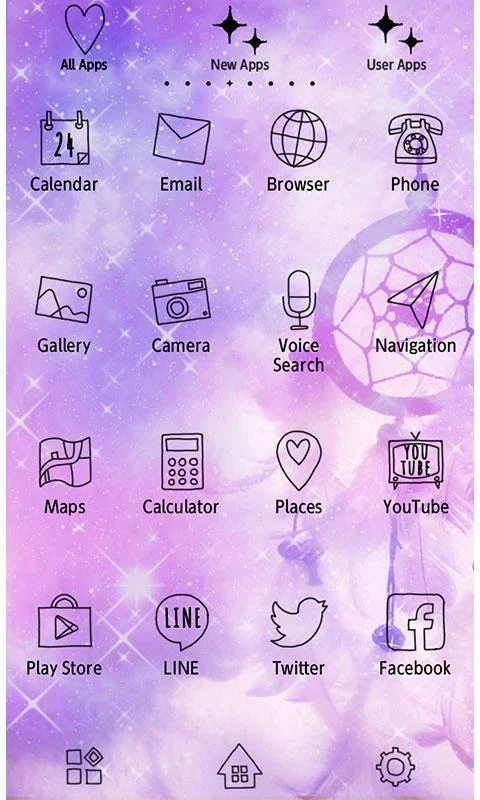
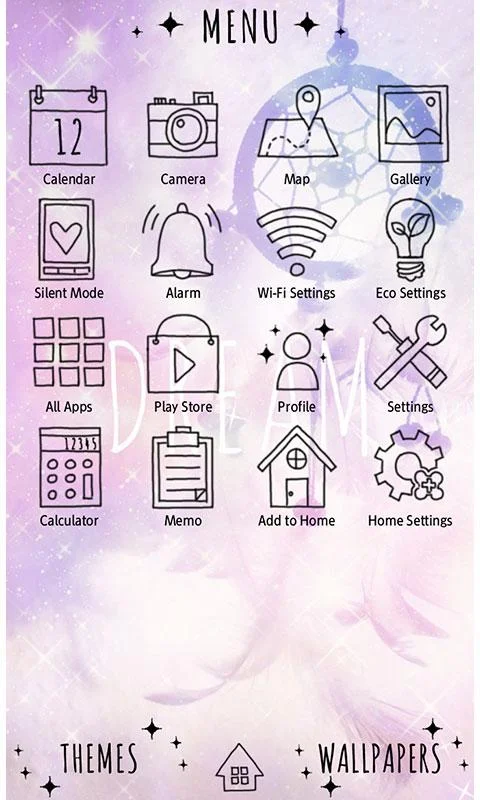
Dreamcatcher Theme +HOME is a phone customization theme that gives the home screen a comforting visual style through coordinated wallpapers and app icons. Based on a nightmare-prevention concept, its design creates a distinctive look for users who prefer decorative themes with a relaxing atmosphere.
The theme requires +HOME, a free launcher app for customizing phone wallpapers, app icons, and widgets. Users must install +HOME before they can access and apply Nightmare Prevention Theme. Once the launcher is installed, they can browse the theme collection, preview designs, and choose their preferred appearance.
+HOME offers more than 1,000 themes in different colors, styles, and visual concepts. It also allows users to customize wallpapers and app icons separately, giving them the flexibility to combine different designs. Although the launcher is free to download, some themes may require an additional purchase.
2. Key Features
1. Comforting Visual Style: Features a nightmare-prevention concept with a distinctive decorative design for the phone's home screen.
2. Matching Wallpapers and Icons: Combines coordinated wallpapers and app icons to create a consistent home screen appearance.
3. Over 1,000 Additional Themes: Provides access to a large collection of alternative designs through the +HOME launcher.
4. Flexible Customization: Allows users to change wallpapers and app icons independently, making it possible to create different visual combinations.
5. Free Launcher: +HOME is free to download and includes basic customization tools, while its theme collection offers both free and paid options.
3. How to Apply the Theme
1. Install +HOME: Download and install the +HOME launcher from your device's app store.
2. Open the Launcher: Launch +HOME and complete the initial setup.
3. Find the Theme: Browse the available designs or use the search function to locate Nightmare Prevention Theme.
4. Preview the Design: Select the theme to check its appearance before applying it.
5. Apply the Theme: Tap the Apply option to update your home screen with the theme's visual elements.
6. Customize the Appearance: Open the launcher settings to adjust the wallpaper and app icons separately if desired.
4. Frequently Asked Questions
Q1: Can I use Nightmare Prevention Theme without installing +HOME?
A: No. This theme is designed specifically for the +HOME launcher. You must install +HOME before you can access and apply it.
Q2: Why does the applied theme look different from its preview?
A: Preview images are for reference, and the actual appearance may vary depending on your device and customization settings. You can adjust the wallpaper and icon settings in +HOME to get your preferred look.
Q3: What should I do if the app icons do not change after applying the theme?
A: Check whether the theme has been applied successfully and whether icon customization is enabled in +HOME. If the original icons remain, revisit the theme settings and try applying it again.
Q4: Is the +HOME launcher free?
A: Yes. +HOME is free to download and provides basic customization tools. However, some themes in its collection may require a separate purchase.
Q5: Can I use the theme's icons with a different wallpaper?
A: Yes. +HOME allows you to customize wallpapers and icons independently, so you can keep the theme's icons while choosing another wallpaper.
- Version1.0.2
- UpdateNov 09, 2026
- Developer+HOME by Ateam Entertainment
- CategoryPersonalization
- Requires AndroidAndroid 2.1+
- Downloads234K+
- Package Namejp.co.a_tm.android.plus_dreams
- Signatureb01cf9dcffbd8736f645ce8c13c0d5bc
- Available on
- ReportFlag as inappropriate









Distinctive themes
Abundant personalized resources
Low barrier to entry
High dependency
Inconsistent results
Limited functionality