How to See Mutual Friends on Snapchat?
Are you curious to find out if someone happens to be a friend of a friend on Snapchat? If that's the case, you've landed in the perfect spot. We're going to provide you with all the essential information regarding mutual friends on Snapchat, as well as guide you on how you can add the people you're acquainted with as friends on this social media platform. So, let's dive right in.
- Author: Shine
- Update: Feb 28, 2025

Is It Possible to View Mutual Friends on Snapchat?
So, can you actually check the friends that you share with others on Snapchat? Well, the response isn't straightforward; it's a bit of both yes and no.
On one hand, it's a yes since Snapchat does offer the functionality to give you an approximate count of the mutual friends you have with someone. On the other hand, it's a no because the application doesn't disclose the identities of those specific mutual friends. Regrettably, Snapchat doesn't provide you with the precise number of mutual friends, and there's no way to view the names of any of those mutual connections. These are precisely the constraints you'll encounter when attempting to view your mutual friends on Snapchat.
How Can You Verify the Rough Number of Mutual Friends You Have on Snapchat
Although you are unable to determine the precise number of mutual friends on Snapchat, you are able to ascertain an approximate count of the friends you share with another user.
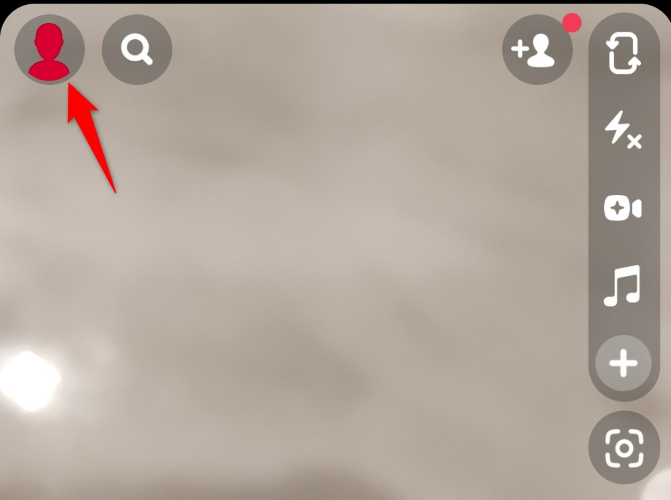
To access this information, begin by opening the Snapchat application on your iPhone or Android device. Once the app is open, tap on your profile picture or Bitmoji, which is located in the top-left corner of the screen.
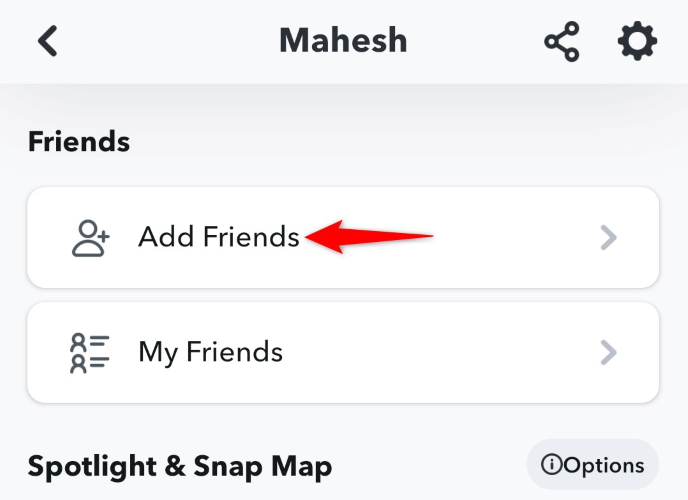
On your profile screen, scroll down slightly and then tap on the "Add Friends" option. Rest assured, you're not actually required to add any friends at this stage.
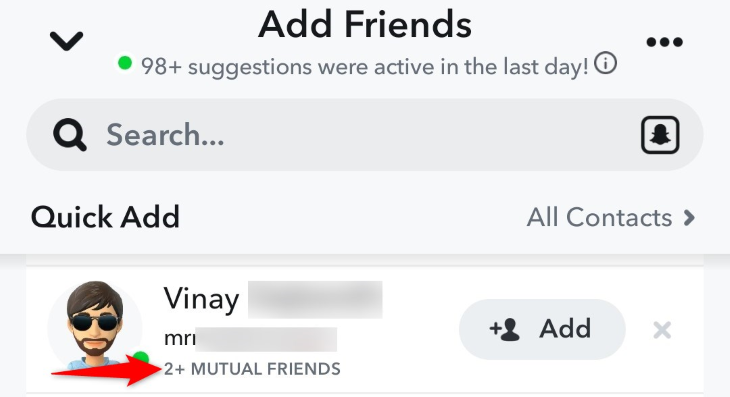
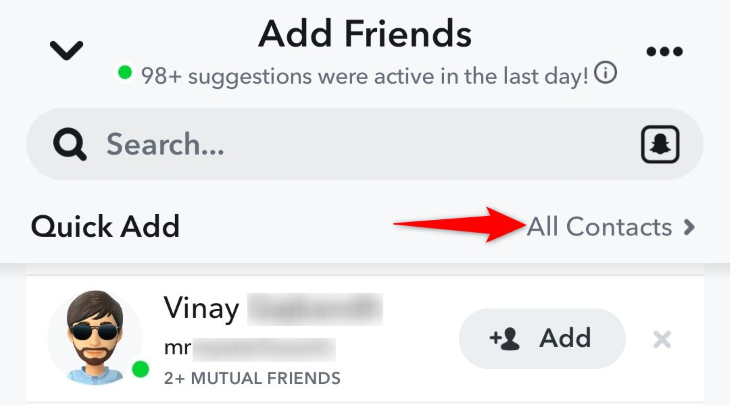
On the "Add Friends" interface, within the "Quick Add" subsection, you will come across numerous users. In this area, directly below a user's name, you will observe an approximate figure indicating the number of mutual friends you share with that individual. For instance, it might display something like "2+" or "3+."
How to Add Known People as Friends on Snapchat
If you intend to add the acquaintances you have as friends on Snapchat, you can easily import your contact list into the app and allow the app to identify those individuals.
To carry out this process, open the Snapchat application on your mobile device and tap on your profile icon or Bitmoji. Once on the profile page, click on the "Add Friends" option.
On the "Add Friends" screen, adjacent to the "Quick Add" section, tap on "All Contacts".
Tap on "Continue" and grant Snapchat the permission to access your contacts list.