
RAS Mobile - Remote video monitoring & control
Unlock real-time surveillance with live video access, multi-camera views, & advanced controls for ultimate security.
- 4.3.0 Version
- 2.6 Score
- 139K+ Downloads
- Free License
- 3+ Content Rating


Features:
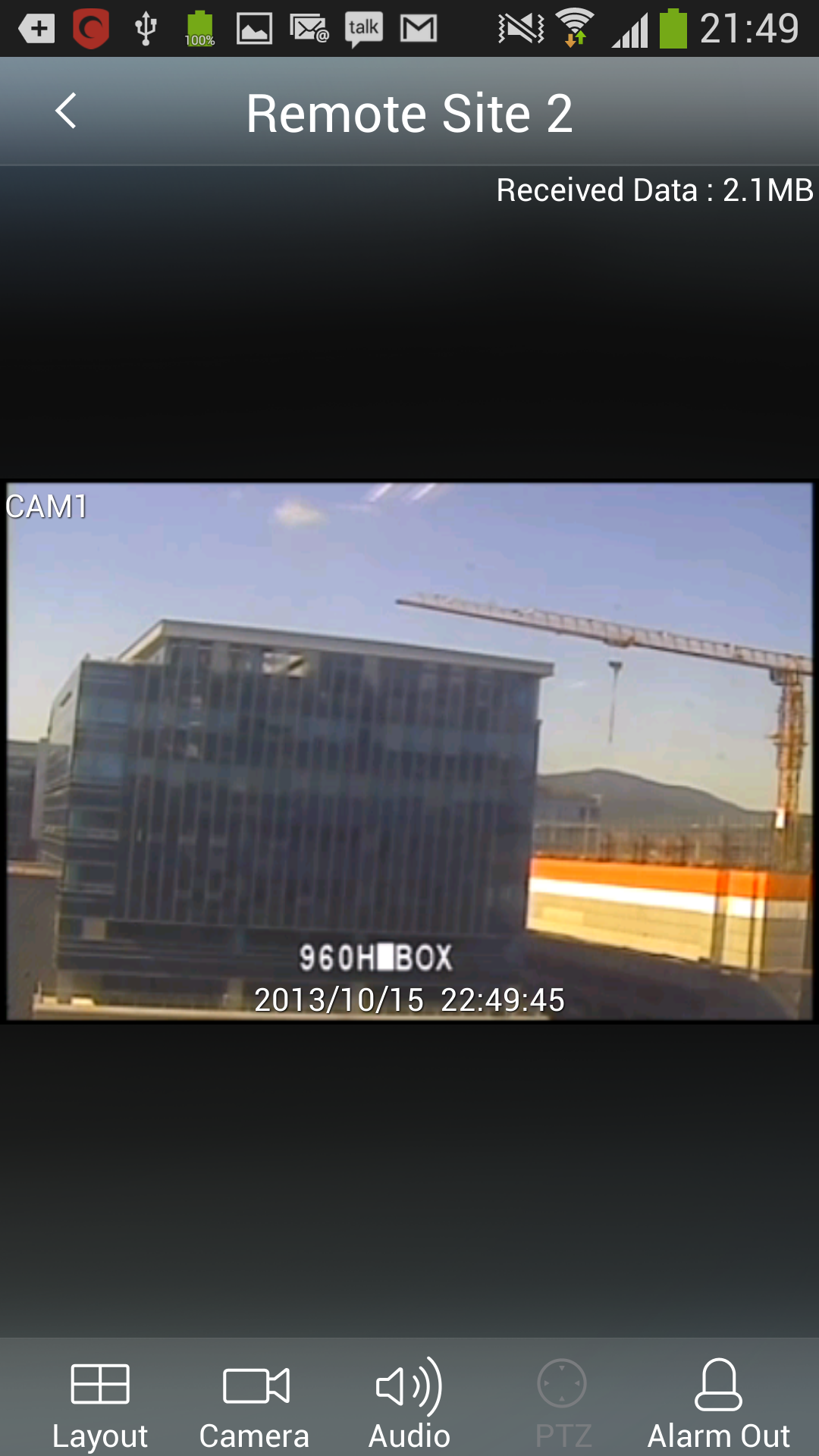
- RAS Mobile enables users to connect to remote locations and view live video feeds over a network from virtually anywhere, at any time.
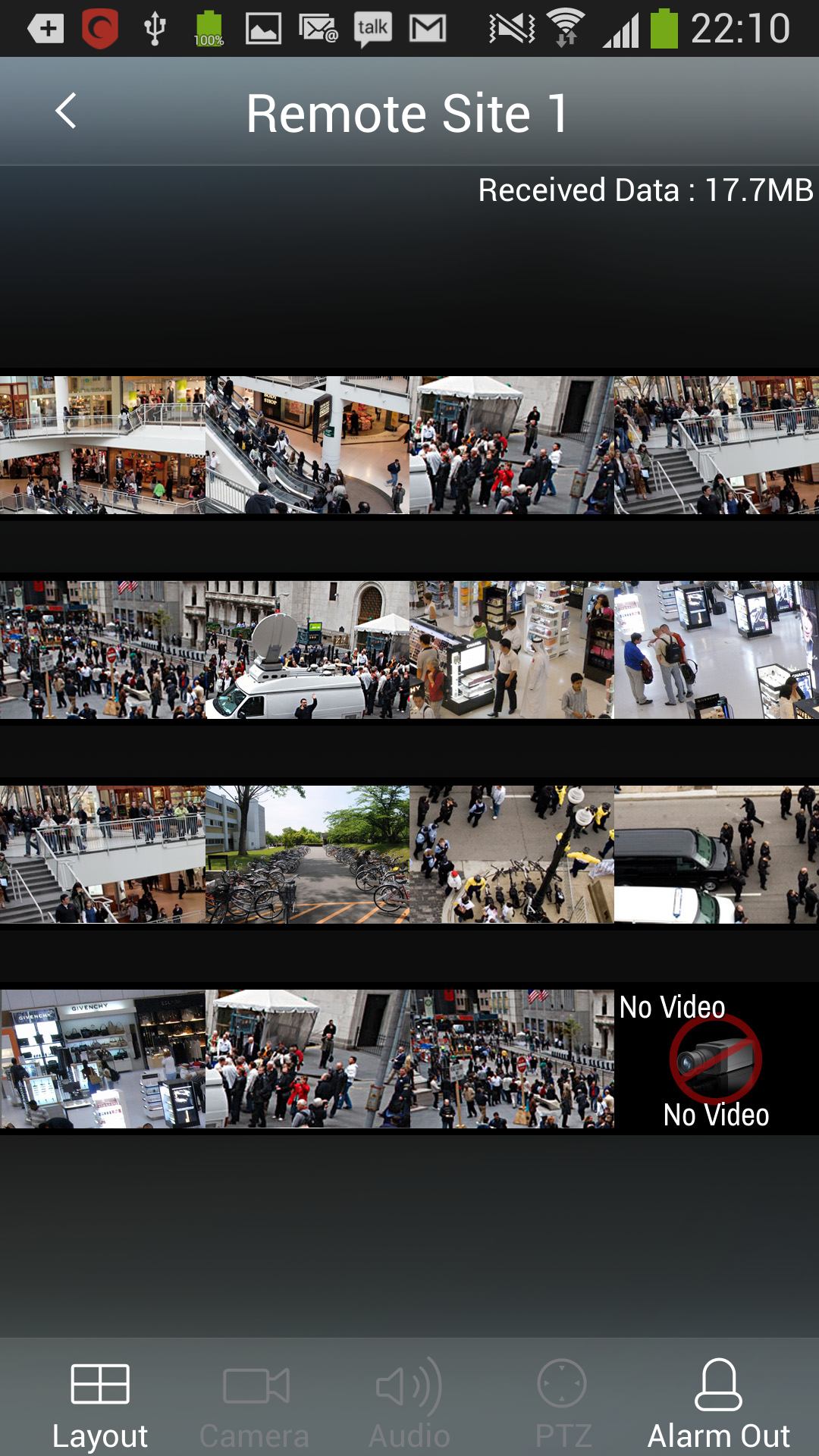
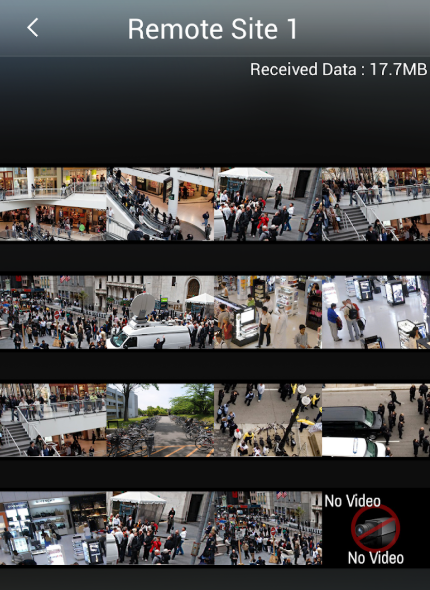
- Includes GridView for monitoring multiple cameras simultaneously.
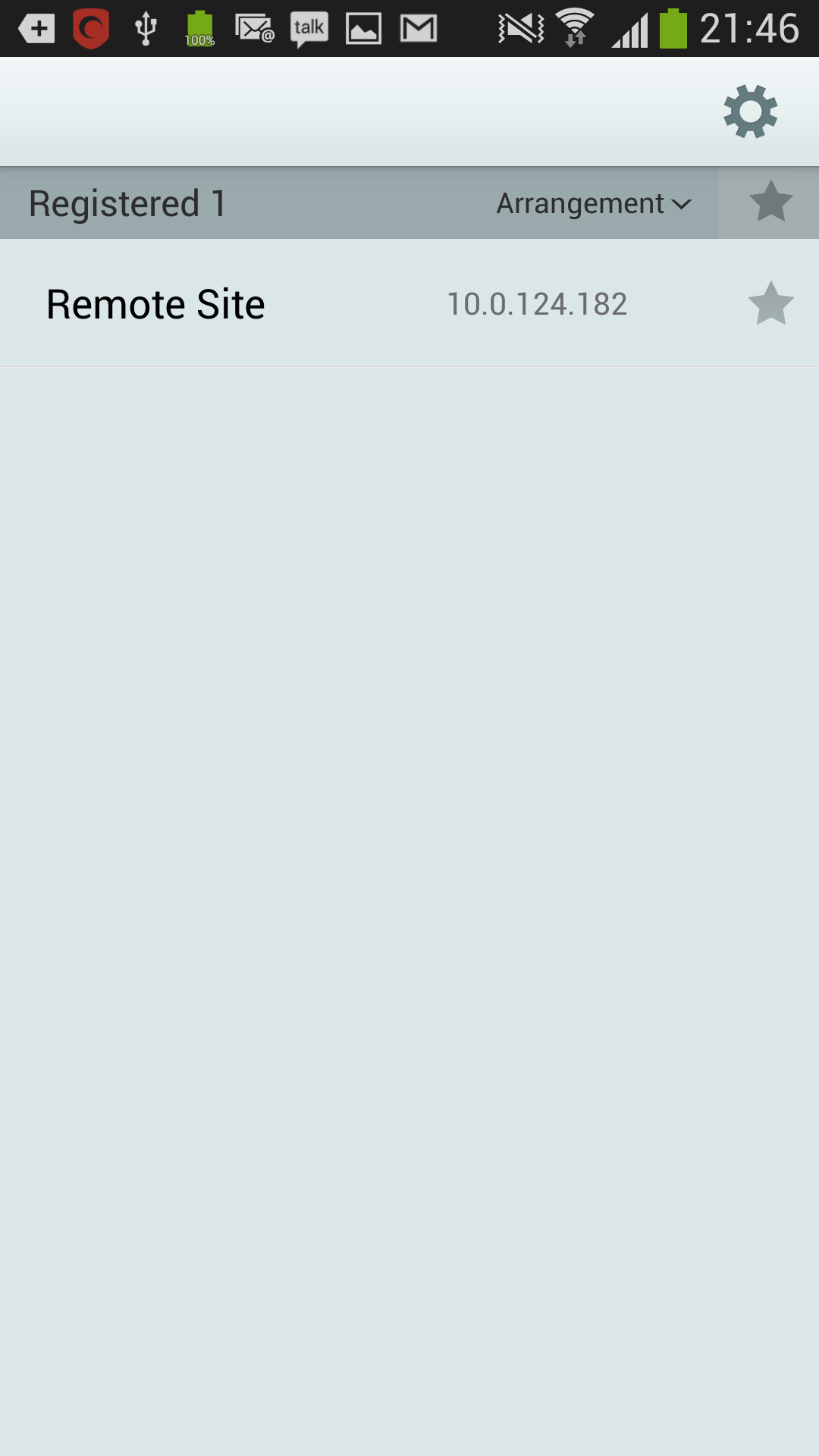
- Features a DashBoard to display connection status.
- Incorporates Touch to Scroll for easy camera selection.
- Offers PTZ (Pan-Tilt-Zoom) control functionality.
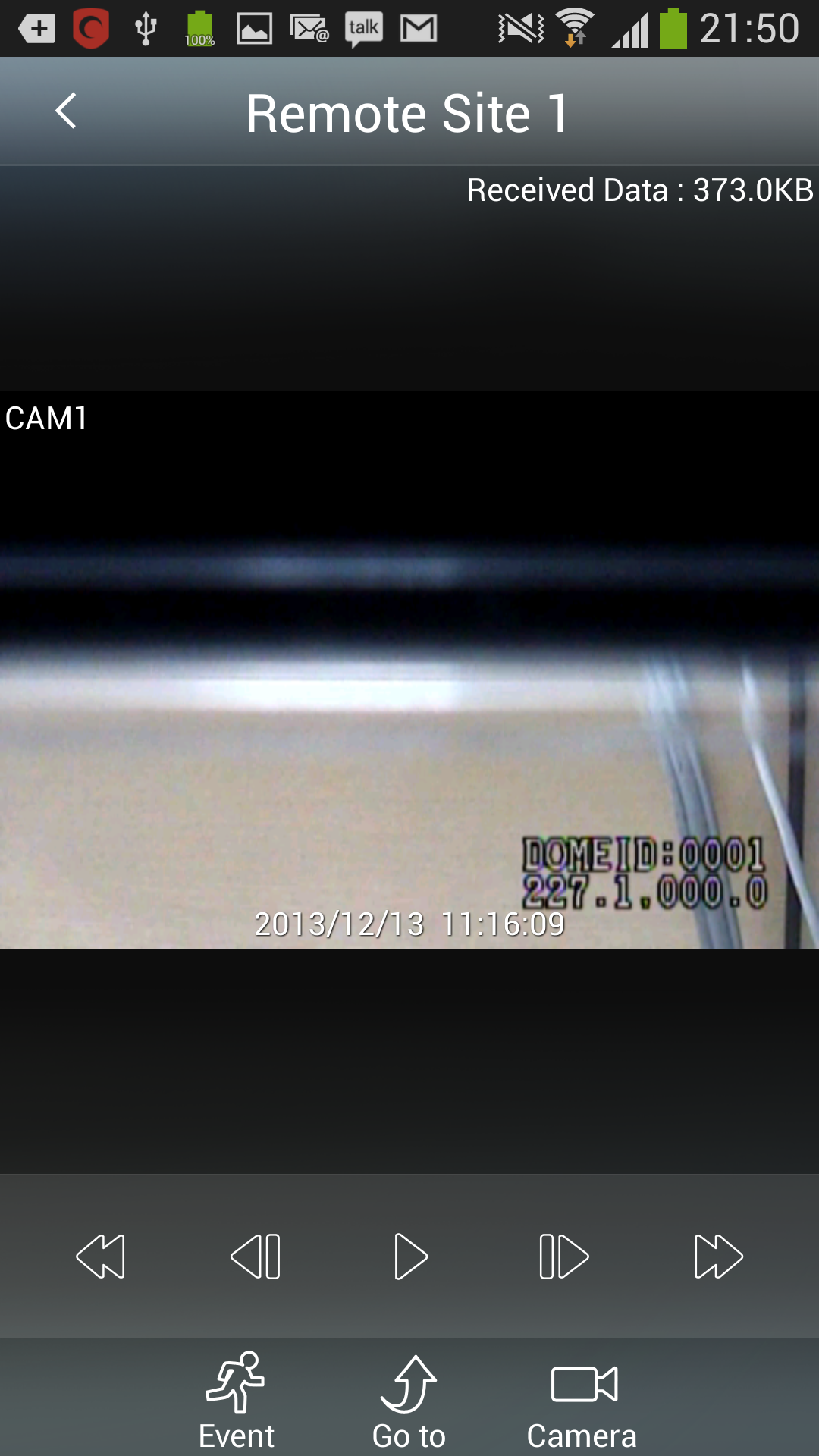
- Provides Playback options.
- Supports 2-way Audio communication.
Instructions:
1. **Download and Install**: Search for "RAS Mobile" in the Google Play Store on Android devices or the App Store on iOS devices. Once you find the app, click "Install" to download and install it. You can also download the APK file from a third-party source, but be mindful of security precautions.
2. **Connect Device**: Open the RAS Mobile app and log in with your username and password on the login screen. After successfully logging in, add the DVR device you want to connect to in the settings screen. Enter the device's IP address, port number, username, and password to complete the device addition.
3. **Real-Time Monitoring**: After adding the device, return to the main screen and click "GridView" to simultaneously monitor live video from multiple cameras. You can also use the "Touch to Scroll" function to scroll across the screen to select a single camera for viewing. While viewing videos, you can zoom in or out using the digital zoom function and adjust the camera's angle and focus using the PTZ control function.
4. **Playback**: Find the "Playback" option on the main screen and select the camera and time range to playback past video recordings. During playback, you can fast forward, rewind, and pause.
5. **Two-Way Audio**: If the camera supports two-way audio, while watching live video or playing back, tap the audio icon to start a two-way voice call with the person at the camera's location.
6. **Other Features**: RAS Mobile also supports screenshots, setting bandwidth limits, and checking connection status. While watching a video, tap the screenshot button to save the current image; bandwidth limits can be set in the settings interface to adapt to different network environments.
Use Scenarios:
1. **Home Security Monitoring**: Users can install IDIS cameras in their homes and use RAS Mobile to monitor their home anytime, anywhere, such as the activities of elderly and children, and any unusual intrusions.
2. **Commercial Venue Monitoring**: For commercial premises such as shops, offices, and warehouses, owners or managers can use RAS Mobile to remotely monitor security conditions within the premises and promptly detect and address issues such as theft and fire. 3. Industrial Monitoring: In industrial production, RAS Mobile can be used to monitor production workshops and equipment operations, allowing managers to remotely monitor production progress and equipment status, enabling timely scheduling and maintenance.
4. Educational Monitoring: Schools, kindergartens, and other educational institutions can use RAS Mobile to monitor campus security in areas such as classrooms, playgrounds, and corridors, ensuring the safety of teachers and students.
* The compatible Android versions for RAS Mobile testing include:
- 5.x (Lollipop)
- 4.4.x (Kitkat)
- 4.1.x to 4.3.x (Jelly Bean)
- 4.0.x (Ice Cream Sandwich)
- 3.2 (Honeycomb)
- 2.3.x (Gingerbread)
Compatible DVRs:
# IDIS
-- CDR Series
=== CDR420 (Firmware v4.3.0)
=== CDR800 (Firmware v2.1.0)
=== CDR801 (Firmware v2.3.0)
=== CDR1600 (Firmware v2.1.0)
=== CDR1601 (Firmware v2.3.0)
-- ED Series
=== ED104 (Firmware v1.1.0)
=== ED204 (Firmware v1.1.0)
=== ED208 (Firmware v1.1.0)
=== ED416 (Firmware v1.1.0)
-- HD Series
=== HD208 (Firmware v1.1.2)
=== HD416 (Firmware v1.1.2)
=== HD416 Hybrid (Firmware v2.1.0)
-- HDR Series
=== HDR1600 (Firmware v2.3.0)
-- ID/PC Series
=== ID832 (Firmware v7.00.080)
=== IDx16 (Firmware v7.00.080)
=== PCx16 (Firmware v7.00.080)
-- IDR/PCR Series
=== IDR4xxx (Firmware v7.00.011)
=== PCR4xxx (Firmware v7.00.011)
-- INT Series
=== INT1000 (Firmware v2.3.0)
=== INT4000 (Firmware v2.2.0)
-- LD Series
=== LD104 (Firmware v1.2.0)
=== LD104 II (Firmware v2.0.0)
=== LD208 (Firmware v1.2.0)
-- MD Series
=== MD208 (Firmware v1.2.0)
=== MD416 (Firmware v1.2.0)
-- MDR Series
=== MDR410 (Firmware v1.2.0)
=== MDR810 (Firmware v1.2.0)
-- NC Series
=== NC-A103-WH (Firmware v1.0.0)
=== NC-A2x0-WH (Firmware v1.0.0)
=== NC-B1 (Firmware v1.5.3 or v2.2.3)
=== NC-B2 (Firmware v1.0.0)
=== NC-D1 (Firmware v1.5.3 or v2.2.3)
=== NC-D2 (Firmware v1.0.0)
=== NC-E103 (Firmware v1.0.1)
=== NC-EP103-IR (Firmware v1.0.0)
=== NC-EP103-IR1 (Firmware v1.0.0)
=== NC-P103-WV (Firmware v1.3.0)
=== NC-S103-3Z (Firmware v1.3.0)
-- SD Series
=== SD104 (Firmware v1.4.0)
=== SD104C (Firmware v1.2.0)
=== SD104S (Firmware v1.2.0)
=== SD204 (Firmware v1.5.0)
=== SD204C (Firmware v2.0.0)
=== SD204S (Firmware v2.0.0)
=== SD208 (Firmware v1.4.0)
=== SD408 (Firmware v1.5.0)
=== SD416 (Firmware v1.4.0)
-- SDR 4XX Series
=== SDR400A (Firmware v1.3.1)
=== SDR402 (Firmware v3.6.1)
=== SDR420 (Firmware v1.3.0)
=== SDR421 (Firmware v1.3.0)
-- SDR 8xx Series
=== SDR800 (Firmware v2.0.2)
=== SDR1600 (Firmware v2.0.2)
-- XD Series
=== XD208 (Firmware v1.2.0)
=== XD416 (Firmware v1.2.0)
=== XD416 Hybrid (Firmware v2.1.0)
-- XDR Series
=== XDRPRO802 (Firmware v2.4.1)
=== XDRPRO900 (Firmware v4.0.1)
=== XDRPRO1600 (Firmware v4.0.1)
=== XDRPRO1602 (Firmware v2.4.1)
=== XDRSTD900 (Firmware v4.0.1)
=== XDRSTD1600 (Firmware v4.0.1)
Key version update highlights:
## 3.1.4.3010401(AND3137a)
- supports ART (Android runtime)
- allows for 3M pixel video streaming
- features enhanced decoding performance
- incorporates digital zoom control for both Watching and Searching functions
## 3.1.2.3010100(AND3115)
Enhancements include:
- bandwidth limitation (Automatically selects lower bitrate stream for Watch; Intra frame based search for Search)
- more detailed notifications regarding FEN disconnections
- password protection feature
- drawing capability in the original resolution on one channel
## Previous versions
- supports new models MN416/208
- refined Search function to prevent movement to frames without content.
- Capture and Watch/Search options are accessible via long-click menus in landscape orientation for all devices lacking a hardware menu key.
- supports both 720p and 1080p devices.
- compatibility with Android version 2.3 and upwards, including Jelly Bean 4.3
- ARMv5 based devices are excluded.
- works with NVR
- introduced a new skin
- settings for importing and exporting
- ability to mark Favorites and sorting options within the device list
- restrictions on mobile data usage
- single channel screenshot capability during Live/Search
- option to toggle between Live and Search connections
- double tap on the screen for aspect ratio adjustments
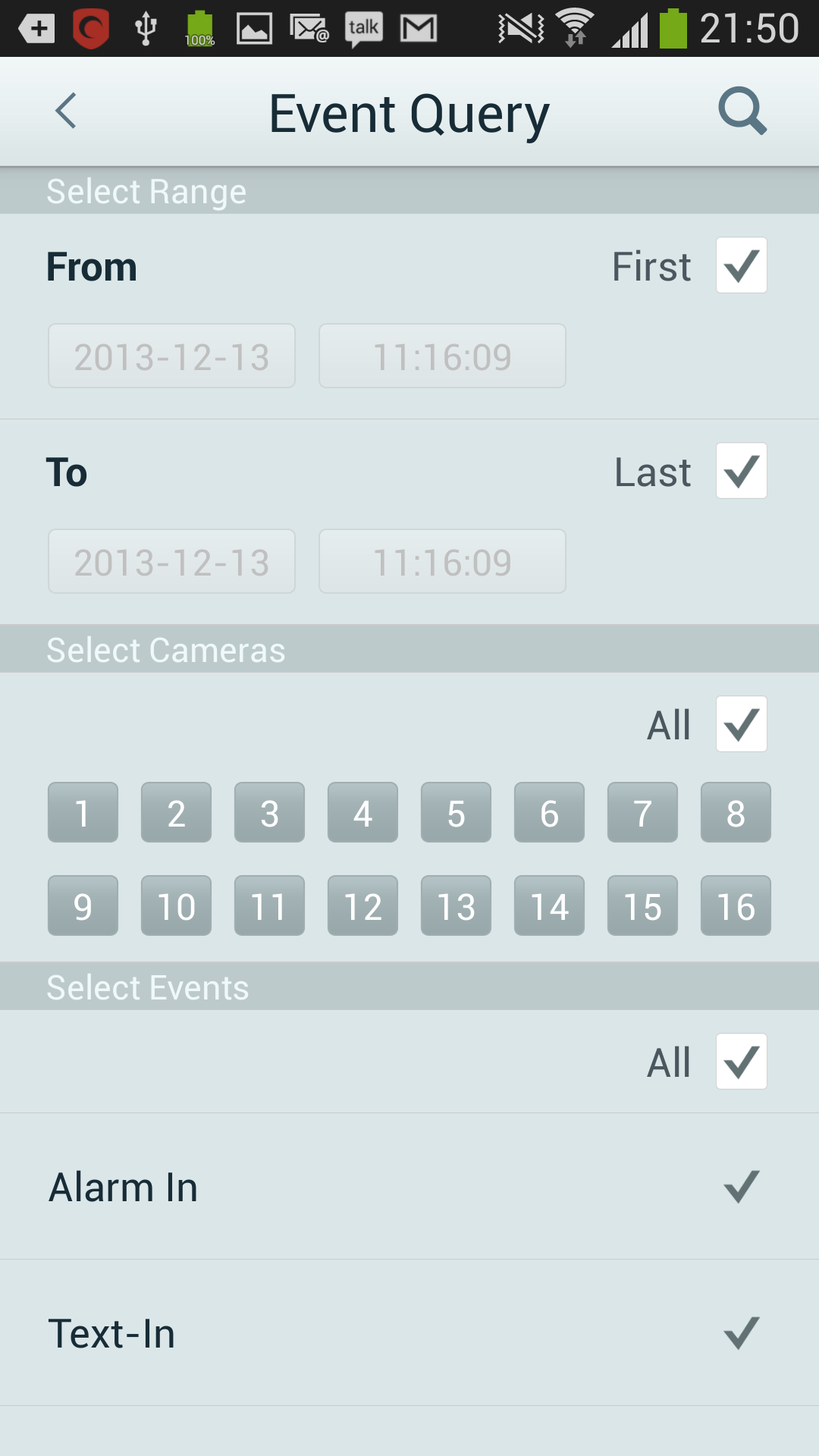
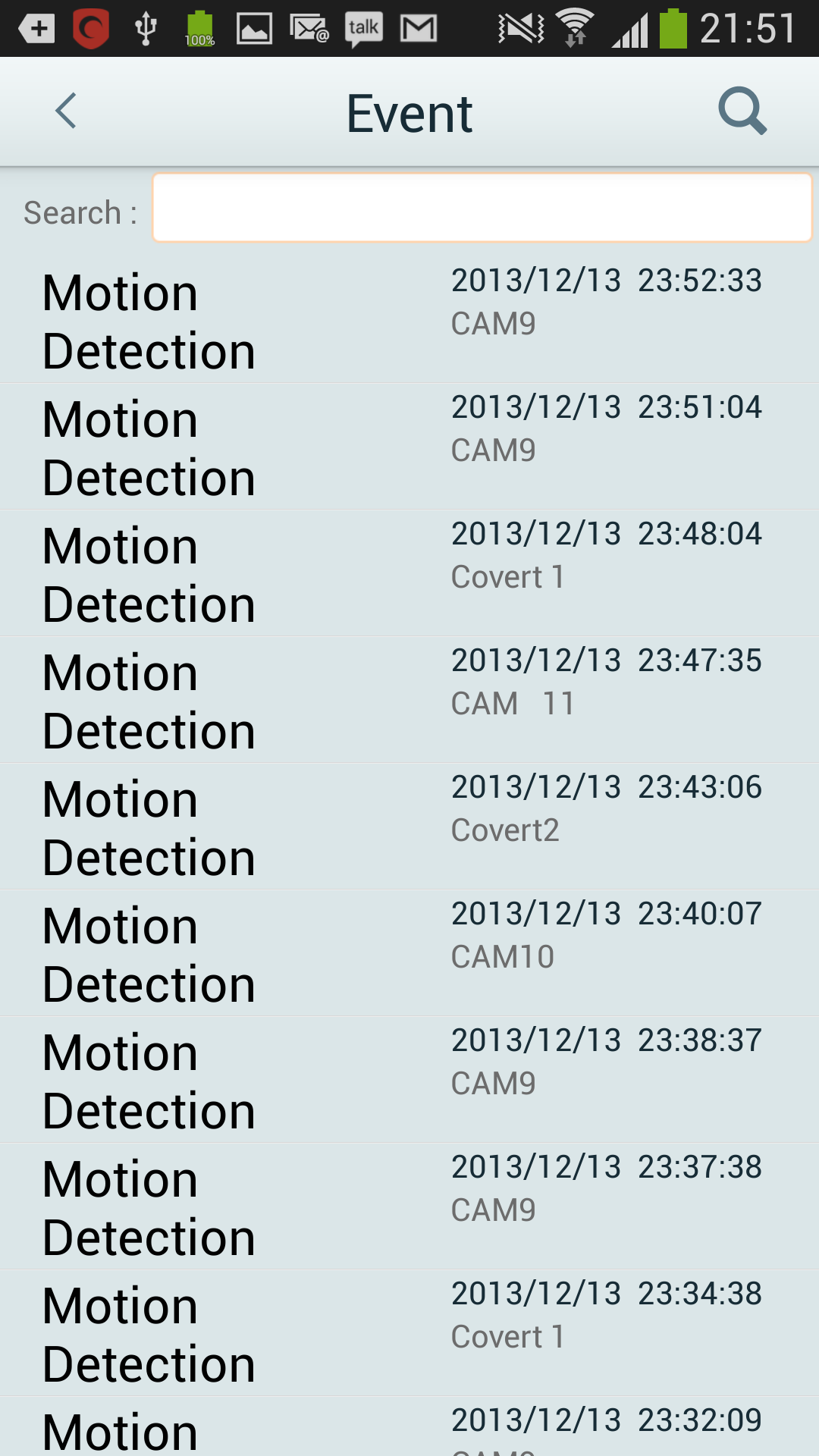
- event query page feature
FAQs:
Q: How do I view multiple cameras simultaneously?
A: Access the main interface and click GridView for multi-view monitoring.
Q: How do I review recorded footage?
A: Find the "Playback" option, select the camera and time range to playback.
Q: Can I talk to the camera?
A: If the camera supports two-way audio, click the audio icon while playing the video.
Q: Which devices are supported?
A: Supports multiple DVR/NVR series from IDIS, requiring compatible firmware versions.
- Version4.3.0
- UpdateOct 19, 2026
- DeveloperIDIS global
- CategoryProductivity
- Requires AndroidAndroid 4.4+
- Downloads139K+
- Package Namecom.idis.android.rasmobile
- Signatureae047bb269e37b3511608be29290760d
- Available on
- ReportFlag as inappropriate
-
NameSizeDownload
-
32.80 MB
-
31.87 MB
-
16.09 MB












User-friendly interface for easy navigation
Efficient support for multiple sites and DVRs
Quick startup and setup process
Free to use with appreciation towards developer
Works well on a variety of Android devices
High praise for performance compared to PC software
Professional solution accommodating various DVR architectures
Camera image issues on newer devices
Compatibility problems with updates causing app crashes
Limited features not suitable for advanced needs
Connection errors preventing new user setups
Requires microphone access without clear explanation
Exporting issues leading to inability to import settings
Changing network configurations leads to additional hassles
Some functionalities regress after updates, diminishing usability