
ihancer - AI image enhancer - Photo enhancement & resolution
Transform poor-quality photos into stunning images with a single tap using advanced machine learning technology!

- 1.0.41 Version
- 1.6 Score
- 507K+ Downloads
- In-app purchases License
- 12+ Content Rating

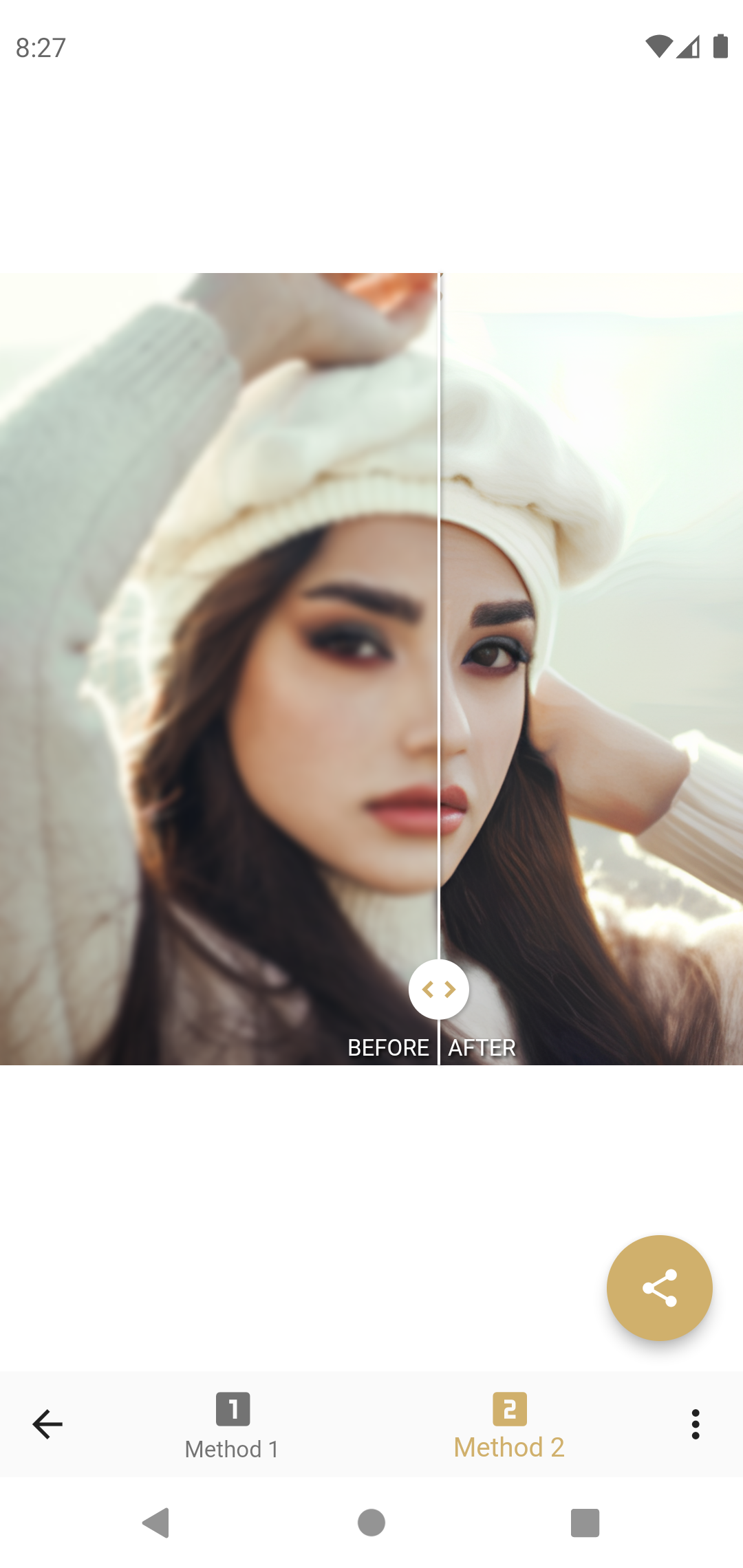
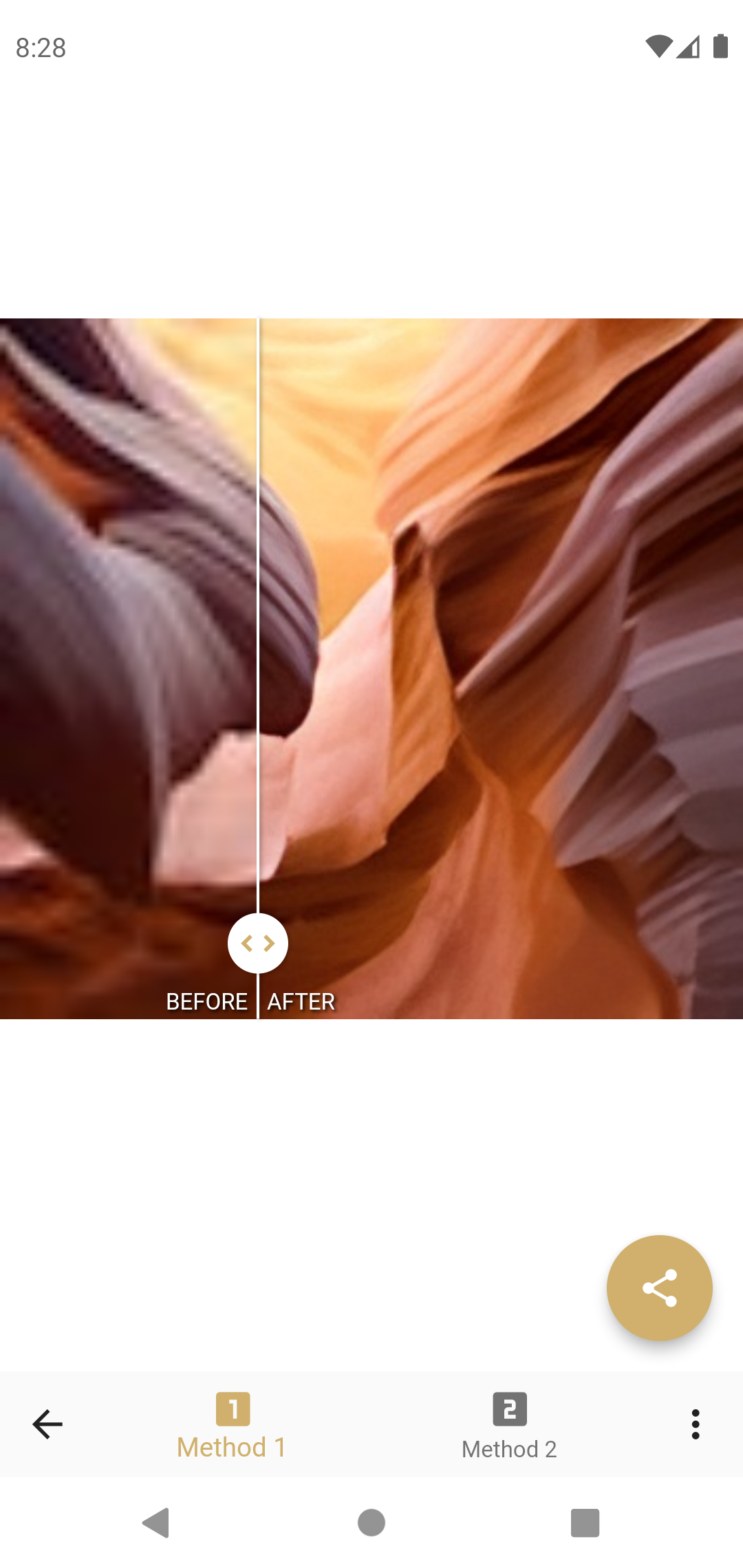
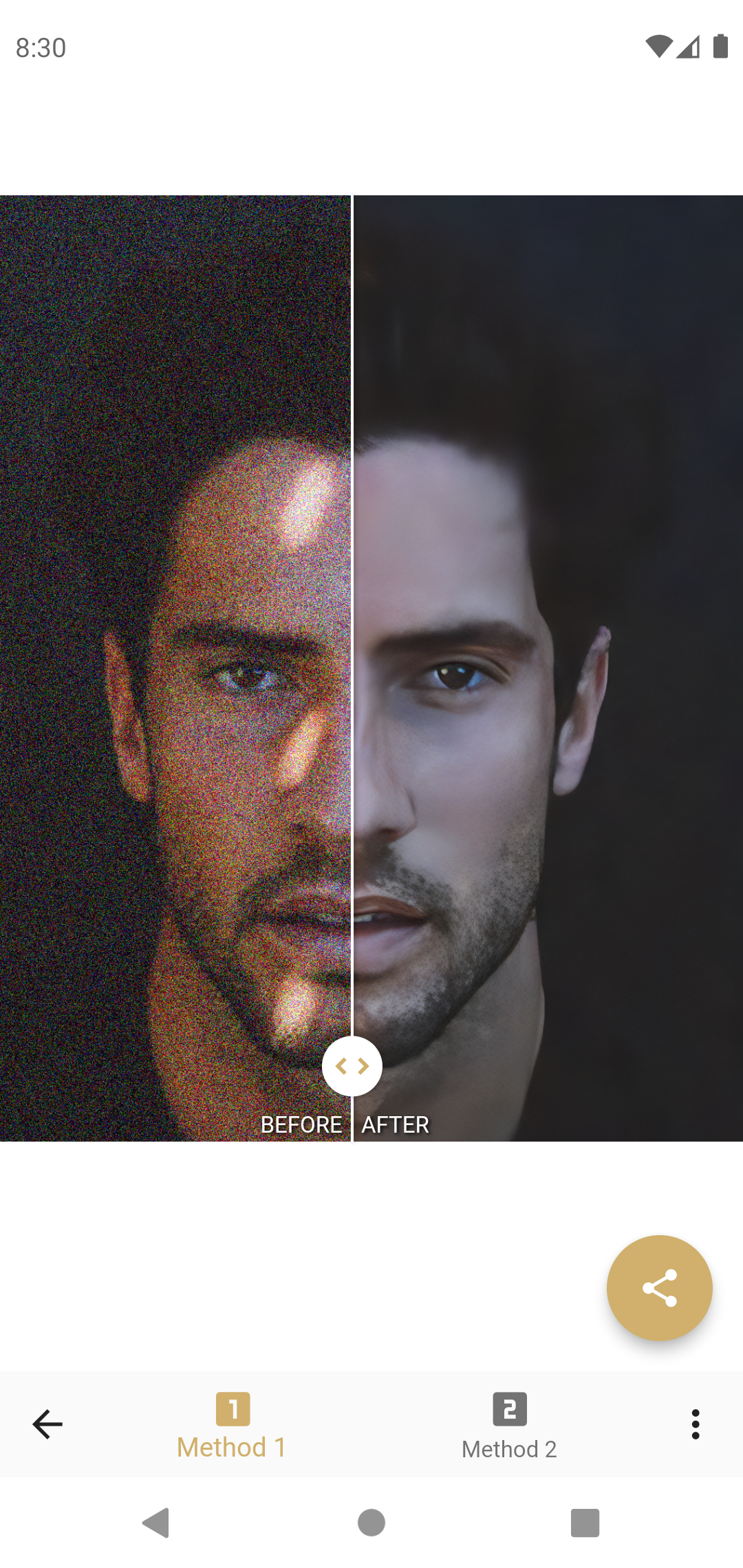
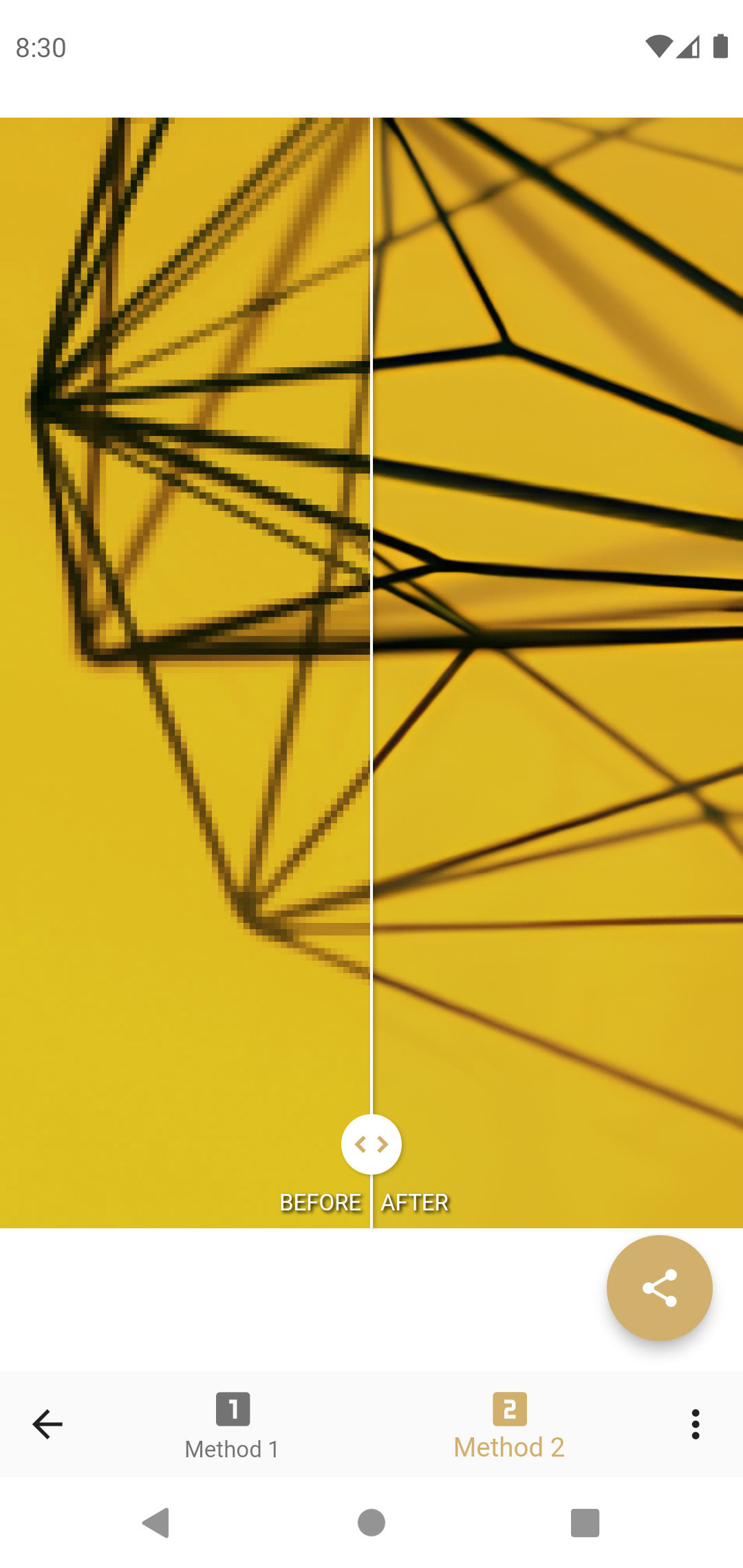
If you have a low-quality image or wish to boost its resolution, this application is perfect for you. It utilizes machine learning technology to automatically improve image quality with just a single tap.
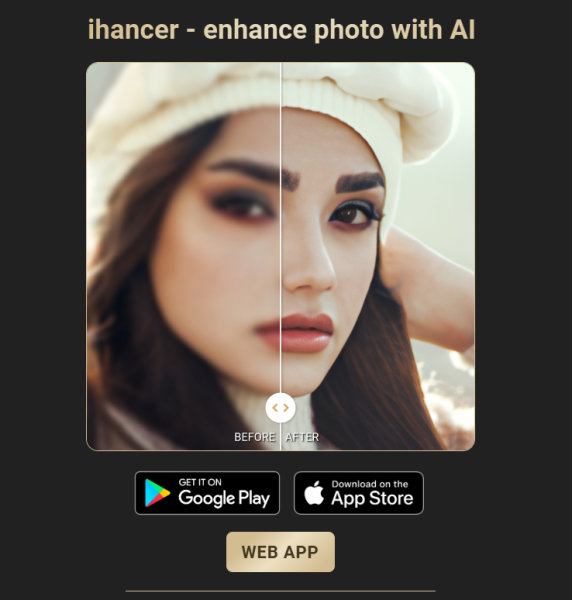
The process is straightforward: first, select a poor-quality image from your gallery or capture a new one using your camera. Then, simply press a button, wait for a moment, and you'll receive an enhanced version of your photo. You can observe the enhancement in real-time by comparing the original image with the improved one.
This technology is particularly optimized for images featuring faces, but it performs well with all types of photos too. You can easily share the improved photos with various applications such as social media platforms, messaging apps, photo editing tools, or save them directly to your gallery.
Common applications include:
- Repairing pixelated and blurry images
- Restoring old or damaged photos
- Eliminating artifacts from resized images
- Boosting image quality
- Increasing image resolution
- Enhancing details in images
- Improving photos of faces
User Experience
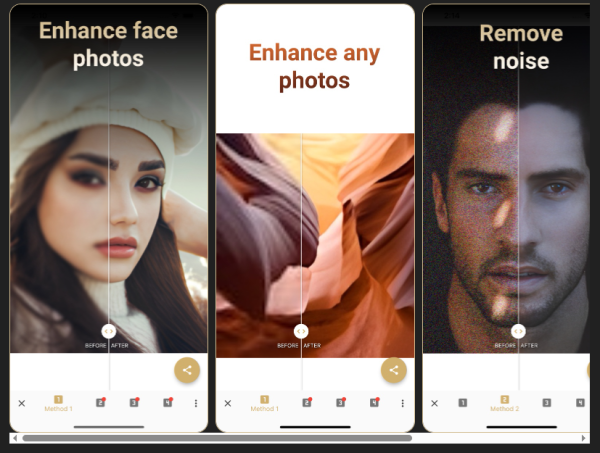
1. Extremely Easy to Use: No professional photo editing knowledge is required. From selecting an image (from your camera roll/photographer) to starting the optimization process, the process is completed in just two steps, with one click and minimal waiting time. This makes it suitable for everyone, especially those unfamiliar with complex photo editing tools.
2.Intuitive and Controllable Results: Supports real-time comparison between the original and optimized images, allowing users to clearly see changes such as resolution improvement, blur removal, and detail refinement. This eliminates the confusion of "not knowing the effect after optimization" and allows users to quickly determine whether the optimization meets expectations.
3. Strong Compatibility and Convenience: Optimized images can be saved directly to the camera roll, seamlessly shared to social platforms (such as Moments and Instagram), messaging apps (WeChat and WhatsApp), or imported into other photo editing tools for further editing, ensuring seamless use.
4. High AI Optimization Precision: Targeted optimization for facial images (such as reducing facial blur and refining facial texture) is also compatible with a variety of images, including landscapes and still lifes. This eliminates the problem of "optimizing one scene well while others perform poorly," ensuring high versatility.
Use Cases
1. **Daily Social Photo Editing**: Photos taken due to poor lighting, shaky hands, or low-resolution screenshots can be optimized to improve image quality for sharing on WeChat Moments, Weibo, and other platforms, avoiding the "blurry that affects the visual experience."
2. **Old Photo Restoration and Preservation**: Scanned old paper photos at home may have low resolution or scratches, or old digital photos may have poor quality. Use this tool to repair these damages and improve clarity, making them convenient for keeping as souvenirs or sharing with family.
3. **Work/Study**: When creating PPTs or reports, images with low resolution may need to be inserted. Optimization can prevent stretching and distortion after insertion, ensuring the document's visual quality. It can also be used to repair minor blur on work ID photos for temporary emergency use.
4. **Image Reuse**: Optimize low-resolution images for use in albums, physical prints, or as design materials, enhancing the quality of secondary use.
5. **Removing Scaling Distortion**: Images that have been scaled multiple times can become pixelated and have blurred edges. This tool can remove these artifacts, restoring image clarity for easier reuse.
Q&A
1. Q: What problems can this app solve?
A: It repairs blurry, pixelated, and distorted images, improves resolution and detail, and can restore old and damaged photos. It's especially good at optimizing portraits.
2. Q: How do I use this app?
A: It's easy in two steps: Select an image from your album or take a photo with your camera, click the optimize button, wait a moment, and a high-resolution version will be generated. You can also compare the original image and the optimized version in real time.
3. Q: How can I process the optimized image?
A: You can save it directly to your album, share it on social media platforms and messaging apps, or import it into other photo editing tools for further editing.
4. Q: Is it beginner-friendly?
A: Very beginner-friendly. No professional photo editing knowledge is required. It's simple and easy to use, suitable for everyone.
5. Q: Besides everyday photos, what other scenarios can it be used for?
A: It can restore old photos, optimize PPT/report illustrations, process ID photos temporarily, and improve the quality of images for reprinting or design materials.
- Version1.0.41
- UpdateOct 16, 2026
- Developerappsmotor AI
- CategoryPhotography
- Requires AndroidAndroid 5.0+
- Downloads507K+
- Package Namecom.appsmotor.imageenhancer
- Signaturecc02f1607eab4c73c1a1095705f68774
- Available on
- ReportFlag as inappropriate














Effective beyond just face enhancement
Consistent and reliable results
Minimal ads that don’t interfere with usage
Free to use without hidden costs
Provides options for different enhancement methods
Straightforward and user-friendly interface
Impressive results for a free app
Allows easy photo enhancement for non-human subjects
Good balance of processing time and quality
Slow processing times leading to errors
Limited output resolution options
Occasional loss of detail in images
Ads can be intrusive despite being manageable
Confusing subscription model and lack of clarity on pricing
Performance inconsistency across different images
Enhancement may not meet expectations for all users
Initial versions offered more features than current updates
Some enhancements create unrealistic or cartoonish effects