
Calculator ++ - Multipurpose calculator app
Unlock your potential with this versatile calculator app, designed for effortless calculations and customized experiences.
- 2.3.6 Version
- 4.9 Score
- 1M+ Downloads
- In-app purchases License
- 3+ Content Rating

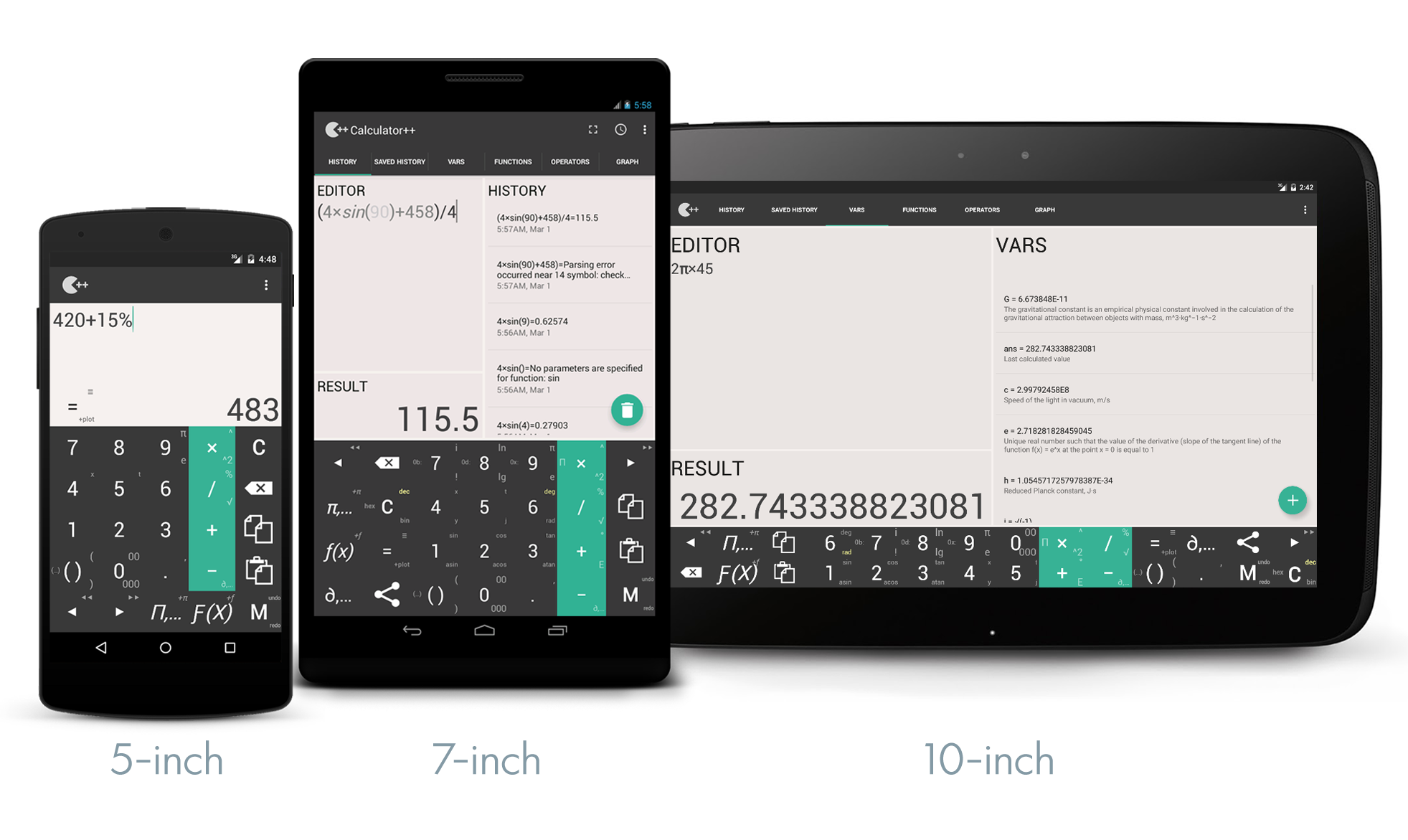
Are you in search of a user-friendly and effective calculator?
Would you like to tackle both straightforward and intricate calculations?
Give Calculator++, a versatile calculator application featuring a sleek and user-friendly interface, a try!
Features:
★ Save your precious time!
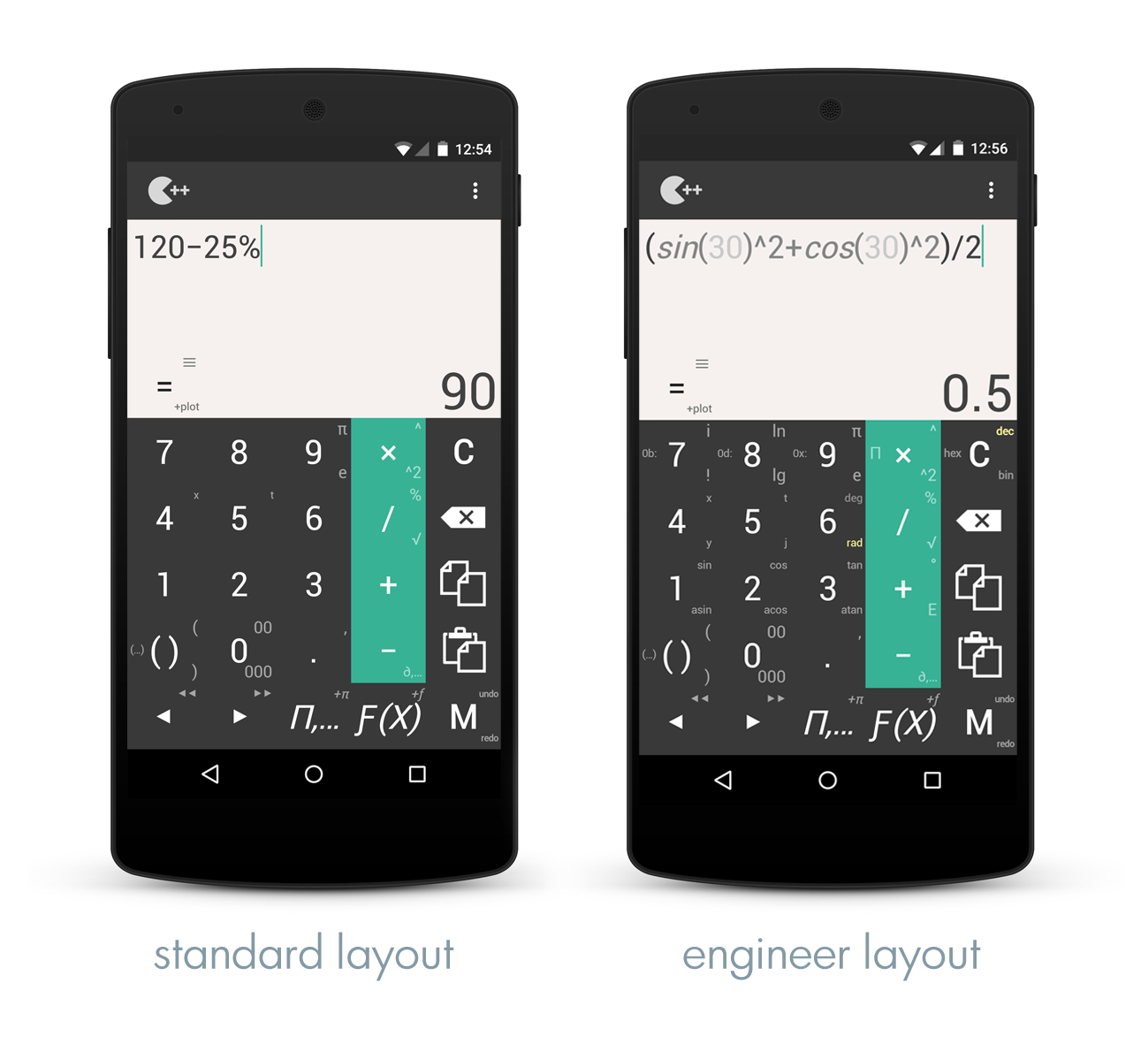
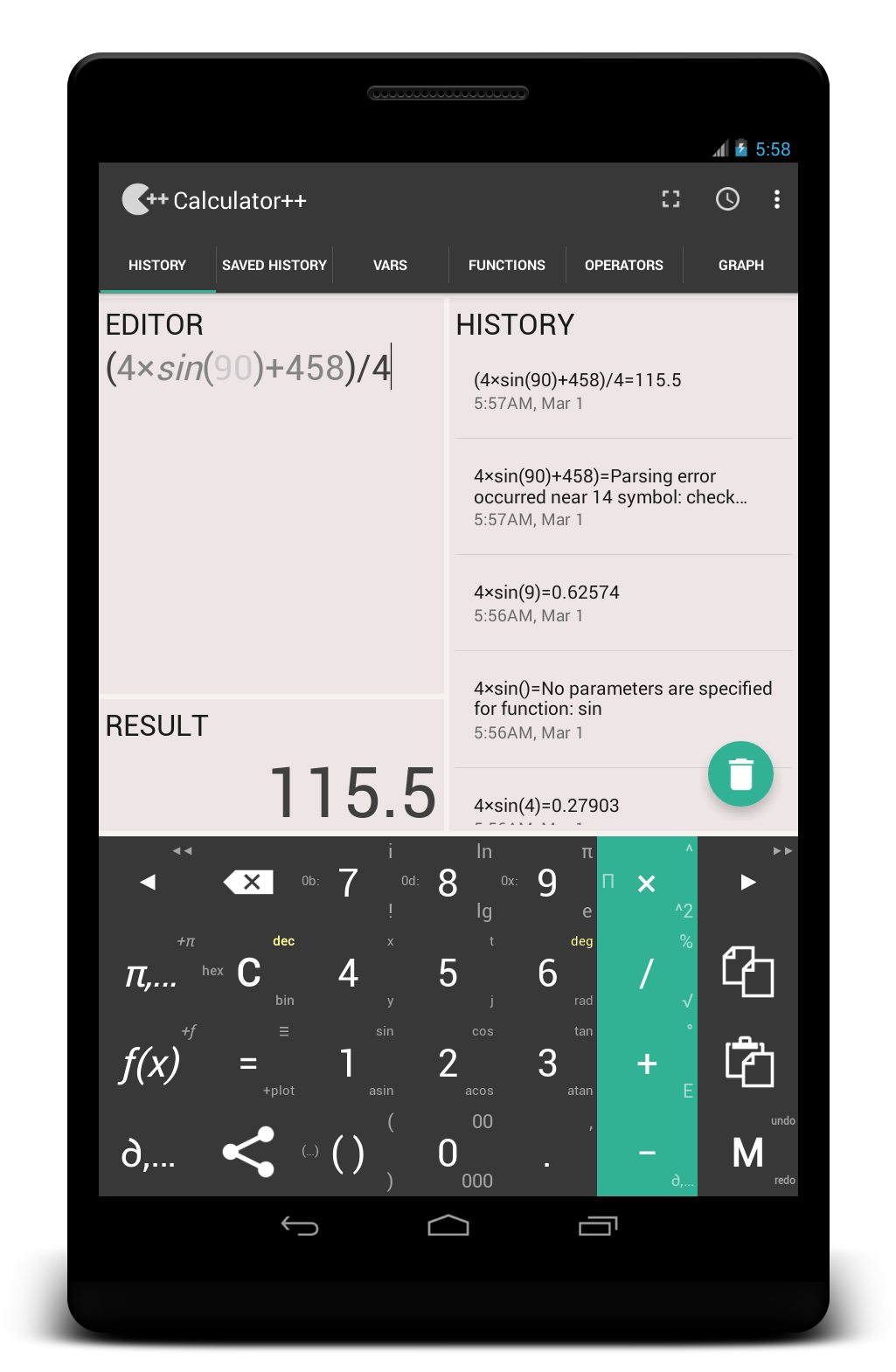
• Utilize additional functionalities directly from the main screen using gestures. For instance, to apply «%», simply slide the «/» button upwards.
• No need to hit «=» anymore; the result is generated automatically.
• Easily copy and paste with just one tap.
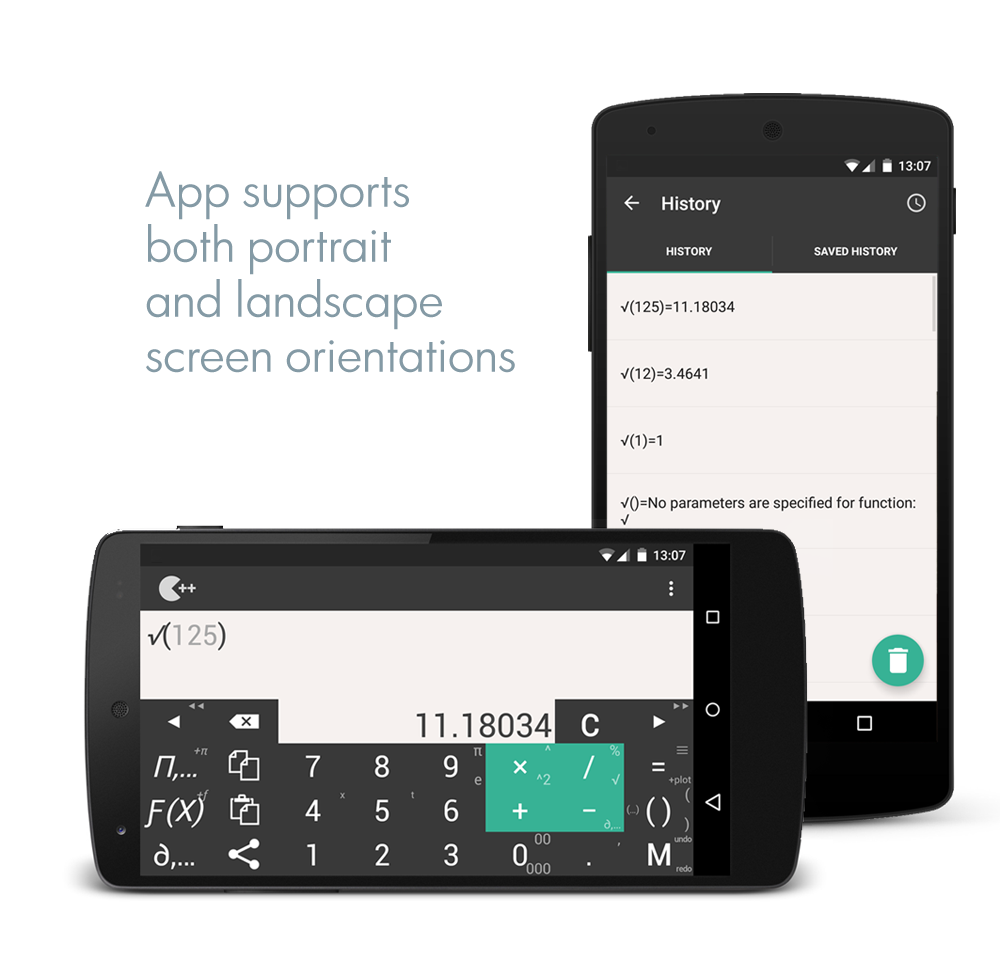
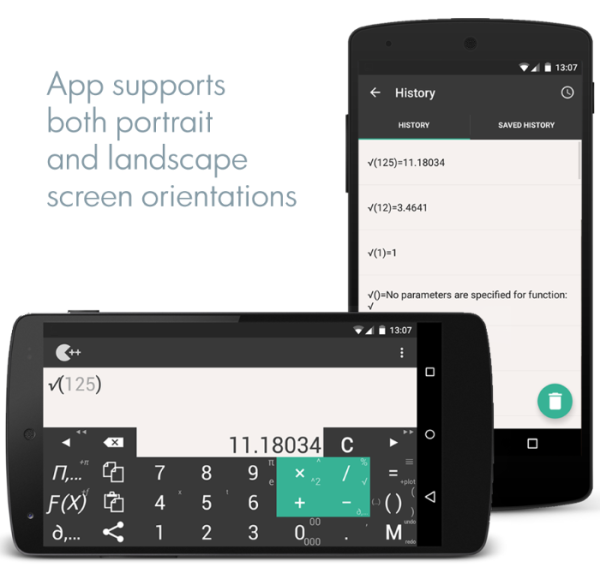
• The application supports both portrait and landscape orientations.
★ Customize your experience!
• Calculator++ offers two layouts: standard and engineering. Select whichever fits your needs best, either through the initial setup wizard or the app settings.
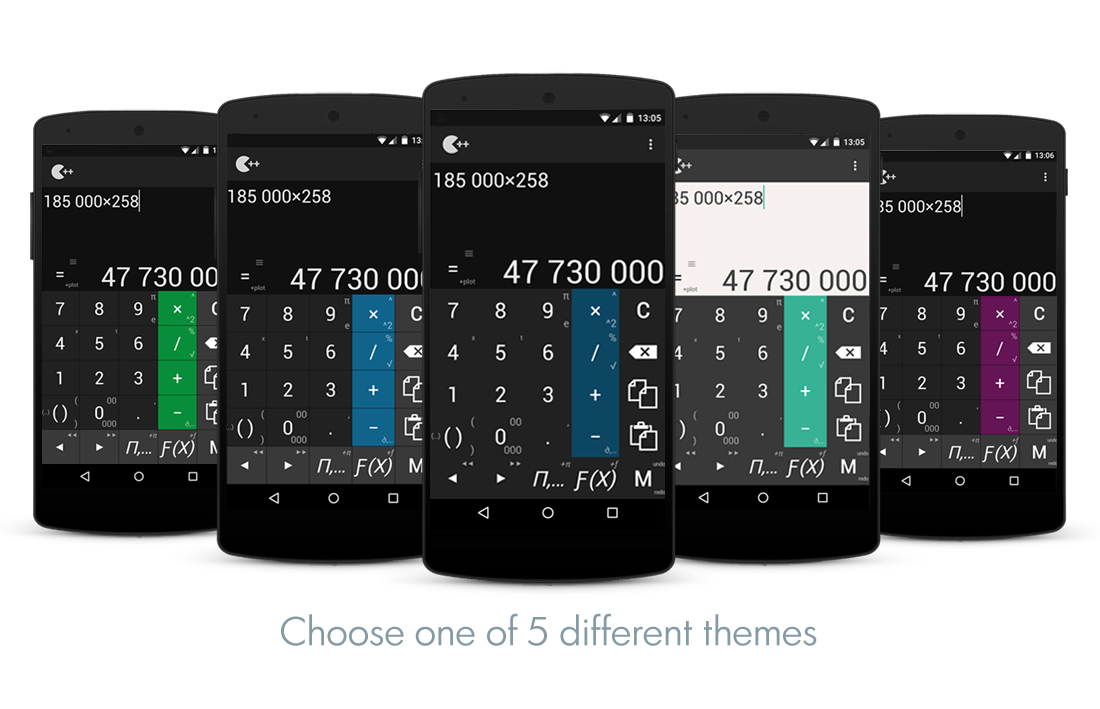
• Choose your preferred theme.
• Add a widget to your home screen.
★ Perform calculations without having to switch between applications!
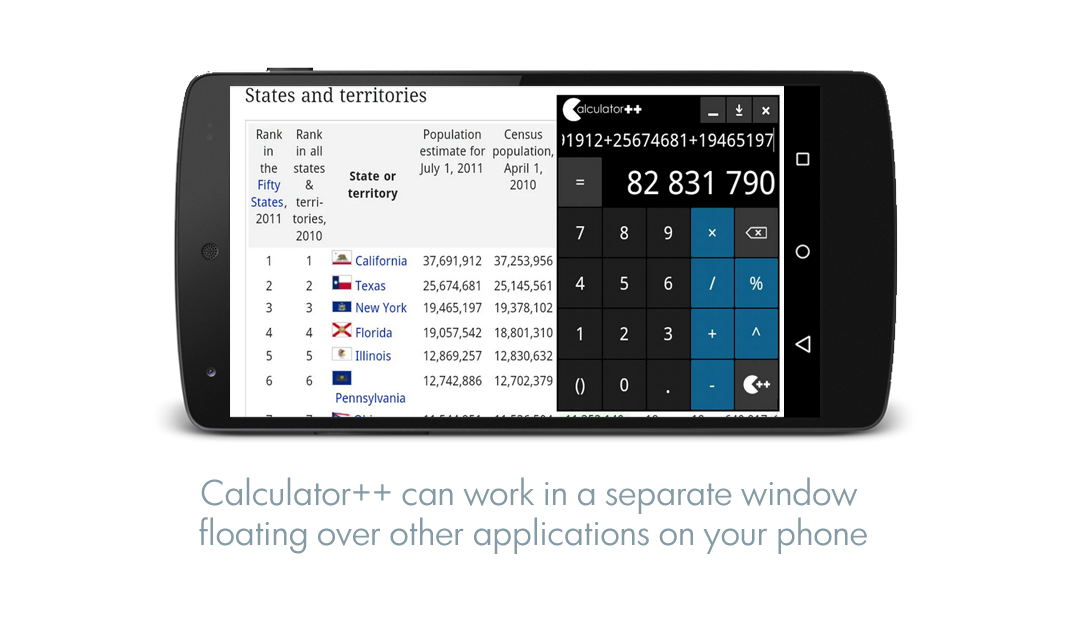
Calculator++ can operate in a separate window that floats above other apps on your device.
★ Compute percentages, square roots, powers, and trigonometric functions!
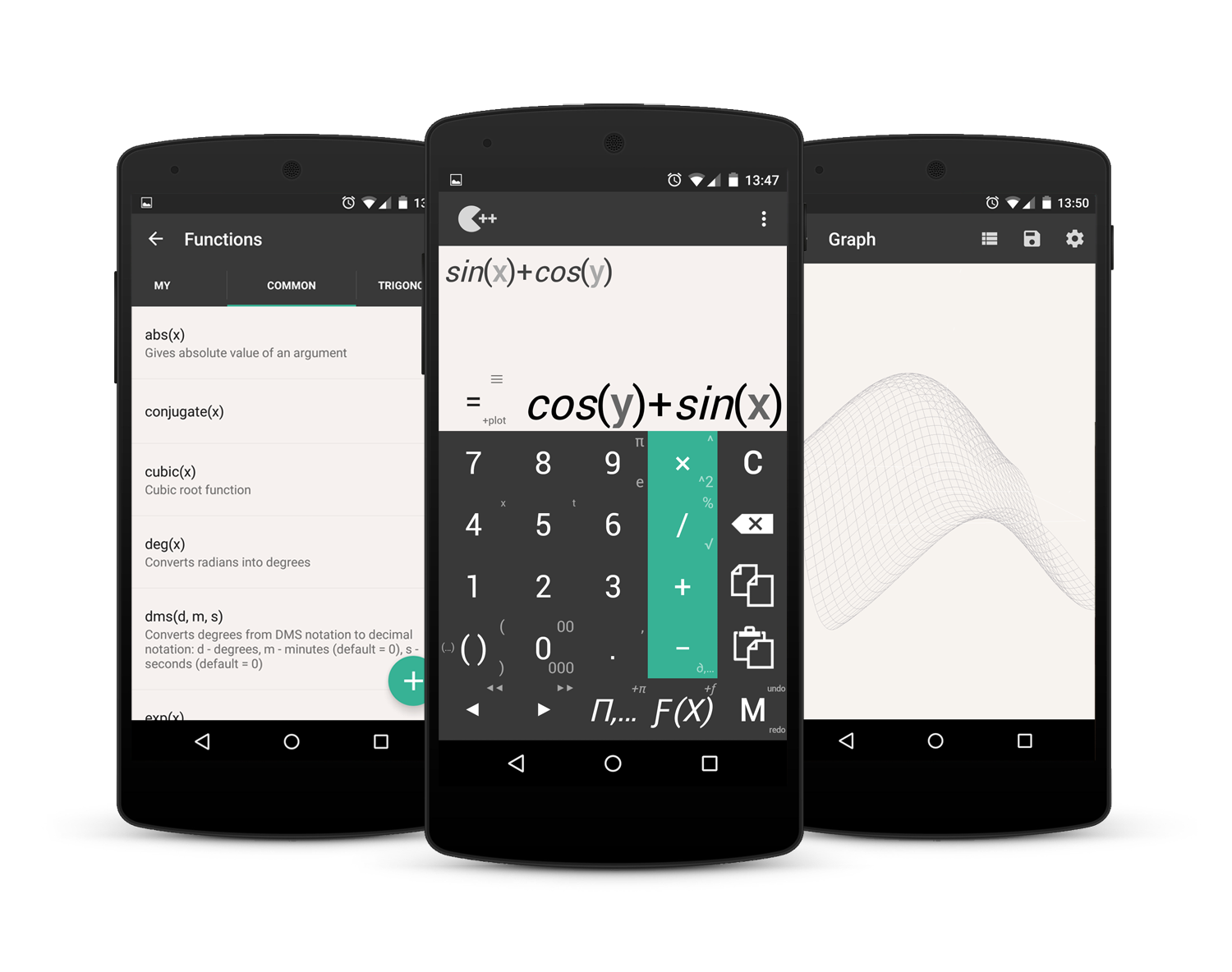
The calculator includes a wide range of built-in functions and allows for user-defined functions as well.
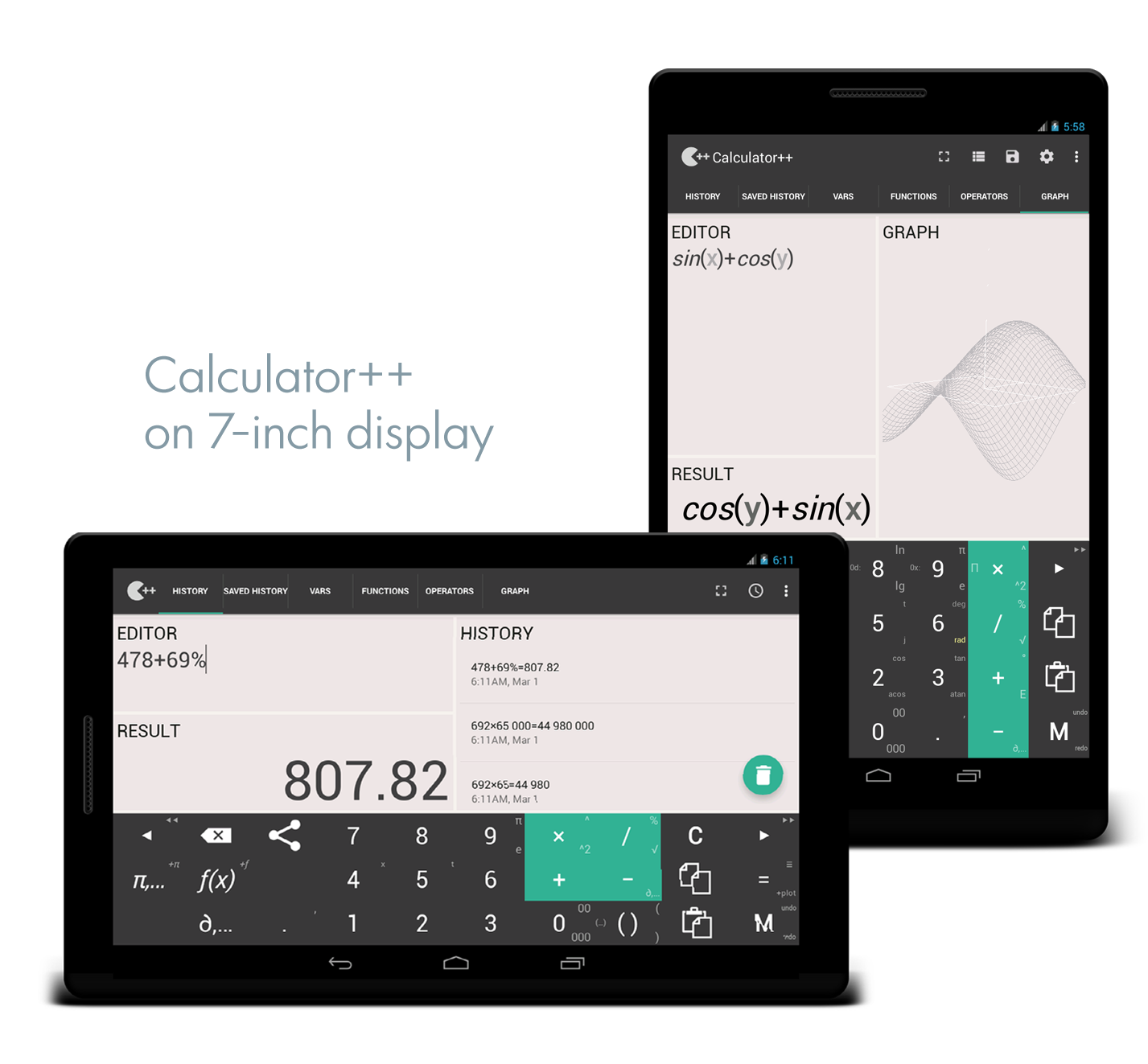
★ Visualize 2D and 3D graphs!
You can plot multiple functions at the same time.
★ Leverage the app's robust mathematical features:
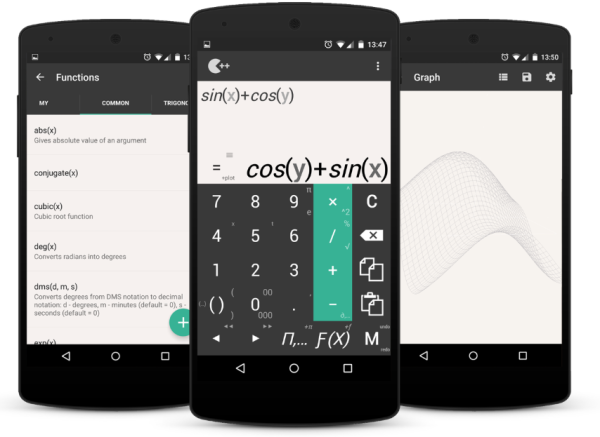
• Perform computations involving variables and constants.
• Access built-in functions or create your own.
• Integrate and differentiate.
• Work with fractions and simplify expressions.
• Handle calculations with complex numbers.
This application is compatible with devices running Android version 2.2 and above and is open source. It does feature advertisements that appear on secondary screens, which can be removed by purchasing an option within the app settings.
Usage Tips:
1. **Quick Calculations**
Swipe up with the `/` key to access the `%` function. Input formulas and get results automatically. One-click copy and paste. Supports landscape and portrait screen switching.
2. **Customizable Interface**
Choose standard/engineering layout, customize themes, add desktop widgets, and quickly start calculations.
3. **Floating Window Calculation**
The window can be dragged and resized, placed at the screen edge without obstructing other applications. Calculate while viewing documents.
4. **Advanced Features**
Supports exponentiation, trigonometric functions, etc. Customize and save functions; draw 2D/3D images; 3D images can be swiped, rotated, pinched, and zoomed; automatically simplifies fractions and can also calculate integrals, differentials, and complex numbers.
5. **Ad Removal and Permissions**
One-time payment for permanent ad removal; older Android devices require manual permission to use the floating window.
FAQs:
### 1. Will the calculator block other app content in floating window mode? Can it be resized?
The floating window can be manually dragged and resized by stretching its edges. It can be shrunk to a corner or enlarged to a suitable size to avoid obscuring key content. For example, when calculating data in a document, shrinking the floating window to a small window and placing it on the edge of the screen allows for real-time calculations without affecting the document's viewing experience, providing great flexibility.
### 2. Can I save my custom functions and use them later?
Yes, I can. When creating a custom function, after setting the function expression and parameters, the system will prompt me to "Save to Function Library." The next time I need to use it, I can simply call it from the "My Functions" list without having to re-enter the expression. This is ideal for scenarios where I frequently perform the same complex calculations (such as fixed-formula engineering operations).
### 3. When drawing 3D graphics, can I rotate them to view different angles?
Yes, I can. After generating a 3D graph, you can adjust the viewing angle by sliding your finger on the screen (up and down/left and right). You can also pinch to zoom in and out, making it easier to see details (such as the projection of a function on different coordinate planes). This is very helpful for mathematical modeling or geometry learning.
### 4. Can floating windows be used on older Android devices (such as those running Android 4.0)?
Most Android 4.0 devices support floating windows, but you may need to manually enable permissions—find "Floating Window Permissions" in "Settings > Application Management > Calculator++" and enable it. However, some particularly old devices (such as those with operating systems earlier than 2.3) may have compatibility issues and the floating window may not display properly. We recommend a trial installation first.
### 5. Is the ad removal fee a one-time payment or a subscription?
It is a one-time fee. Find the "Remove Ads" option in Settings. Once paid, you can permanently disable ads on all secondary interfaces. There is no subscription period and no subsequent charges. If you uninstall and reinstall, logging in with your previous account (if linked) will automatically restore the ad-free permission, eliminating the need for a recurring payment.
### 6. When calculating fractions, can it automatically simplify to its simplest form? For example, can 12/18 become 2/3?
It can. After entering a fraction (e.g., 12÷18), the result will default to its simplest form (2/3). It will also indicate the common factors eliminated during the simplification process (e.g., "÷6"). If you prefer to retain the original fraction form, simply turn off "Automatic Fraction Simplification" in the settings. You can switch between the two modes as needed.
- Version2.3.6
- UpdateOct 20, 2026
- DeveloperSergey Solovyev
- CategoryTools
- Requires AndroidAndroid 5.0+
- Downloads1M+
- Package Nameorg.solovyev.android.calculator
- Signature4b2892adcc7bbcbebb9c77e52f56790d
- Available on
- ReportFlag as inappropriate
-
NameSizeDownload
-
5.96 MB
-
5.96 MB
-
5.95 MB


















Convenient navigation through swiping
Supports a wide range of functions and operators
Custom formulas feature for complex calculations
Widgets for quick access and functionality
Easy-to-use interface with logical key locations
Dynamic updates of results while editing equations
No ads, providing an uninterrupted experience
Quick save and recall of calculation history
Difficult to find in the PlayStore search
Abandonment due to infrequent updates
Incompatibility with certain screen ratios
Lack of integer-only display option on graphs
Floating mode functionality is unclear
Some advanced functions not user-friendly
Issues with display size on specific phones
Limited options for saving individual calculation steps