
PayApp(페이앱) - 카드, 휴대폰결제 솔루션 - Instant Payment Solutions
Experience seamless payments with camera, remote & manual options that simplify transactions for everyone.
- 5.4.86 Version
- 2.3 Score
- 166K+ Downloads
- Free License
- 3+ Content Rating

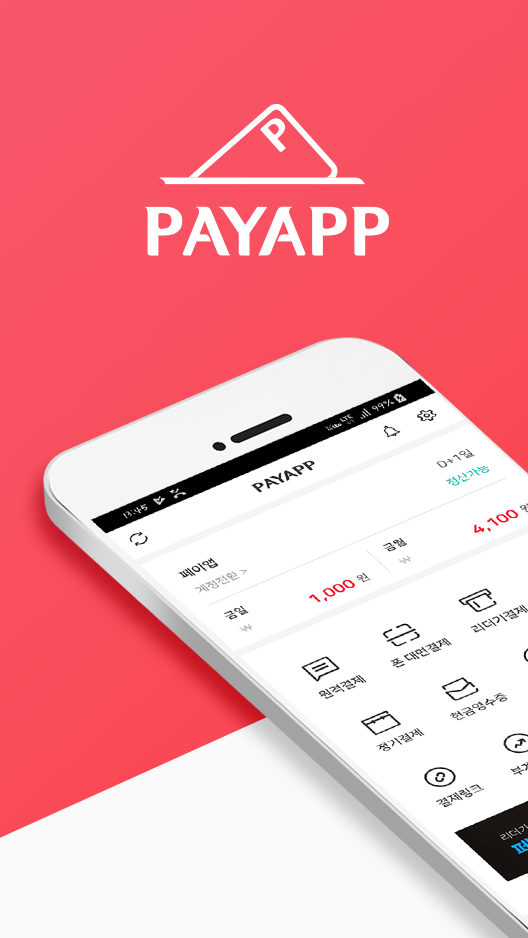
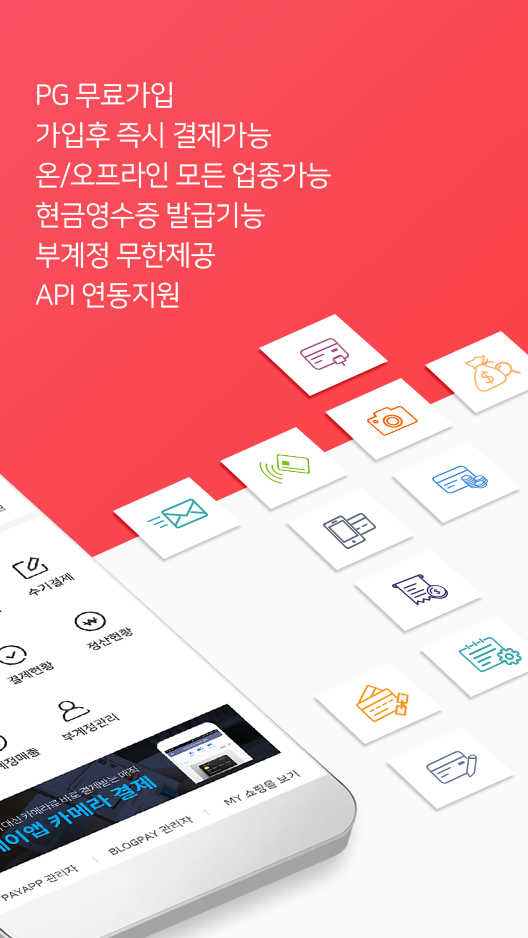
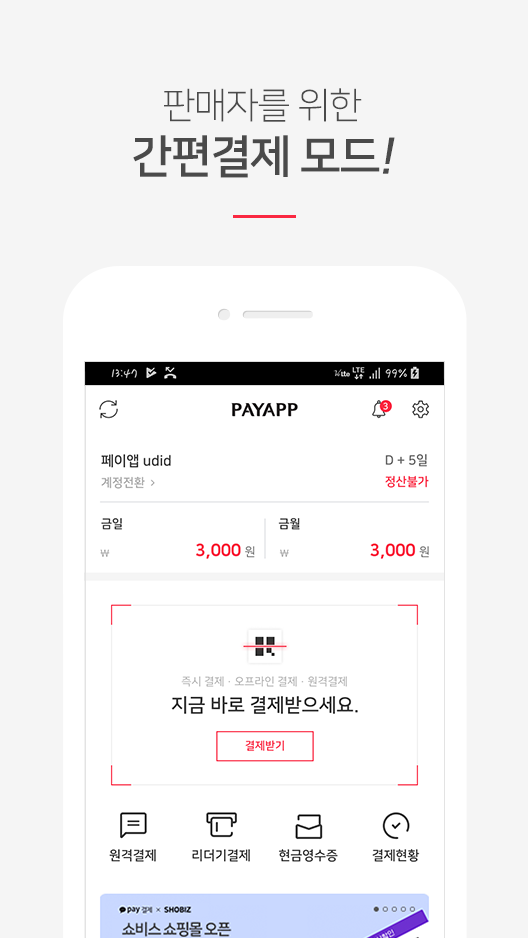
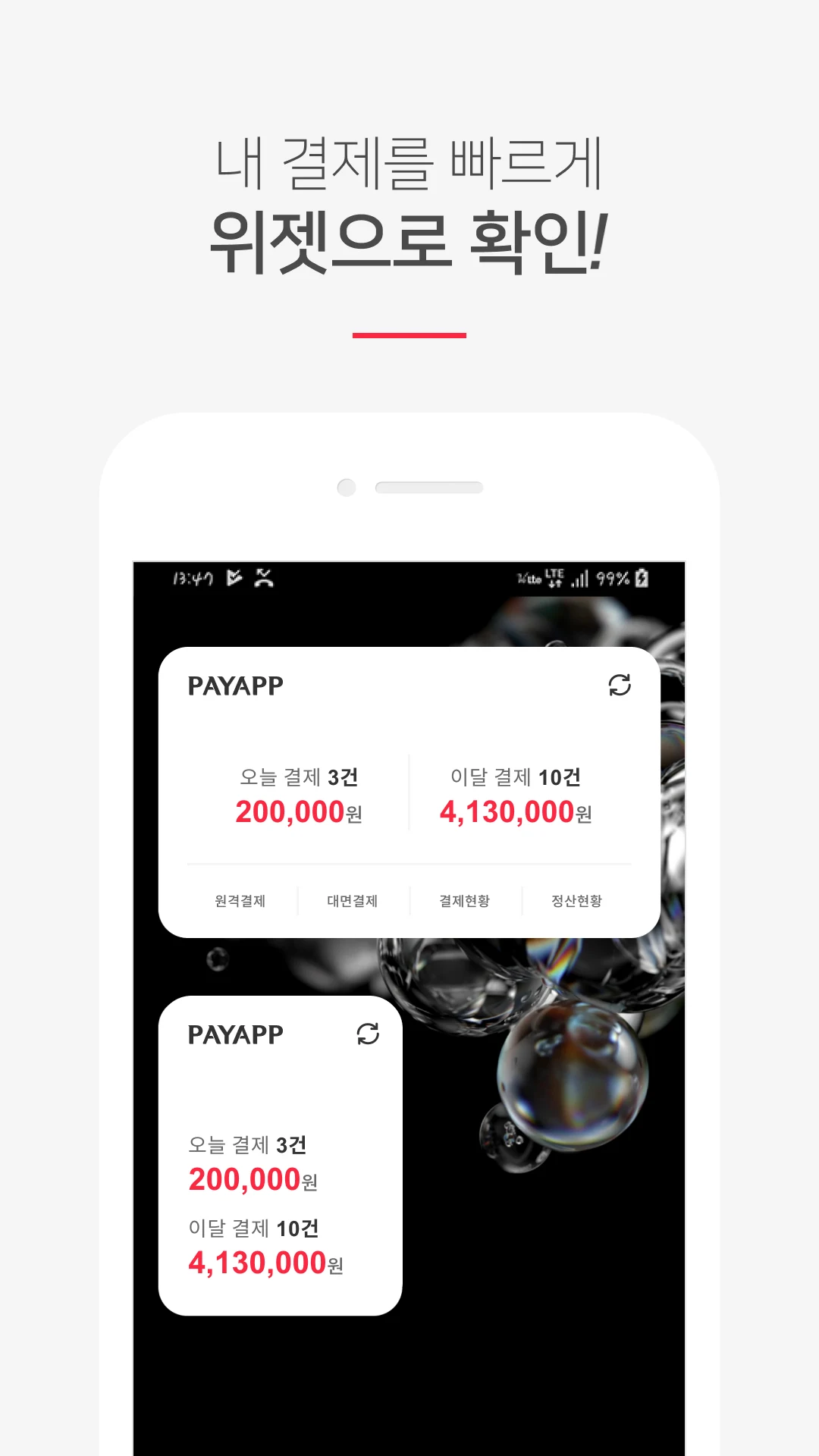
[Key Features of PayApp]
This is why we proudly declare, "PayApp, PayApp!"
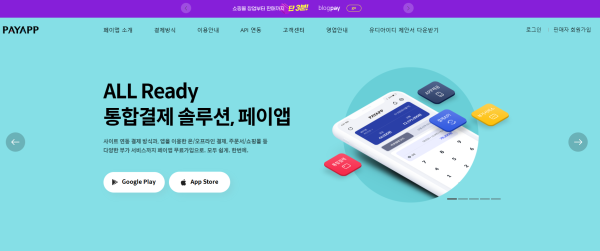
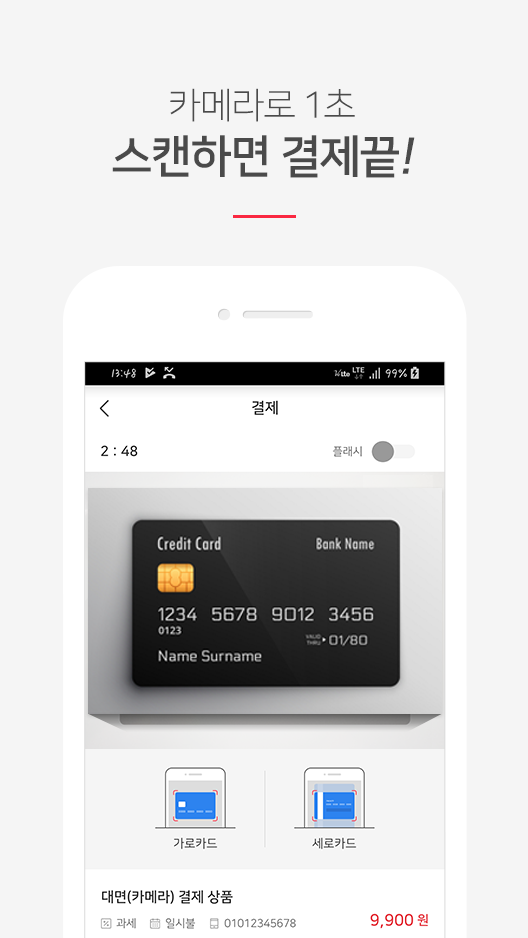
◆ Camera Payment: Our comprehensive mobile payment solutions include camera payment, enabling seamless card transactions through the app without needing a reader! (Camera Payment, NFC Payment, QR Payment, Manual Payment)
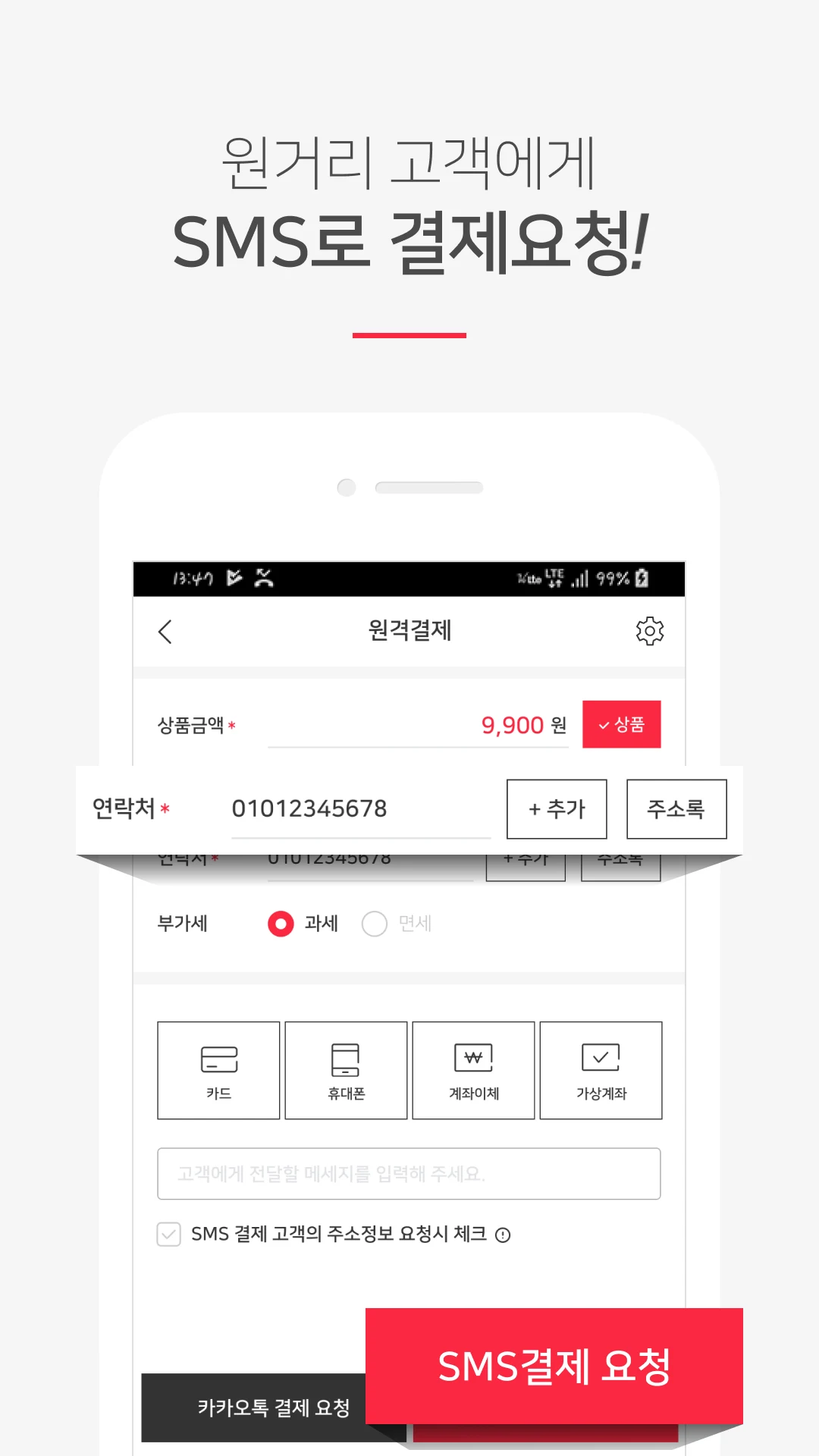
◆ Remote Payment: Seamlessly request payments from distant customers via SMS or KakaoTalk! (Korea's pioneering SMS payment service)
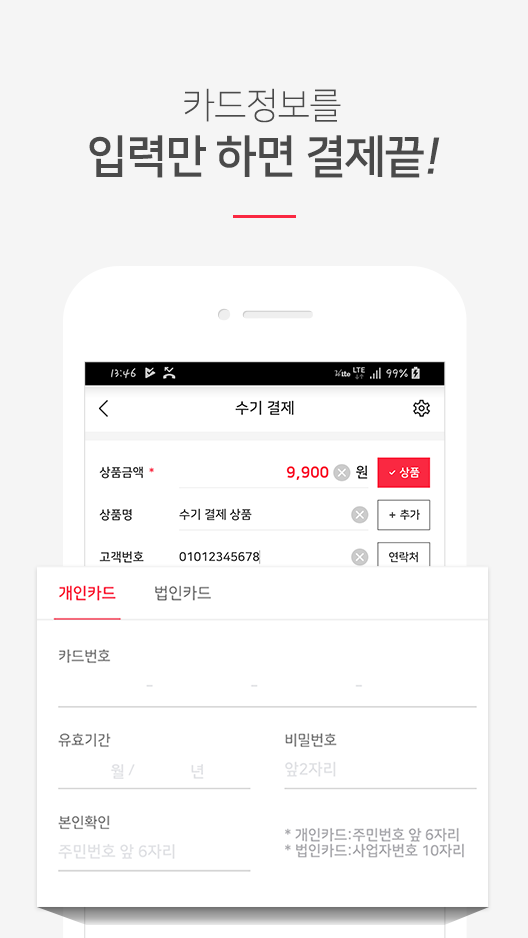
◆ Easy Manual Payment: A simple method for processing card payments using just the card number and expiration date, allowing buyers to complete transactions immediately without needing to register or download apps.
◆ URL Link Payment: Effortlessly generate a URL containing product and payment details using the Pay app, which can be shared on your blog or social media for instant ordering and payment! (Manage sales effectively even without an online store.)
◆ Other Payments: Support for routine/automatic payments, standard online shopping mall transactions, and reader payments is available!
◆ Instant Payment: Sign up for free and start processing transactions immediately! Receive payments right away! (To settle contracts, simply send a photocopy or scan via email within five days post-payment.)
◆ Cash Receipt: Easily issue cash receipts for cash transactions without any fees! * Instant receipt generation upon free registration.
◆ Sub-Accounts: Add multiple sales personnel as sub-accounts without separate registrations, facilitating immediate individual payment reception (with permission management capabilities).
◆ Free Additional Services: Enjoy access to over ten additional services at no charge with your PayApp credentials!
◆ API Integration: Integrate unique, advanced features that are often unavailable in conventional payment gateways directly into your service through API integration!
[Payment Method/Function Details]
◆ Camera Payment: The Ultimate Face-to-Face Payment (All Cards Accepted)
△ Utilize a groundbreaking feature that enables instant card payments by scanning card information with your smartphone camera during in-person transactions (OCR Payment)
△ Accept card payments using any smartphone or device equipped with a camera and the PayApp app (Supported on both Android and iPhone / 99% card recognition accuracy / Compatible with all cards globally / Card data is scanned temporarily and is not stored)
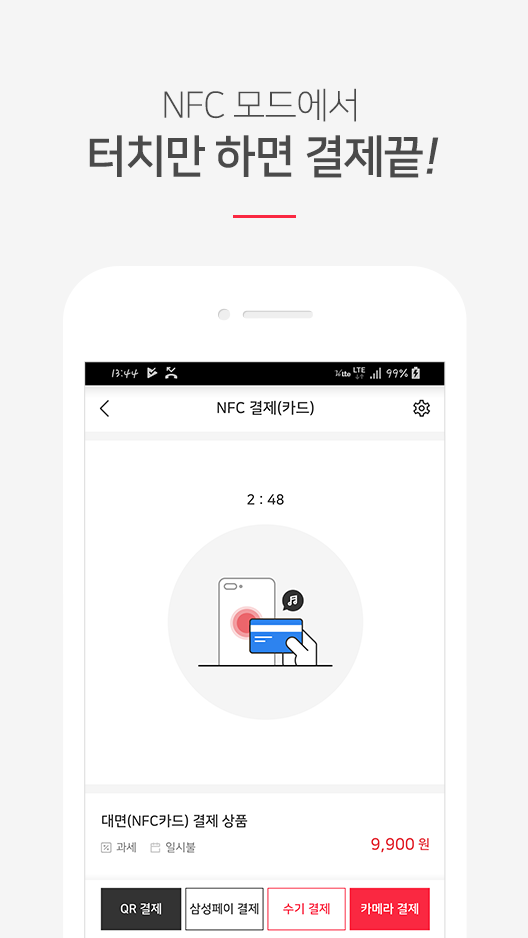
◆ NFC Payment: Facilitate instant payments by tapping your postpaid transportation card or Samsung Pay phone against the seller's device
△ Phone-to-Card Payment: Quickly process payments by tapping your transport card on the seller’s Android phone, similar to public transport transactions.
△ Phone-to-Phone Payment: Execute instant payments by touching a Samsung Pay phone to the seller's smartphone, resembling a handshake.
◆ Naver, Kakao, Smile, WeChat, Apple, Payco, QR Payment
△ Instantaneously create payment request details as a QR code → Simply share the QR code for buyers to make payments anytime, anywhere.
◆ Simple Manual Payment (Key-in Card Payment)
△ This method allows buyers to manually input their card information, like the card number and expiration date.
△ Integrated solutions for authentication/non-authentication are provided for both face-to-face and remote scenarios.
◆ Reader Payment
△ Process payments by reading the customer's physical card using a reader (KCP/APPPOS supported).
◆ Remote Payment (SMS Payment, KakaoTalk Payment)
△ Send payment requests directly via text message or KakaoTalk using only the customer’s mobile number.
△ Buyers can pay conveniently online by clicking the payment link included in the message, avoiding the need for app installation, certificate setup, or membership.
△ The payment interface presented to the buyer supports card payments, mobile payments, bank transfers/virtual accounts, and straightforward remittance/simplified payment solutions (by signing up for the Pay app, there's no need to establish individual payment methods). (Yes)
◆ URL Link Payment
△ Use the Pay app to auto-generate a URL with product and payment information, and share it on blogs or social media to facilitate quick orders and payments! (Sales management is achievable through payment order forms even without an online platform)
△ For a more professional SNS ordering interface - Free access to the 'Blog Pay' service, which leads the market in SNS order form solutions.
◆ Recurring Payment (Automatic Payment)
△ Receive consistent, automatic payments of a fixed amount daily, weekly, or monthly.
◆ Free/Easy Cash Receipt Issuance
△ Cash receipts can be quickly generated and issued for free to cash-paying customers.
◆ Sub-Account Function
△ Convenient payment management service tailored for businesses with several sales staff.
△ Incorporate an employee-specific ID (sub-account) into your main account, allowing staff to access PayApp payment essentials without extra membership requirements (no extra charges for sub-account registration).
△ Track sales, revenue, and transaction history by employee (card payment approvals are recorded under the seller's name, enabling separate tracking of payment histories by sales personnel).
◆ Shopping Mall Payment
△ Integration with Shopping Mall PG is available (via PayApp or direct service).
△ When you sign up for PayApp, you can instantly build a customizable shopping mall using BlogPay, which is also available concurrently.
◆ Free Access to All Family Services & Additional Services
△ Gain immediate access to PayApp application services such as BlogPay, EasyPosting, SNSsell, B2B Market, Butler, Procell, Pixel, UCanSign, and Daosem (accessible instantly using your PayApp login).
◆ Hassle-free API integration support
If you require a payment gateway but do not want the complexity, PayApp offers all essential features as APIs. Just integrate them to start generating revenue immediately without building a new system.
* Available APIs include: Camera payment, reader payment, QR payment, manual payment, cash receipts, sub-account service, PG module, order payment, automatic bank transfer confirmation module, remote payment, statistics tool, messaging (text/KakaoTalk), identity verification, real-name account verification, customized settlement agency, and more.
[App Permissions]
△ Address Book: Required permission to access customer contact details.
△ Camera: Required permission to use the camera for payment and product photography.
△ Location: Required permission for Bluetooth reader functionality.
△ Storage: Required permission for handling product images.
△ Phone: Required permission to facilitate call connections.
△ Phone Number: Necessary permission for logging into sub-accounts and related communications.
Please be aware that while the access criteria remain unchanged, the terminology may vary based on the version. For Android versions below 6.0, separate consent cannot be requested for each item, necessitating mandatory access approval across all items.
Therefore, we recommend verifying if your device's operating system can be updated to Android 6.0 or later, and proceeding accordingly.
Nonetheless, even with an OS upgrade, the access permissions granted in previous installations won't alter. To adjust access settings, you must uninstall and reinstall the app.
Applicable Scenarios:
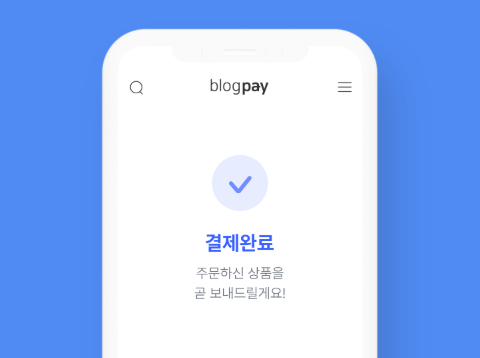
1. **Offline Physical Transactions:** In-store payments are made via camera scanning or NFC tap-to-pay, eliminating the need for card readers.
2. **Remote Transactions:** Orders can be received via SMS or social media platforms even without an online store.
3. **Multi-Employee Teams:** Sub-accounts can be created to track payment performance by employee, facilitating management.
4. **Recurring Payments:** Automatic recurring deductions can be set up, suitable for scenarios such as membership subscriptions and rent collection.
5. **Online Platform Integration:** API integration with your own online store/system allows for rapid setup of payment functionality.
6. **Cash Transaction Invoicing:** Free electronic receipts are issued to cash customers, ensuring compliance and convenience.
Related Questions and Answers:
- **Question**: What is PayApp?
- **Answer**: PayApp is a payment gateway officially registered with the Financial Supervisory Service. As of 2024, its cumulative payment volume reached 6 trillion won, serving 90,000 merchants, with an average daily transaction volume of 3.3 billion won.
- **Question**: What are PayApp's main features?
- **Answer**: PayApp offers a variety of payment methods, including camera payment, NFC payment, QR payment, and manual payment. It supports remote payment, allowing users to request payment from remote customers via SMS or KakaoTalk. It also offers a simple manual payment method, allowing buyers to complete transactions without registering or downloading the app. It also features features such as URL payment, instant payment, cash receipt issuance, and sub-account management, and offers free additional services and API integration.
- **Question**: How does PayApp's camera payment work?
- **Answer**: In face-to-face transactions, users can use their smartphone camera to scan their bank card information for instant payment, a feature known as OCR payment. As long as the device has a camera and the PayApp app installed, it can be used on both Android and iPhone devices. Card recognition accuracy is 99% and it's compatible with all global bank cards. Card data is only scanned temporarily and not stored.
- **Question**: What are the specific NFC payment methods in PayApp?
- **Answer**: PayApp's NFC payment options include phone-to-card and phone-to-phone. Phone-to-card payment involves tapping a postpaid transit card against the seller's Android phone to quickly process payment, similar to how you would pay for public transportation. Phone-to-phone payment involves tapping a Samsung Pay phone against the seller's smartphone to instantly complete the payment.
- **Question**: How is remote payment possible?
- **Answer**: PayApp's remote payment can be made via SMS or KakaoTalk. All you need is the customer's phone number to send a payment request directly to them. The buyer clicks the payment link in the message to conveniently pay online. There's no need to install the app, set up credentials, or register for membership. The payment interface supports multiple payment methods.
- **Question**: What is the purpose of PayApp's sub-account feature?
- **Answer**: PayApp's sub-account feature allows merchants to add multiple sales staff as sub-accounts, eliminating the need for individual registration. This allows individuals to instantly receive payments and provides permission management. Merchants can use sub-accounts to track each employee's sales, revenue, and transaction history.
- Version5.4.86
- UpdateOct 20, 2026
- DeveloperUDID
- CategoryBusiness
- Requires AndroidAndroid 8.0+
- Downloads166K+
- Package Namecom.udid.payapp
- Signatureb6119ff429f1e48ac3507f8d7134742c
- Available on
- ReportFlag as inappropriate
-
NameSizeDownload
-
26.23 MB
-
26.27 MB
-
26.27 MB










Low barrier to entry
Comprehensive payment scenarios
Practical and free features
Flexible management
High fees
Long settlement cycles
Limited services
Dependent on specific systems