English

myBigY - Personalized grocery shopping

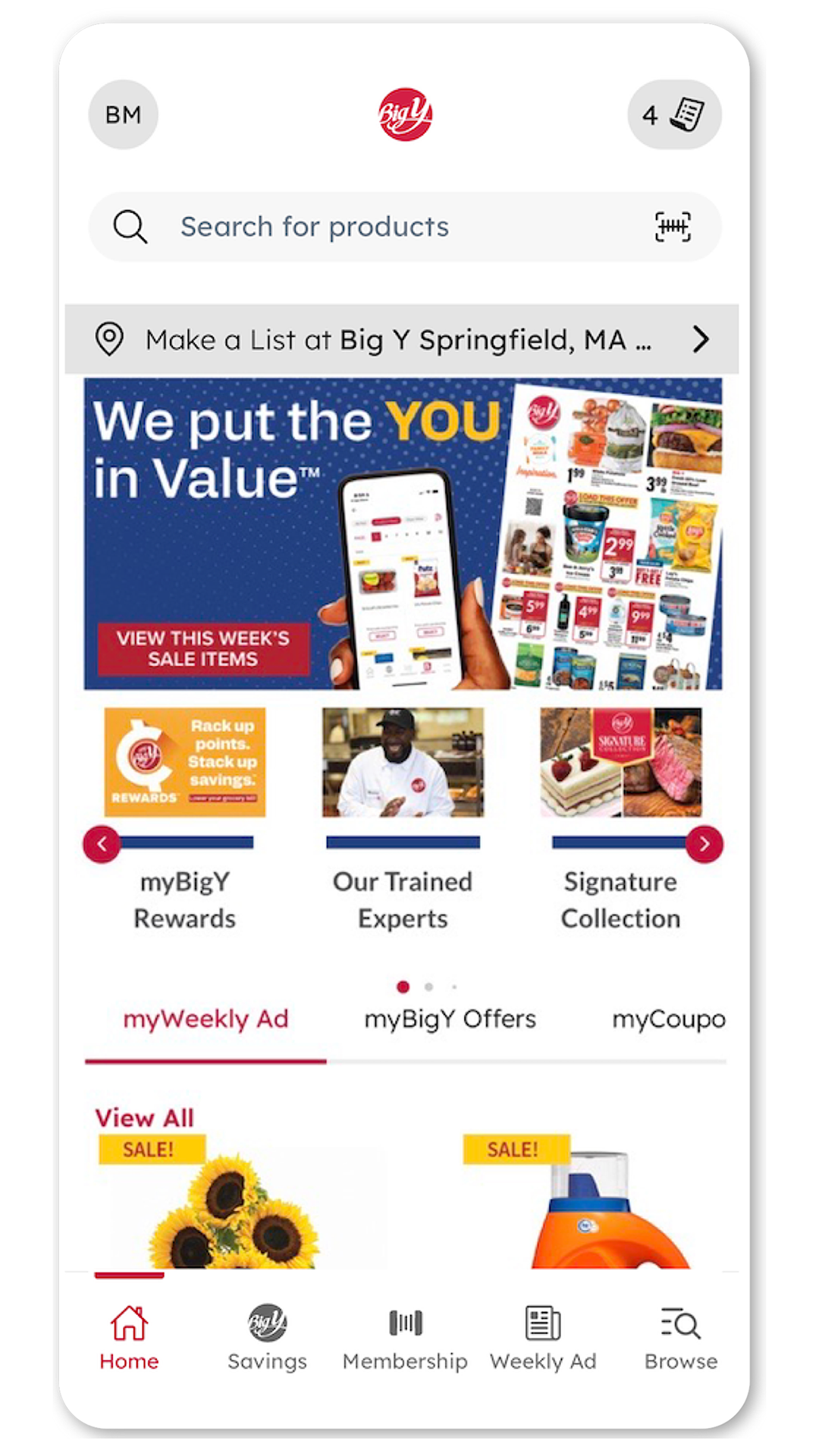
Discover a tailored grocery experience with personalized items, digital coupons, recipe searches & effortless shopping lists!
myBigY
  • 4.3.17 Version
  • 1.0 Score
  • 181K+ Downloads
  • Free License
  • 3+ Content Rating
Download Android APK (22.69 MB)
Old Versions
myBigY myBigY myBigY myBigY myBigY myBigY myBigY
CONS

Useless search function yielding no results

Difficulties in logging in or maintaining sessions

Slow loading times and frequent freezing

Complicated coupon loading process, requiring manual entry

Redundant forced updates interrupting usability

Lack of aisle location information in the app

Increased clicks required for basic tasks post-update

Frustrating user interface design changes hindering navigation

Inability to view weekly ads easily or effectively

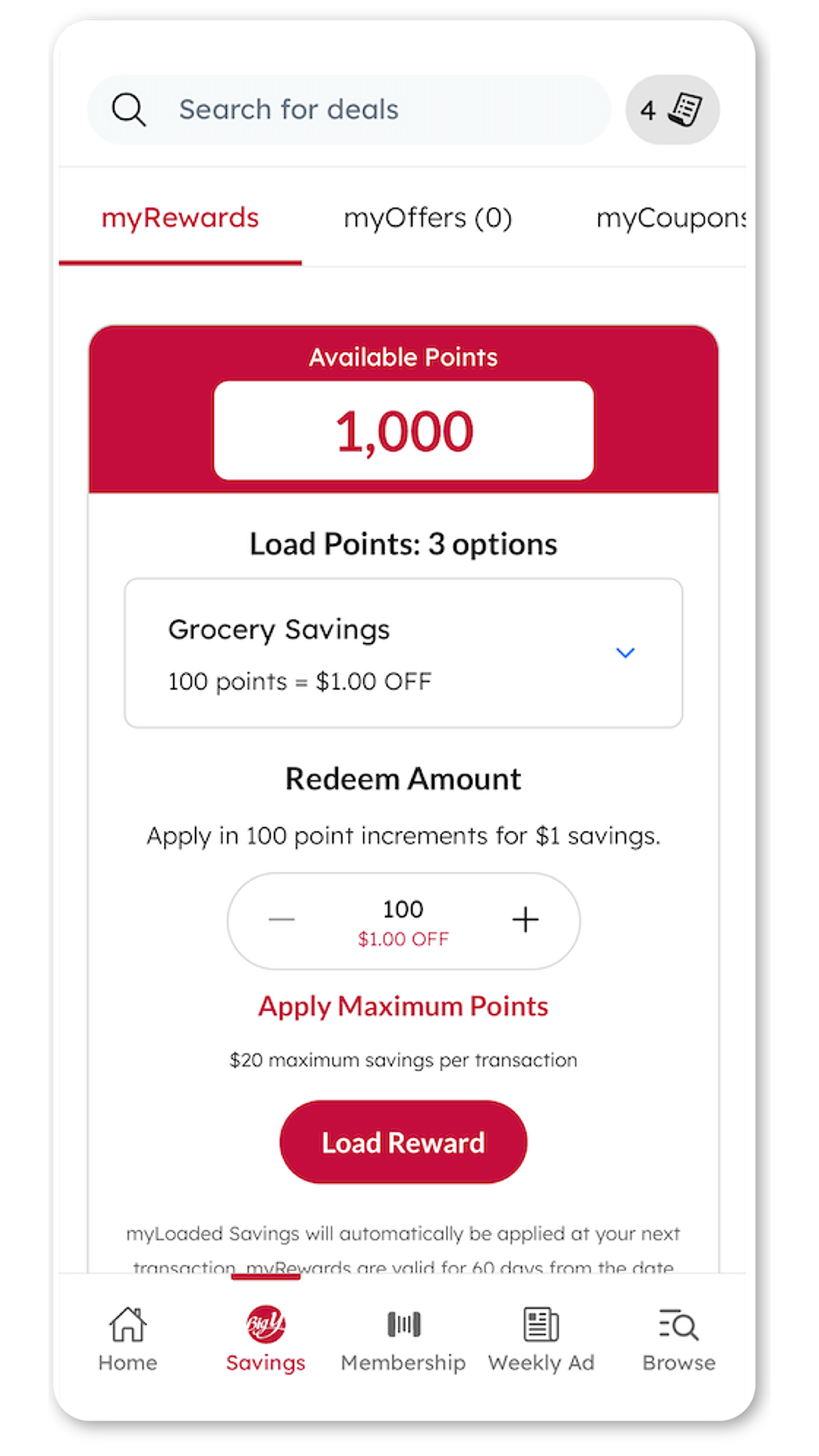
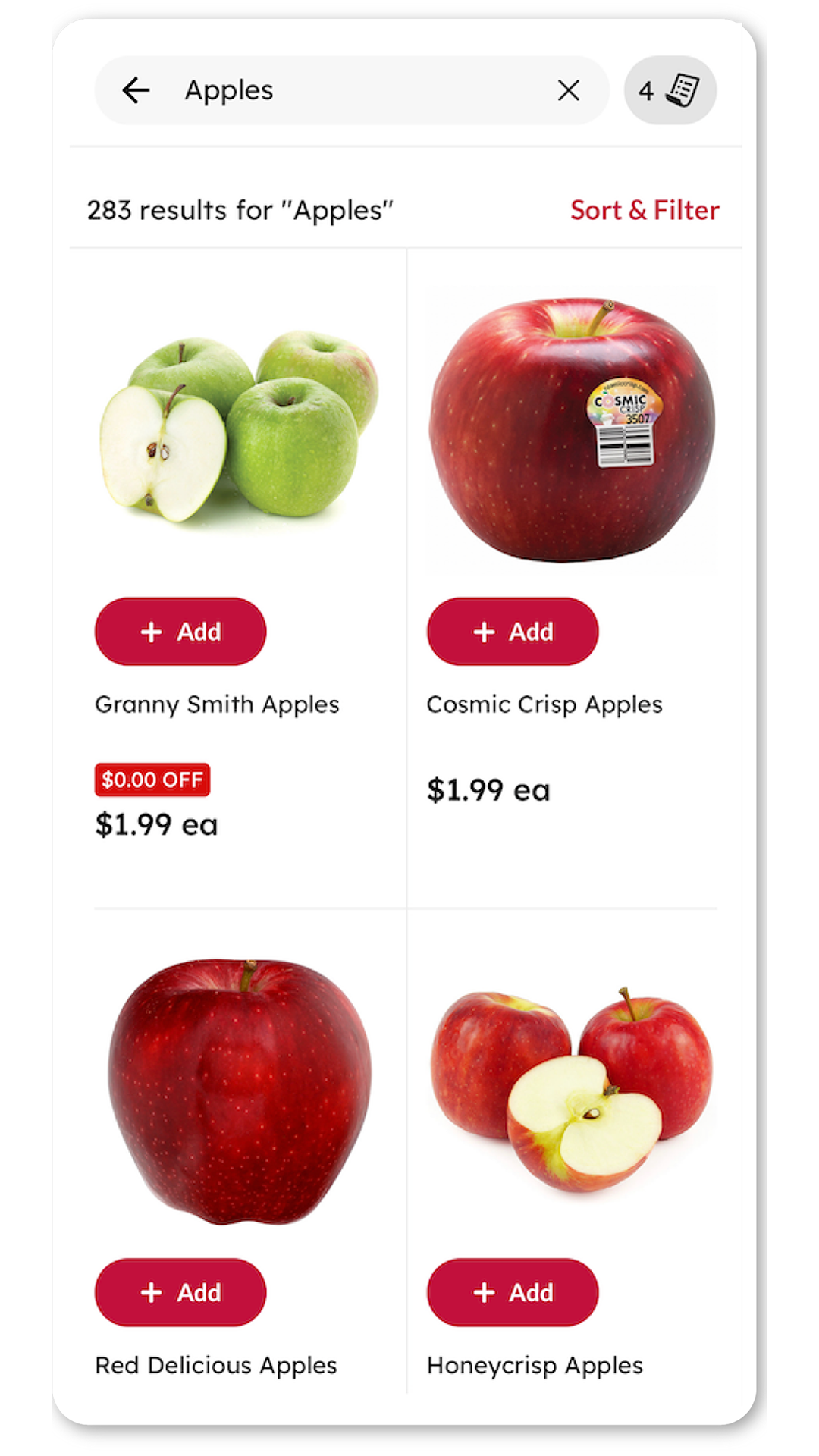
A tailored grocery shopping experience that suits your preferences. Utilize your myBigY account to discover products based on your past purchases and suggestions from the weekly advertisement. Look up items and compile a shopping list for your preferred store. Effortlessly add myBigY Rewards, Offers, and digital coupons. Explore recipes and discover ideal meal options.

Grocery Store Departments at Big Y in CT & MA

Explore every aisle and experience all the fresh foods Big Y has to offer. From gourmet selections you won't find anywhere else, to local products that support the community where you live, they're in our markets. And check out those local products! The farmers down the road may have picked our corn today and expressed it to our stores. It's that fresh! Take a look at Big Y and you'll find a trained & trusted Butcher in every location ready to custom cut your meat to the thickness or weight you need. All Natural Angus Beef, Organic Smart Chicken, Fresh Ground Beef, All Natural Pork, American Lamb and more. Fresh baked breads and desserts, freshly prepared pizza, grinders, fish & chips and the list keeps going. Browse our sections here for a sneak peek into your neighborhood Big Y.

Meat Department

All we add is the label to our Big Y Angus Beef. Marbled to perfection, our steaks and roasts are the juiciest and most delicious.

See more from our Meat Department

Produce Department

Fresh, mouthwatering fruits and vegetables, dripping with flavor. Driscoll's berries so sweet and juicy; and the biggest red and green grapes around.

See more from our Produce Department

Our Kitchen

Our prepared foods are made the way you'd make them... if you had all day. Try our rotisserie chicken, freshly made to order grinders or pizzeria style pizza...enjoy!

See more from our Kitchen

Bakery Department

You'll know you're in the right place when you breathe in the warm, fresh baked scents coming from our ovens.

See more from our Bakery Department

Seafood Department

Fillets, steaks, shellfish and sushi... Whether you like your fish seasoned and grilled or battered and deep fried, start here at Big Y.

See more from our Seafood Department

Deli Department

Stop by your Big Y Deli Department and experience the freshest deli meats and cheeses, a wide selection of deli salad choices, meal solutions and Grab & Go convenience of sliced fresh, meat and cheese choices.

See more from our Deli Department

Floral Department

The most beautiful in-season blossoms, fun festive balloons, boutonnieres and more!

See more from our Floral Department

Local

We're committed to providing our shoppers with the finest, freshest and most flavorful foods. We're proud to partner with other New Englanders who feel the same way.

See more about Our Local Partners

Our Family of Brands

With the Big Y family of brands we have everything you need for your family and your home, at affordable prices.

See more from Our Family of Brands

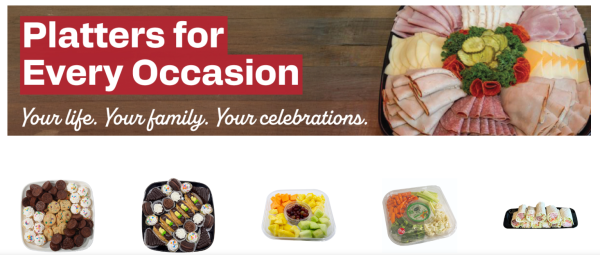
Entertaining

Whether you are planning a casual backyard barbecue or an intimate dinner party, we have everything you need to make any special occasion memorable.

See more from our Entertaining Departments

Living Well Eating Smart Natural & Organic

Convenient one-stop-shopping for your gluten-free and organic needs.

See more from our Natural & Organic Department.

myBigY FAQ

Did you know that a myBigY account is a digital account that ADDS SAVINGS ON TO YOUR Big Y Membership?

SIGN UP for a myBigY account to get started!

Not a myBigY member? Here's how to sign up with your card:

1. Visit our sign up page here.

2. Enter your last name and Big Y Membership number or phone number (Find your Membership number on the back of your card or keytag, or at the top of a recent receipt.)

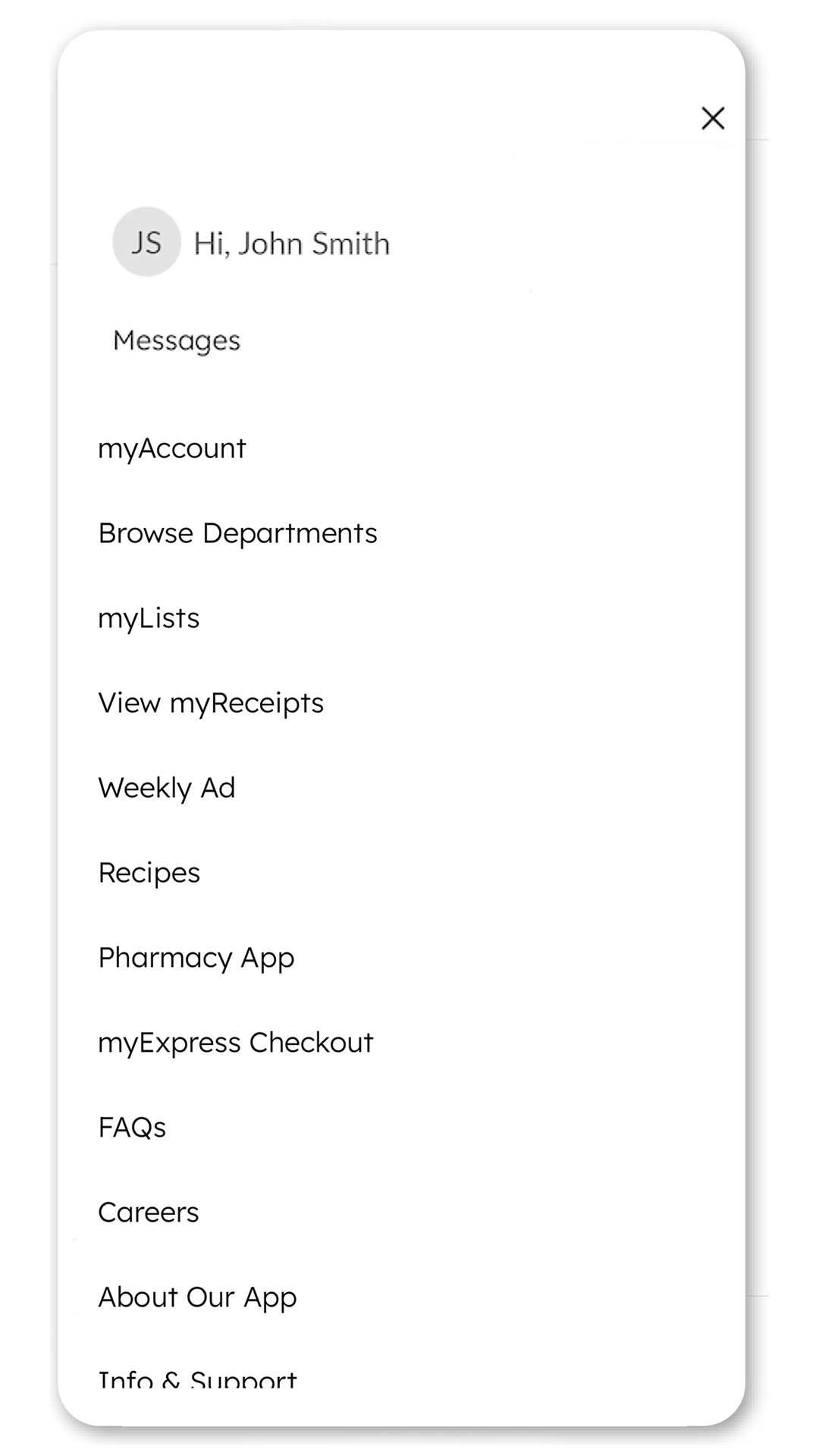
3. Complete the sign up process. When finished, look for the myBigY Offers tab located in the middle of your screen. Alternatively, click 'myBigY Membership' at the top of your screen next to your name to open the dashboard menu, 'then click 'View Offers'.

Check back each week for more myBigY Offers! Offer must be loaded to your Big Y Membership on your myBigY account.
Each offers are for one time use.

myBigY Account Creation:

Q- I do not have a Big Y Membership - How can I get one?

A- Go to our sign up page here and fill out the form online.

A myBigY digital account will be created at the same time giving you instant access to myBigY Offers, your Big Y Membership barcode, digital coupons and more!

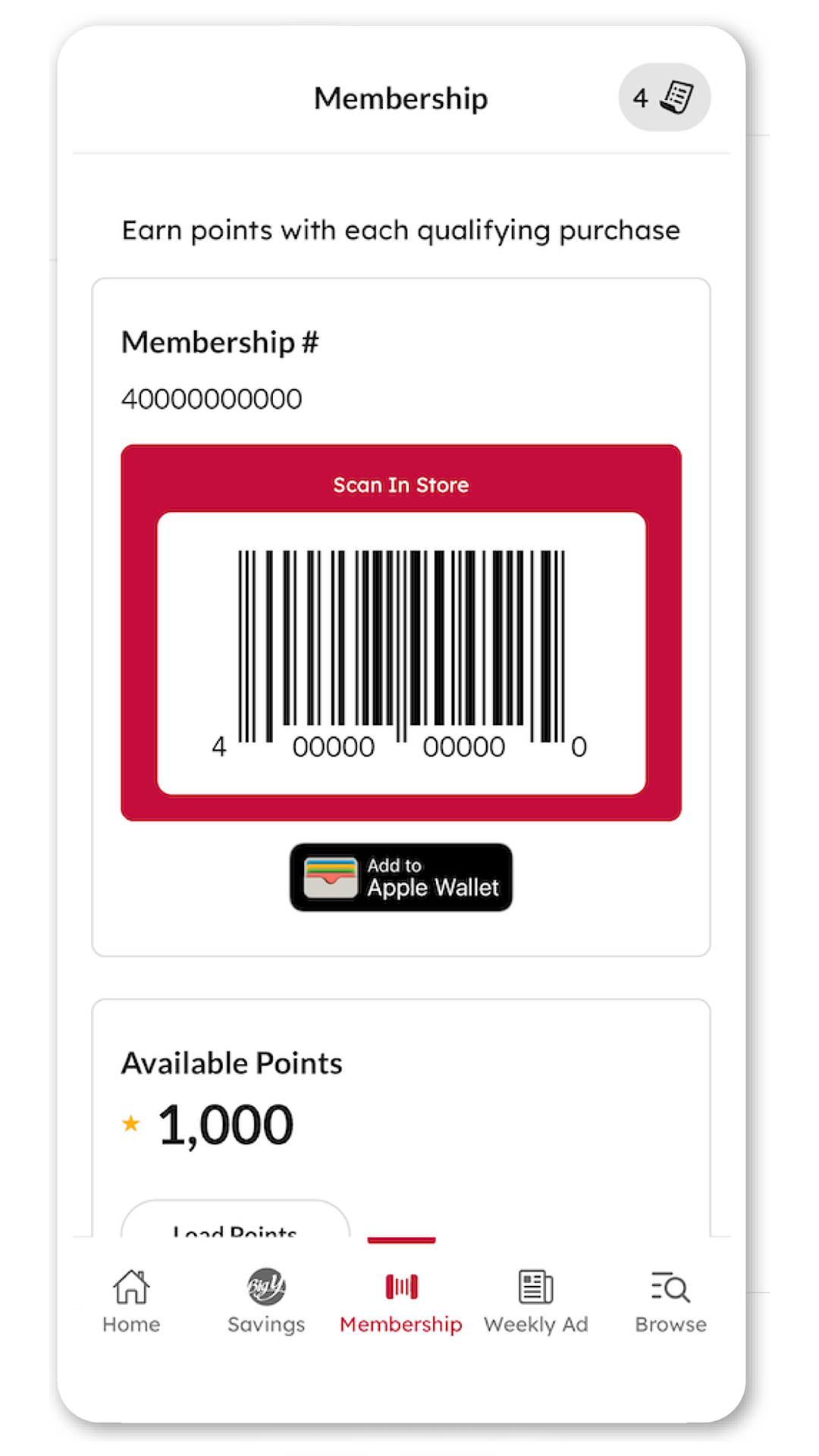
Your Membership barcode will be available immediately through the myBigY Smartphone App or in a Mobile Web Browser in your myBigY Membership dashboard menu located at the top of the screen.

If you'd like a physical key card mailed to you, please see the Customer Service Desk.

Q- I am trying to sign up for myBigY, I have a Membership - why does it say “We cannot identify your account with this card number.”?

A-The name entered may not match what we have on file:

If your last name has changed since you signed up for your Big Y Membership, we may not have your current last name on your account. Visit the Big Y Customer Service Desk for assistance.

If you registered with your name with a hyphen, an apostrophe, or a suffix (example, Jr or IV)- please be sure to include these for your myBigY account.

Q- I am trying to sign up for myBigY, I have a Membership- why does it say "A single account could not be determined due to multiple accounts found."

A- This error message is referencing the phone number provided. If multiple customers have the same phone number on file, myBigY may have a hard time determining who is trying to sign up. Please try signing up again with your Last Name and Big Y Membership number only, leaving the phone number field blank.

Q- What are the requirements for creating a password?

A- Passwords must be 12 or more characters and have at least 1 letter and 1 number.

Q- How can I sign up if I do not have an Email Address?

A- An Email Address is required to create a myBigY Account. If you do not have an Email Address, please visit any Big Y Customer Service Desk for assistance with signing up.

Please contact us and we will help resolve myBigY account creation issues.

myBigY Offers

Q- How do I find myBigY Offers?

A- Must be logged in to see your myBigY Offers, refer to the myBigY Offers tab on bigy.com and the myBigY App. Alternatively, click on 'myBigY Membership' located at the top of the page next to your name to open the dashboard menu, then click 'View Offers'.

or from the "SHOP" menu, click on "MYBIGY OFFERS"

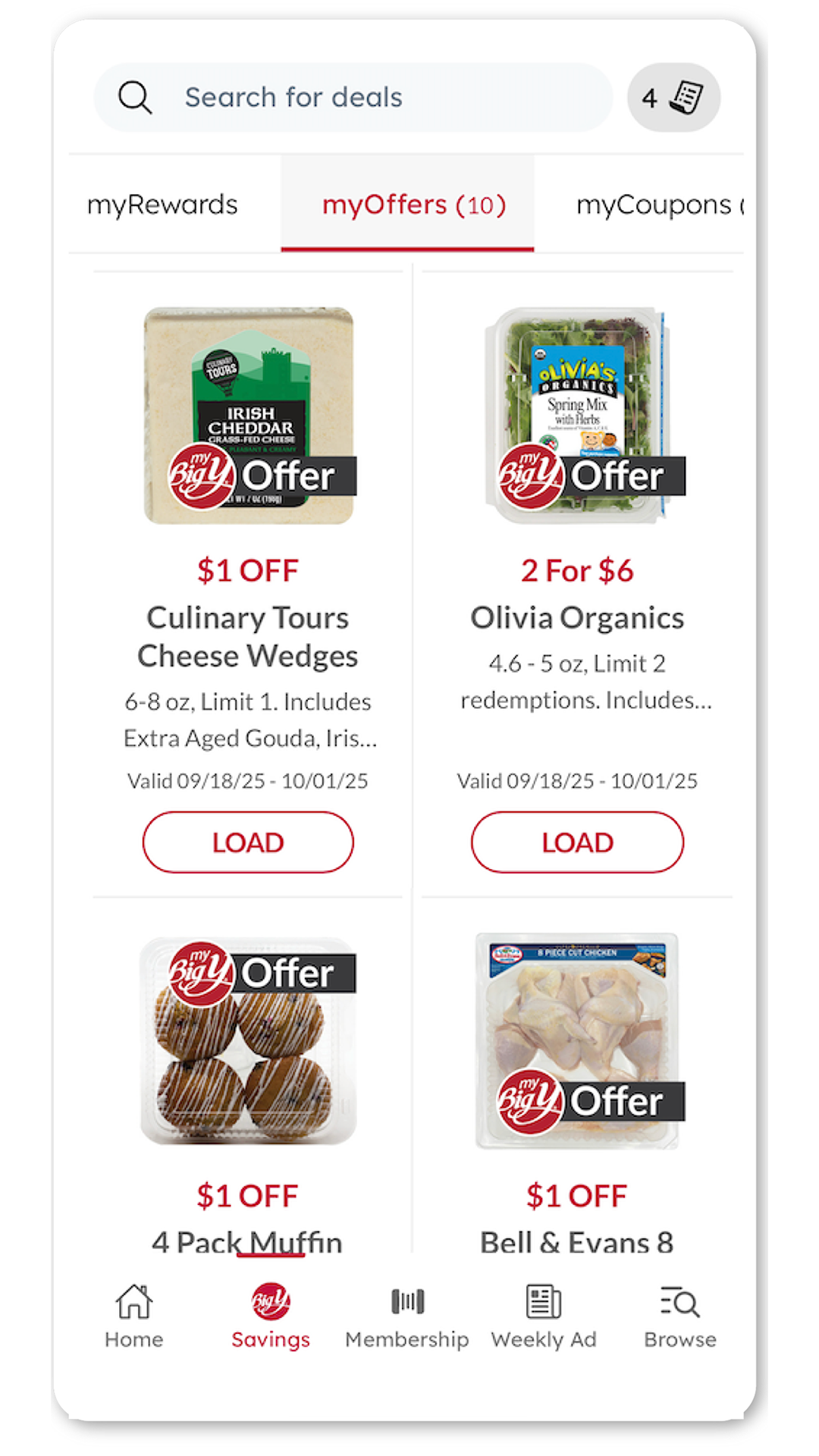
Click the LOAD button on the myBigY Offer you'd like to load to your Membership. Once the discount has been added, the text will change to LOADED, symbolizing that this discount is ready to be redeemed at checkout.

If you received a myBigY Promo Code, this can be redeemed in the myBigY Offers section of your Account. Click the link next to 'Have a Promo Code?' to enter your code.

Once a myBigY Offer is used or expires, it will be removed from your Offers.

Q- How do I find myBigY Offers on the myBigY App? (Android and iPhone)

A- Log In to myBigY and refer to the myBigY Offers tab to see a list of Available Offers.

myBigY Account - username and password

Q- I have a myBigY account and I forgot my password. I click on “forgot password” but I'm not receiving an email.

A- If you have changed your email address since signing up, we may not have it in our system. You can change your email address by going to "myAccount" in your dashboard.

Be sure to check your spam or junk mail folder, and add the contact name "BigY" with the address "[email protected]" to your contacts to help ensure delivery. myrelationshop.com is our email provider.

Q- I click on “forgot username” and type in my email address and it isn't sending anything to me.

A- Be sure to check your spam, promotions or junk mail folder, and add the contact name "BigY" with the address "[email protected]" to your contacts to help ensure delivery. myrelationshop.com is our email provider.

Please contact us and we will help resolve myBigY account issues.

myBigY

Online Circulars

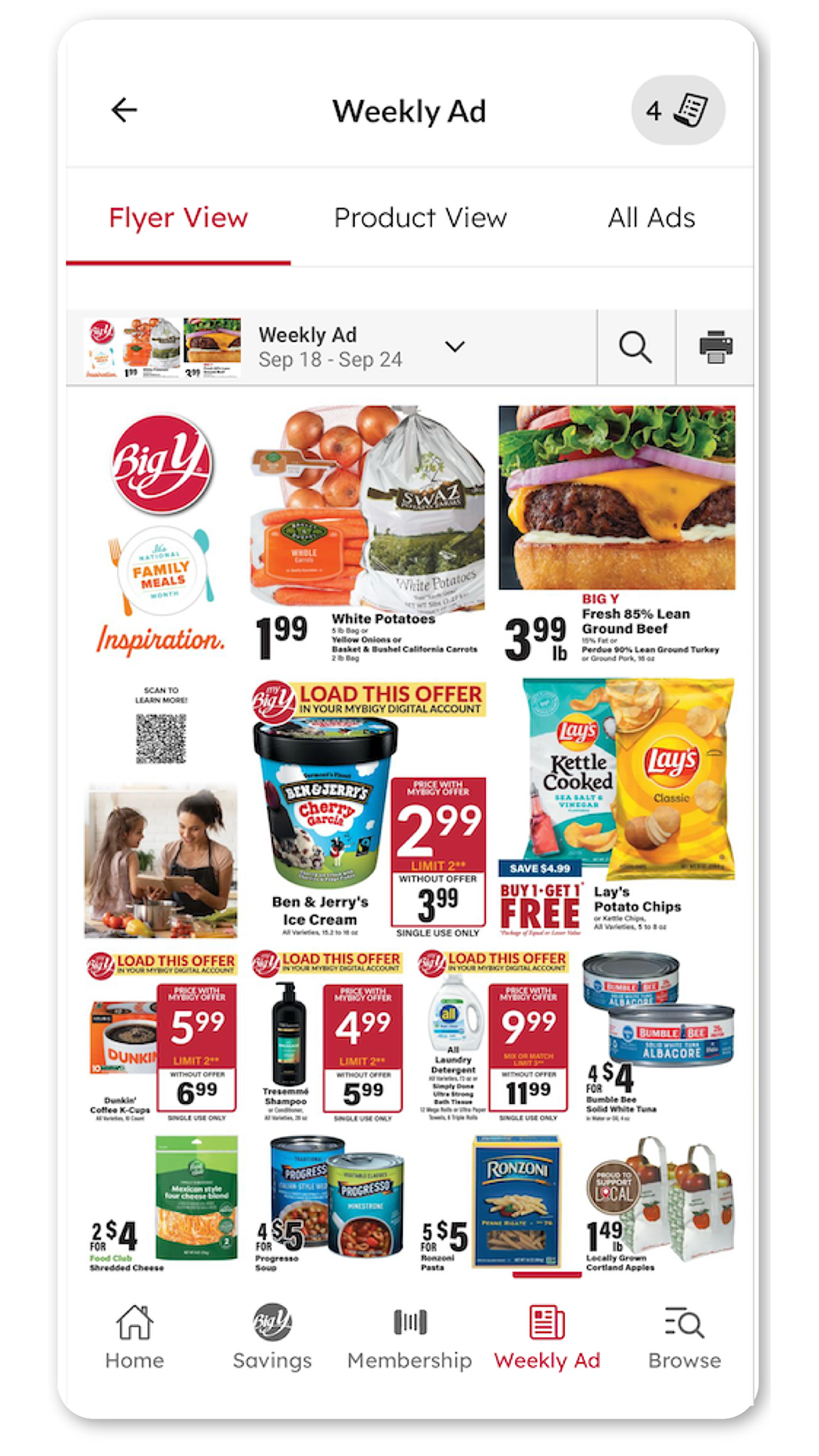
Q- How can I view your current circulars?

A- Select the "SHOP" menu and select "OUR SALES"

If you have a myBigY account and are logged in, you will automatically go to your preferred location's sale. 

If you do not have a myBigY account or are not logged in, you will be brought to the STORE LOCATOR page. 

Enter the zip code or city of the STORE LOCATOR will re-order the list with the stores closest to you at the top. Click the "VIEW WEEKLY AD" button for your selected store.

If we have more than one active circular, you will be brought to a page where you can select the ad you'd like to view. Just click on the image of the circular you'd like to view.

Digital Coupons

Q- How can I find digital coupons?

A- Log In to myBigY and refer to the myCoupons tab in the middle of the page. Alternatively, click 'myBig Y Membership' located next to your name at the top to open the dashboard menu.

Alternatively, click your name at the top of the screen to open the Account Menu, then click 'View Coupons'.

Look for the 'myCoupons' row and you'll see the number of digital coupons AVAILABLE and LOADED on your Membership.
From the website menus, select “COUPONS” in the "SHOP" pull down menu. then select 'myCoupons'.

Click on what you'd like to view and your digital coupons will be displayed.

Click the LOAD button on the Coupon you'd like to load to your Membership. This will load the digital coupon to your Membership and will be now displayed in your 'Loaded Savings' tab.


Once the coupon is used or expired, it will be removed from your loaded coupons.

Q- How do I find digital coupons on the BigY App?

A- Log In to myBigY, and refer to the myCoupons tab. Alternatively, select 'More' in the bottom-right corner of your device's screen, then select 'myCoupons'.

Q- What is your Coupon Policy For Manufacturers', Internet & Digital Coupons?

A- Our Coupon Policy can be found here

Big Y eNewsletters

Q- How do I sign up for Big Y eNewsletters?

A- When you create a myBigY account, you will be presented with Communications preferences: Big Y or Table and Vine eNewsletters.

Simply check the appropriate box and you will be signed up when you complete your signup.

If you already have an account, click 'myBigY Membership' located next to your name at the top of the screen, then click "myAccount".

Q- How do I unsubscribe to the Big Y eNewsletters?

A- If you already have an account, click 'myBigY Membership' located next to your name at the top of the screen, then click "myAccount".

Click "Edit" next to the 'Email Communications' options to change your preferences or click the "unsubscribe" link at the bottom of an eNewsletter that you've received.

Show More
Tags
Information
  • Version4.3.17
  • UpdateJan 23, 2026
  • DeveloperBig Y Foods, Inc.
  • CategoryLifestyle
  • Requires AndroidAndroid 4.4+
  • Downloads181K+
  • Package Namesysnify.com.bigyrelationshop
  • Signature71a4074e317041e8ad13142c8f3a8210
  • Available on
  • ReportFlag as inappropriate
Old Versions
User Reviews
1.0 8 Reviews
5
4
3
2
1
  • Helen Ciesla
    Helen Ciesla

    You can't access the app after that recent update. You reached out to customer service for help, but they couldn't fix it either. They mentioned many others are facing the same issue. Frustrating, right?

  • Stacey L. Hanlon
    Stacey L. Hanlon

    This app deserves no stars at all. It worked for a short time before becoming frustrating. I miss the old version. I had to reinstall it four times, and now it just won’t cooperate. I’ll be looking for alternatives.

  • Susan Pevay
    Susan Pevay

    This app is a nightmare! Loading coupons takes forever. The old app was so much better. I could quickly check everything before heading out to shop. Now, it drags on for ages. Each coupon loads slowly. Half the time, the whole thing freezes up. I just end up giving up halfway through. What a frustrating experience!

  • Loralee CAVANAUGH
    Loralee CAVANAUGH

    Sometimes the app takes its time loading. The biggest frustration comes from not being able to order takeout. Being single makes it tough. If I need to call for a deli order, the app doesn’t really help me at all.

  • Cheryl Bourgeois
    Cheryl Bourgeois

    The app works fine. The store inventory has let me down. Many items I usually buy are gone. Now, I'm making a weekly trip to Stop and Shop, something I hadn’t done before. It’s frustrating to see name brands replaced with Food Club products. I won't purchase those.

  • Michelle Chaikin
    Michelle Chaikin

    This app just doesn’t cut it. It’s only good for adding digital coupons to your card. The layout is messy and frustrating, much like navigating your new store setup. It would be great if you could take some tips from Stop and Shop's app. That would make things way easier for everyone!

  • frank palmisano
    frank palmisano

    The app won't let you log in. You checked your credentials, and they're correct. It used to work just fine, but now it feels unreliable. Frustrating situation for sure.

  • Karl Hulseberg
    Karl Hulseberg

    Discovering a smart way to save money feels incredible. Picture this: every time you make a purchase, you earn reward points. Those points build up and turn into cash later on. It’s like getting perks for spending money you would normally spend anyway. Imagine buying groceries or filling up at the gas station and seeing those points pile up. Saving money while enjoying the benefits feels fantastic. Plus, who doesn’t love a little extra something in their pocket? It's an easy win-win situation!

Security Status
Clean

It’s extremely likely that this software program is clean.

What does this mean?

We have scanned the file and URLs associated with this software program in more than 50 of the world's leading antivirus services; no possible threat has been detected.

  • Name: myBigY
  • Package Name: sysnify.com.bigyrelationshop
  • Signature: 71a4074e317041e8ad13142c8f3a8210