
Internet Optimizer Pro - DNS Optimizer & Enhancer
Boost your internet speed & stability with seamless DNS change for gaming, streaming & browsing. Experience the difference!

- 29.0 Version
- 2.8 Score
- 193K+ Downloads
- Free License
- 3+ Content Rating

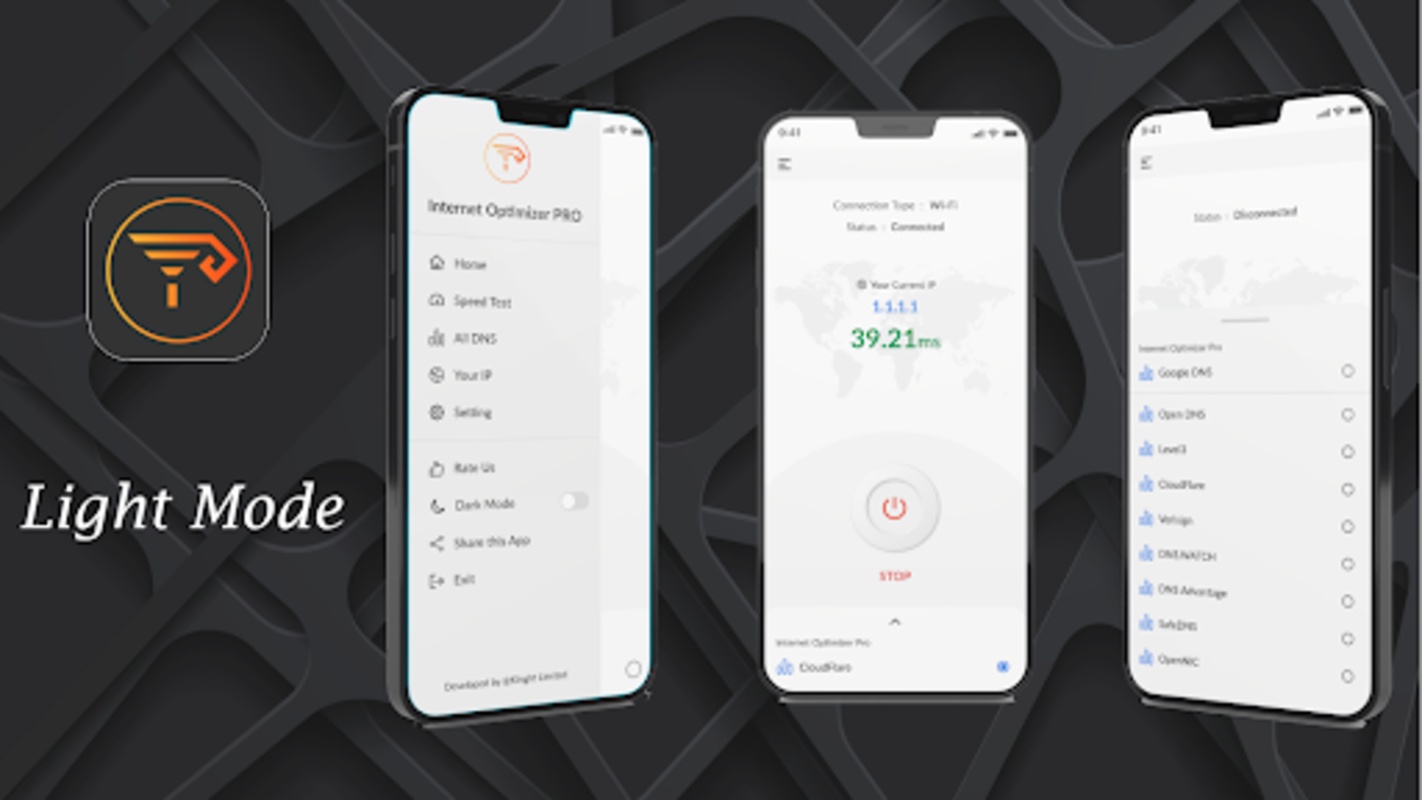

Internet Optimizer Pro: App Introduction
Internet Optimizer Pro – DNS Changer is an Android tool app for tuning your connection by changing the DNS server used by your device. Instead of relying only on the DNS assigned by your ISP, Internet Optimizer Pro lets you switch to free, reliable public DNS servers such as Google Public DNS and OpenDNS.
The app is built around a simple idea: DNS resolution is the first step in opening websites, joining online games, or loading streaming video. If that step is slower than necessary, browsing feels sluggish. Internet Optimizer Pro helps you test and apply alternative DNS settings that may lower ping, reduce lag, cut video buffering, and make everyday browsing feel faster.
Key benefits
•Lower ping for online games: useful for multiplayer gaming where latency matters.
•Less lag: smoother loading for web pages, chat, and real-time apps.
•Reduced video buffering: may help streaming start faster and stall less.
•Faster browsing: quicker hostname resolution can make sites feel more responsive.
•More private and flexible DNS: changing DNS may improve privacy and help reach sites restricted by your default ISP DNS.
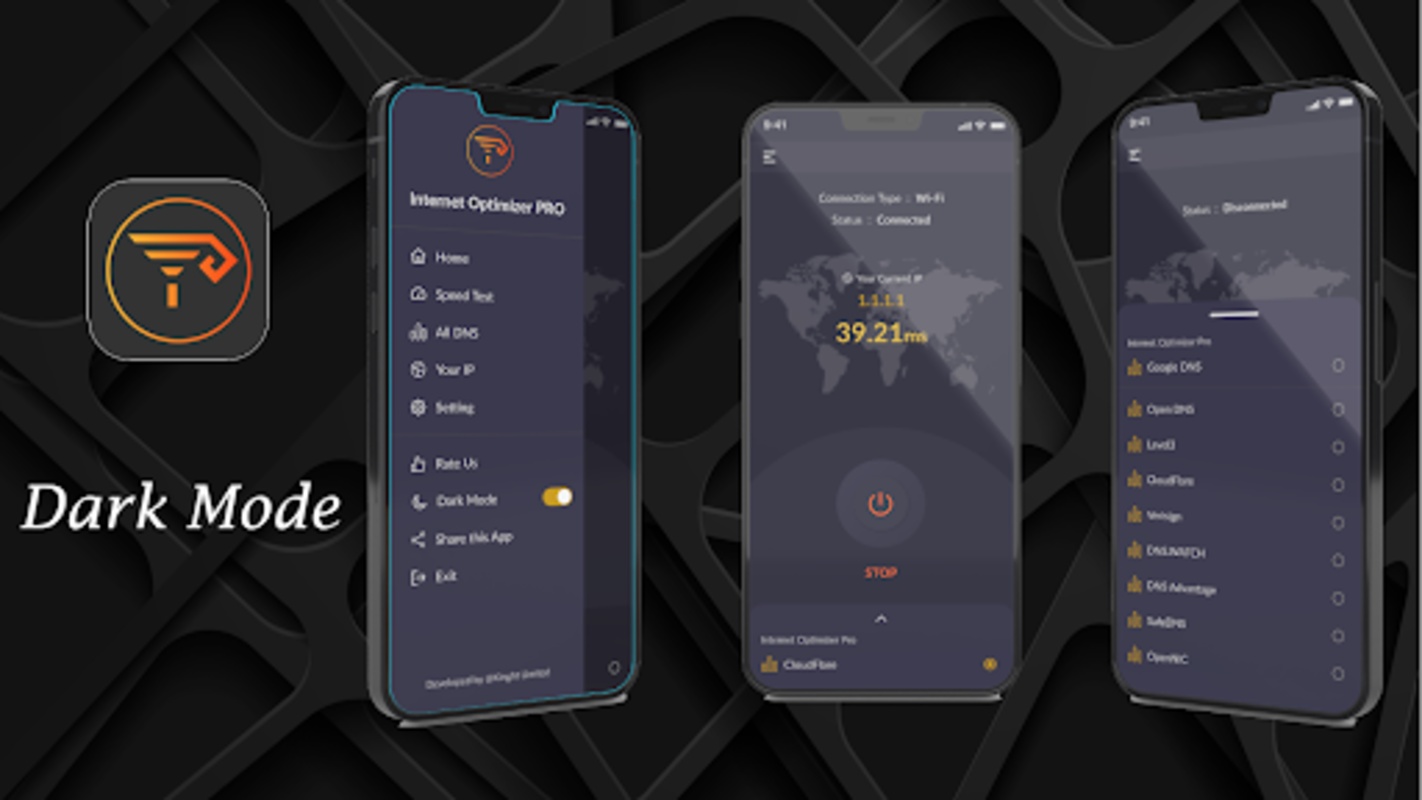
•Ready-made public DNS list: choose from trusted options like Google Public DNS and OpenDNS.
Internet Optimizer Pro does not magically upgrade your mobile plan or Wi-Fi hardware. It changes how your device resolves domain names, so results depend on your network, location, ISP, and the DNS server you pick.
How to Use Internet Optimizer Pro: Tips & Guide
Use this as a store-page friendly guide. The flow below matches the DNS-changer behavior described for Internet Optimizer Pro and similar Android DNS tools.
Quick setup
1.Open Internet Optimizer Pro on your Android phone.
2.Connect to Wi-Fi or mobile data — the app detects the network type.
3.Let the app check your current connection and baseline ping.
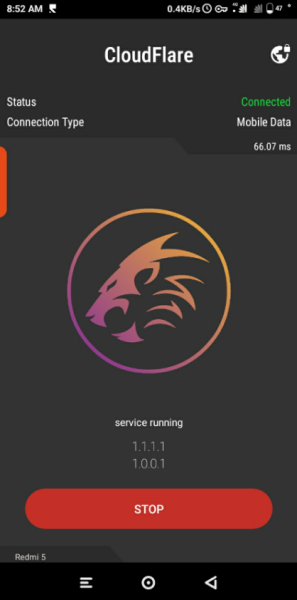
4.Pick a public DNS server from the list, or let the app test options.
5.Apply the DNS change. Android may ask for VPN/profile permission because DNS routing is applied system-wide.
6.Check the shown DNS server, ping time, and network type.
Better results: practical tips
•Test before trusting one DNS. Ping can vary by region and time of day. Internet Optimizer Pro’s value is letting you compare latency instead of guessing.
•Game first, browse second. For multiplayer games, prioritize lowest ping. For streaming, prioritize stable resolution and lower buffering.
•Try Google Public DNS for general use. It is widely compatible and often a safe default.
•Try OpenDNS for filtering and familiarity. Good for users who want a well-known alternative resolver.
•Re-test after network changes. Switching from Wi-Fi to 4G/5G can change the best DNS.
•Use Ping Monitor if available. A floating ping readout helps you see lag spikes while gaming.
•Reset if something breaks. If a site fails to load, switch back to automatic DNS or another public server.
Best use cases
•Online gaming: lower ping and fewer sudden lag spikes.
•Video calls: steadier DNS resolution before the media stream starts.
•YouTube and streaming: fewer initial buffering delays.
•Public Wi-Fi: switch away from a slow or misconfigured captive DNS.
•Region-restricted DNS issues: reach sites blocked by your ISP’s default resolver.
Internet Optimizer Pro FAQ
1、What is Internet Optimizer Pro?
Internet Optimizer Pro is an Android DNS changer app. It optimizes internet connection by replacing the default DNS server with a faster or more reliable public DNS.
2、Does Internet Optimizer Pro increase my internet speed?
It may improve perceived speed by reducing DNS lookup time. It does not increase your ISP bandwidth. Expect faster starting loads, lower ping in some cases, and less waiting — not a bigger data pipe.
3、Is Internet Optimizer Pro good for gaming?
It can help. Many users use Internet Optimizer Pro for lower ping and less lag in online games. Real improvement depends on your network and the DNS server latency.
4、Why does it ask for VPN permission?
Android applies DNS routing through a VPN-style profile. For Internet Optimizer Pro, this is for DNS change, not full traffic proxying. Always review the permission prompt before allowing it.
5、Which DNS servers can I use?
The app includes free public DNS options. Common choices are Google Public DNS and OpenDNS. If you have another trusted DNS, check whether the app’s list supports it.
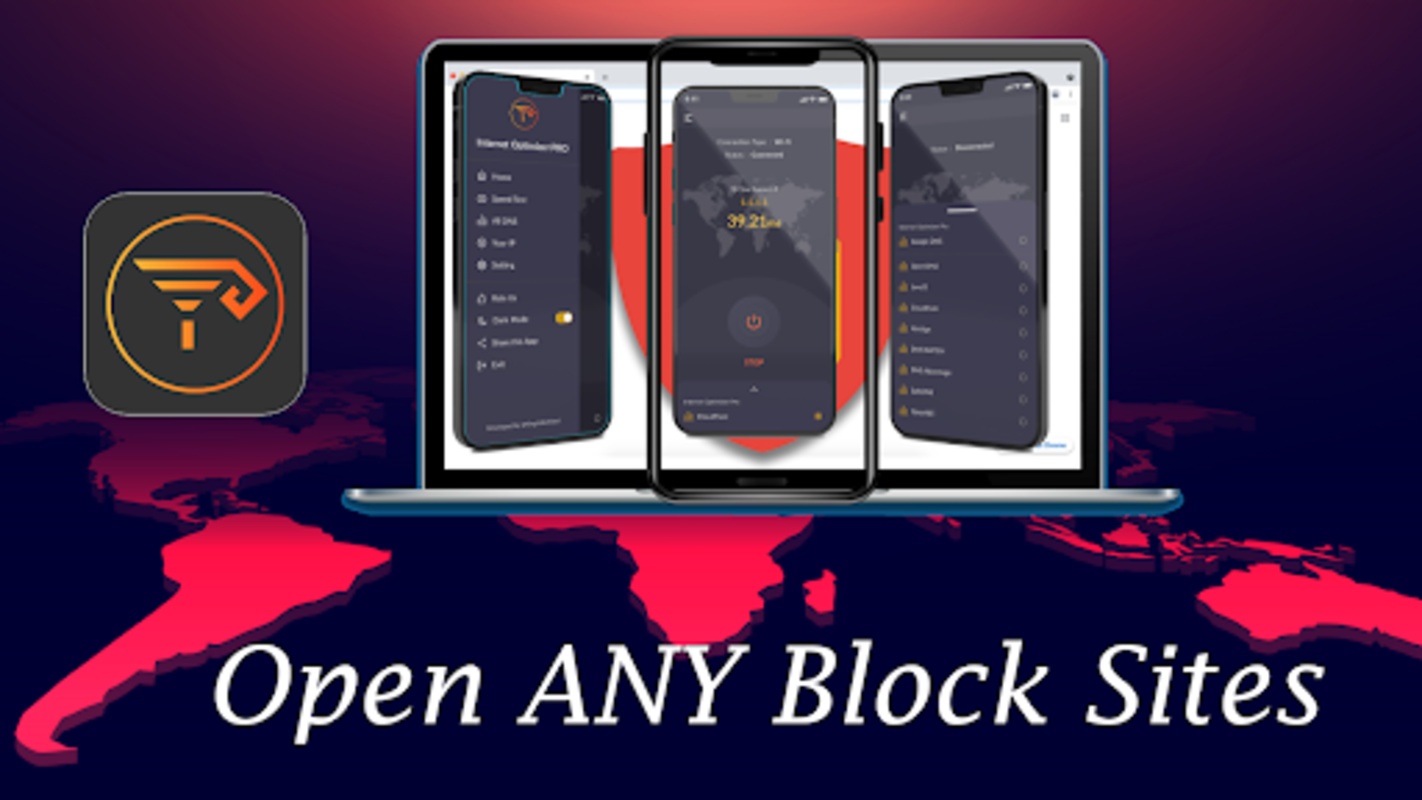
6、Can it unblock websites?
Changing DNS may bypass restrictions enforced by your ISP’s DNS. It is not a guarantee and does not replace a full VPN or region-unlock tool.
7、Will it reduce video buffering?
It may. Faster DNS resolution can make streams start quicker and reduce stalling caused by slow lookups, but it will not fix low bandwidth.
8、Is Internet Optimizer Pro free?
Public store listings for Internet Optimizer Pro describe it as free to download, with ads in some listings. Always check the store page for your region.
9、My connection broke after changing DNS. What now?
Switch back to automatic DNS or choose another public server. Restart Wi-Fi/mobile data if needed.
10、Do I need root?
No. Internet Optimizer Pro works as a DNS changer app on supported Android devices without root, using system DNS configuration or VPN-based DNS routing.
Internet Optimizer Pro: Store Info & Light Update Notes
Internet Optimizer Pro is listed as a tools/system utility app for Android. Public listings show the package name com.rizvi.internetoptimizerpro, developer King It Limited, and a free distribution model.
According to AppBrain, Internet Optimizer Pro has around 100,000+ installs, a rating near 4.27/5 from roughly 3,900 ratings, and a recorded last update around October 2024 at version 34.0. Uptodown’s visible listing shows version 33.0, about 3.8K–3.9K downloads on that mirror, and a page date of April 2025. Because store mirrors disagree, treat version numbers as listing-specific, not global release news.
The core positioning of Internet Optimizer Pro has stayed consistent across thegreatapps, Uptodown, and AppBrain:
•DNS changer for Android.
•Lower ping for multiplayer games.
•Less lag and reduced video buffering.
•Faster browsing.
•Choice of public DNS servers including Google Public DNS and OpenDNS.
There is no single confirmed “latest news” item across the provided sources. For store copy, the safest SEO line is: Internet Optimizer Pro remains positioned as a lightweight Android DNS Changer for lower ping, less lag, faster browsing, and smoother streaming.
If you want the newest build, check the official Google Play listing for Internet Optimizer Pro or the store page where you publish. Do not promise a 2026 update unless the destination store page shows it.
- Version29.0
- UpdateSep 29, 2026
- DeveloperKing It Limited
- CategoryTools
- Requires AndroidAndroid 5.0+
- Downloads193K+
- Package Namecom.rizvi.internetoptimizerpro
- Signaturef8d2b19dd719504ad2ce385c6efb4c50
- ReportFlag as inappropriate
-
NameSizeDownload
-
11.01 MB
-
11.01 MB
-
10.94 MB









Easy to use
Optimizes your network
Enhances privacy
Possibly unblocks restricted websites
Offers a free and reliable public DNS option
Performance depends on network environment.
Not available on all devices/scenarios.
Some features are restricted by ISP policies.
Connection issues may be caused by incorrect DNS settings.