iAdb - Wireless debugging tool
Unlock seamless wireless debugging for Android devices & streamline app folder access effortlessly with this essential tool.

- 1.4.2 Version
- 3.2 Score
- 1M+ Downloads
- Free License
- 3+ Content Rating

About iAdb
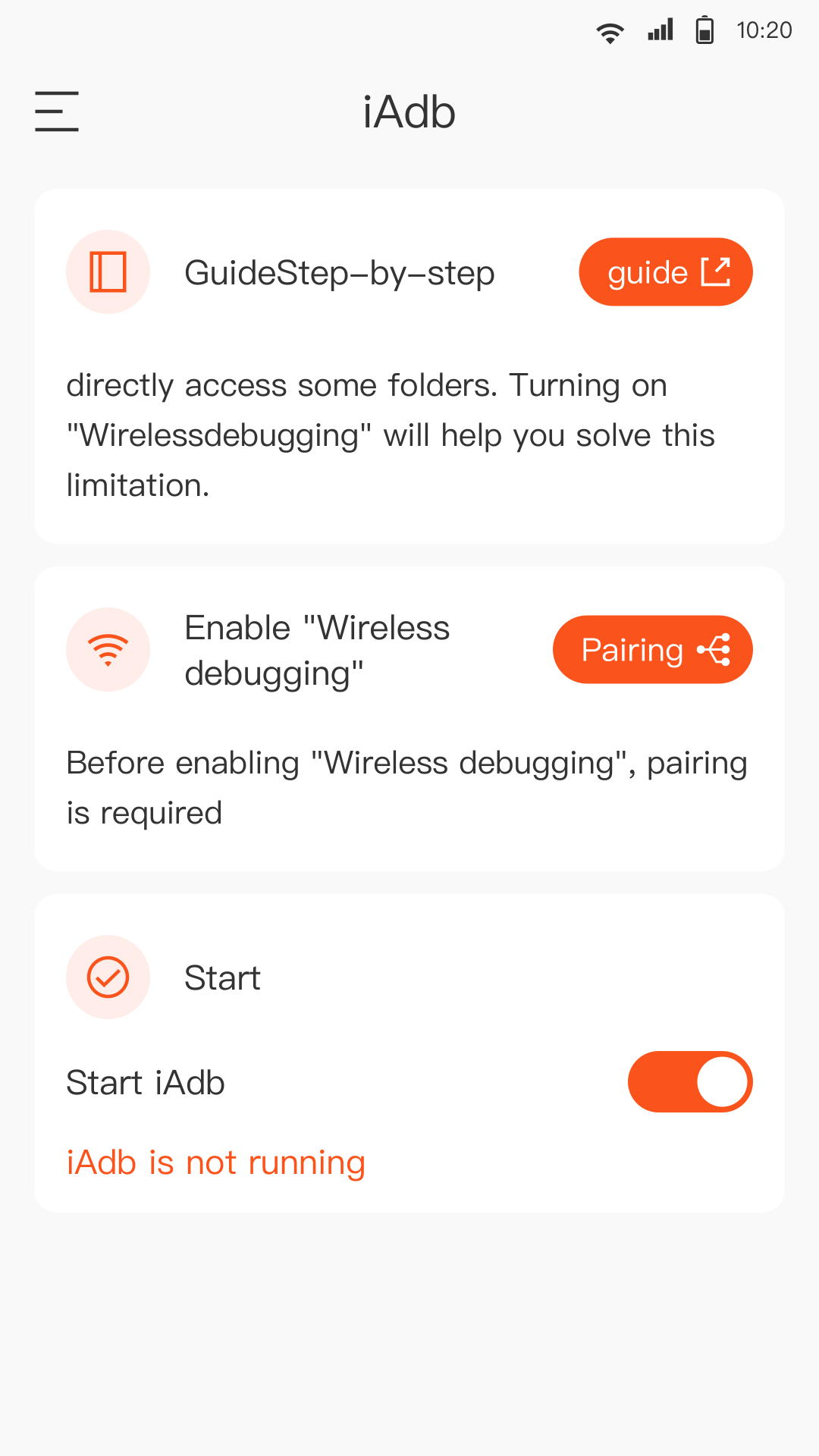
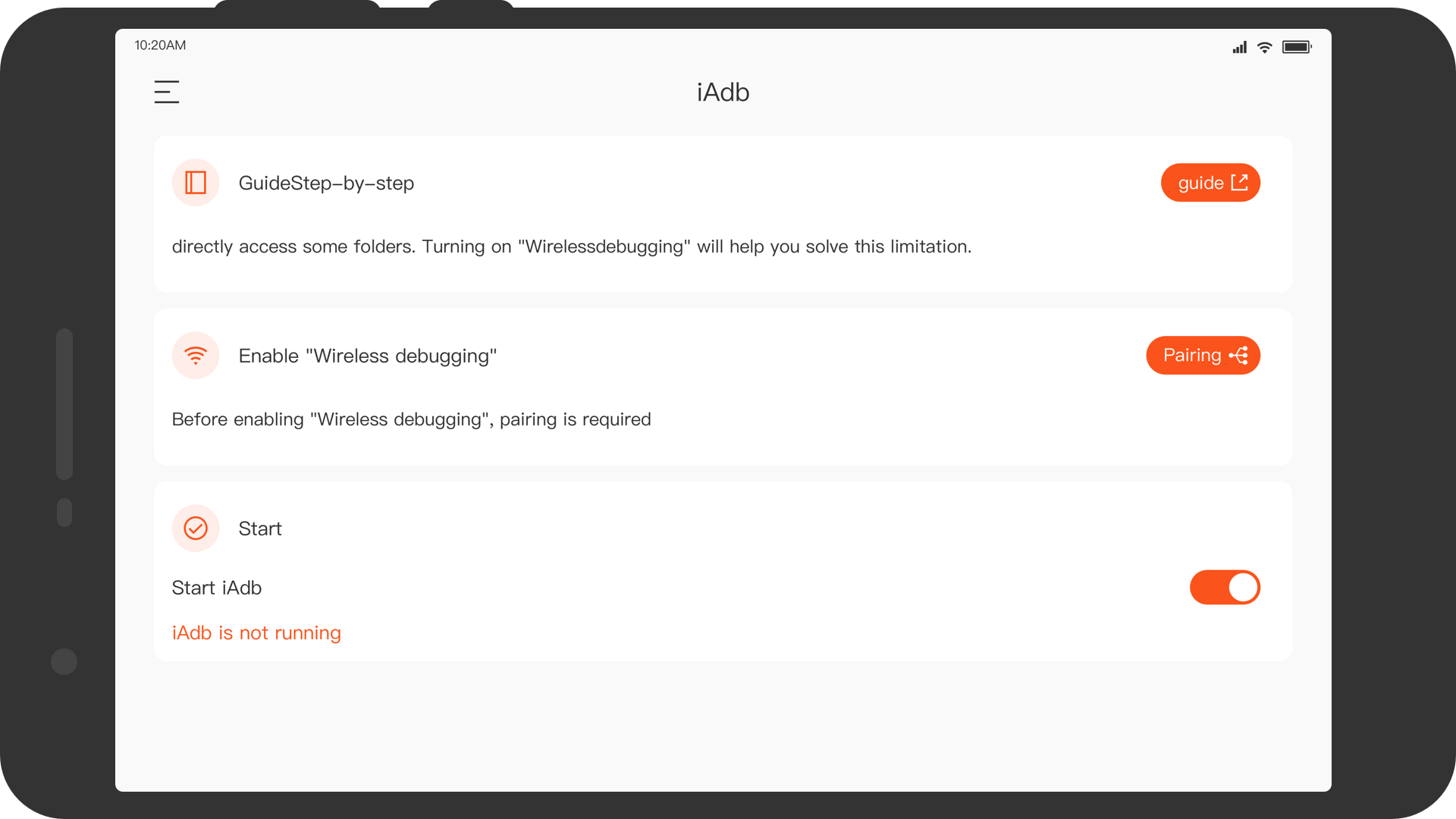
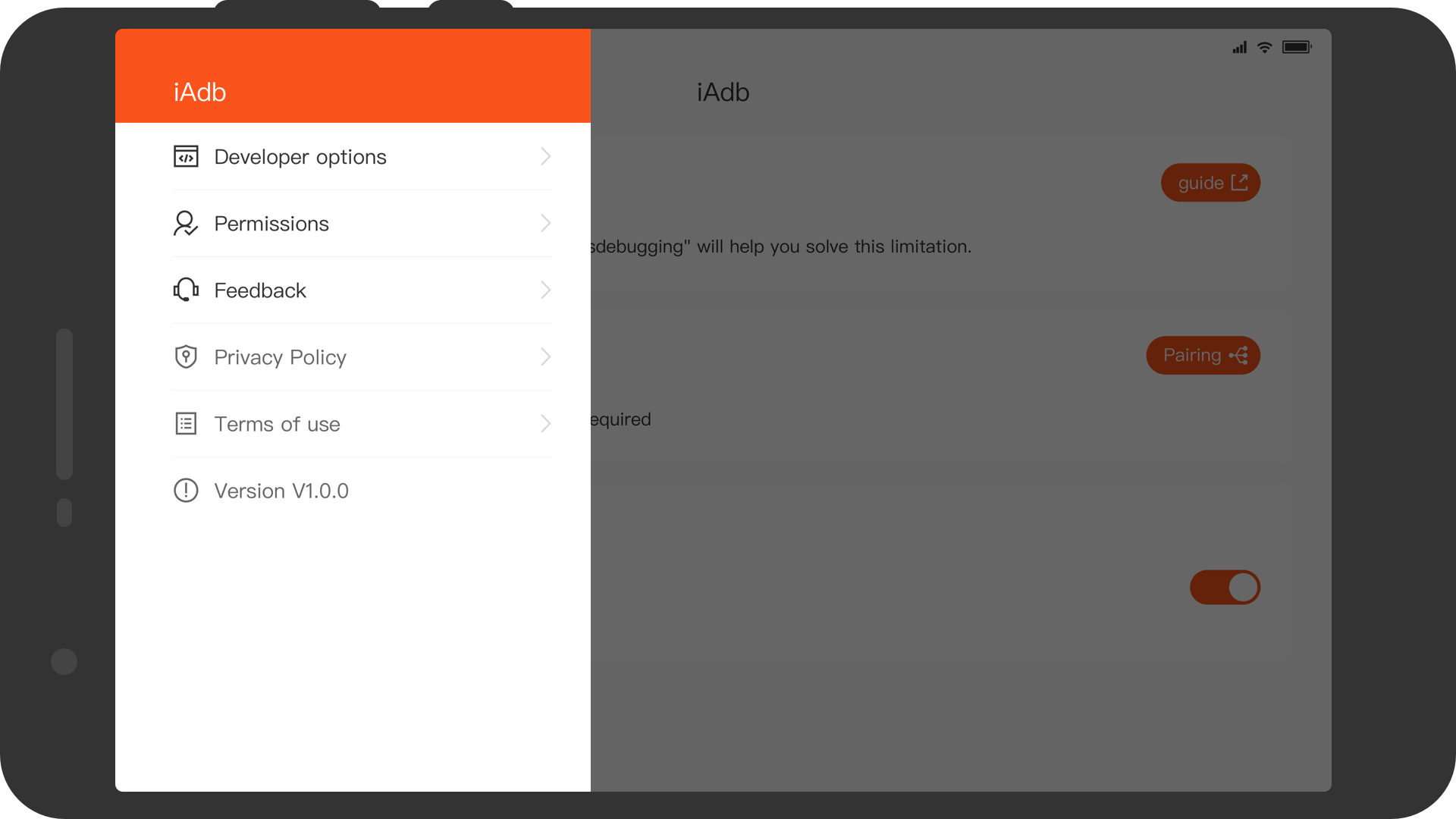
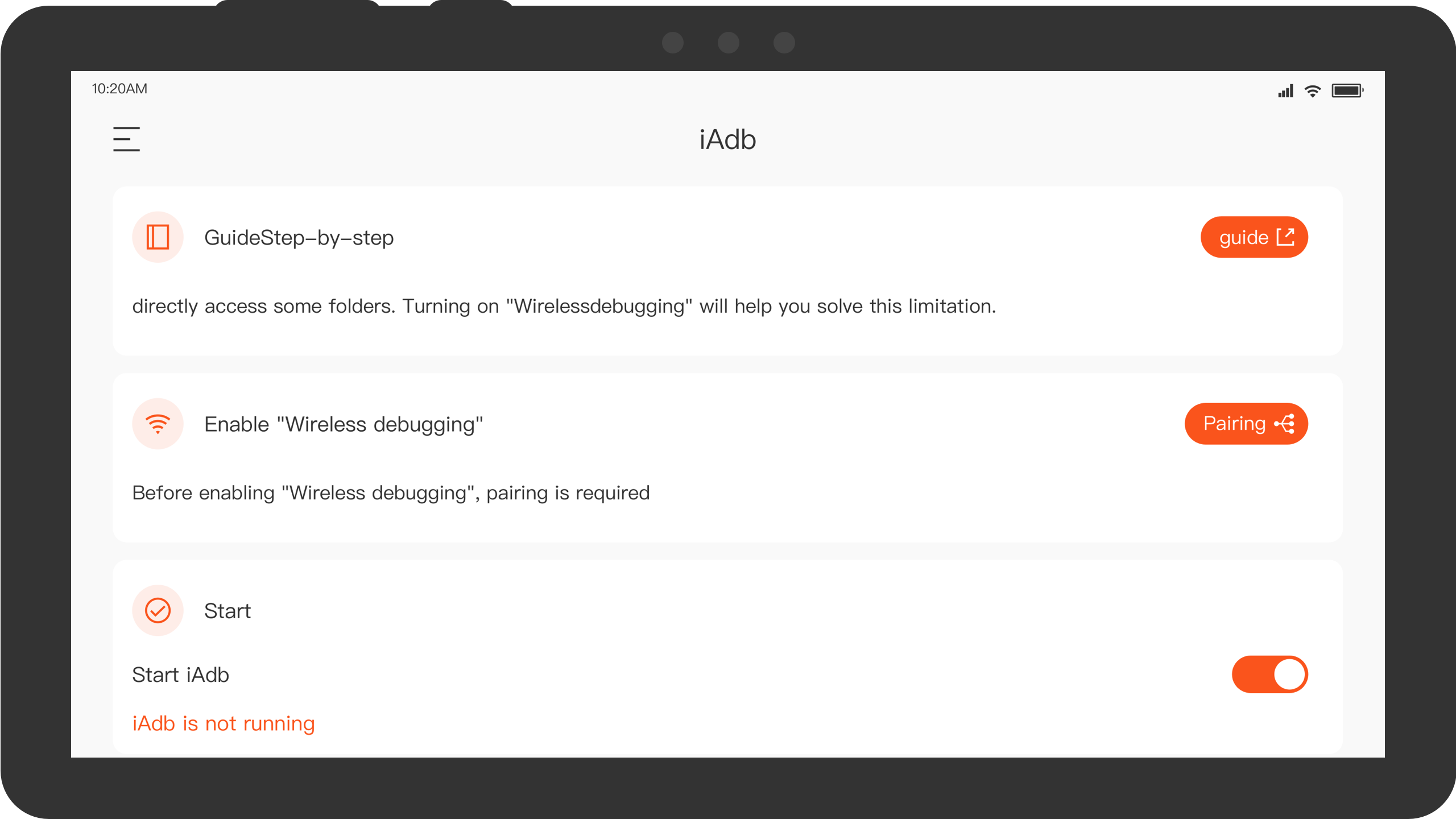
iAdb is an Android debugging tool that uses Android Debug Bridge (ADB) to access supported application directories directly from an Android device. It supports wireless debugging on devices running Android 11 or later through the built-in Wireless Debugging feature, eliminating the need for a computer or USB connection.
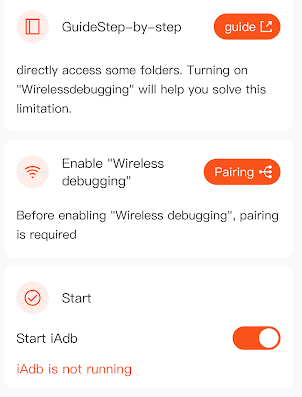
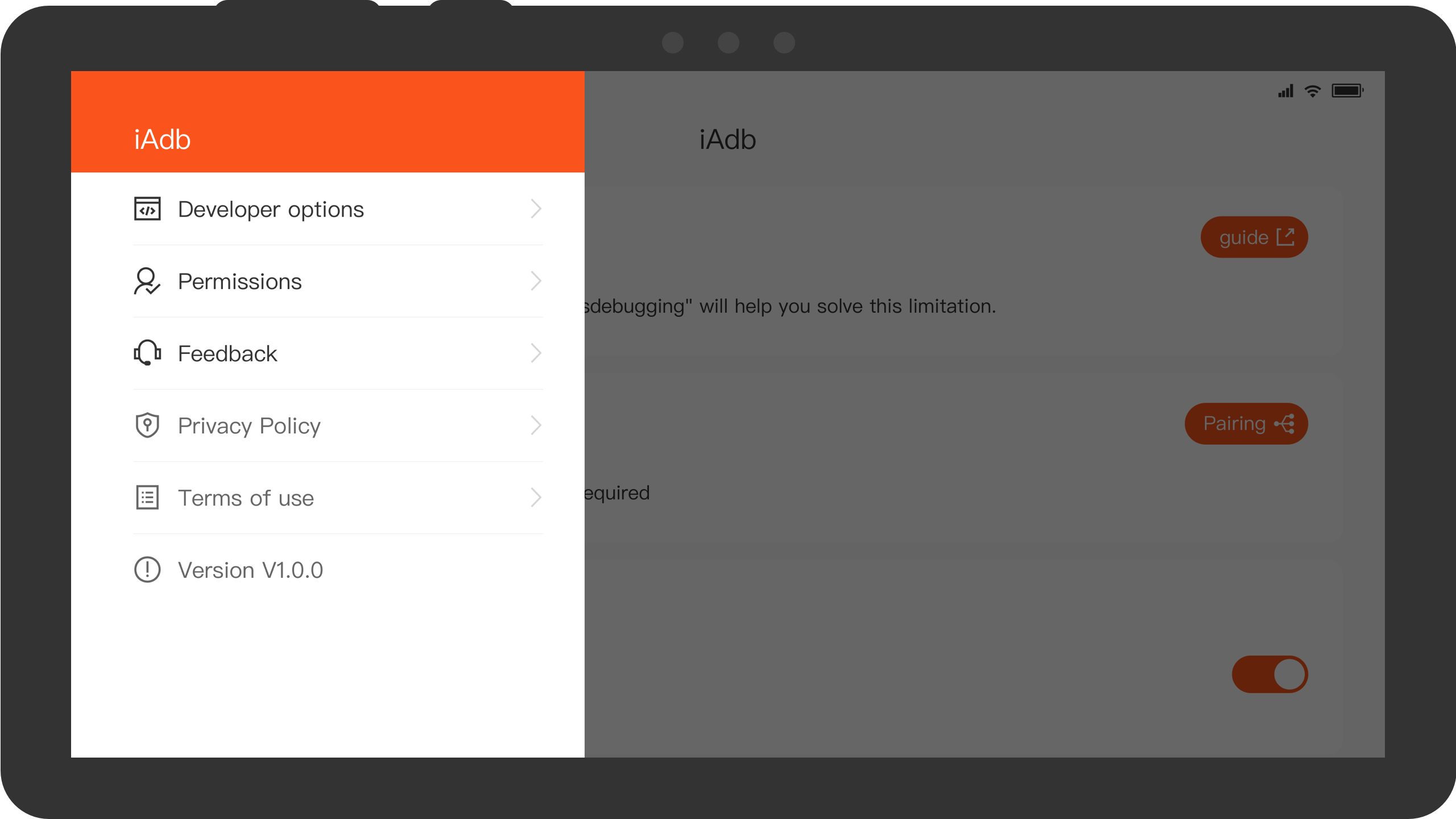
The app is designed for users who need to manage files in application-specific folders or perform selected ADB operations on their phones. Its main purpose is to provide on-device access to supported directories that may otherwise be inaccessible through standard file managers.
Available access and operations depend on the Android version, system storage restrictions, and device configuration.
Key Features
Wireless ADB Connection: Establishes an ADB connection through Android's built-in Wireless Debugging feature without a USB cable or computer.
Application Directory Access: Allows users to browse supported app-specific folders that standard file managers may not be able to access.
On-Device ADB Operations: Supports selected debugging and file-management operations directly from an Android device.
Android 11 or Later Support: Uses the native Wireless Debugging functionality available on Android 11 and newer versions.
How to Use iAdb
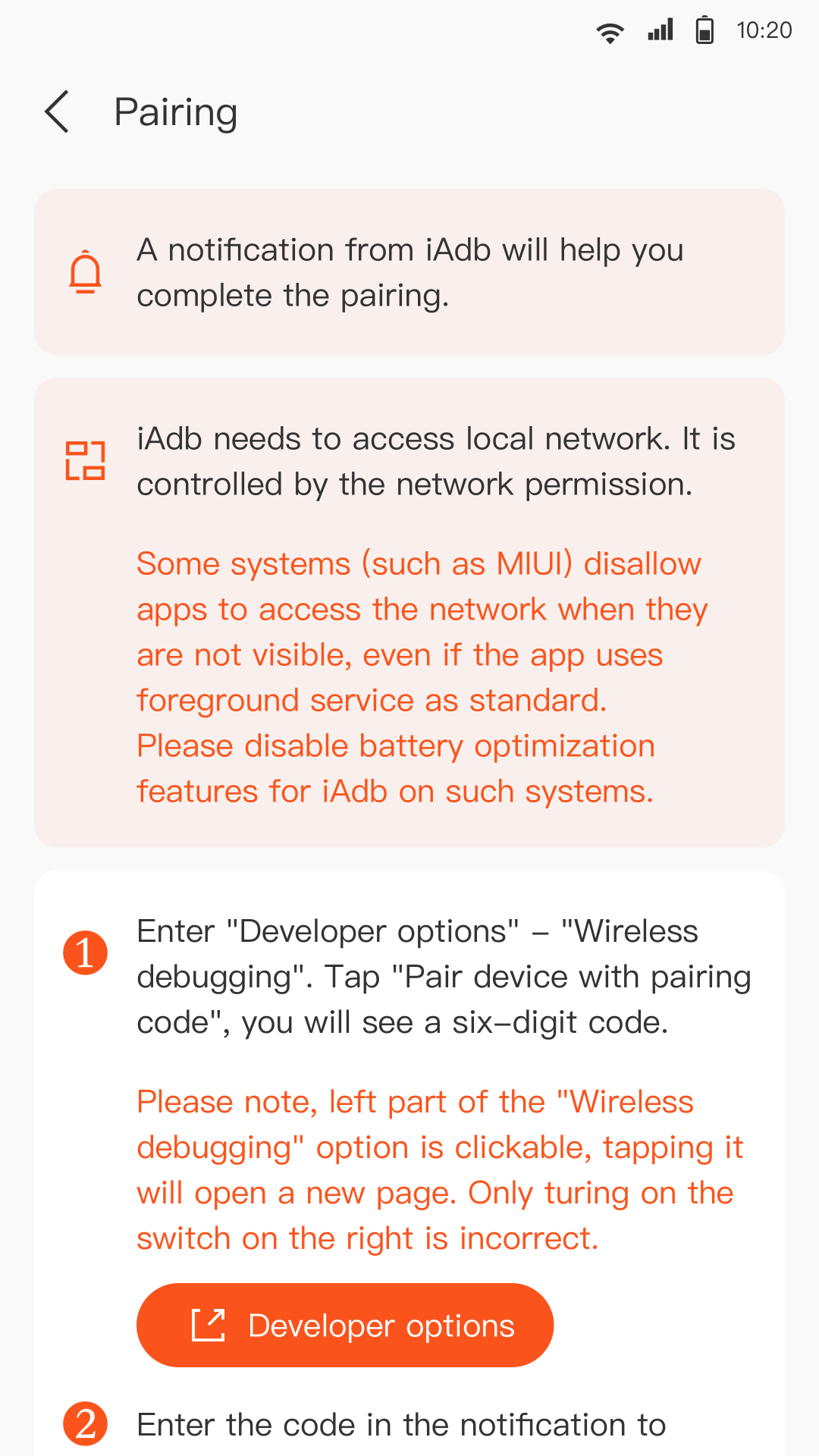
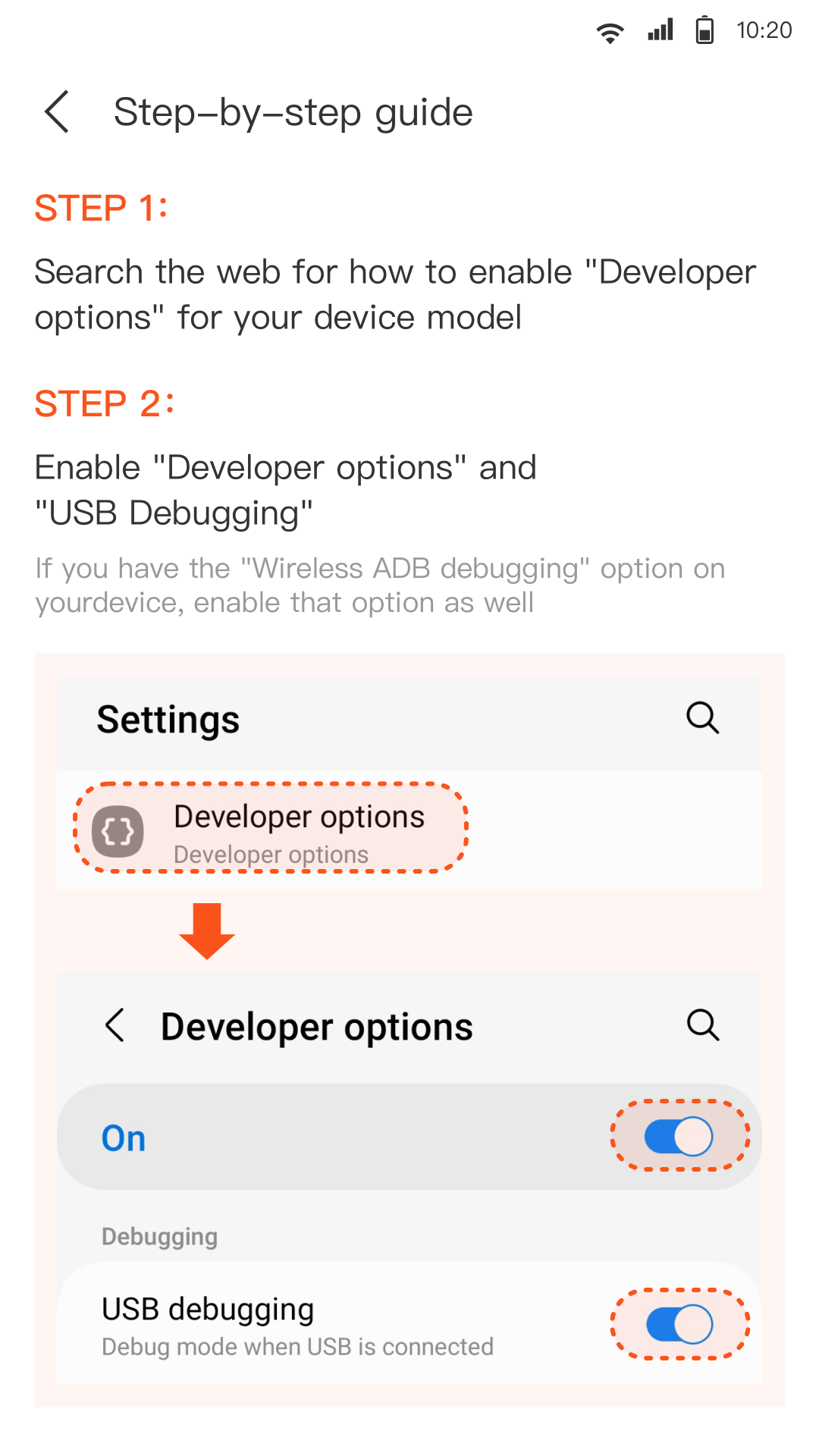
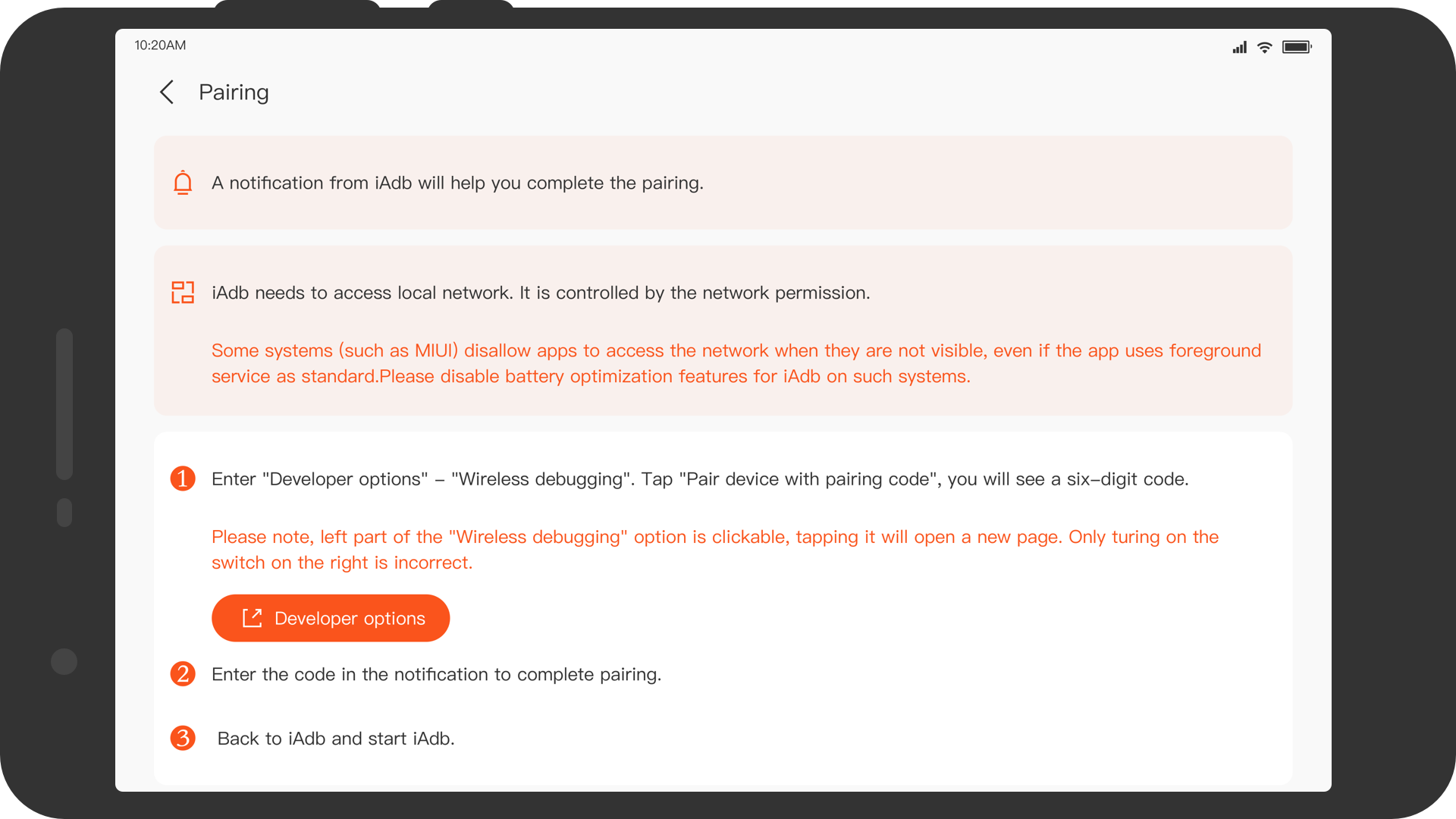
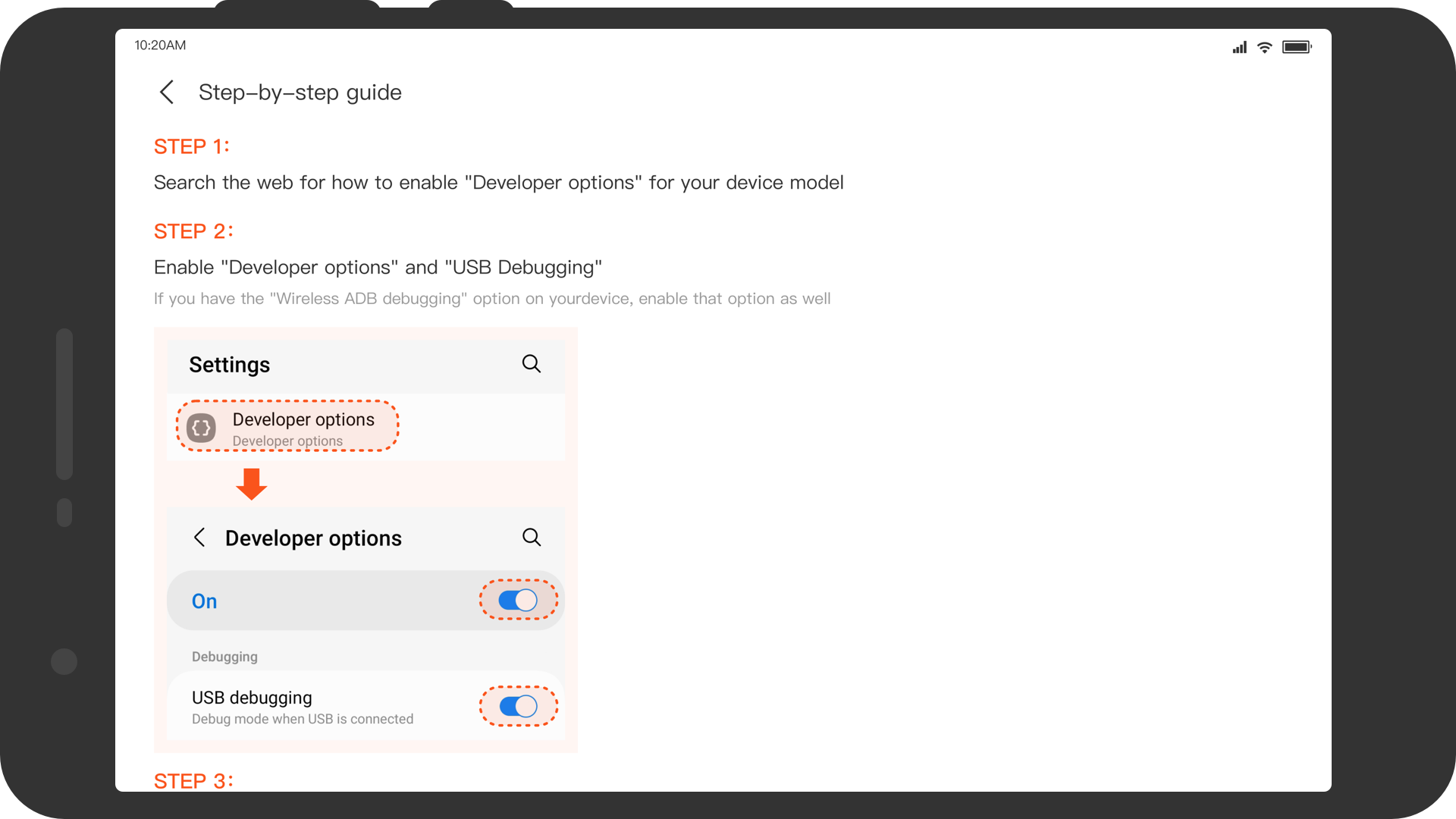
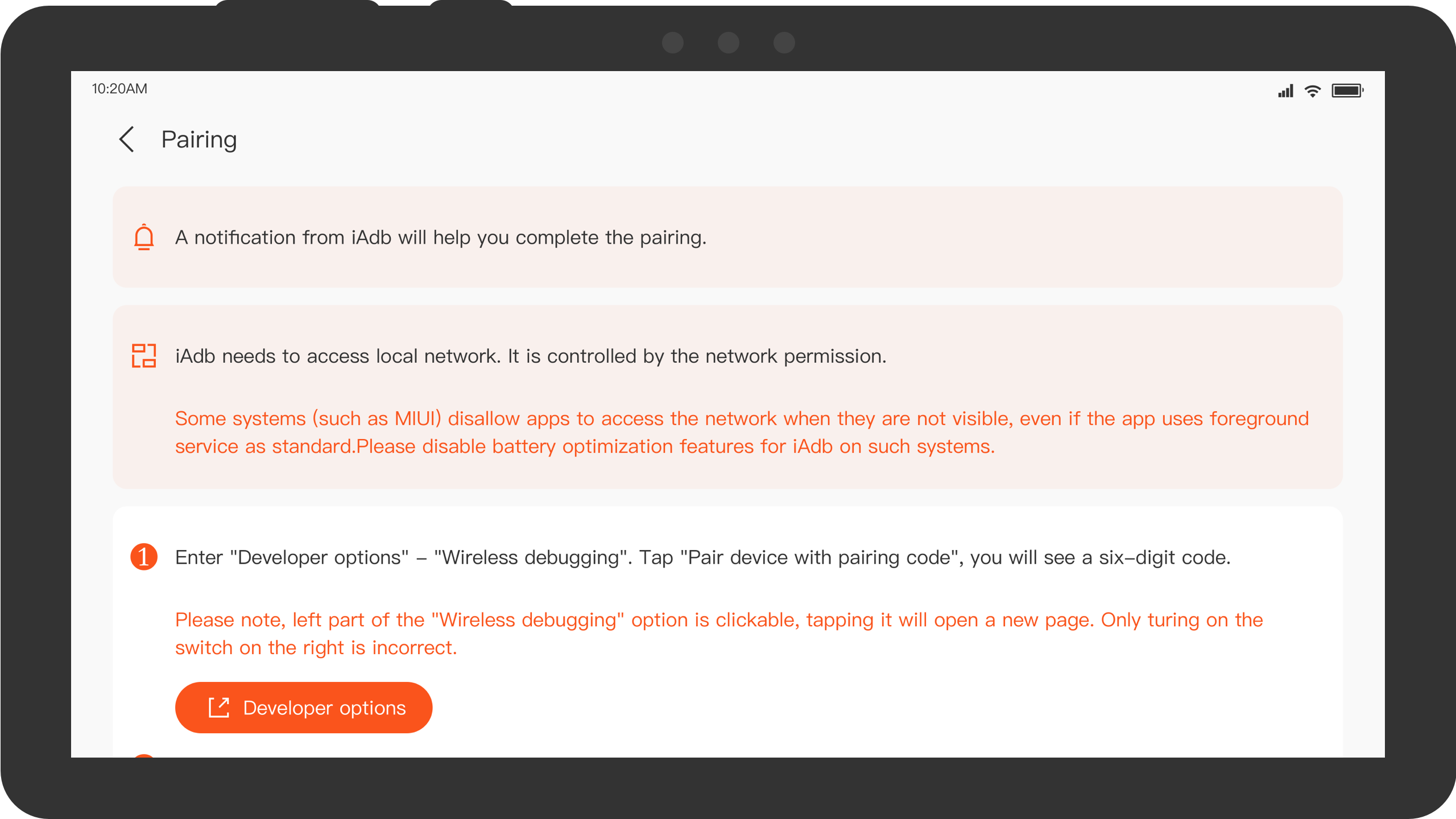
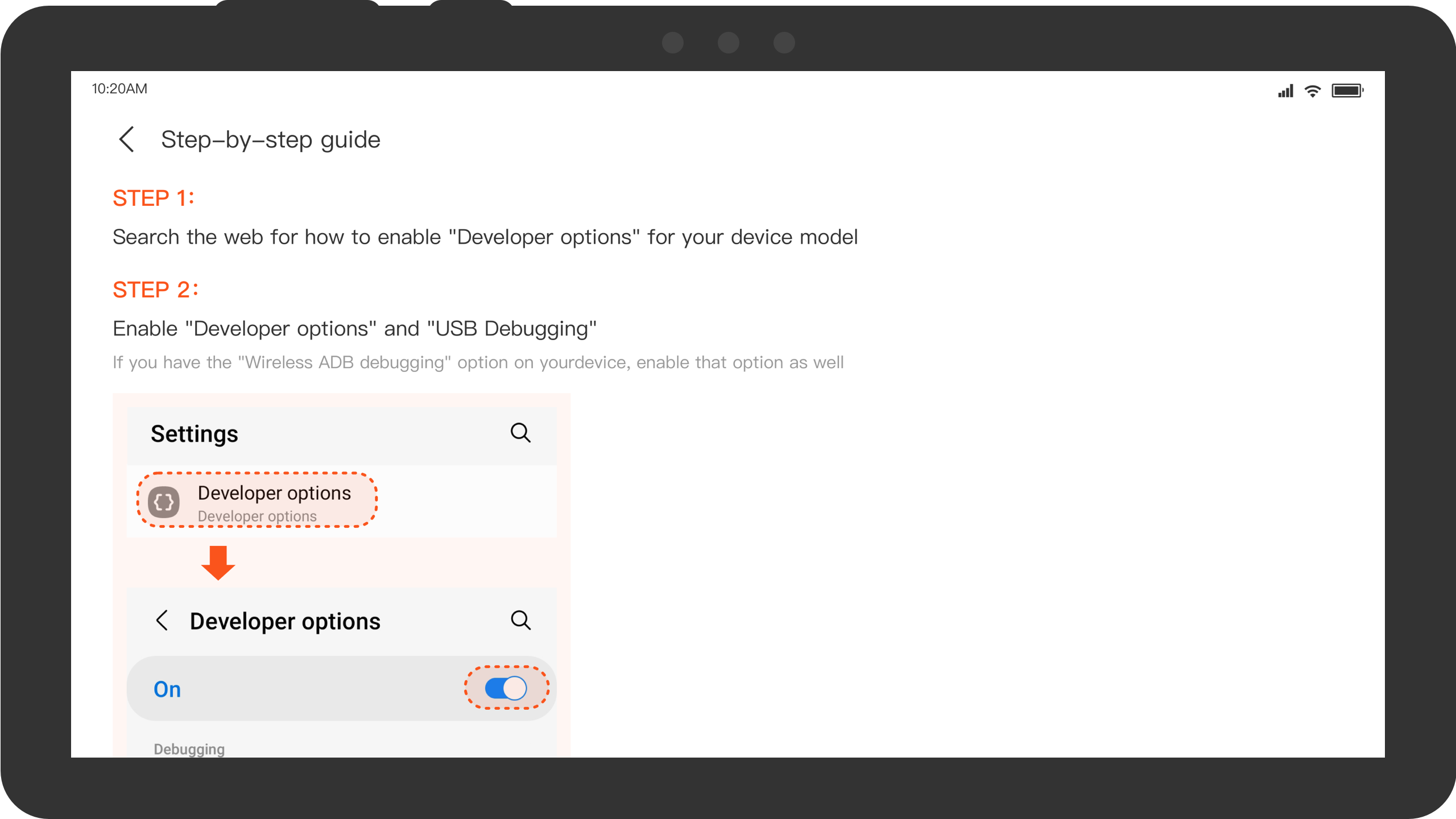
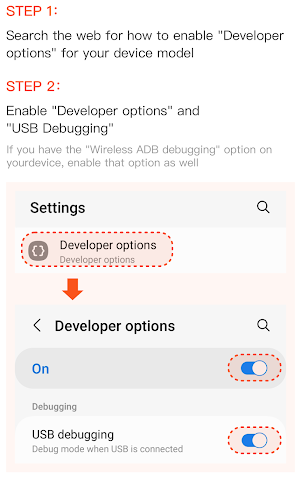
Enable Developer Options in Android settings, then turn on Wireless Debugging. Open iAdb and follow its pairing instructions to establish an ADB connection.
After connecting, use the available tools to browse supported application directories or perform file-management operations. The accessible folders and functions depend on Android's storage restrictions and the device's configuration.
FAQs
Q: What is iAdb used for?
A: iAdb uses Android Debug Bridge to access supported application directories and perform selected debugging and file-management operations directly on an Android device.
Q: Does iAdb require a computer or USB cable?
A: No. It supports wireless ADB connections on compatible devices, so a computer or USB connection is not required.
Q: Which Android versions support wireless debugging?
A: iAdb's wireless debugging functionality requires Android 11 or later.
Q: Why must I enable Developer Options?
A: Android provides the Wireless Debugging feature through Developer Options. It must be enabled to establish a wireless ADB connection.
Q: Can iAdb access every folder on my device?
A: No. Access depends on Android's storage restrictions, application permissions, and device-specific configurations.
- Version1.4.2
- UpdateNov 20, 2026
- DeveloperFile Container
- CategoryTools
- Requires AndroidAndroid 11+
- Downloads1M+
- Package Namecom.iadb.helper
- Signatureed92ec8aa7d6ba19c5302fe3841209b3
- Available on
- ReportFlag as inappropriate
-
NameSizeDownload
-
5.20 MB
-
5.20 MB
-
7.00 MB