
Bouygues Telecom - French mobile network provider
Experience lightning-fast network speeds with Bouygues Telecom's robust coverage

- 25.10.0 Version
- 4.2 Score
- 8M+ Downloads
- Free License
- 3+ Content Rating


1. App Overview
Bouygues Telecom is the official app for managing mobile and home internet services provided by Bouygues Telecom in France. It allows customers to check their mobile usage, manage subscriptions, view and pay bills, and contact customer support directly from their phones. Whether you have a mobile plan, a Bbox home internet subscription, or both, you can access your account information and manage your services through the app.
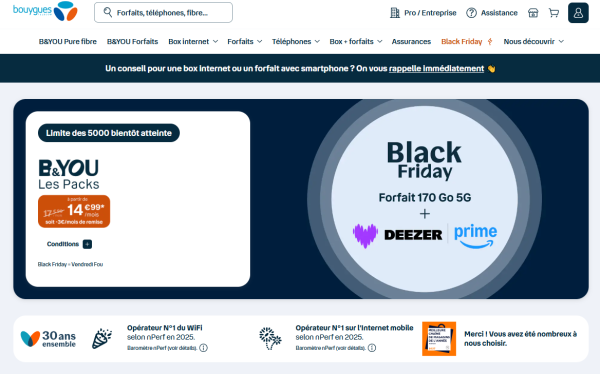
The home screen can be customized to display frequently used services and important account details, such as current usage, bills, and subscription information. Customers can also sign in using facial recognition or fingerprint authentication.
For Bbox subscribers, the app includes tools for managing Wi-Fi settings, sharing network access, and troubleshooting equipment through My Bbox Assistant. Mobile customers can monitor their consumption in France and abroad, purchase additional credit, and access assistance if their phone is lost. The app also provides technician appointment tracking, allowing customers to check estimated arrival times and receive notifications about delays.
2. Key Features
Mobile and Bbox Management: Manage mobile plans and fixed-line internet subscriptions through one account.
Customizable Dashboard: Arrange the home screen to display frequently used services and account information.
Biometric Authentication: Log in using facial recognition or fingerprint recognition.
Usage Monitoring: Check mobile consumption in France and abroad, including remaining allowances.
Bbox Wi-Fi Controls: Change Wi-Fi passwords, share network access, and manage settings related to children's internet use.
Customer Assistance: Access instant messaging, mobile support, and Bbox troubleshooting tools.
Technician Tracking: Check estimated technician arrival times, receive delay notifications, and submit feedback after appointments.
3. Main Functions
Check Mobile Usage: View your current consumption and remaining plan allowances. Purchase additional credit or activate extra options when needed.
Manage Subscriptions: Use the My Lines section to review your mobile and Bbox subscriptions, including plans registered to family members.
Explore Offers and Devices: Browse mobile plans, additional services, subscription options, and available devices in the online store.
View and Pay Bills: Check current and previous invoices, download bill copies, and pay outstanding amounts through the app.

Configure Bbox Wi-Fi: Change your network password, share Wi-Fi access, and adjust available network settings. My Bbox Assistant also provides installation instructions and troubleshooting guidance.
Contact Customer Support: Use instant messaging or access Mobile Assistance for help with a lost phone and other mobile service issues.
Track Technician Appointments: Follow the estimated arrival of a scheduled technician, receive delay notifications, and rate the service after the visit.
4. FAQs
Can I manage both my mobile plan and home internet subscription in the app?
Yes. The app supports Bouygues Telecom mobile plans and Bbox fixed-line subscriptions, so you can manage both through the same account.
Can I check my mobile data usage while travelling abroad?
Yes. You can monitor your consumption in France and abroad, check your remaining allowances, and purchase additional credit or options when necessary.
Can I pay my Bouygues Telecom bills through the app?
Yes. You can view and download invoices and pay outstanding bills directly through the app.
How can I change my Bbox Wi-Fi password?
Open the Manage my Bbox section to change your Wi-Fi password and share your network access with others.
Can I track a Bouygues Telecom technician's arrival?
Yes. For scheduled appointments, you can check the technician's estimated arrival time, receive notifications about delays, and submit feedback after the visit.
Can I get help if my phone is lost or my Bbox is not working?
Yes. Mobile Assistance provides support for lost phones, while My Bbox Assistant offers installation guidance and troubleshooting help for Bbox equipment.
- Version25.10.0
- UpdateNov 24, 2026
- DeveloperBouygues Telecom
- CategoryTools
- Requires AndroidAndroid 7.0+
- Downloads8M+
- Package Namefr.bouyguestelecom.ecm.android
- Signature0dec1c1a7c187f824cfa5bc78bf69b75
- Available on
- ReportFlag as inappropriate
-
NameSizeDownload
-
84.88 MB
-
83.09 MB
-
83.09 MB











Provides real-time information on data usage, call minutes, and text message consumption
Customizable settings allow users to tailor the app to their preferences
Changes to the app’s design or functionality might not always be well-received by users