
Battery Charging Monitor - Battery management & monitoring
Track your battery's health & performance in real-time with detailed metrics to extend its lifespan effortlessly!
- 3.07 Version
- 3.0 Score
- 180K+ Downloads
- Free License
- 3+ Content Rating

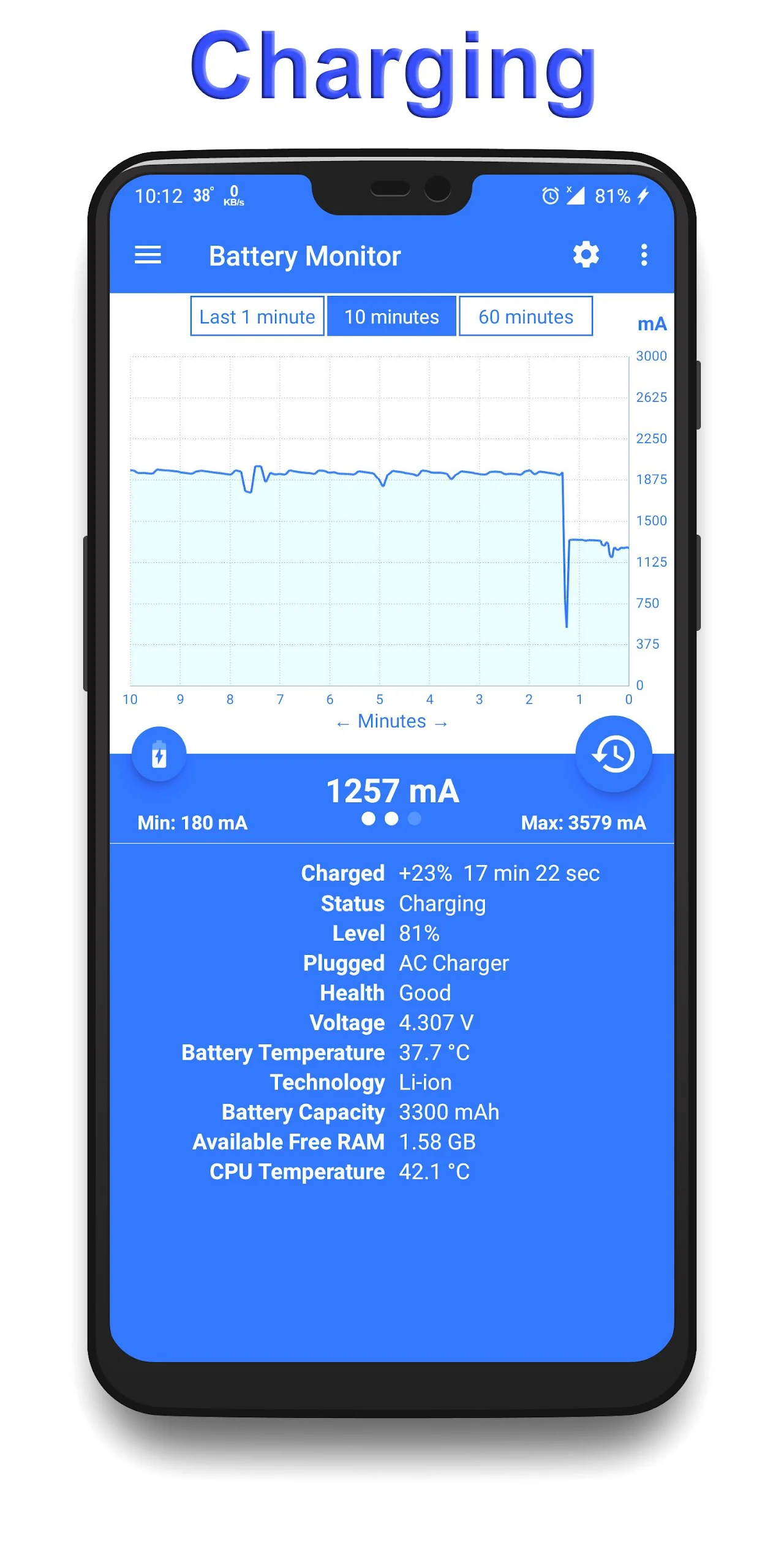
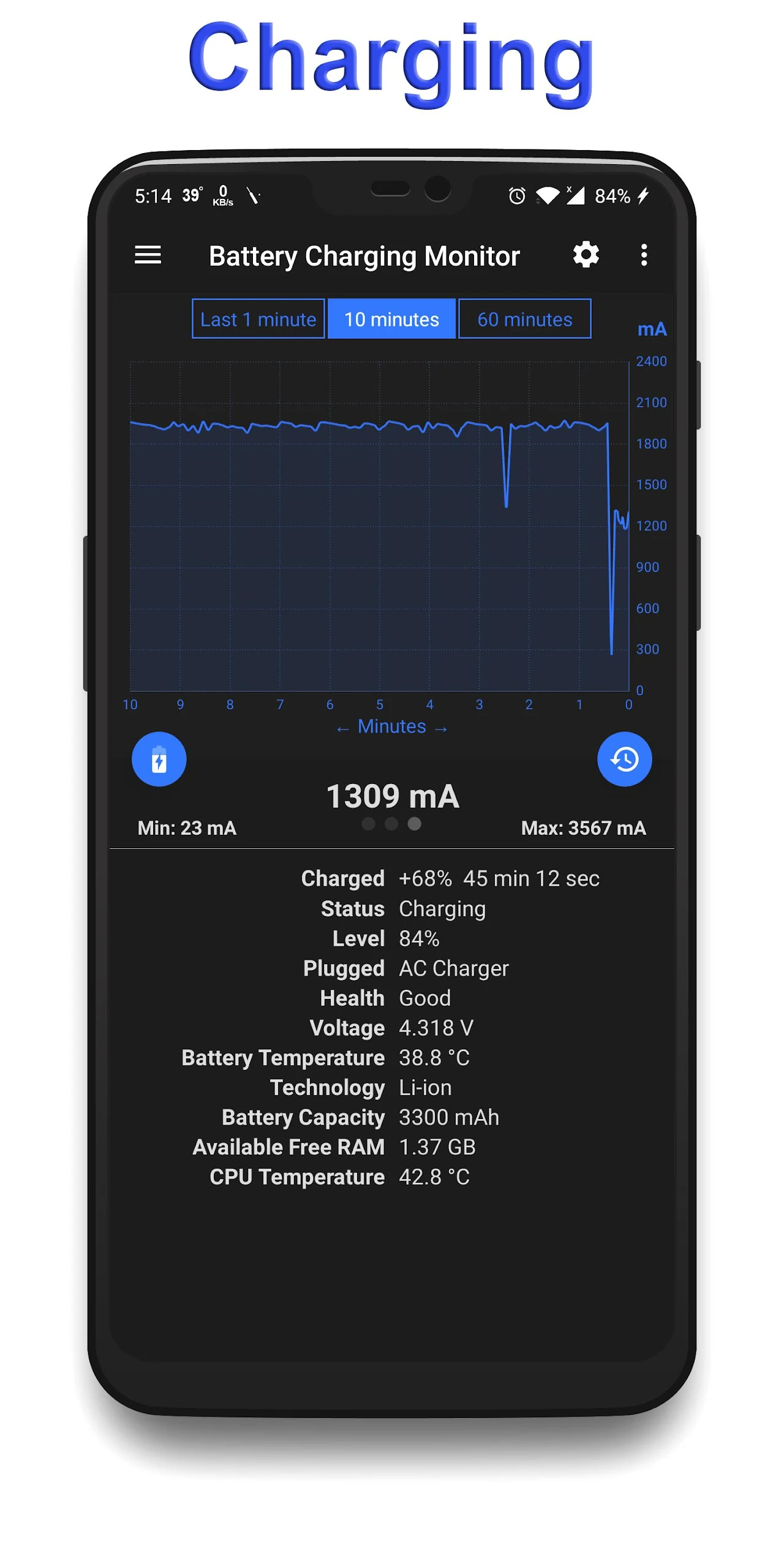
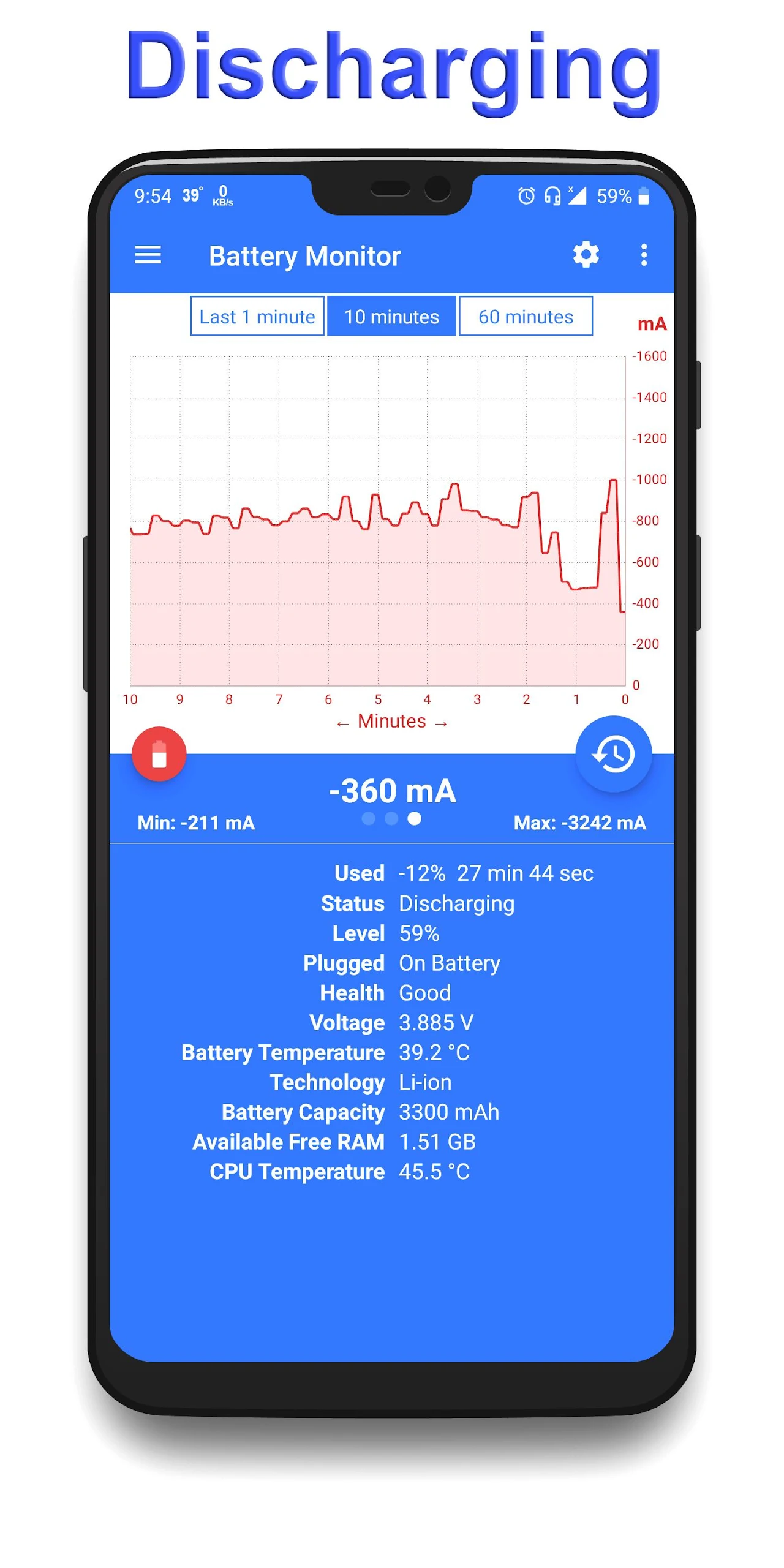
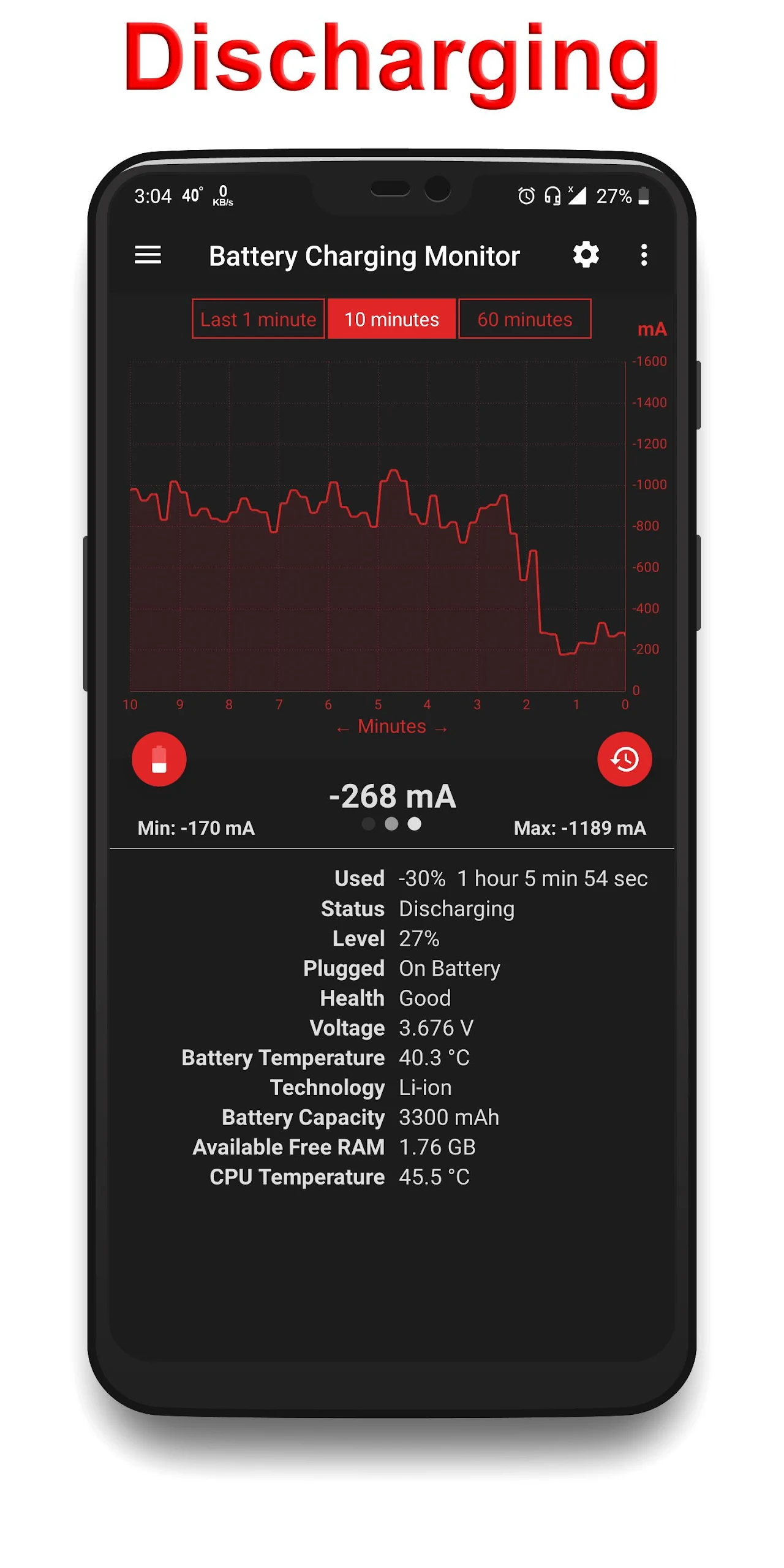
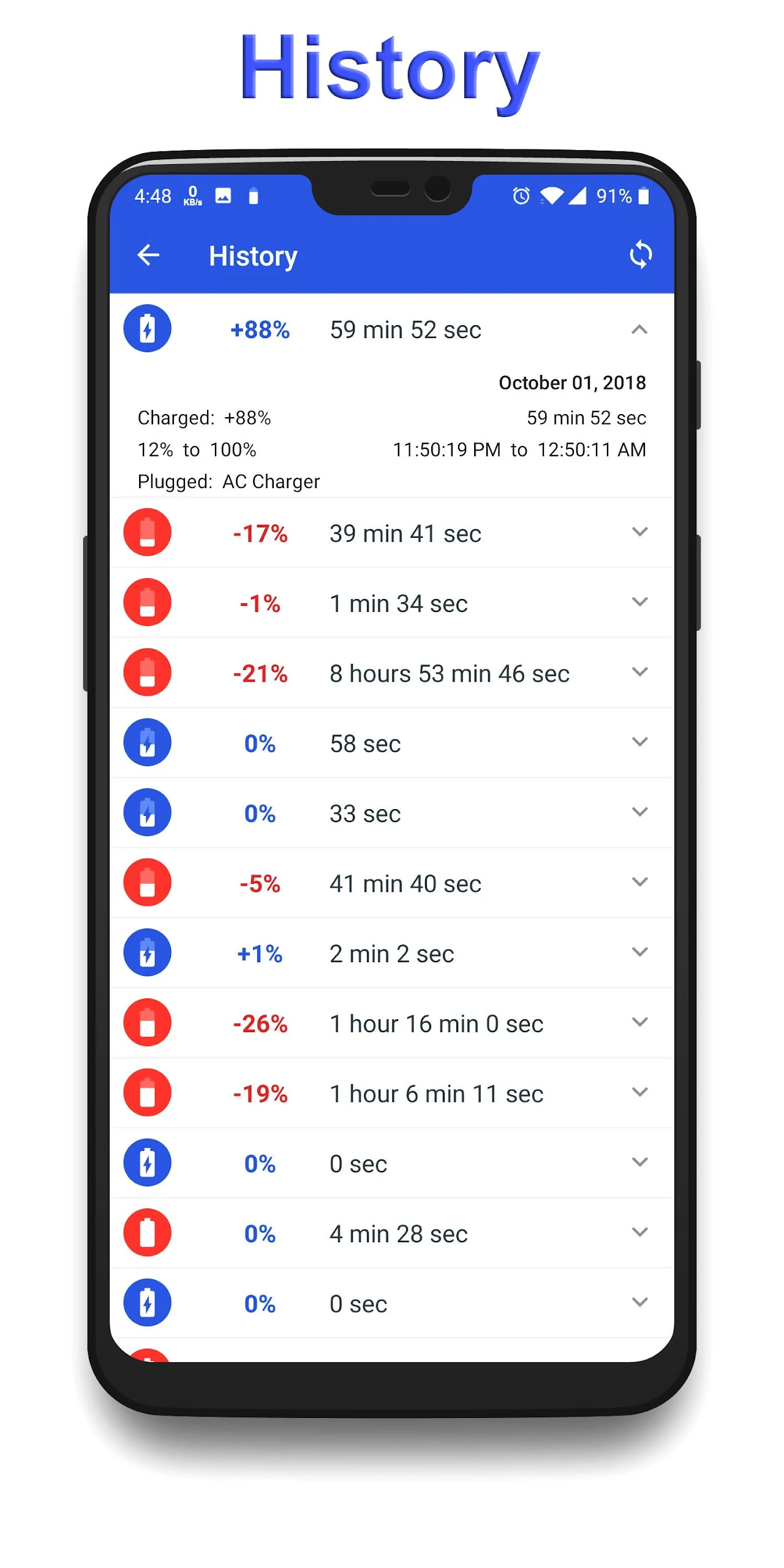
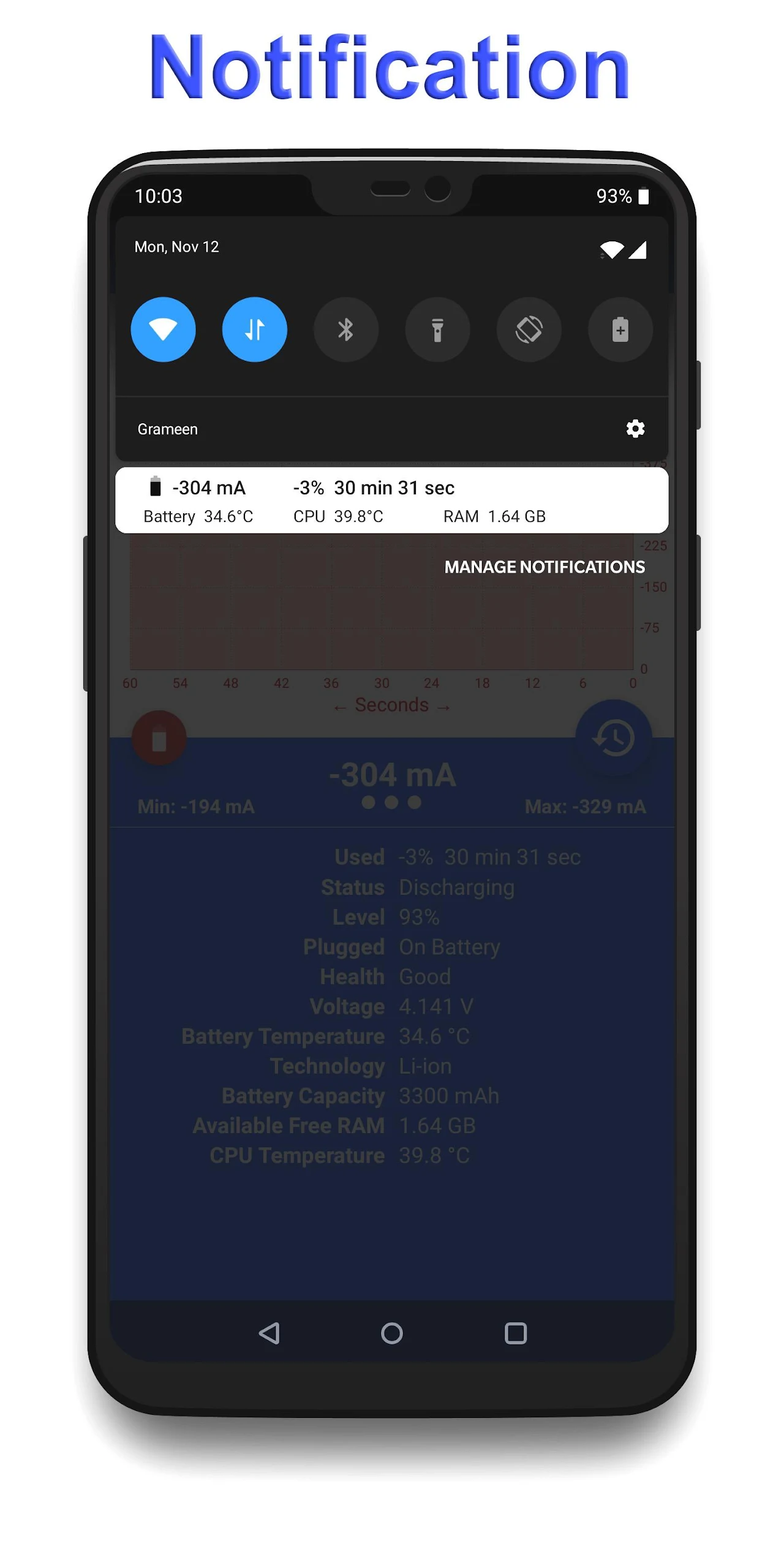
The Battery Charging Monitor is an Android application (compatible with versions 8.0 and above) that tracks the real-time charging and discharging rates of your battery measured in milliampere (mA).
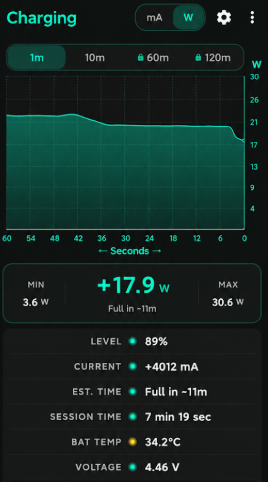
It also provides information on temperature, available RAM, and CPU temperature, among other metrics.
This application allows you to monitor the battery consumption while engaged in gaming or utilizing other applications.
It offers a range of useful features.
Home Page Features:
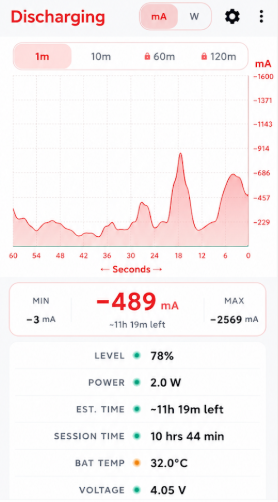
➤ Displays the real-time rate of battery charge or discharge.
■ A positive figure indicates charging.
■ A negative figure signifies discharging.
➤ Shows a graphical representation of the charging or discharging rate for the past 60 minutes.
■ Blue indicates charging.
■ Red indicates discharging.
➤ Indicates the amount of battery that has been charged or depleted.
■ A positive value signifies charging.
■ A negative value indicates depletion.
➤ Records the elapsed time since charging or discharging commenced.
➤ Displays current battery status
➤ Shows current battery level
➤ Provides current battery health
➤ Displays current battery voltage
➤ Shows current battery temperature
➤ Reveals battery technology
➤ States battery capacity
➤ Indicates available free RAM
➤ Displays current CPU temperature
Real-time Notification Bar:
Many of the features on the home page are accessible from the notification bar.
Reset Data:
➤ To refresh data, tap the refresh icon located on the app's home screen.
Delete Charging and Discharging History
➤ To erase history, navigate to the app's side menu, select Settings, and choose the ‘Delete History’ option.
The Battery Charging Monitor is available for free. Download and enjoy!
Instructions:
➤ Download and Install**: This app is compatible with Android 8.0 and higher. Search for "Battery Charging Monitor" in app stores like Google Play, then download and install it.
➤ View Homepage Information**:
■ Charge and Discharge Rate**: After opening the app, you can see the real-time battery charge or discharge rate on the homepage. Positive values indicate charging, and negative values indicate discharging.
■ Charge and Discharge Graph**: You can also see a graphical view of the charge or discharge rate over the past 60 minutes. Blue indicates charging, and red indicates discharging.
■ Charge Delta**: Displays the amount of charge or power consumed by the battery. Positive values indicate charging, and negative values indicate power consumption.
■ Time**: Records the elapsed time since charging or discharging began.
■ Other Information**: The homepage also displays information such as the current battery status, battery level, battery health, battery voltage, battery temperature, battery technology, battery capacity, available free memory, and the current CPU temperature.
➤ Use the Real-Time Notification Bar**: Most homepage features are now available in the notification bar, allowing you to access relevant information without opening the app.
➤ Reset Data**: To refresh your data, tap the refresh icon on the app's home screen.
➤ Delete Charge and Discharge History**: To delete your charge and discharge history, access the app's side menu, select "Settings," and then use the "Delete History" option.
User Reviews:
"Battery Charging Monitor is truly a battery management lifesaver for Android users! It displays the charging and discharging rate in real time (with clear mA units), and simultaneously shows key information such as battery health, temperature, voltage, and capacity. It can even monitor CPU temperature and available memory. When playing games, if you want to know how much power is being used, just open it and you can get a precise understanding. The charge and discharge curve of the past 60 minutes is very intuitive, with blue charging and red discharging clearly distinguishable. It can also record charging and discharging time and power changes. The most convenient feature is that you can directly view core data in the notification bar without repeatedly opening the app. Just tap the home icon to refresh the data, and history can be easily deleted. It's completely free and compatible with Android 8.0 and above. Whether you want to troubleshoot power consumption issues or monitor battery health, it's incredibly convenient and practical!"
Related Questions and Answers:
## 1. My phone's battery drains quickly while I'm playing games. Can this app tell me the exact rate of battery drain?
Yes. After opening the app, you'll see the real-time battery discharge rate (in mA, displayed as a negative number) on the homepage. While playing, you can monitor this data in real time to get a clearer picture of the battery's power consumption. You can also view a graph of the discharge rate over the past 60 minutes, comparing the power consumption before and after gaming to assess the impact of gaming on battery life.
## 2. I want to know how long my phone's battery life will last. Can this app check the battery health?
Yes. The app's homepage directly displays information about "Current Battery Health." Once opened, you can quickly see the battery's health status, such as whether it's normal or degraded, helping you determine whether the battery needs to be replaced.
## 3. Can I quickly see the real-time battery status without opening the app?
Yes. The app features a real-time notification bar. Most of the core information on the homepage (such as real-time charge and discharge rates, remaining battery life, battery temperature, etc.) is synced to your phone's notification bar. You can view it directly by pulling down the notification bar, eliminating the need to frequently open the app.
## 4. I have too much charge and discharge history in the app. How can I clear it?
After entering the app, first open the side menu (usually by swiping right from the left edge of the screen or tapping the menu icon on the homepage), find "Settings," and access it. There, you'll see a "Delete History" option. Tap it to clear past charge and discharge history.
## 5. I'm not seeing the latest data in the app. How can I refresh the current battery information?
Just look for the "refresh icon" (usually a circular icon with an arrow) on the app homepage. Tap it to refresh all data, including real-time charge and discharge rates, battery temperature, available memory, and more, to get the latest device status information.
- Version3.07
- UpdateOct 21, 2026
- DeveloperAndroidCodeX
- CategoryTools
- Requires AndroidAndroid 8.0+
- Downloads180K+
- Package Namecom.tofabd.batteryanalyzer
- Signaturee09f2ed0433c73e8f0d4dfad69df7240
- Available on
- ReportFlag as inappropriate
-
NameSizeDownload
-
6.19 MB
-
6.18 MB
-
4.39 MB















Real-time charging and discharging data
Accurate current measurements in mA
User-friendly interface with clean layout
Provides charging history and graphs
Low battery usage for the app itself
Helpful in choosing the right charger
Displays battery and CPU temperature
Useful for diagnosing charger or cable issues
Ability to track multiple devices and chargers
Frequent and intrusive ads
Inaccurate current readings compared to physical meters
Limited historical data tracking in free version
Constant app crashes on specific devices
Loss of charging data when unplugged
Limited compatibility with older Android versions
Need to manually refresh for up-to-date information
Missing features like detailed voltage readings in notifications
Overly simplistic logging in the free version