
Wi2 Connect - Wi-Fi auto-login tool
Discover effortless connectivity with this app's one-click Wi-Fi login & hotspot search features across various hotspots!

- 1.4.11 Version
- 2.3 Score
- 135K+ Downloads
- Free License
- 3+ Content Rating

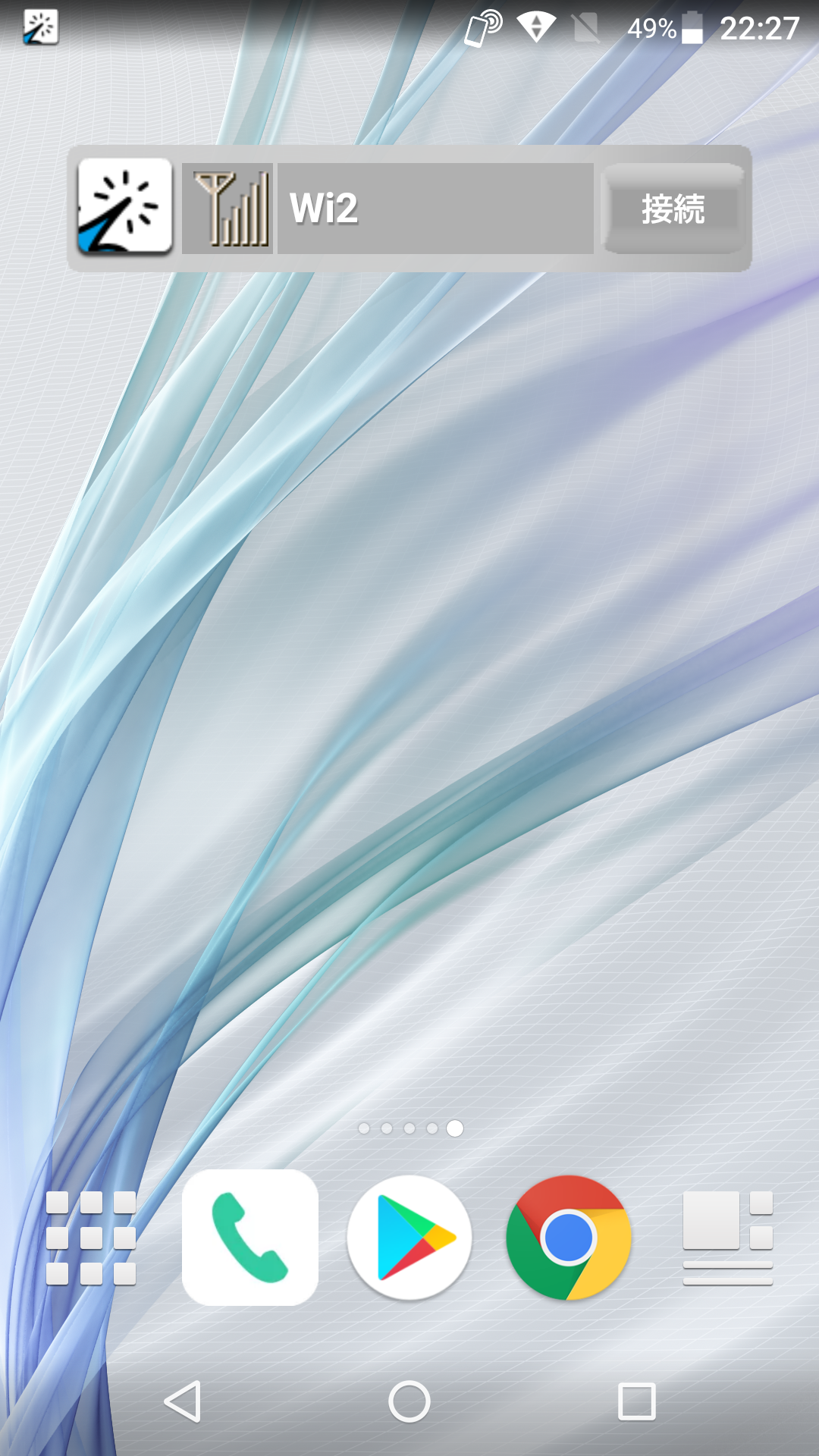
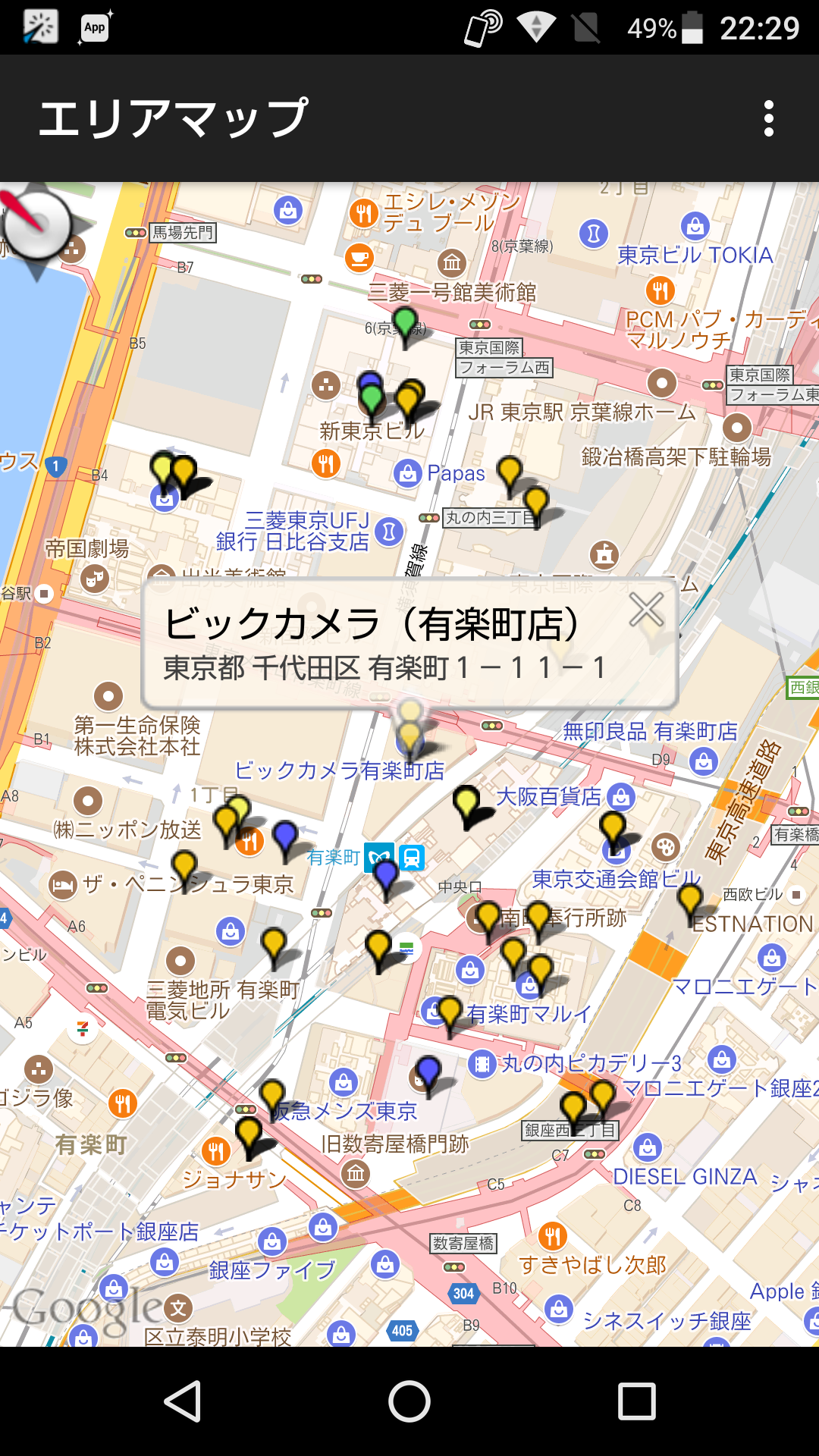
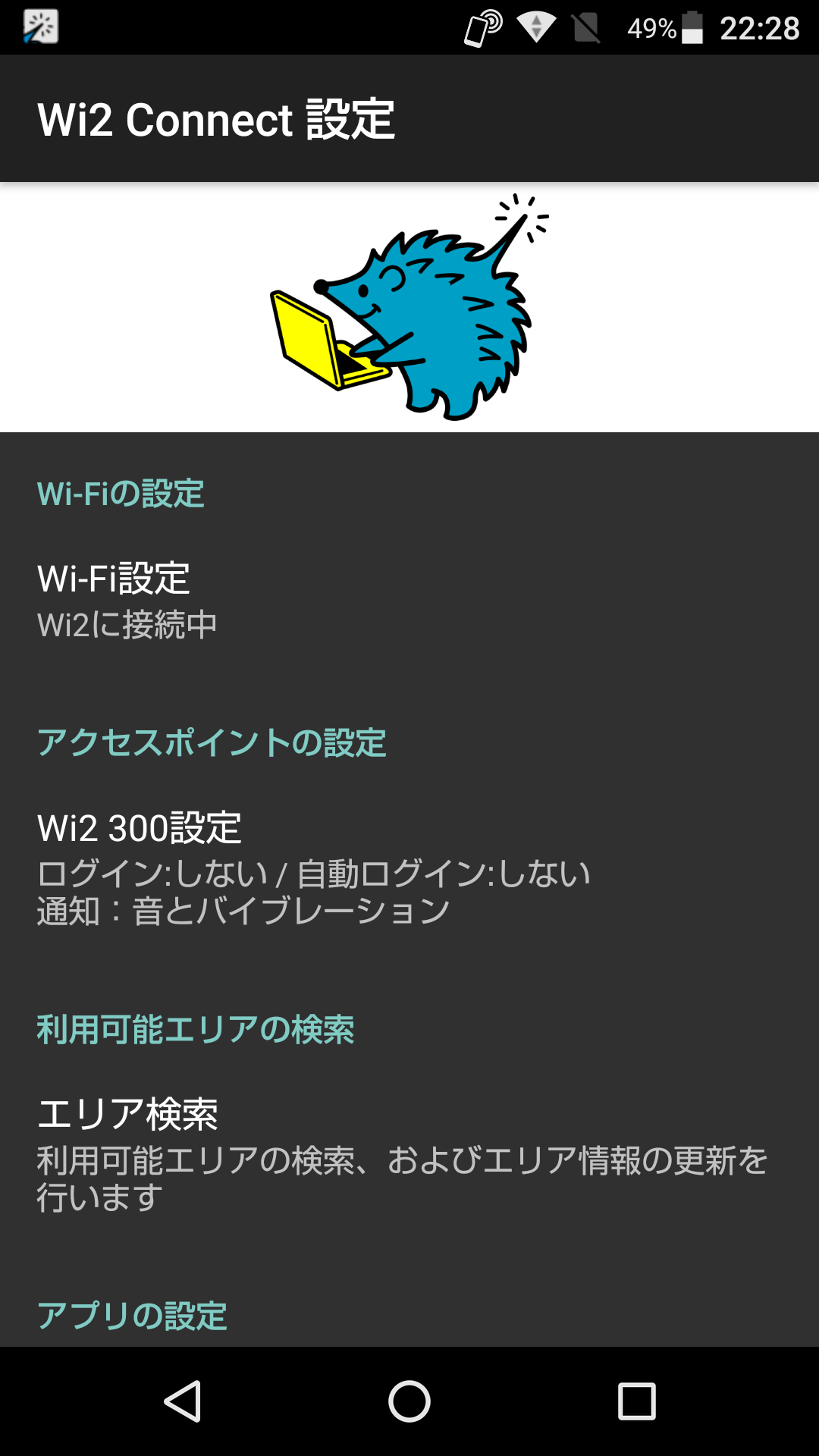
Wi2Connect serves as an automated login tool for accessing Wi2 300 Wi-Fi networks, which are provided by Wire and Wireless Co., Ltd.
[Key Features]
- Instantly login or logout at Wi2 300 Wi-Fi hotspots with a single tap
- Conduct a search for available hotspots
[Wi2 300 Wi-Fi Network Locations]
- Wi-Fi Square (Wi2, Wi2_club, wifi_square)
Includes Marunouchi (Tokyo), the Yokohama area, Limousine Bus services, and various community zones of Wi-Fi Square
- UQ Wi-Fi (UQ_Wi-Fi)
Available in Toei Subway stations and on Narita Express trains, among others
Please note: This application is not compatible for logging in to Shinkansen (the N700 series) or in waiting areas at Shinkansen stations.
For further details on available service areas, utilize the Area Search feature within this tool.
[Setup Instructions]
1.Input your login credentials (ID and password).
(To obtain your login ID and password, select the Wi2 300 Service Page located at the top left.)
2.Select the Wi2 300 Wi-Fi profile (found at the top right) to set up the required profile.
[Usage Guidelines]
Launch this tool while in one of our Wi-Fi service regions to log in automatically. Upon successful login, the application will shut down on its own. Use the Logout button to exit from a connected location.
Wi2Connect: The Effortless Gateway to Seamless Public Wi-Fi Access in Japan
As a frequent traveler and commuter in Japan, I’ve found the Wi2Connect app to be an indispensable tool for staying connected on the go. This streamlined, no-fuss application completely eliminates the usual hassle of manually logging into public Wi-Fi networks at key locations like Tokyo’s Marunouchi district, Yokohama areas, Toei Subway stations, and even on Narita Express trains. With just a single tap, the app automatically authenticates your device on supported Wi2 300 networks—including Wi2, Wi2_club, wifi_square, and UQ_Wi-Fi—making it ideal for both tourists and locals who value convenience and reliability.
The app’s intuitive design allows you to pre-configure your login credentials, so once set up, it handles everything in the background. Whether I’m hopping between meetings or navigating transit systems, Wi2Connect ensures I’m always just one click away from stable internet access. The built-in hotspot search function is also incredibly useful for locating available networks nearby, saving time and mobile data. While it doesn’t support Shinkansen trains or their waiting areas, the app clearly communicates its coverage, preventing any confusion. For anyone regularly using Wi2 300 hotspots, this app is a must-have—simple, efficient, and utterly reliable.
FAQ
Is Wi2Connect free to use?
Yes, the app is free to download and use. However, you must have an active Wi2 300 service account to log in.
How do I get my login ID and password?
You can obtain your credentials via the Wi2 300 Service Page linked in the app. Registration may require a subscription or one-time access purchase.
Does the app work in the background after logging in?
No, the app closes automatically after a successful login to conserve battery. You can reopen it to log out or check your connection status.
Is my login information stored securely?
Yes, the app stores your ID and password locally on your device for automated logins, but always ensure your phone is secured.
Can I use Wi2Connect on Shinkansen trains?
No, the app explicitly does not support login for Shinkansen (N700 series) or their waiting areas.
au Starlink Ferry Wi-Fi Expands Deployment to Ferry Routes Connecting Japan's Major Cities
KDDI Corporation (Headquarters: Minato-ku, Tokyo; President & CEO: Koji Matsuda; hereinafter "KDDI") and Wire and Wireless Co., Ltd. (Headquarters: Chuo-ku, Tokyo; President: Tomoki Mukaiyoshi; hereinafter "Wire and Wireless") will sequentially expand the deployment of "au Starlink Ferry Wi-Fi" to seven additional vessels, beginning in April 2026.
This initiative will enable high-speed connectivity even on long-distance ferry routes connecting major urban centers (such as Hokkaido–Tohoku/Kansai, Kanto–Kyushu, and Kyushu–Okinawa)—routes that frequently encounter areas with no cellular coverage (Note 1). While the service has previously been deployed on eight vessels, this expansion will nearly double the number of supported ships, thereby providing extensive coverage across routes that are prone to dead zones.
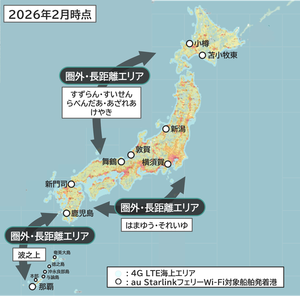
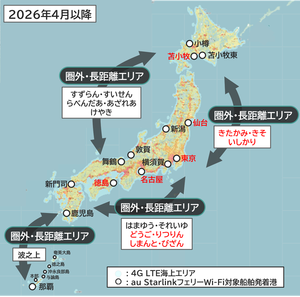
"au Starlink Ferry Wi-Fi" is an onboard Wi-Fi service that leverages Starlink—a satellite broadband system characterized by high speeds and low latency. On routes where the service has already been deployed, it has achieved a high connection rate (Note 2) of 98.1%, thereby successfully providing a comfortable and reliable communication environment.
Ferries, which serve as critical infrastructure for maritime transport in Japan, have long faced challenges regarding the quality of onboard communication environments. Amidst this context, operators who have introduced "au Starlink Ferry Wi-Fi" have provided feedback stating, "This service contributes significantly to improving customer satisfaction, and we are actively moving forward with its implementation on our other vessels." Furthermore, ferry passengers have also expressed high satisfaction with how Starlink has resolved the communication issues that were previously a persistent challenge on long-distance ferry routes.
In addition to "au Starlink Ferry Wi-Fi," KDDI has—since April 2025—been offering "au Starlink Direct," a direct satellite-to-smartphone communication service that enables connectivity even in areas typically outside of network coverage, provided there is a clear view of the sky. By utilizing "au Starlink Ferry Wi-Fi" while inside the ferry and switching to the direct communication service "au Starlink Direct" in outdoor ferry areas or in off-grid zones at their destination, users can enjoy an expanded coverage area that spans from the interior of the vessel all the way to their final destination—seamlessly covering both maritime and terrestrial environments. Moving forward, KDDI remains committed to expanding its coverage areas and striving to provide a secure and comfortable communication environment to an ever-growing number of customers.
- Version1.4.11
- UpdateMar 19, 2026
- DeveloperWire and Wireless Co.,Ltd.
- CategoryTools
- Requires AndroidAndroid 5.0+
- Downloads135K+
- Package Namejp.co.netvision.WifiConnectWI2
- Signature5b0da291f78dc866ec7232107bd79d05
- Available on
- ReportFlag as inappropriate
-
NameSizeDownload
-
5.33 MB
-
5.15 MB
-
5.15 MB









Access to multiple WiFi networks
Potential cost savings for frequent travelers
Convenience of automatic connection
Ability to use app on different devices (if functional)
Offers service in a specific region (Japan)
App does not function correctly
Issues with installation and visibility in apps menu
Widget required, taking up homescreen space
Poor customer support and cancellation policies
Inconsistent connectivity to WiFi networks
Language barrier for non-Japanese speakers
Misleading pricing structure; charges for whole month instead of 30 days
Frequent errors and account removal upon cancellation
Limited coverage in essential areas, such as JR stations