
Sleep Easy - Sleep cycle calculator & alarm
Transform your nights with smart calculations that sync sleep cycles & alarms for restful mornings ahead!
- 1.4.2 Version
- 1.1 Score
- 168K+ Downloads
- Free License
- 3+ Content Rating

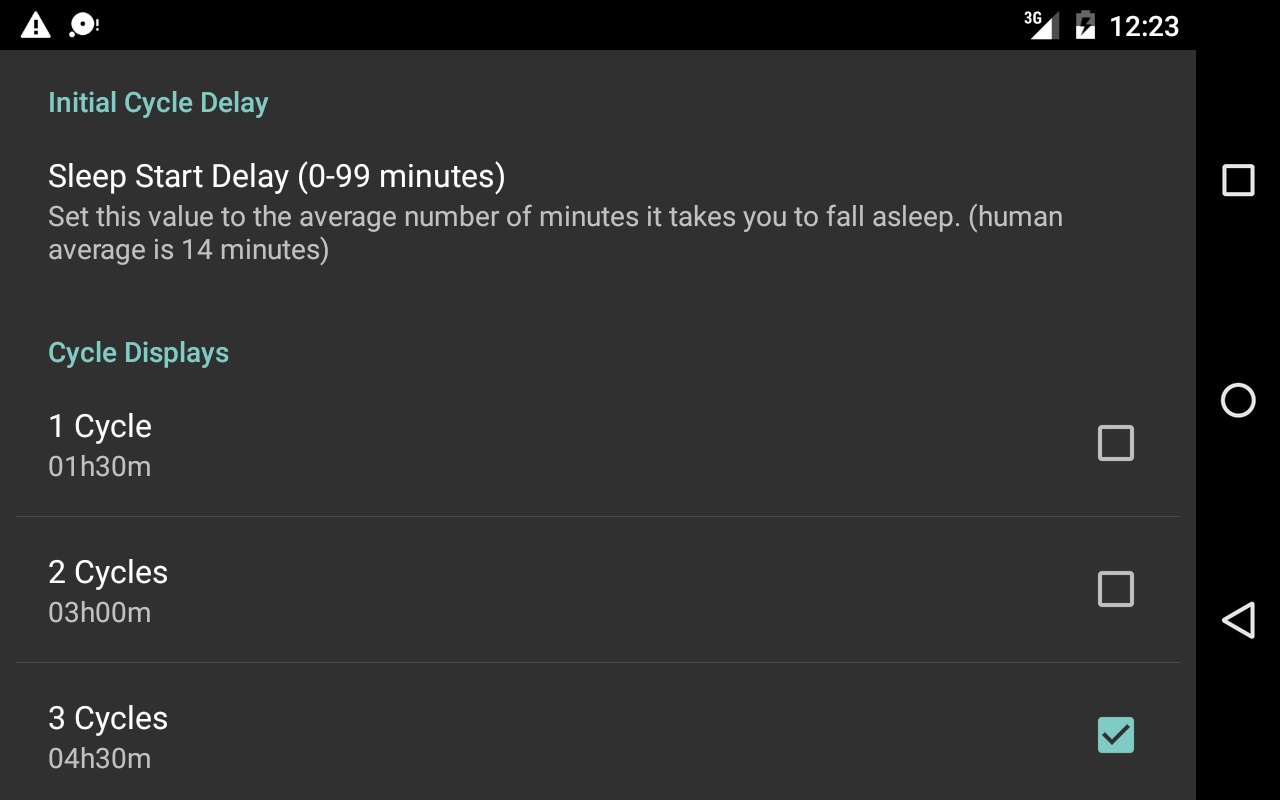
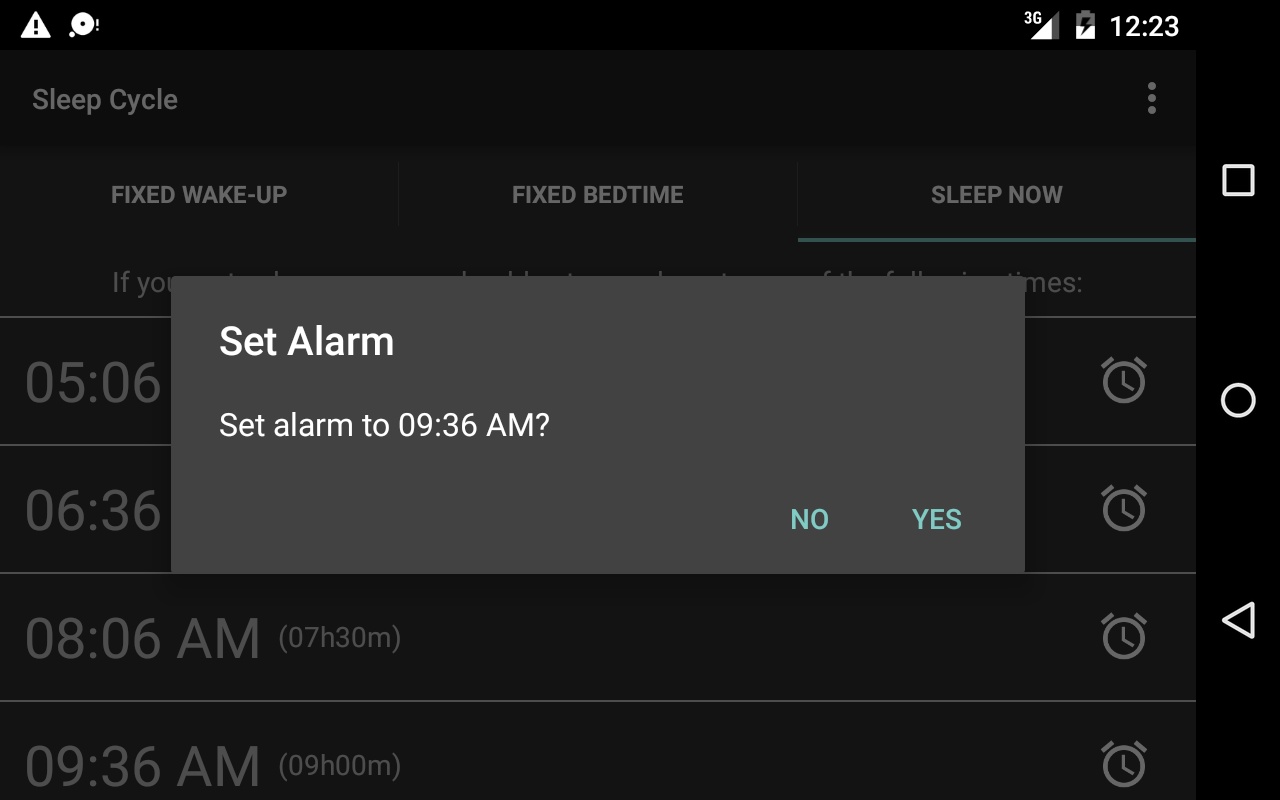
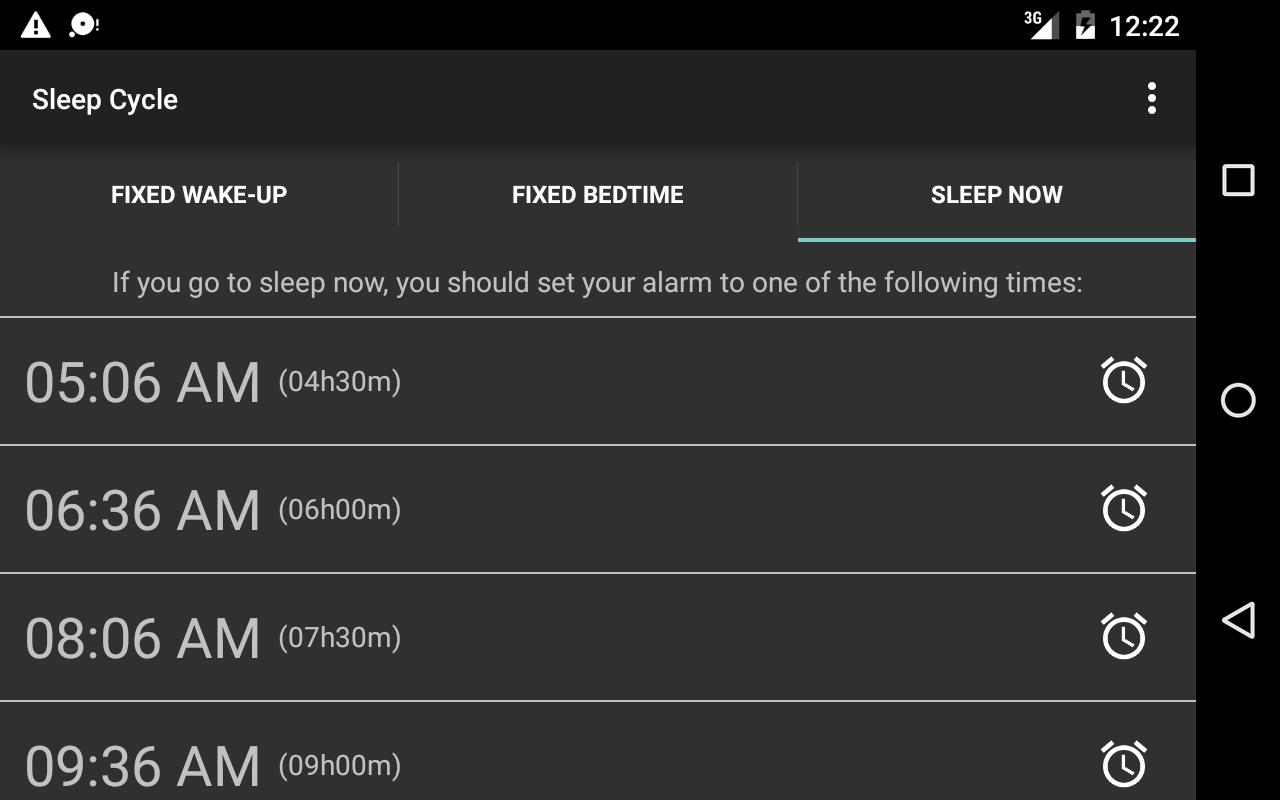
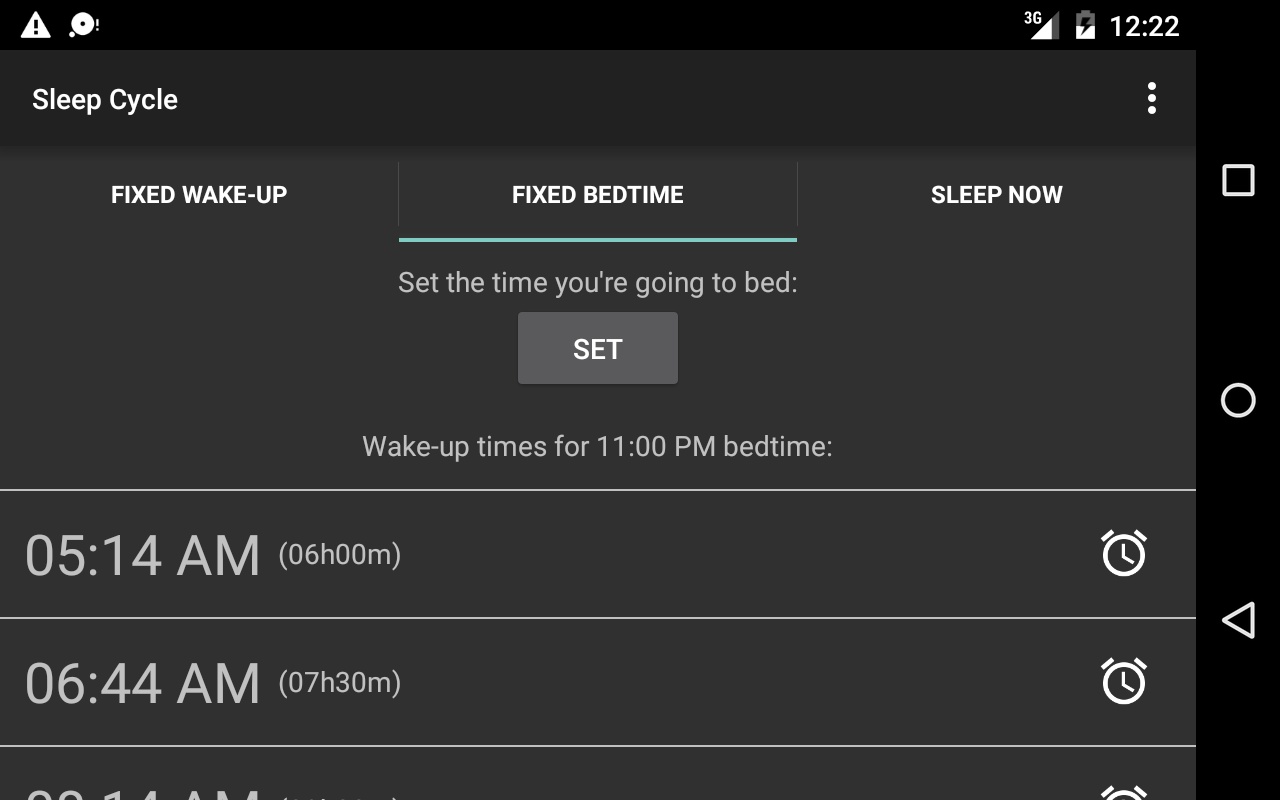
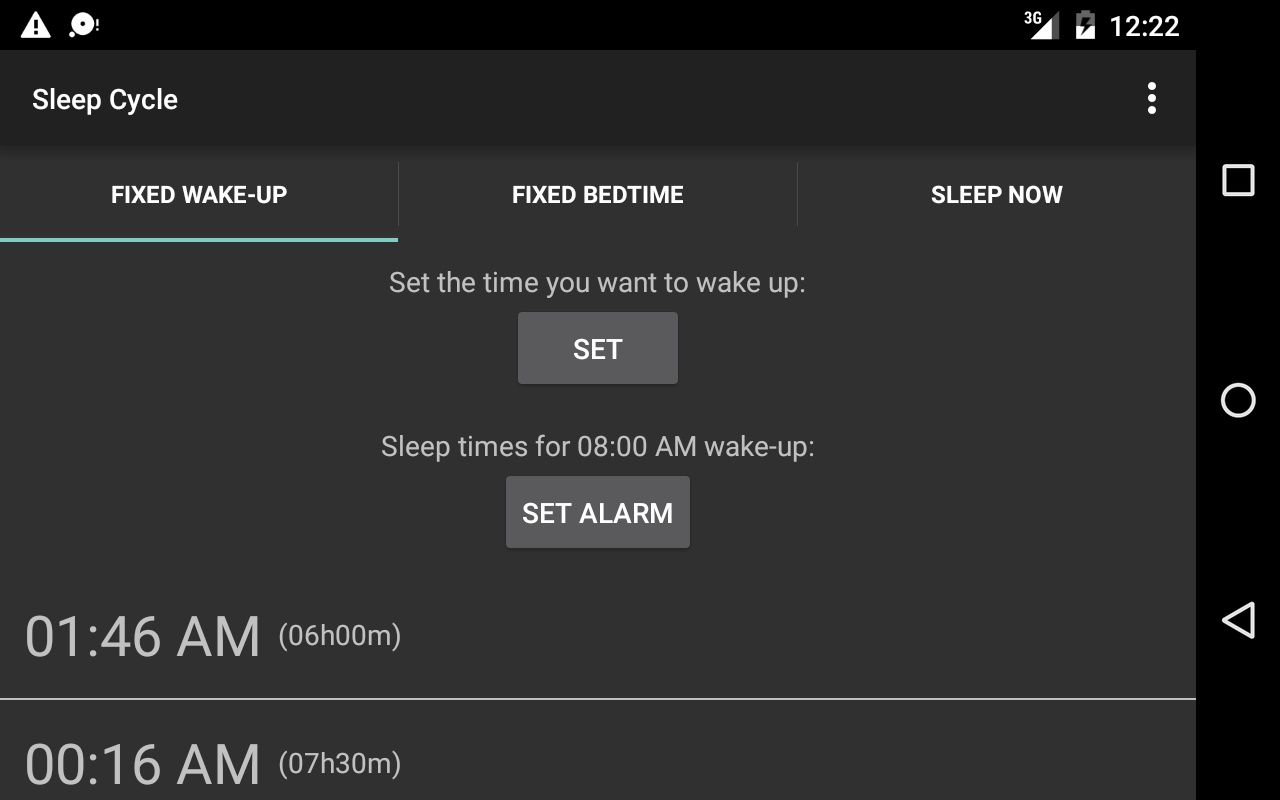
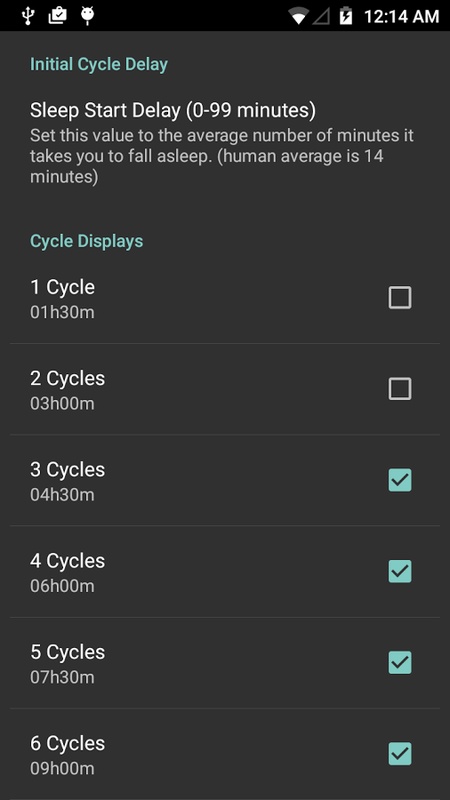
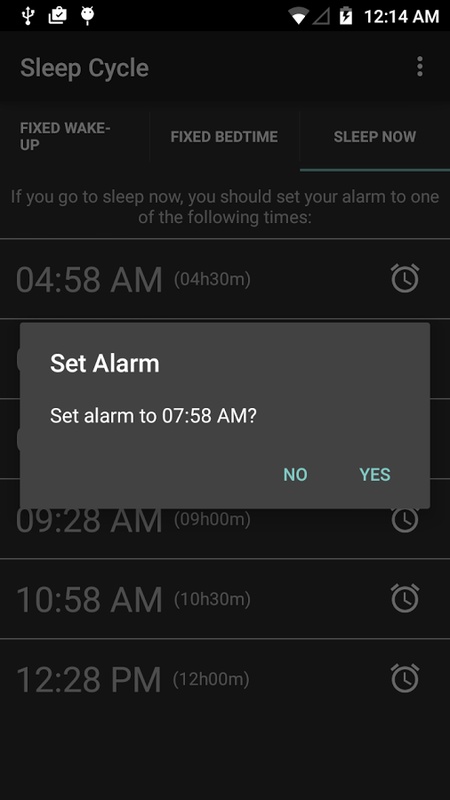
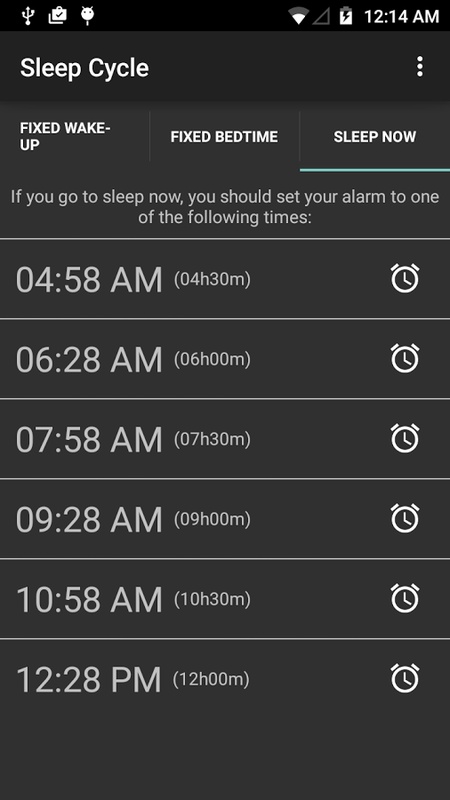
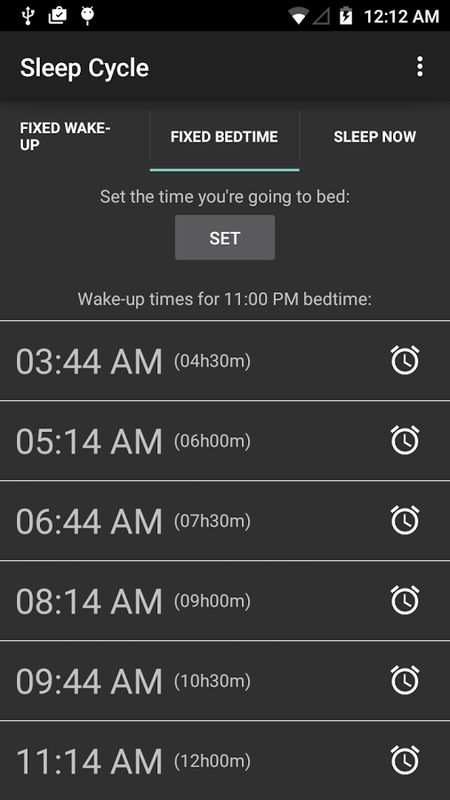
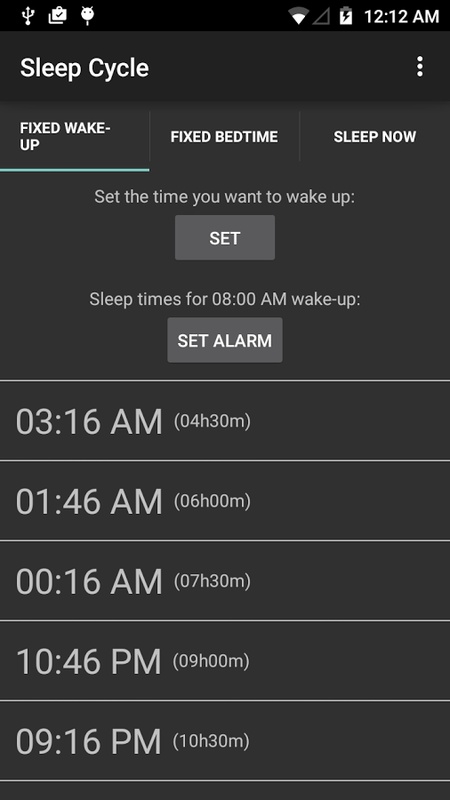
Sleep Easy is a straightforward time calculator designed to help you manage your sleep cycles, ensuring you wake up feeling refreshed.
The calculations utilize research that indicates the human brain operates in 90-minute sleep cycles, with waking at the end of these cycles being the ideal way to feel well-rested.
Sleep Easy offers three different modes:
- Fixed Wake-up: This option lets you select a desired wake-up time and then recommends the best times for you to go to sleep based on that choice.
- Fixed Bedtime: Similar to the first mode, but this time you specify when you plan to go to bed, and it provides the optimal wake-up times.
- Sleep Now: If you're feeling sleepy and wish to go to bed immediately, this mode will show you the best alarm times based on the current time displayed on your device.
Practical Highlights:
- Automatic Alarm Linkage: After calculating your target time using any of the three modes, you can automatically set your Android device's system alarm. No manual steps required, allowing you to schedule and set reminders in one step.
- Simple and Easy-to-understand Logic: No complex parameter settings required. Simply select a mode and a time (or simply use the current time) to get recommended results, making it easy for both experienced and novice users to use.
- Scientifically Backed: Designed based on sleep cycle research, this method better aligns with human sleep physiology and provides enhanced recovery upon waking, compared to the traditional "fixed sleep for X hours" approach.
Each of these modes can automatically set your Android alarm clock to the chosen time.
Usage Flow:
1. **Select Mode**
Choose the appropriate function based on your needs: **Fixed Wake-up** for a fixed wake-up time, **Fixed Bedtime** for a fixed sleep time, and **Sleep Now** for immediate sleep.
2. **Set Time**
- When selecting the first two modes, manually enter your target wake-up/sleep time.
- When selecting **Sleep Now** mode, the app automatically reads the current device time; no manual setting is required.
3. **Get Recommendations**
Based on the 90-minute sleep cycle principle, the app automatically calculates and provides optimal sleep/wake-up time suggestions.
4. **Set Alarm**
After confirming the recommended time, Android devices will automatically trigger the system alarm; non-Android devices require manual alarm setting according to the recommended time.
5. **Special Adjustments**
If you wake up in the middle of the night, you can reopen the app and use **Sleep Now** mode to recalculate the recommended wake-up time based on the current time.
FAQs:
### 1. How does Sleep Easy help you sleep well and wake up comfortably?
**A**: Its core principle is based on research that shows the human brain operates in a 90-minute sleep cycle. By calculating bedtime and wake-up times, it ensures users wake up at the end of a full sleep cycle, avoiding interruptions. This reduces fatigue and allows users to wake up more refreshed.
### 2. How do I choose between the three modes? For example, if I want to wake up at 7:00 AM tomorrow, which mode should I use?
**A**: Choose based on your sleep schedule: If you want a fixed wake-up time (e.g., 7:00 AM tomorrow), use the "Fixed Wake-up" mode; it will recommend the best time to fall asleep. If you want a fixed bedtime (e.g., 11:00 PM tonight), use the "Fixed Bedtime" mode. If you're feeling sleepy and want to go to sleep right away, use the "Sleep Now" mode; it will calculate the best wake-up time based on your current time.
### 3. After calculating the optimal time, do I need to manually set the alarm?
**A**: No. After calculating the target time in all three modes, the system alarm will automatically be set on your Android device, eliminating the need for manual steps.
### 4. Can I use it to plan my sleep schedule on non-Android phones?
**A**: You can use it to calculate optimal bedtimes and wake-up times, but the automatic alarm setting feature is only available on Android devices. Non-Android users (such as Apple users) will need to manually set the alarm based on the app's recommended times.
### 5. If I wake up mid-sleep after following the recommended time, can the app adjust it?
**A**: Currently, there's no real-time adjustment feature. It primarily helps you plan your optimal time in advance. If you wake up mid-sleep, you can reopen the app and use "Sleep Now" mode to recalculate a new optimal wake-up time based on your current time.
- Version1.4.2
- UpdateOct 27, 2026
- DeveloperNova.Labs
- CategoryHealth & Fitness
- Requires AndroidAndroid 5.0+
- Downloads168K+
- Package Namecom.blogspot.novalabsandroid.sleepeasy
- Signature5347b2a2d24edbfd682a9dfe2b1568dc
- ReportFlag as inappropriate
-
NameSizeDownload
-
4.95 MB
-
2.68 MB
-
2.37 MB










Scientific and practical
Easy to operate
Alarm clock linkage
Scene adaptation
Platform limitations
Single functionality
No real-time adjustments