
Running & Jogging, Run tracker - Track & improve runs
Pace yourself with real-time stats for your daily run routine.

- 1.4.71 Version
- 4.6 Score
- 4M+ Downloads
- Free License
- 3+ Content Rating





Zeopoxa Running & Jogging
App Overview
Zeopoxa Running & Jogging is a GPS-based fitness app for tracking running and jogging sessions. It records distance, duration, pace, speed, calories burned, and elevation gain, allowing runners to review their workouts and monitor their performance over time.
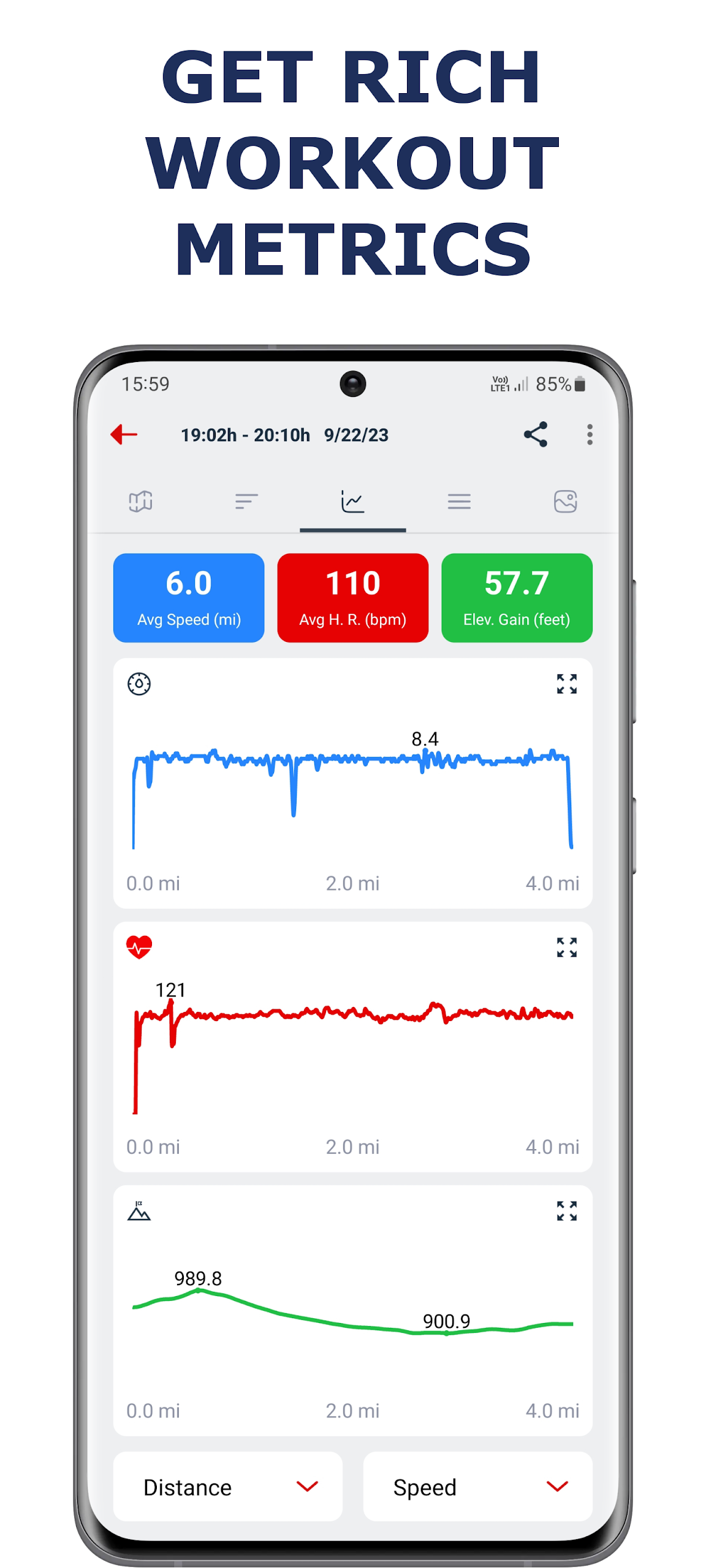
Each recorded activity includes a route map and a workout report with performance statistics, speed graphs, and elevation data. Users can set targets for distance, duration, or calories burned, take part in running challenges, and keep track of personal records.
Additional tools include voice announcements, automatic pause detection, and photo attachments for recorded routes. Users can also add activities manually, edit existing records, and export workout data in CSV, KML, or GPX format. With Wear OS support, compatible smartwatches can record workouts and monitor heart rate, with activity data synchronized to the phone.
Key Features
GPS Run Tracking: Records running routes and tracks distance, duration, pace, speed, calories burned, and elevation gain.
Workout Reports: Displays route maps, performance statistics, and speed and elevation graphs for completed activities.
Personal Goals: Set targets for distance, duration, or calories burned and receive notifications when they are reached.
Voice Announcements: Provides spoken updates on pace, speed, distance, elapsed time, and calories burned at selected intervals.
Automatic Pause: Stops the workout timer when no movement is detected for more than five seconds, if the feature is enabled.
Workout History and Records: Stores previous activities and tracks personal bests for performance comparisons.
Animated Route Videos: Converts recorded routes into animated videos, with the option to include workout photos.
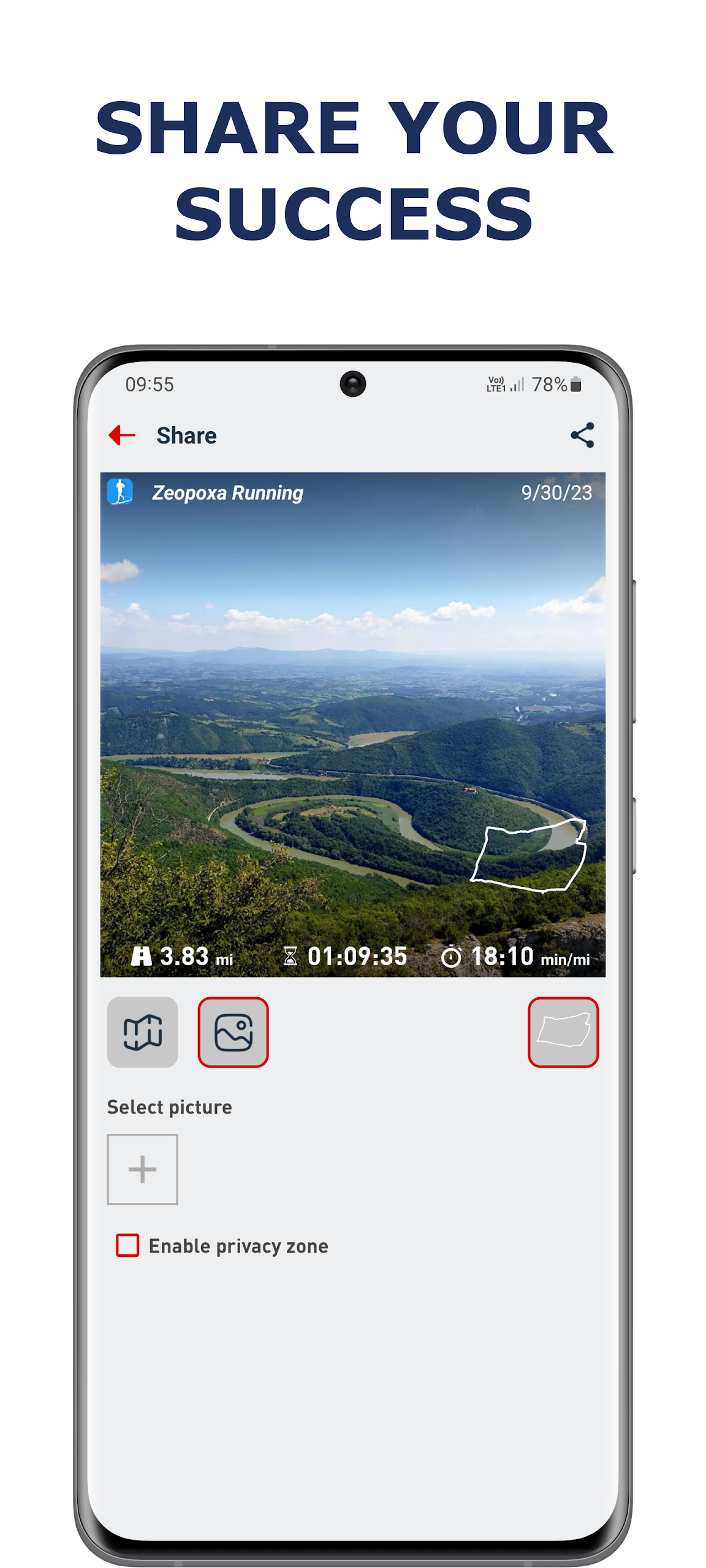
Route Privacy: Hides the starting and ending locations of recorded routes before they are shared.
Activity Editing: Allows users to add workouts manually and modify existing activity records.
Data Export: Exports workout records in CSV, KML, or GPX format for use with compatible applications.
Running Challenges: Includes challenges with specific running targets for users to complete.
Wear OS Compatibility: Supports workout recording and heart rate monitoring on compatible smartwatches, with activity synchronization between watch and phone.
How to Use Zeopoxa Running & Jogging
1. Record a Running Session
Open the app, enable GPS, and start a running or jogging activity. The app tracks your route and workout statistics while you exercise. Stop the recording when finished to review the route map and workout report.
2. Set Workout Goals
Select a target for distance, duration, or calories burned. The app monitors your progress and sends a notification when you reach your chosen goal.
3. Configure Voice Announcements
Open the side menu and navigate to Settings > Voice Notification. Enable voice updates and choose whether they should be announced at time-based or distance-based intervals. You can also adjust the intervals and select which workout statistics are announced.
4. Enable Automatic Pause
Go to Settings and turn on Auto Pause. The workout timer will pause when the app detects that you have been stationary for more than five seconds. Turn it off if you prefer to control recording yourself.
5. Change Measurement Units
Open Settings and select Units (Choose unit of measure). Choose Metric for kilometers or Imperial for miles.
6. Add or Edit Workout Records
To add an activity manually, open History and tap the circular plus button. Enter the workout details and save the record.
To edit an existing activity, select it from History, tap the three-dot menu in the upper-right corner, and choose Edit. Unwanted activities can also be deleted through the history list or workout report.
FAQs
1. Is Zeopoxa Running & Jogging free?
Yes. The app offers its core workout-tracking features for free without requiring a subscription.
2. Can I track runs without a smartwatch?
Yes. A smartphone with GPS can record running routes and workout statistics. A smartwatch is optional.
3. Does Zeopoxa Running & Jogging support Wear OS?
Yes. Compatible Wear OS smartwatches can record workouts and monitor heart rate. Activity data can be synchronized with the phone after the devices are paired.
4. Can I hide my home location when sharing running routes?
Yes. Enable the privacy zone feature to conceal the starting and ending points of a recorded route before sharing it.
5. Can I correct a workout if I forget to stop tracking?
Yes. You can trim a recorded activity to remove unwanted time or distance. Other workout details can also be edited through History or the activity report.
6. Which formats are supported for workout data export?
The app supports CSV, KML, and GPX formats. These files can be used with compatible spreadsheet, mapping, and fitness applications.
- Version1.4.71
- UpdateNov 12, 2026
- DeveloperZeopoxa
- CategoryHealth & Fitness
- Requires AndroidAndroid 8.1+
- Downloads4M+
- Package Namecom.zeopoxa.fitness.running
- Signaturee610f748dcea88dd718c4cd471c51171
- Available on
- ReportFlag as inappropriate
-
NameSizeDownload
-
9.14 MB
-
9.50 MB
-
9.50 MB












intuitive design
simple and easy to use
everything in fitness
randomly resets to zero when recording
not report interval/lap related info