
Haylou Fun - Health tracking & sports management
Elevate your fitness with real-time health data, multi-sport support, and customizable device management at your fingertips.

- V3.7.1 Version
- 2.0 Score
- 4M+ Downloads
- Free License
- 3+ Content Rating

Haylou Fun
App Overview
Haylou Fun is a companion app for compatible Haylou smartwatches and wearable devices. It combines fitness tracking, health statistics, sleep analysis, and smartwatch settings, allowing users to review activity records and manage connected devices from their smartphones.
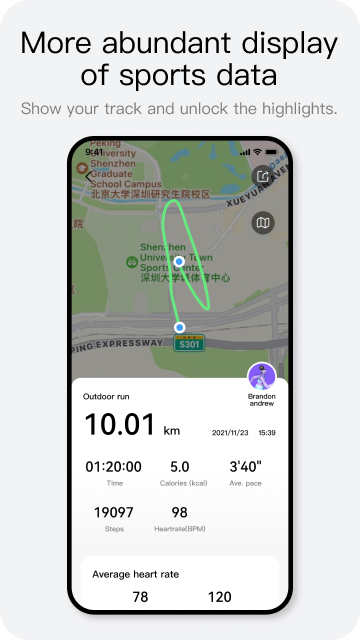
The app tracks daily steps, calories burned, heart rate, sleep patterns, and menstrual cycles. It also offers more than 100 workout modes, covering activities such as walking, running, and cycling. Depending on the selected activity and connected device, workout records may include exercise duration, distance, pace, heart rate, calorie consumption, and GPS routes.
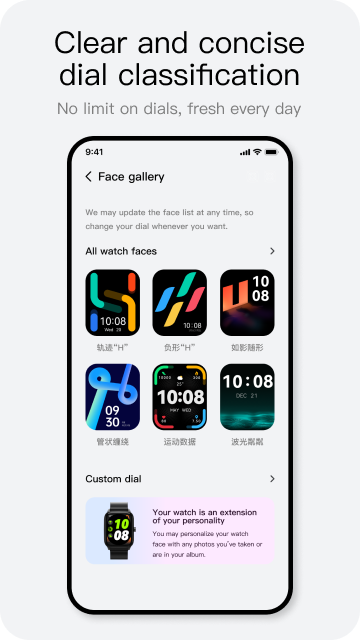
Haylou Fun also handles everyday smartwatch functions, including call and message notifications, alarms, weather updates, and watch face settings. Selected models support personalized watch faces created with photos stored on the phone.
Key Features
Health and Activity Tracking: Records daily steps, calories burned, heart rate, sleep patterns, and menstrual cycle information.
100+ Workout Modes: Supports various indoor and outdoor activities, with workout statistics depending on the selected mode and device.
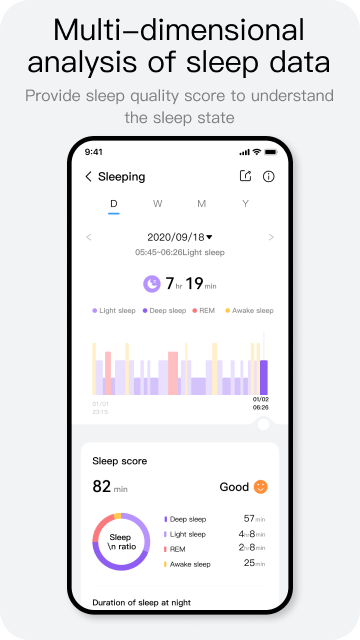
Sleep Analysis: Displays sleep stages, including light, deep, and REM sleep, along with awake periods and an overall sleep score.
Smartwatch Management: Provides settings for incoming call alerts, message notifications, alarms, and weather updates.
Custom Watch Faces: Includes different watch face designs, with photo-based customization available on selected models.
Voice Workout Updates: Delivers spoken progress updates during supported exercise sessions.
How to Use Haylou Fun
After installing Haylou Fun, open the app and follow the on-screen instructions to pair a compatible Haylou smartwatch or wearable. Once connected, the available tracking information and device settings will appear in the app.
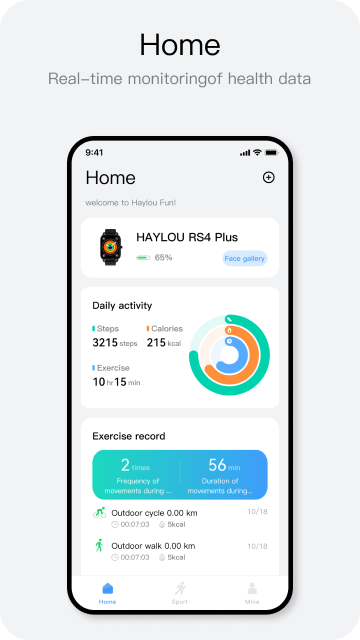
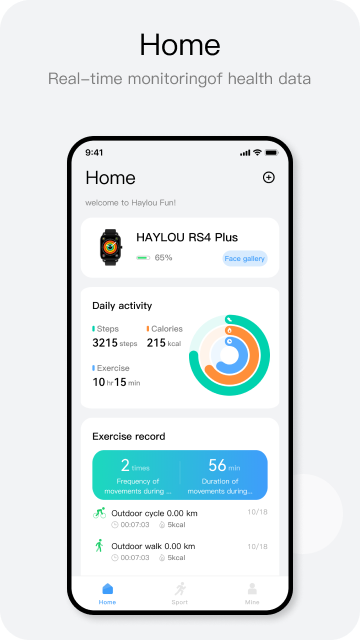
The Home screen displays daily activity statistics, such as step count, calories burned, and exercise duration. Open the workout history to review previous sessions and their recorded results.
For sleep records, go to the sleep section and select a daily report. Depending on the connected device, you can view your sleep score, time spent in different sleep stages, and periods of wakefulness.
To track an exercise session, select the appropriate workout mode and start recording. After completing the activity, check the workout history for details such as duration, distance, pace, heart rate, and calories burned. GPS route records are available for supported outdoor activities.
To adjust smartwatch settings, open the device section. From there, you can configure call and message alerts, set alarms, manage weather options, and change the watch face.
App Experience
Haylou Fun brings fitness records and smartwatch settings together in one application. Its activity and workout history makes it possible to review previous exercise sessions, while sleep reports provide a more detailed look at nightly rest patterns.
The device settings cover routine smartwatch functions, particularly notification preferences and watch face customization. Photo-based watch faces on compatible models add another option for personalizing the wearable.
Feature availability and measurement accuracy depend on the connected device. Health statistics are intended for general fitness and wellness reference rather than medical diagnosis or treatment.
FAQs
1. Which devices are compatible with Haylou Fun?
Haylou Fun works with compatible Haylou smartwatches and wearable devices. Supported functions vary by model, so not every feature is available on every device.
2. Does Haylou Fun support more than 100 workout modes?
Yes. The app includes over 100 exercise modes, covering activities such as walking, running, and cycling. The workout statistics recorded depend on the activity and connected device.
3. Can I check my sleep stages in Haylou Fun?
Yes. Available sleep reports include light sleep, deep sleep, REM sleep, awake periods, and an overall sleep score.
4. Can I create a watch face using my own photos?
Yes. Selected compatible Haylou smartwatches support photo-based watch face customization using images stored on your smartphone.
5. How do I receive phone notifications on my smartwatch?
Pair your wearable with Haylou Fun and enable incoming call and message alerts in the device settings. The available notification options depend on your smartwatch model.
6. Can Haylou Fun's health measurements be used for medical diagnosis?
No. Its health and activity measurements are designed for general wellness tracking, not for diagnosing or treating medical conditions.
- VersionV3.7.1
- UpdateNov 13, 2026
- Developer东莞市猎声电子科技有限公司
- CategoryHealth & Fitness
- Requires AndroidAndroid 8.0+
- Downloads4M+
- Package Namecom.yingsheng.hayloufun
- Signatured8549f0d9c413c3c090b527cf504e531
- Available on
- ReportFlag as inappropriate
-
NameSizeDownload
-
56.80 MB
-
85.69 MB
-
106.51 MB









User-friendly interface
Customizable watch faces available
Good connectivity with smartphones
Tracks health metrics like heart rate and sleep patterns
Provides notifications for calls and messages
Affordable price for smartwatch features
Regular app updates and improvements
Offers basic functionality like step counting
Access to wallpapers from personal gallery
Limited customization options for watch faces
Frequent disconnections from the smartphone
Bugs affecting data synchronization and tracking
Complaints of battery drain when app is running
Inaccurate tracking of health metrics
Notifications sometimes incomplete or missing
Requires GPS to be always on for full functionality
Lack of customer support responsiveness
Poor user experience with multiple app crashes