
Nipto: Split Household Chores - Chore competition & rewards
Transform household chores into a fun game with points, rewards, & engaging teamwork for everyone involved!

- 2.9.13 Version
- 1.5 Score
- 328K+ Downloads
- In-app purchases License
- 3+ Content Rating

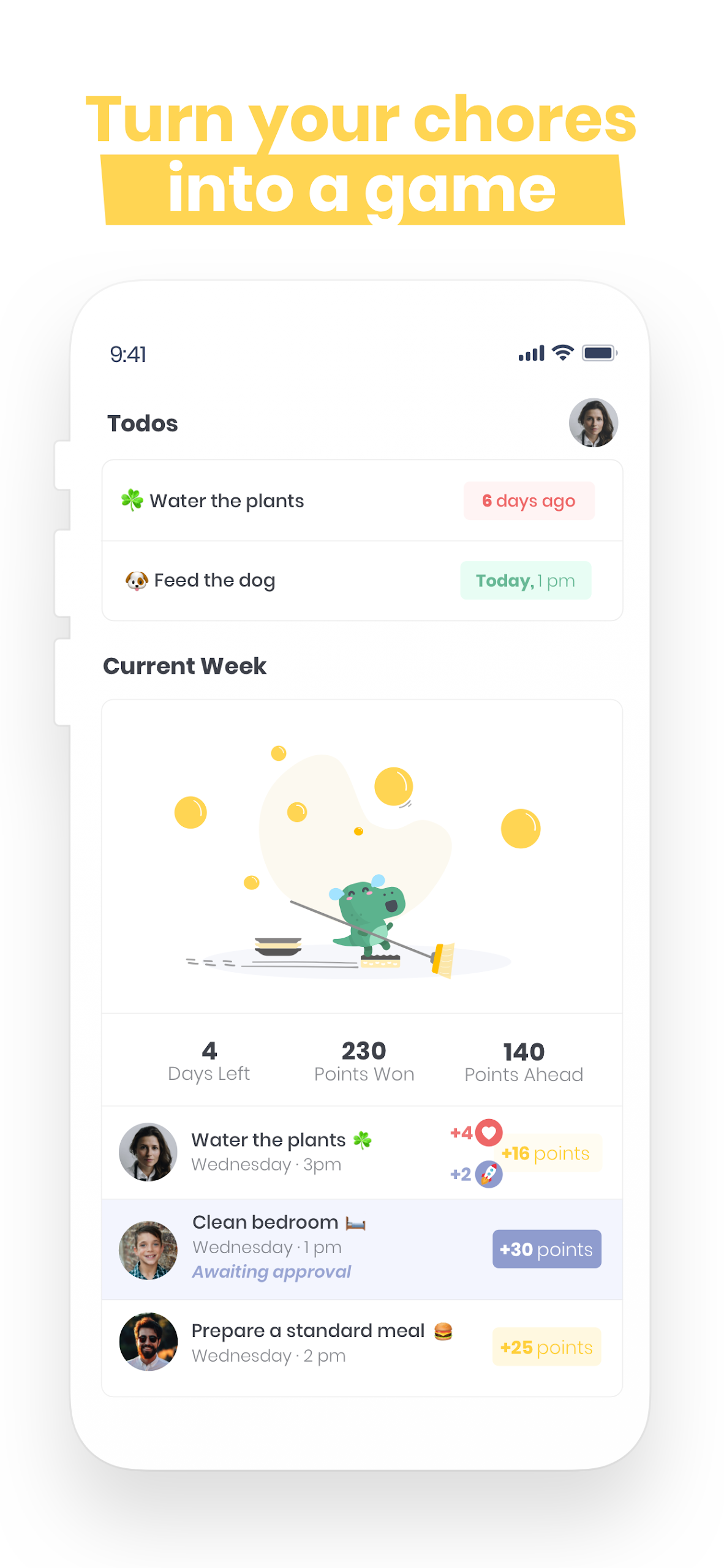
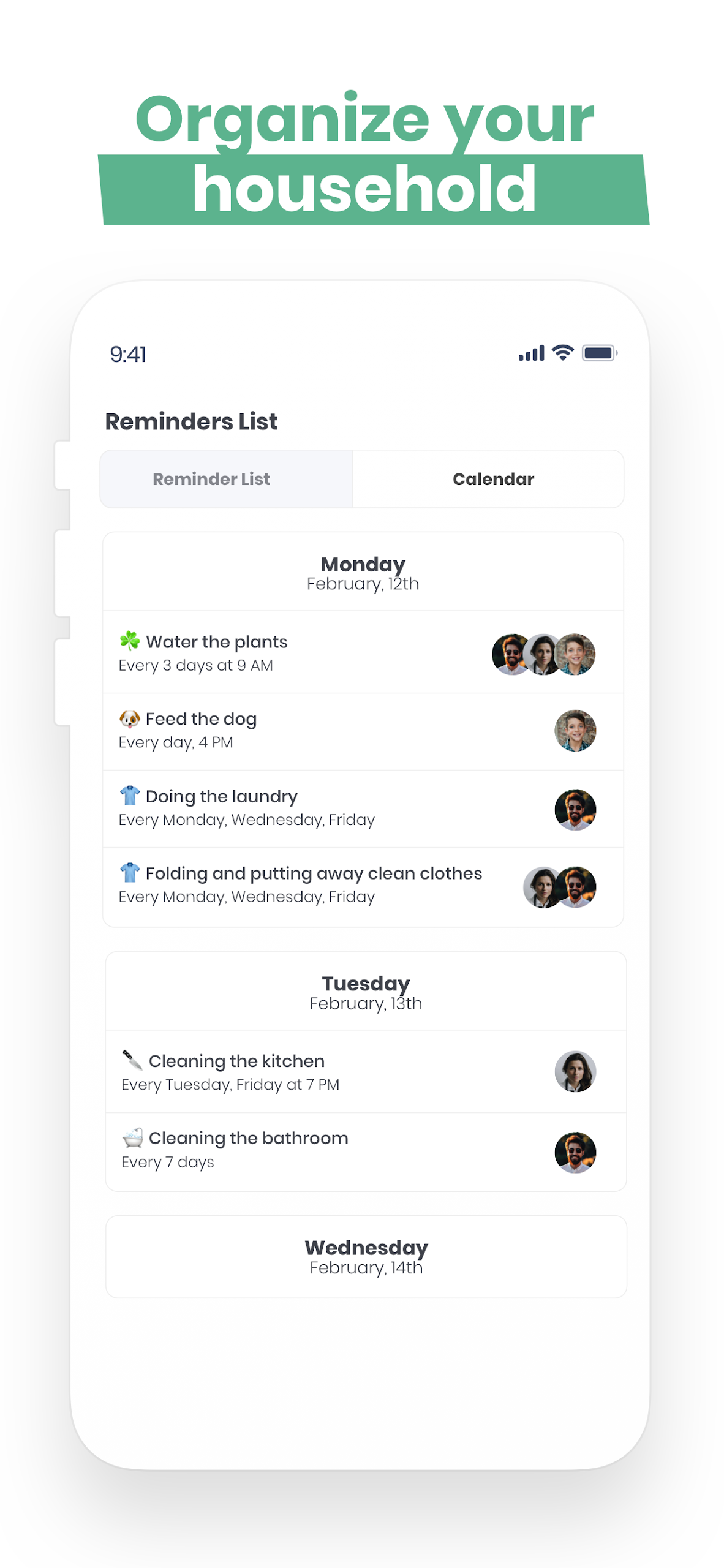
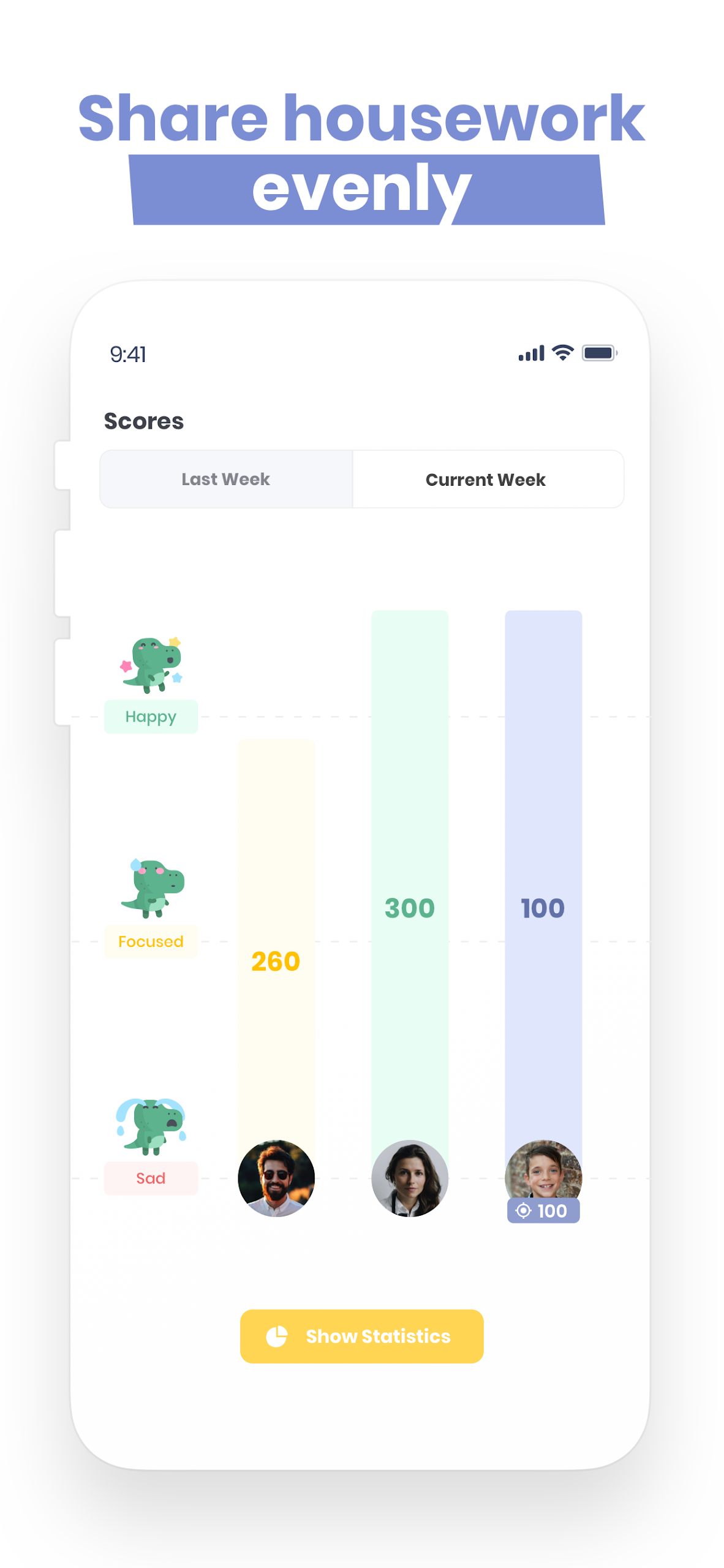
Nipto creates an engaging game for couples, families, or roommates to facilitate the division of household responsibilities.
As participants complete various cleaning and chores throughout the week, they earn points. A winner is announced every Sunday evening, and they receive a reward. Afterward, scores are reset, marking the start of a new week of competition.
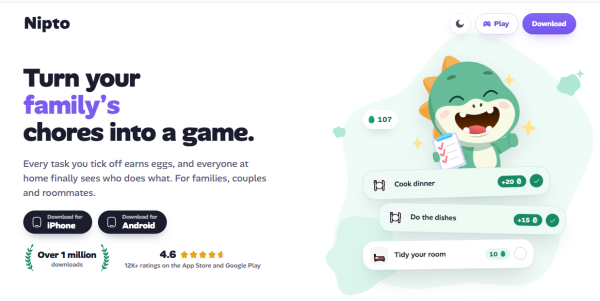
Nipto also includes children, allowing you to manage their accounts and set personalized point targets.
For some, it’s about competition; for others, it’s a collaborative effort. Nipto turns the process of sharing household duties into an enjoyable and friendly experience, eliminating disputes over who contributes more!
Core Features
1. **Customizable Chore Lists and Categories**
Create personalized chore lists and categorize them into multiple custom categories, flexibly adapting to the specific division of labor within your family or team.
2. **Task Tracking and Points Rewards**
Record each member's completed chores and monitor their participation throughout the week in real time. Completed tasks earn points, encouraging active participation.
3. **Member Points Ranking**
Use weekly leaderboards to visually monitor all members' participation and points, fostering interaction and healthy competition.
4. **Multi-Device Family Sync**
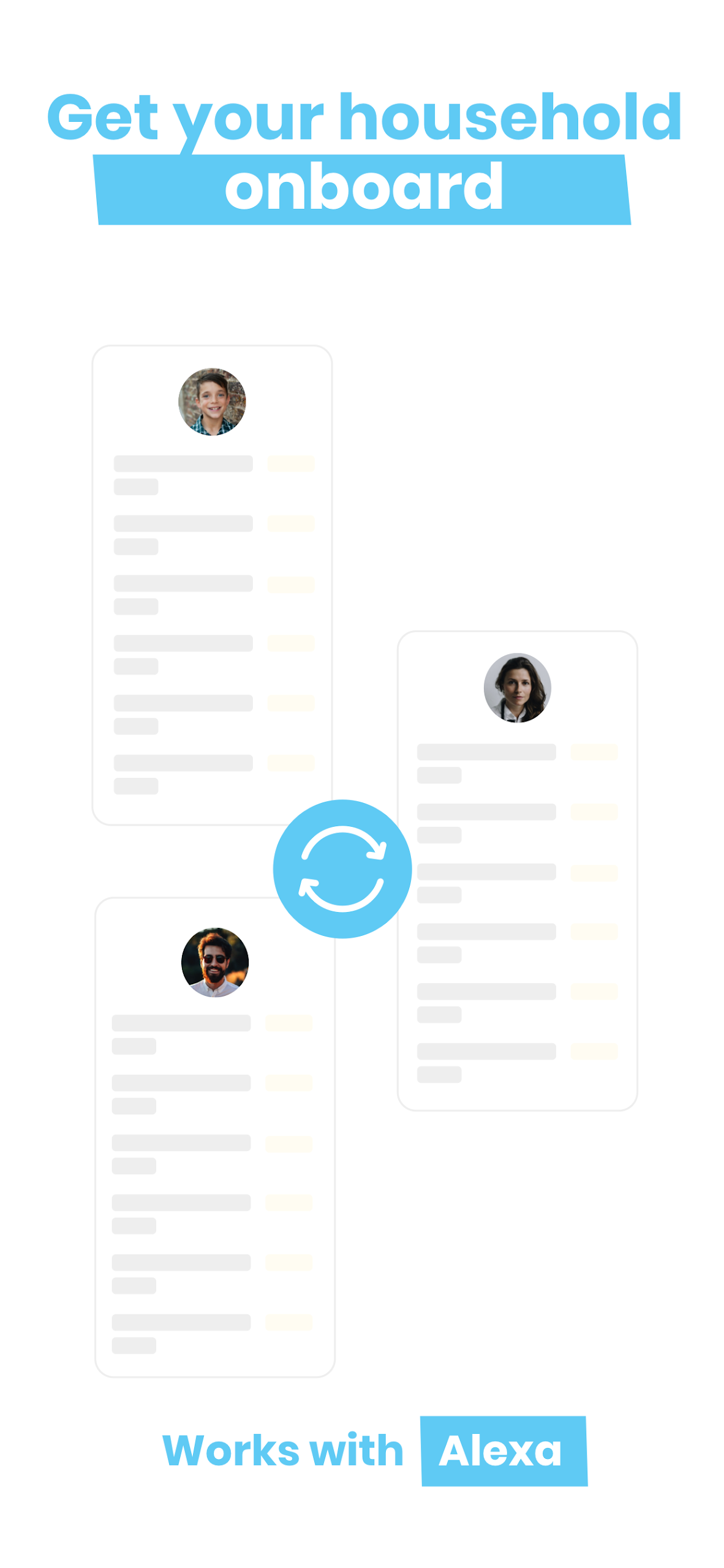
Supporting Android and iOS, sync family or team data across devices, ensuring everyone has the latest information.
5. **Rewards Setup**
Preset a rewards list, from which the points leader chooses a reward at the end of each week. Additionally, the previous week's winner earns bonus points for completing chores, further boosting motivation.
Additionally, you will be able to:
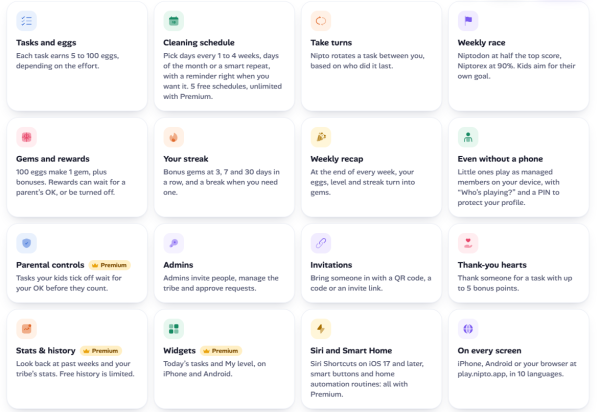
- Customize household tasks
- Select your preferred gameplay style, whether competitive or focused on personal achievements
- Track each participant's involvement
- Reward those who excel
- Set reminders for key tasks around the house
- Provide bonus points as a gesture of appreciation.
User Reviews
Nipto is an incredibly user-friendly app, a perfect solution for resolving conflicts in household chores among families or roommates. It turns chores into a fun game, eliminating arguments about who does more or less—the user experience is fantastic!
Whether you're a couple, a family, or sharing an apartment, you can use it to assign chores. It's incredibly easy to use. You can create your own chores lists and categorize them, making it clear who's responsible for what. Completing chores earns you points, and every Sunday, points are tallied to determine the winner, who can choose a reward. There are also extra points for chores the following week, instantly boosting everyone's enthusiasm. Even kids can participate, and you can set personalized point goals for them, making it easy for parents to manage.
The features are very practical, recording everyone's chores completion status and point rankings in real time. The weekly leaderboard clearly shows who's the most diligent. For those who prefer a more relaxed approach, there's a mode that only considers individual achievements—no need for rigid competition. Whether you want competition or a collaborative approach, it caters to your needs. Moreover, it works on both Android and Apple devices, allowing for data synchronization across multiple family devices. Everyone's activity and points are up-to-date and won't be mixed up.
FAQs
1. **Q**: Can I set recurring reminders for Nipto Premium's chore schedule?
**A**: Yes. The Premium version supports setting chore schedules based on recurring periods (such as daily or weekly fixed dates), with automatic reminders sent at the appointed time. For example, you can set a "watering the flowers" task every Wednesday to remind family members on time to avoid missing out.
2. **Q**: How do I use the parental control feature? Can children claim points themselves?
**A**: After a child submits their completed chore, parents can review the quality of the task and manually approve the points after confirming it's satisfactory. Children cannot claim points directly. This ensures chores are completed properly and encourages children to take their chores seriously.
3. **A**: When using Alexa to check chores, can I ask a specific member for their points?
**A**: Yes. By using a voice command, for example, "Ask Nipto how many points did Dad get this week," Alexa will directly read out their points, eliminating the need to review each member individually.
4. **Q**: Can advanced statistics show which chores are most likely to be procrastinated?
**A**: Yes. Statistics will display the average completion time for each chore, the number of overdue times, and more. For example, if you find that "cleaning the refrigerator" frequently exceeds the scheduled time, you can adjust the points or reminder method accordingly.
5. **Q**: What is the difference between the "competitive" and "proportional" reward modes?
**A**: The competitive mode emphasizes a "winner-takes-all" approach, with the top scorer each week winning a grand prize. The proportional mode distributes rewards based on each person's percentage of points. For example, if someone has 300 points out of 1000, they get 30% of the reward, emphasizing fair distribution.
- Version2.9.13
- UpdateOct 10, 2026
- DeveloperNipto
- CategoryHouse & Home
- Requires AndroidAndroid 6+
- Downloads328K+
- Package Namecom.nipto.niptoapp
- Signatureb76f07c9d863d4194d6427274d8242d9
- Available on
- ReportFlag as inappropriate
-
NameSizeDownload
-
100.77 MB
-
100.71 MB
-
45.86 MB

















Fun gamification of chores
Fair distribution of tasks
Customizable task assignment
Visual representation of completed chores
Motivates participation among family members
Encourages competition for rewards
Easy reminders and notifications
One-time purchase model for premium features
Ad-free experience
App can be slow and laggy
Limited device compatibility (e.g., Chromebooks)
Lack of comprehensive customer support
Issues with scheduling tasks accurately
Confusing interface for some users
Tasks occasionally disappear or fail to display
No dark mode option for visual comfort
Cannot easily edit or delete completed tasks
Problems with notification reliability