
REALTOR - Real estate search & listings
Explore homes & properties in Canada with instant updates, favorite listings & tailored alerts for your perfect match!

- 4.10.0 Version
- 1.5 Score
- 694K+ Downloads
- Free License
- 3+ Content Rating


REALTOR.ca App: Homes for Sale and Rent
What the REALTOR.ca app is?
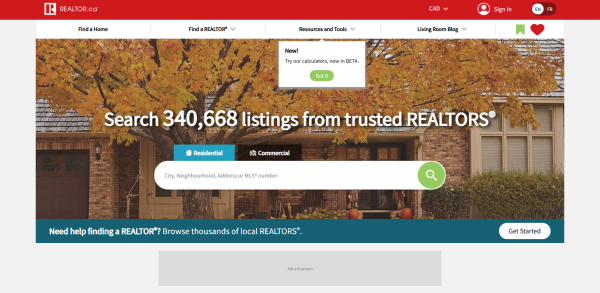
The REALTOR.ca Real Estate & Homes app is Canada’s trusted real estate app for browsing MLS® listings for homes for sale and rent. Whether you are a first-time buyer, renter, investor, or just watching the market, the REALTOR.ca app is built to search Canadian properties with REALTOR® support.
Use the REALTOR.ca app to:
- Browse the latest homes for sale and rent across Canada.
- View single-family homes, apartments, condos, duplexes, detached homes, townhomes, stratas, cottages, tiny homes, cabins, and more.
- Save favourite listings for quick access.
- Create saved searches and turn on notifications for new matches.
- Hide listings you do not like to clean up results.
- Filter by price, bedrooms, bathrooms, property type, sale or rent, and open houses.
- Draw and save custom map areas to focus on the neighbourhoods that matter.
- Contact a REALTOR® directly from listing pages.
- Explore Mortgage Options and mortgage pre-approval links inside the app.
The REALTOR.ca app works as a mobile companion to REALTOR.ca, Canada’s most-visited real estate platform.
How to use the REALTOR.ca app like a pro?
Start with a tight saved search
Open the REALTOR.ca app, set city or neighbourhood, price range, property type, bedrooms, and bathrooms. Save the search and enable notifications. This helps you catch new listings faster in competitive Canadian real estate markets.
Use the map tools
The REALTOR.ca app supports map search, map carousel, transit stations and lines on the map, and custom drawn boundaries. Use Pin a Listing to keep a key property in view while panning the map. For relocations, draw a custom area around work, schools, or transit instead of searching the whole city.
Save, hide, and note listings
Tap favourites to compare later. Hide homes that do not fit so the feed stays relevant. Recent updates added the ability to add notes to listings, which is useful when comparing condos, townhomes, and detached houses.
Refine with newer filters
The REALTOR.ca app has added Property Tax and Maintenance Fee filters and updated the Year Built filter. If you are comparing condos, use maintenance fee filters; if you are budgeting ownership costs, use property tax filters alongside price.
Request a showing without leaving the app
Use the Request a Showing button. You can add preferred showing dates and times, include your buyer agent’s name, and see a clearer confirmation screen after contacting a REALTOR®.
Plan financing before booking viewings
Open Mortgage Options from the menu or listing page. The REALTOR.ca app has added mortgage links and a short feedback survey on the Mortgage Options page. Use these to estimate payments before shortlisting homes.
Share listings the smart way
Sharing has been improved so listing links generate richer previews. If share options look limited on your device, update the REALTOR.ca app to the latest version and restart it.

FAQ: REALTOR.ca app
1、Is the REALTOR.ca app free?
Yes. The REALTOR.ca Real Estate & Homes app is free to download and use for consumers searching homes for sale and rent.
2、Does the REALTOR.ca app show MLS® listings?
The REALTOR.ca app is built around REALTOR.ca, Canada’s trusted real estate platform, and is designed for searching Canadian MLS® real estate listings and homes for sale or rent.
3、Can I get alerts for new listings?
Yes. Set up a saved search and enable notifications. You can also manage Favourites notifications and notification settings in the app.
4、Why are my filters not working the way I expect?
Some users have reported filter issues, such as detached homes appearing with townhomes or condos, or year-built ranges not matching exactly. The REALTOR.ca app has updated Year Built, Property Tax, and Maintenance Fee filters, but if results look wrong, update the app, reset filters, and contact support@realtor.ca.
5、Can I share a listing with friends?
Yes, sharing has been improved so links generate richer previews. If you still see limited share options, update the REALTOR.ca app. For persistent issues, contact support@realtor.ca.
6、Can I draw my own search area on the map?
Yes. The REALTOR.ca app lets you draw and save custom areas on the map. This is useful for commuting zones, school catchments, or lake and transit access.
7、Can I request a showing in the app?
Yes. Use Request a Showing, add preferred dates and times, optionally add your buyer agent’s name, and review the confirmation screen.
8、Can I contact a REALTOR®?
Yes. Listing pages let you contact a REALTOR®. The contact form has been simplified, and confirmation messaging has been clarified for buyers and renters.
9、Where do I send feedback?
Send feedback anytime to support@realtor.ca.
- Version4.10.0
- UpdateOct 08, 2026
- DeveloperREALTOR.ca Canada Inc.
- CategoryHouse & Home
- Requires AndroidAndroid 8.0+
- Downloads694K+
- Package Nameca.crea.app.consumer
- Signatureeec9fe07005cbb352b1bd55e6f6cf996
- Available on
- ReportFlag as inappropriate












Improved aesthetic layout
Fluid map navigation
Enhanced filters for property search
Ability to add notes on properties
Integration of mortgage calculator
Good data availability for buyers
Automatic default search functionality
User-friendly for some tasks
Capability to track market trends and pricing
Loss of saved favourites leads to frustration
Inefficient navigation with cluttered map
Slow loading times for images
Unintuitive user interface design
Missing important functionalities from the old app
Inability to log in and sync across devices
Overly complex swiping system for listings
Bugs causing app crashes and errors
Lack of advanced search options for specific property types