
MCL Cinemas - Ticketing - Showtime & ticket booking
Experience effortless movie planning with quick showtimes & seamless ticket purchases right at your fingertips!

- 3.7.10 Version
- 2.3 Score
- 221K+ Downloads
- Free License
- 3+ Content Rating

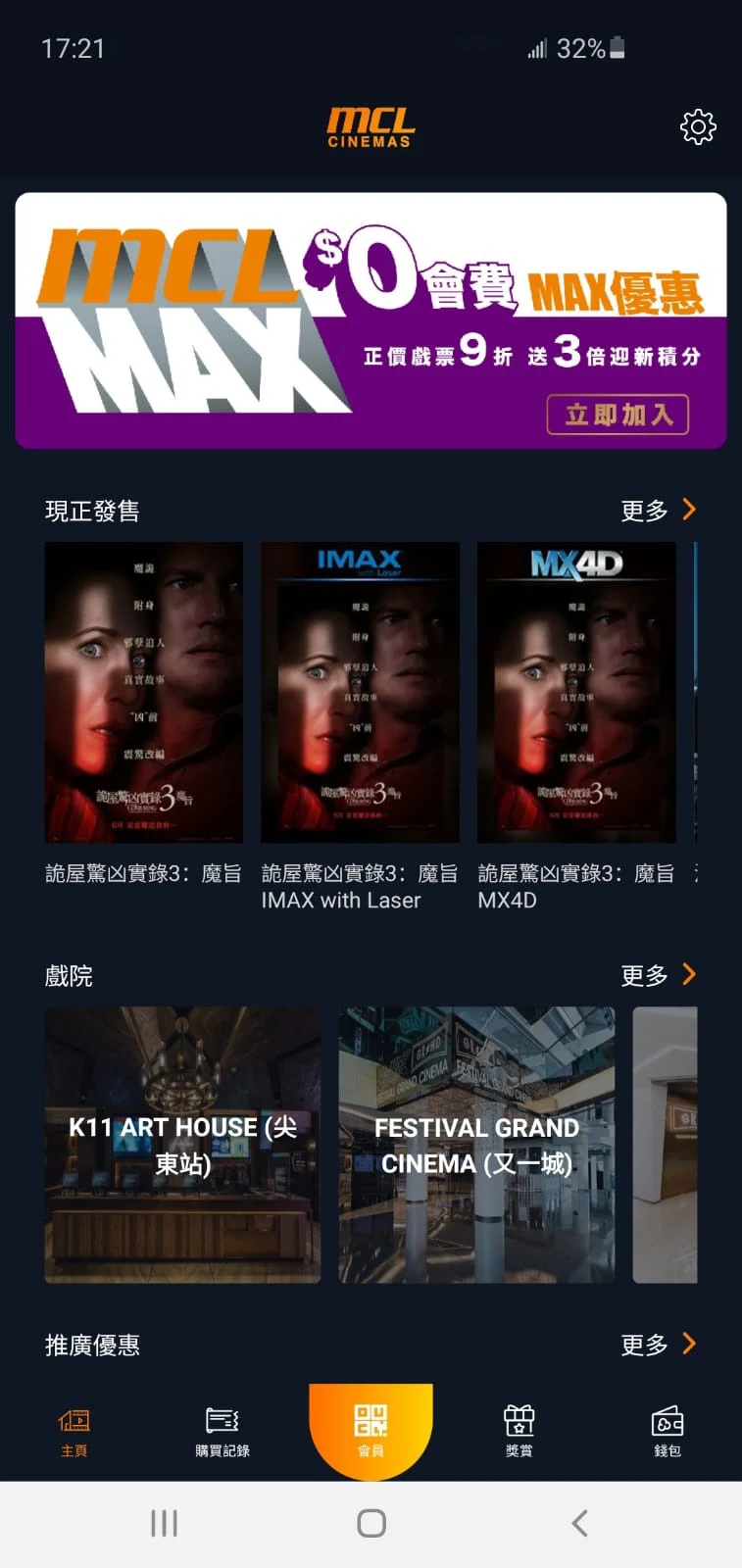
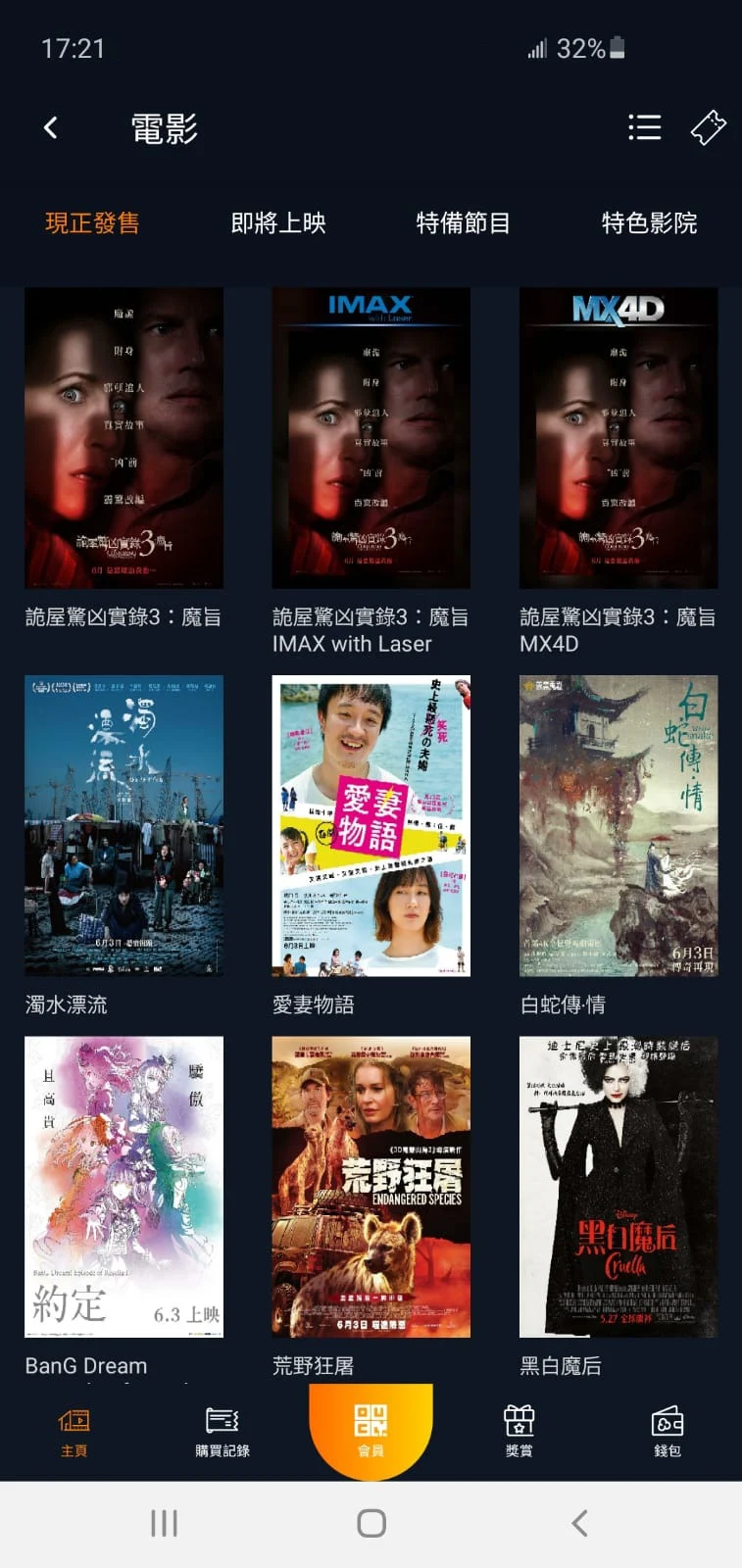
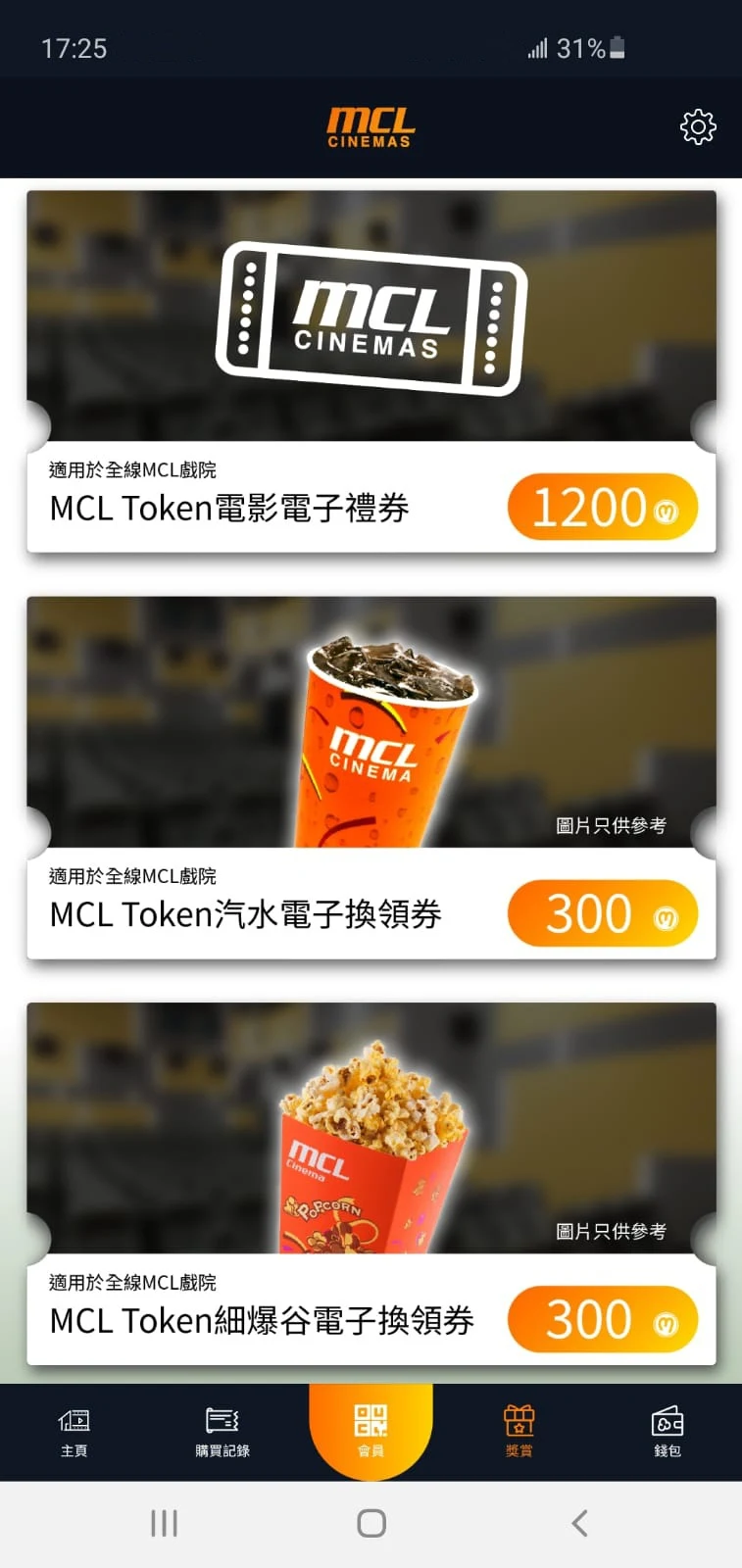
About MCL Cinemas - Ticketing:
MCL Cinemas - Ticketing is the official movie-ticketing app by Multiplex Cinema Ltd., built for checking Hong Kong MCL Cinemas showtimes, viewing seat plans, buying tickets, and managing MCL Club e-membership from a phone. The MCL Cinemas app is not a streaming service — it is a digital box-office tool that replaces queuing at the counter when it works smoothly.

Inside the MCL Cinemas - Ticketing app, users browse now-showing and upcoming films, pick a cinema, check the seat map, complete ticket purchases, and access member privileges. The core promise is “showtimes and seat plan at your fingertips,” but long-standing user reviews show the purchase flow is where reliability breaks down.
Store-ready features:
Movie showtimes across MCL Cinemas locations inside the MCL Cinemas app
Seat-plan view for choosing rows and seats before checkout
Ticket purchase with MCL Club e-membership support
Member privileges — instant e-membership join and member discounts
Now-showing and upcoming listings for quick browsing
Multilingual app interface across many locales
Free to install, Android 7.0+ supported
Official Multiplex Cinema Ltd. listing, not a reseller
How to Use MCL Cinemas - Ticketing:
The MCL Cinemas app runs on a ticketing loop: browse → pick cinema → choose seats → pay → check tickets → screenshot if unsure.
Quick guide:
Install MCL Cinemas - Ticketing from Google Play.
Open the MCL Cinemas app and browse now-showing or upcoming movies.
Select a cinema and session time from the showtimes list.
Open the seat plan and tap available seats.
Log in or register for MCL Club e-membership if prompted.
Complete checkout through the payment flow.
Wait for the ticket / QR confirmation to load inside the app.
If tickets do not appear, refresh, restart the MCL Cinemas app, or check your email receipt.
Keep a screenshot of the purchased ticket and QR code before arriving at the cinema.
For unresolved payment issues, contact app.mcl@intercontinental.com.hk.
Safety tips from user feedback:
Screenshot the confirmation — multiple reviews mention purchased tickets disappearing until refresh.
Finish payment without switching apps if ads or bank screens interrupt the flow.
New Android users should test registration early; some report account setup looping.
MCL Cinemas App FAQ and Status:
Who develops the app?
Multiplex Cinema Ltd. The Play package iscom.mtel.mclcinema; support email is app.mcl@intercontinental.com.hk.
What can I do in the MCL Cinemas app?
Check showtimes, view seat plans, buy movie tickets, and manage MCL Club e-membership and member offers.
Is the app free?
Yes. The MCL Cinemas app is free to install and contains ads; ticket purchases are separate.
Why do some users report failed purchases?
Reported issues include checkout freezing, registration loops, ad pop-ups interrupting payment, and tickets not showing in purchase history. These are user-reported stability problems, not an official feature list — the June 29, 2026 update only states “user experience improvements and bug fixes.”
Is my data safe?
Google Play declares no data shared with third parties, but the listing also says personal info may be collected and data is not encrypted.
Why Install MCL Cinemas - Ticketing:

Install the MCL Cinemas app if you already watch movies at MCL Cinemas and want showtimes, seat plans, and member discounts in one place — but treat ticket purchases carefully.
Best-fit users:
Hong Kong MCL Cinemas regulars
MCL Club members checking privileges and discounts
Users who mainly browse showtimes before buying at the counter
People who screenshot tickets and verify by email
Viewers okay with a lightweight app that is better for browsing than checkout
Users who contact support quickly if payment glitches happen
- Version3.7.10
- UpdateOct 27, 2026
- DeveloperMultiplex Cinema Ltd.
- CategoryEntertainment
- Requires AndroidAndroid 7.0+
- Downloads221K+
- Package Namecom.mtel.mclcinema
- Signatureb9a7c87827e0921aea5fba28c64c6c09
- Available on
- ReportFlag as inappropriate
-
NameSizeDownload
-
9.25 MB
-
9.12 MB
-
8.62 MB


















Background process displaying ads persistently
Essential account verification issues
Slow app performance and lag
Complicated registration process
Frequent need to reset passwords
Poor user interface and design
No tracking of purchase history within the app
Annoying full-screen advertisements
Inability to view ticket prices before checkout
Unreliable app that crashes or fails to load
Inability to register a new account easily
Frequent login prompts for infrequent users
Non-recognition of membership at service points
Difficulty in accessing e-tickets without granting permissions
Locked out of the app after failing to log in
Continuously loading screens during transactions
Ads interrupting crucial processes like payment
Potential concerns regarding personal information security