
Kolumbus Billett - Ticket purchasing made easy
Experience seamless travel with Kolumbus’ app for fast ticket buying & real-time updates on buses, trains, & boats.

- 8.5.11 Version
- 2.0 Score
- 196K+ Downloads
- Free License
- 3+ Content Rating

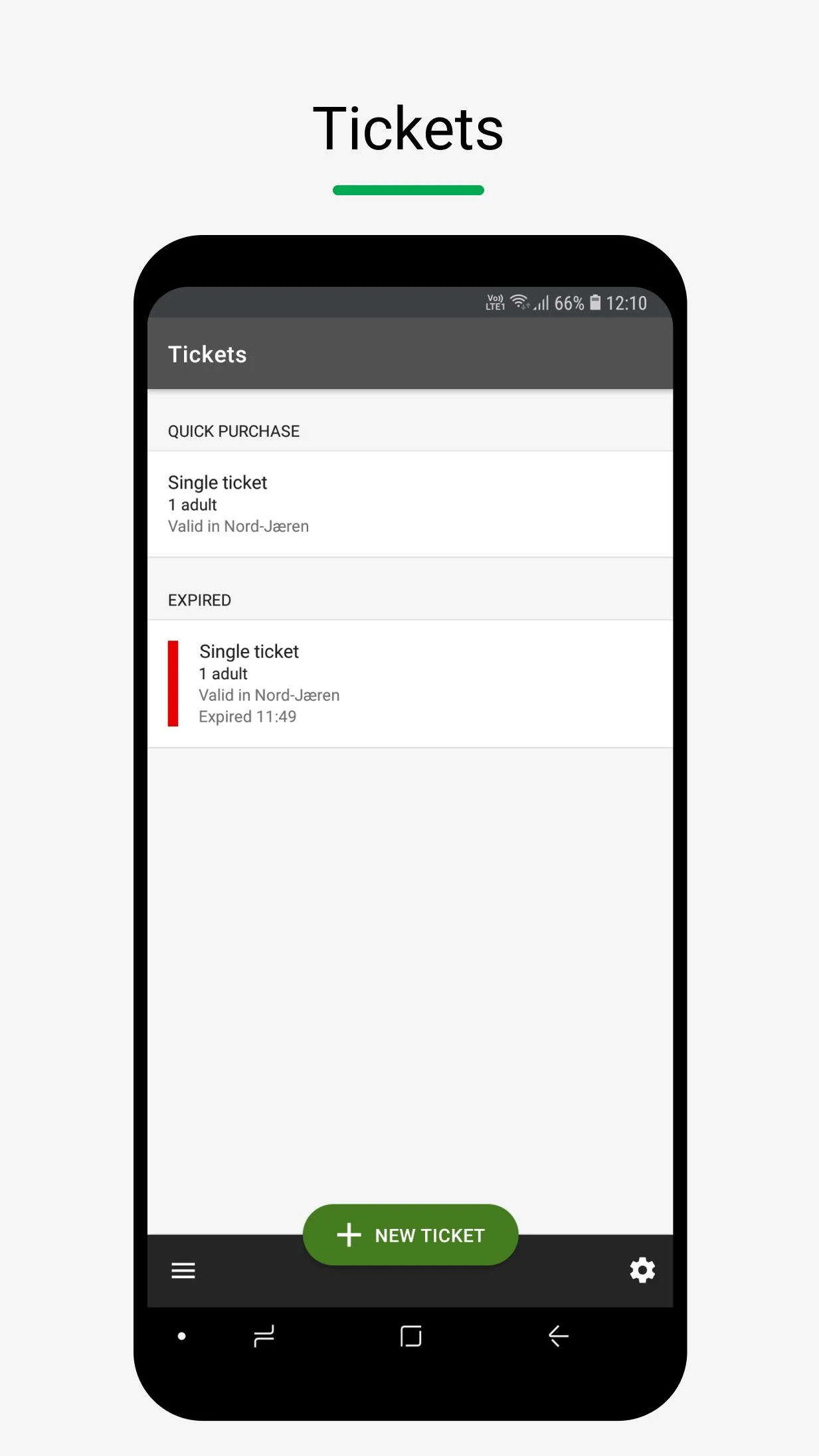
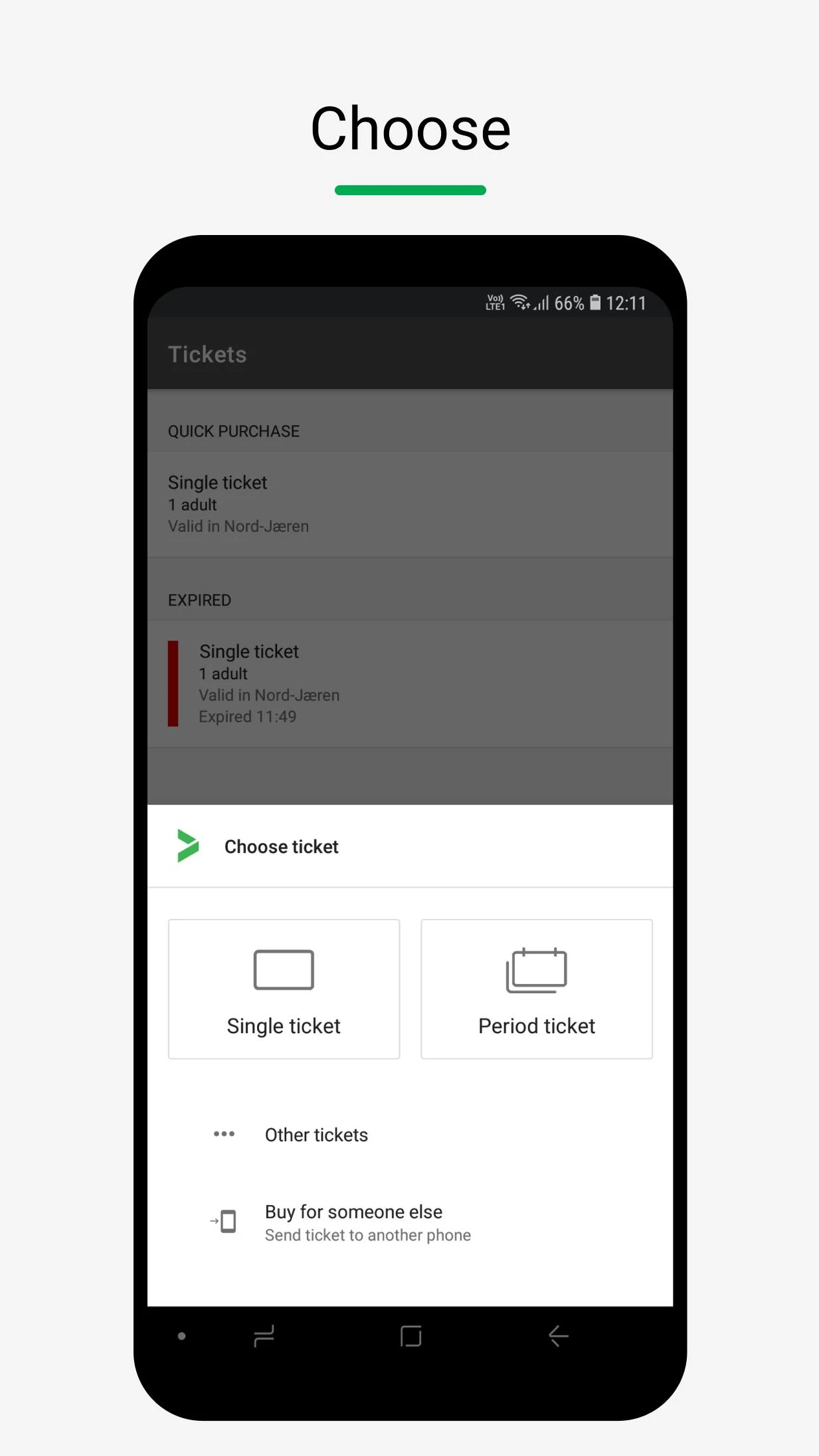
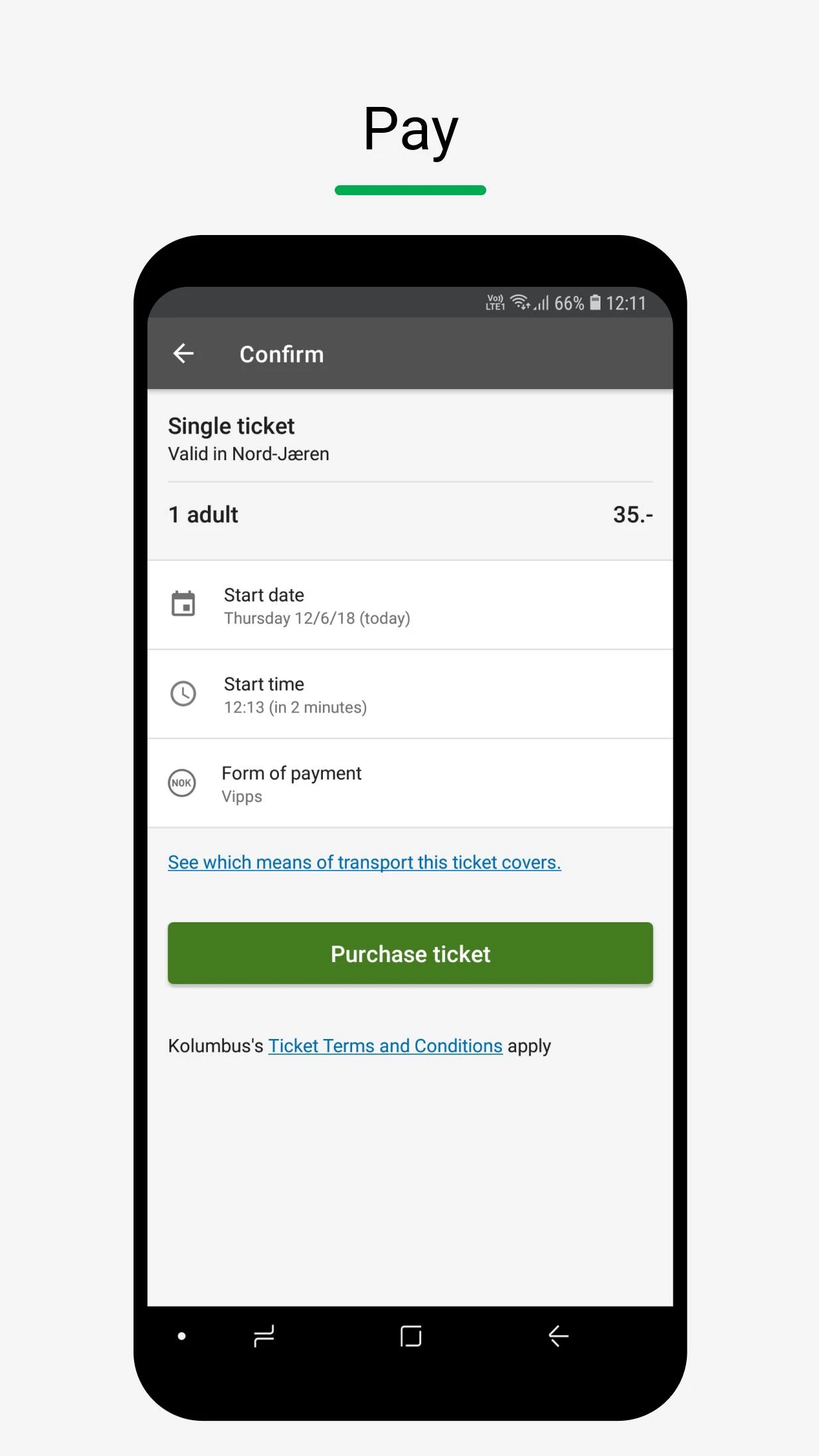
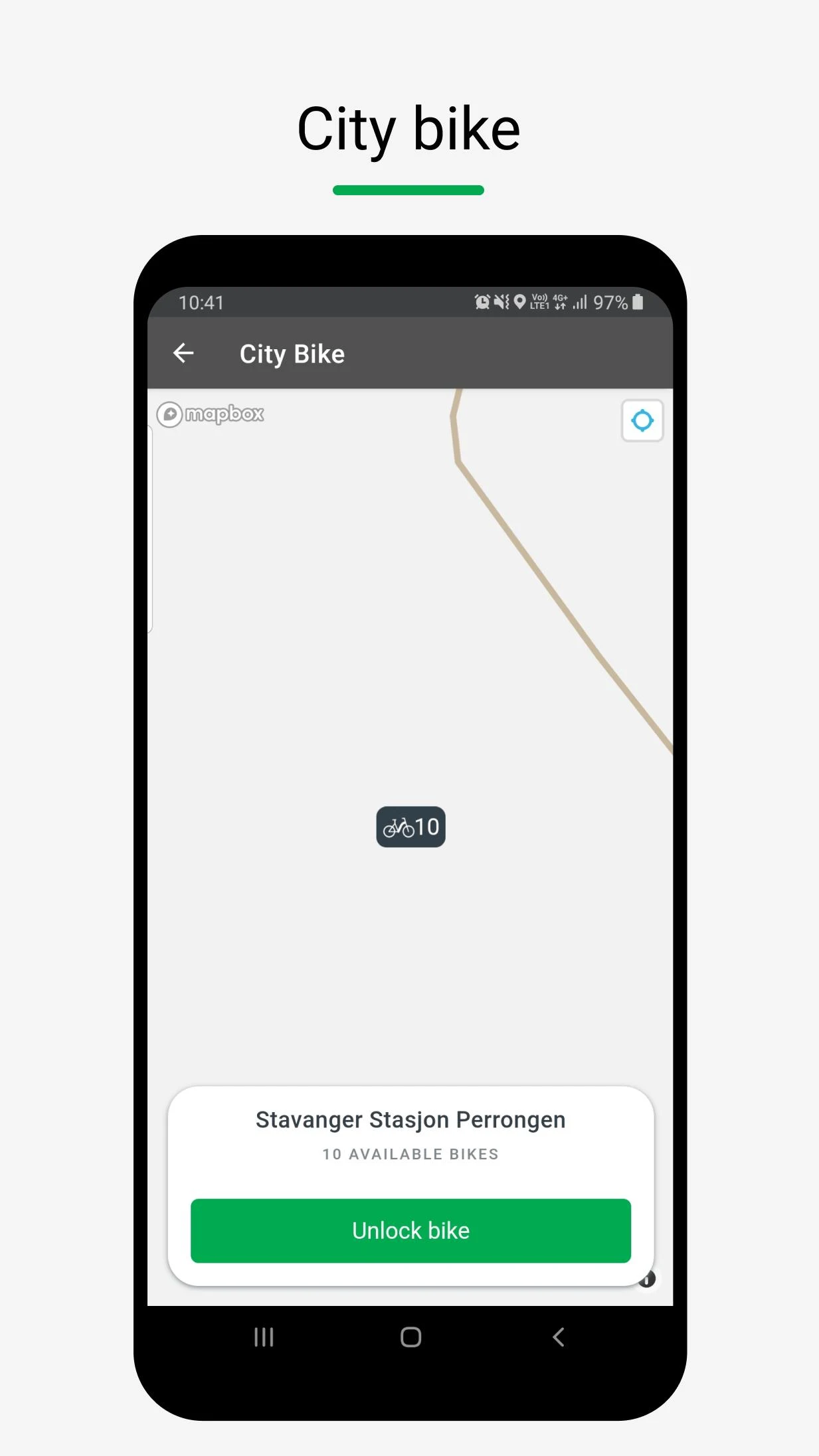
The Kolumbus ticket application allows you to acquire your ticket before boarding.
This app is applicable on buses and certain train and boat services within Rogaland.
Functions
* Location
This feature assists in ticket purchases by automatically suggesting an option based on your current zone. Even with the location feature disabled, you can still buy a ticket, though you will need to manually input the stop or station for which the ticket is valid.
* Contacts
This is utilized when sending tickets to phone numbers that are saved in your contacts.
* Notifications
This feature is employed to inform you when tickets and payment cards are nearing expiration. The purchase of a ticket remains possible even if notifications are turned off.
* Background App Refresh
This function operates during the night to update your control code and today’s image, ensuring you have a valid code and picture ready for inspection each day. You are still able to buy a ticket even if this function is disabled.
* Mobile Data
This is necessary for communicating with Kolumbus while making purchases. If mobile data access for the app is restricted, ticket purchases can only be made if you are connected to a Wi-Fi network. Additionally, network access is required to display the control code and today's image during a ticket check.
If you wish to restrict access, you may do so through the "Settings" page of the Kolumbus Billett app.
Instructions
1. **Download the App**:
Search for "Kolumbus Billett" in the App Store or Google Play, download, and install.
2. **Register and Set Up**:
Open the app and follow the prompts to register. You can choose to connect a bank card (Visa or Mastercard) or pay with Vipps. If you choose to pay with a bank card, you'll need to enter your card information the first time you use it; subsequent purchases will be debited directly.
3. **Purchase Ticket**:
- The app will automatically recommend tickets for the corresponding area based on your location. If you turn off the location feature, you'll need to manually enter your stop information to purchase tickets.
- Select your desired ticket type, such as a single, 24-hour, 7-day, 30-day, 365-day, or combination ticket.
- After confirming your purchase information, tap the payment button to complete your purchase.
4. **Check in on the bus**:
After boarding the bus, scan the QR code in the app at the ticket machine at the door. Click the blue control button in the app and place the QR code close to the ticket verification machine screen. When a green confirmation message appears, it means the ticket verification is successful.
Applicable Scenarios
1. **Daily Commuting**
Purchase bus and some train/ferry tickets in advance, scan the code to check in upon boarding. Supports various ticket types including day passes and monthly passes, suitable for daily travel within the Rogaland area.
2. **Temporary Travel**
Manually enter the station to purchase tickets (no location services required). Tickets can be transferred to contacts (limited to 2 times), valid for 3 months. Ideal for buying tickets for family and friends.
3. **Student Travel**
Purchase discounted student tickets; show your student ID at check-in to enjoy the discount.
4. **Cashless Travel**
Link your bank card or VIP payment. Large purchases require fingerprint/PIN verification. Payment is secure and convenient; no need to carry cash.
Related Questions
- **Q: Can I transfer my purchased ticket to someone else? **
- **A**: Yes. You can send your ticket to a phone number in your contact list through the app, but the ticket must be used within three months of purchase, and a ticket can only be transferred twice.
- **Q: Will I be charged if I buy a ticket but don't ride? **
- **A**: If you press the pay button and don't ride, no fee will be charged. The ride will automatically end after 30 minutes, or you can manually stop it on the ticket screen.
- **Q: What are the requirements for using a student ticket? **
- **A**: If you use a student ticket, you must be able to present valid student ID at ticket inspection.
- **Q: What security measures are in place to pay for your ticket? **
- **A**: For ticket purchases over NOK 175, or for a lower amount selected in settings, the app will require a PIN or fingerprint. Additionally, Visa and Mastercard use 3D Secure technology for authentication on first-time single-trip or 24-hour ticket purchases.
**Q: How do I find my App ID?**
**A: The App ID can be found at the bottom of the Settings page and on your ticket purchase receipt. We recommend ordering your receipt via email upon your first purchase so that you can always have your App ID if any questions arise.
- Version8.5.11
- UpdateOct 16, 2026
- DeveloperKolumbus
- CategoryTravel & Local
- Requires AndroidAndroid 7.0+
- Downloads196K+
- Package Nameno.kolumbus.kolumbusbillett
- Signature20b552d3db9eb5e814a89aa1c14b3eff
- Available on
- ReportFlag as inappropriate
-
NameSizeDownload
-
14.11 MB
-
5.87 MB
-
5.79 MB












Improved interface and design
Real-time map for bus locations
Ability to buy tickets digitally
Consolidation of multiple apps into one
Enhanced ticket validation experience
Discount opportunities for regular travelers
User-friendly experience for locals
Potential for NFC payment integration
Inability to transfer data from the old app
Frequent crashes and error messages
Limited payment options available
Lack of information on bus schedules and routes
Confusing interface and unclear instructions
Not tourist-friendly; difficult for visitors
Decreased functionality (e.g., no phone bill payment)
Slow ticket scanners causing delays
Frustrating customer support experiences