
inDrive - Drive tracking & navigation
Enhance your driving experience with real-time traffic updates and navigation tools

- 5.146.0 Version
- 4.2 Score
- 180M+ Downloads
- Free License
- 3+ Content Rating


About inDrive
inDrive, formerly known as inDriver, is a ride-hailing app that offers an alternative to conventional taxi services. Operating in more than 600 cities across 48 countries, it allows passengers to propose their own fares and select drivers based on their offers rather than relying entirely on automatically calculated prices and assignments.
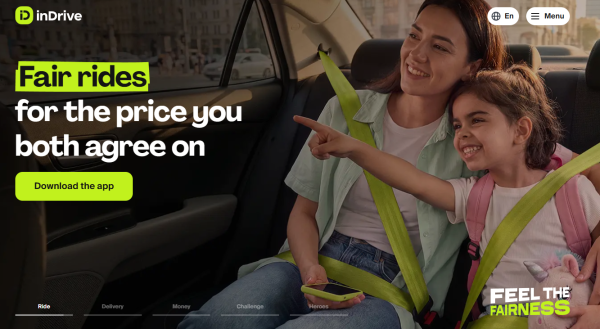
To book a ride, passengers enter their pickup and destination locations and submit a proposed fare. The app may suggest a reference price, which passengers can adjust within the permitted range. Nearby drivers can accept the offer or respond with a counteroffer. Passengers can then compare the available options based on price, driver ratings, and vehicle details before confirming a booking.
inDrive also provides a separate service for drivers. They can review incoming ride requests, check trip details and proposed fares, and decide which journeys to accept. The platform operates in multiple international markets, including selected locations in the United States, although coverage and service availability vary by city.
Key Features
Custom Fare Offers: Passengers can propose a price for their journey instead of relying solely on an automatically calculated fare.
Driver Profiles: Check available driver ratings and vehicle information before choosing a ride.
Multiple Driver Responses: Receive offers from different drivers and compare their proposed prices.
Trip Details: Review pickup and destination information before confirming a booking.
Trip Sharing: Share journey details with trusted contacts so they can follow your trip.
Additional Instructions: Add comments or specific pickup requests when submitting a ride order.
How to Use inDrive
The passenger booking process generally follows these steps:
Register an Account: Install inDrive, enter your phone number, and complete the verification process.
Enter Your Locations: Set your pickup point and destination, making sure both addresses are correct.
Propose a Fare: Check the suggested price and enter your preferred amount within the applicable local limits.
Review Driver Offers: Wait for drivers to accept or counter your offer. Compare their proposed fares, ratings, and vehicle details.
Confirm Your Booking: Select a driver and confirm the ride.
Complete the Journey: Meet the driver at the agreed pickup location. After arriving, you can rate the ride.
Benefits for Drivers
inDrive gives drivers the option to choose which ride requests they accept rather than automatically taking every available assignment.
Flexible Working Hours: Go online and accept requests according to your availability.
Destination Selection: Review the trip destination and proposed fare before committing to a journey.
Fare Negotiation: Accept a passenger's offer or suggest a different price if the proposed amount does not suit the trip.
Service Commission: inDrive has promoted relatively low commissions compared with some competing ride-hailing platforms. Actual fees vary by market and local operating conditions.
What Makes inDrive Different?
The main difference between inDrive and conventional ride-hailing apps is its fare negotiation system. Passengers have an opportunity to propose a price, while drivers can accept it, decline the request, or suggest another amount.
This approach changes how ride prices are agreed upon. Passengers can consider different driver offers before booking, while drivers can assess the proposed earnings in relation to the destination and distance.
However, passengers cannot necessarily set any price they want. Suggested fares, minimum amounts, and other pricing restrictions may apply depending on the city. The availability of competing driver offers also depends on local demand.
FAQs
1. Is inDrive free to download?
Yes. Downloading and installing inDrive is free. Passengers pay the agreed fare for completed rides, while drivers may be charged service fees under the applicable local commission structure.
2. Can I set my own fare on inDrive?
Yes. Passengers can propose a price when requesting a ride. However, local pricing rules and minimum fare requirements may restrict the amount they can offer.
3. Can drivers reject a passenger's offer?
Yes. Drivers can decline requests that do not match their preferences or expected earnings. They can also submit a counteroffer for the passenger to consider.
4. How do I choose a driver?
Once drivers respond to your request, compare their proposed fares, ratings, and available vehicle information. You can then select your preferred driver.
5. Can I register as an inDrive driver?
Yes. Eligible users can apply through the driver section of the app. Registration generally involves providing personal and vehicle details and completing the required verification process. Specific requirements vary by location.
6. Is inDrive available in the United States?
Yes. inDrive operates in selected US locations, but its coverage does not extend nationwide. Check the app to see whether passenger or driver services are available in your area.
- Version5.146.0
- UpdateNov 19, 2026
- Developer® SUOL INNOVATIONS LTD
- CategoryMaps & Navigation
- Requires AndroidAndroid 7.0+
- Downloads180M+
- Package Namesinet.startup.inDriver
- Signaturec986ef074a009108466df4fb66197274
- Available on
- ReportFlag as inappropriate
-
NameSizeDownload
-
141.43 MB
-
139.52 MB
-
139.32 MB










Flexible Pricing
Control Over Earnings
Inconsistent Service