
교대근무 일정시간표 - Shift scheduling & alerts
Stay organized with convenient shift management, real-time notifications, & easy notes for a seamless work experience.

- 1.20 Version
- 2.0 Score
- 150K+ Downloads
- Free License
- 3+ Content Rating

App Overview
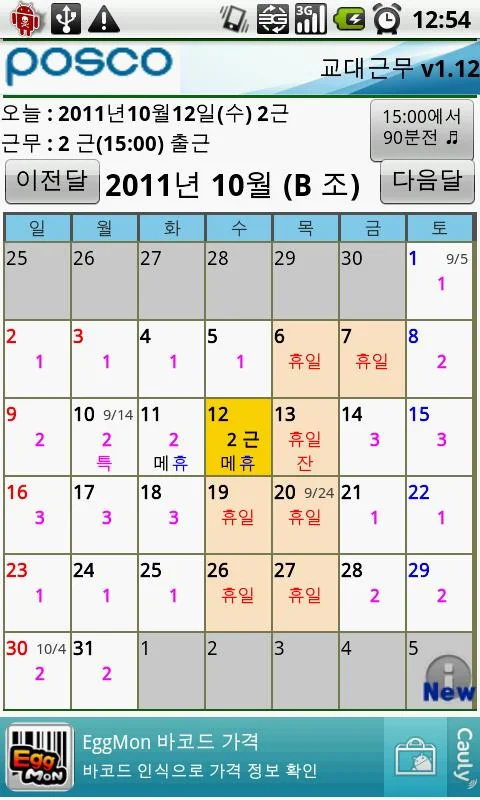
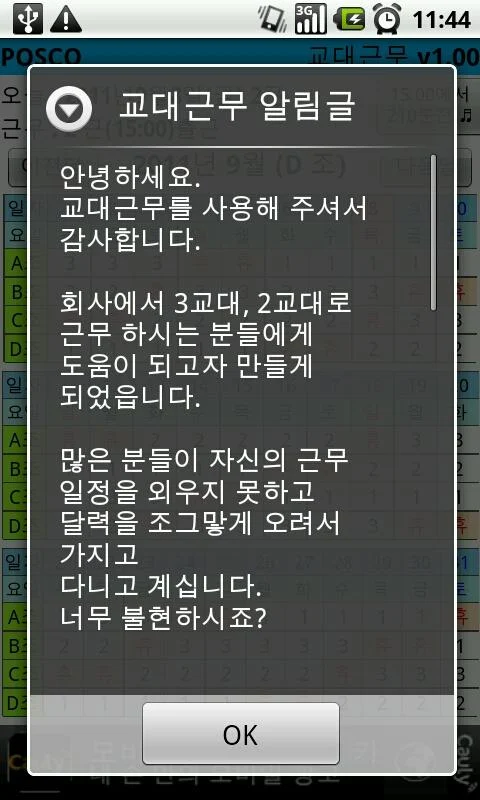
교대근무 일정시간표 is a scheduling app designed for employees who follow fixed or rotating shift patterns. It displays monthly work calendars, allowing users to check upcoming shifts, keep track of working days, and plan personal activities around their work schedules.
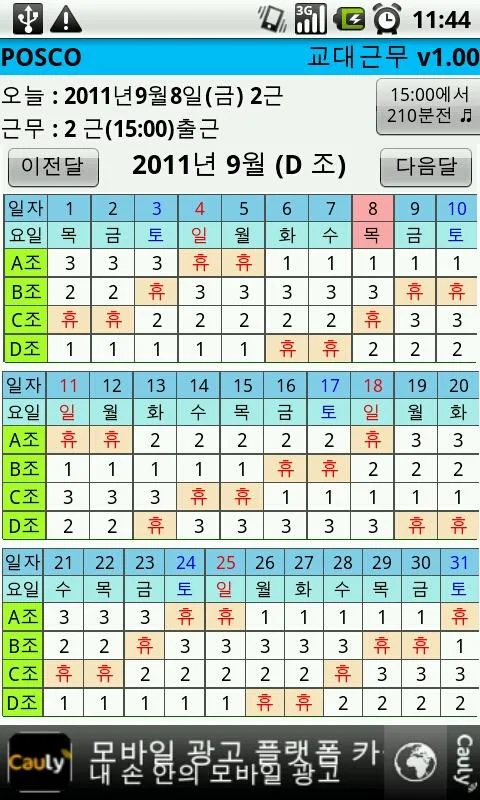
The app includes schedules for several companies and public organizations, including POSCO and its subsidiaries, as well as police and fire departments. Users can view their individual schedules or check their organization's full monthly timetable to see how shifts are distributed among employees.
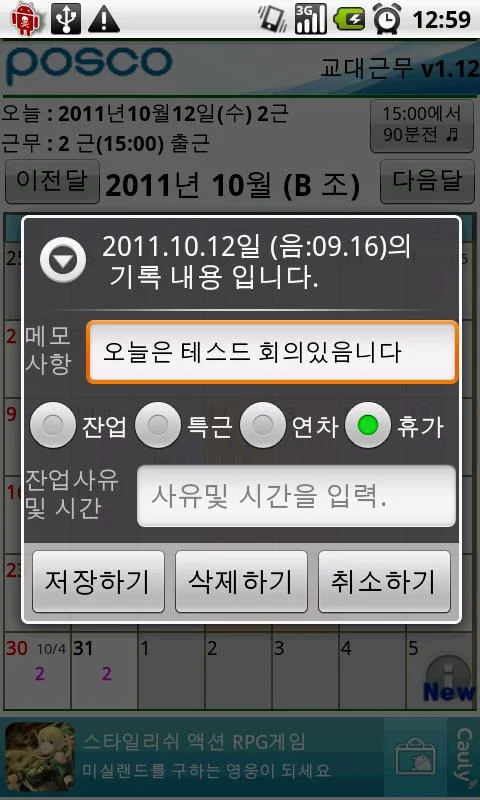
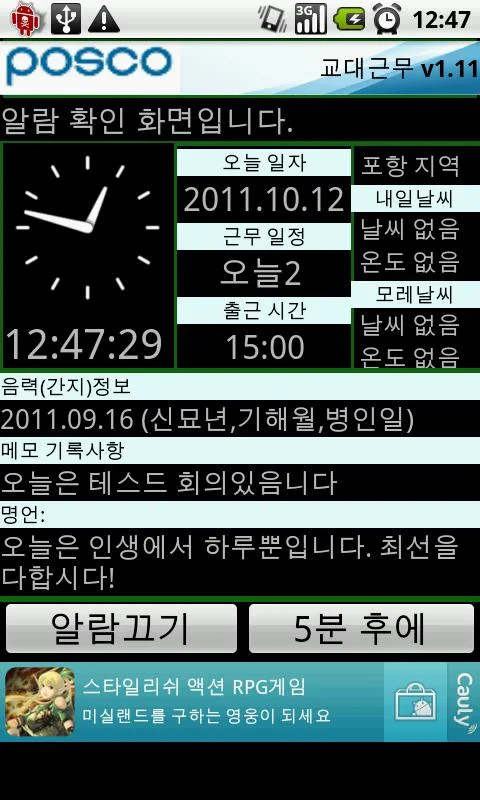
Additional functions include work alarms, overtime records, a daily diary, and date-specific notes. Users can set reminders for upcoming shifts and record daily tasks, appointments, and extra working hours. Annual schedule views are also available for planning further ahead.
Key Features
Monthly Shift Calendar: View personal work schedules and track working days in a monthly calendar.
Company-Wide Timetable: Check the organization's monthly shift arrangements and see when colleagues are scheduled to work.
Work Alarms: Set reminders and receive notifications before scheduled shifts.
Overtime Records: Keep track of additional working hours and overtime arrangements.
Daily Diary: Record daily tasks, appointments, and other activities.
Calendar Notes: Add notes to specific dates to mark important events and work commitments.
Annual Schedule: Review shift arrangements throughout the year.
Organization-Specific Schedules: Choose from available timetables for POSCO subsidiaries, police departments, and fire departments.
Supported Companies and Organizations
Shift Work offers schedules for various companies and public organizations. Available options include:
POSCO (4/3/4/2 shift pattern)
POSCO Special Steel (4/3 and 3/3 shift patterns)
POSCO M-Tech (Pohang and Gwangyang)
POSCO Chemtech (Pohang and Gwangyang)
POSCO-AST
Seoul Traffic Police
Regional police departments, including startup police and Jeonnam police
Various regional fire departments
The list of supported organizations may change with future updates. Employees whose workplaces are not currently included can contact the developer to request an additional schedule.
How to Use
Install the App: Search for "Shift Work" or "POSCO" in your device's app marketplace and install the application.
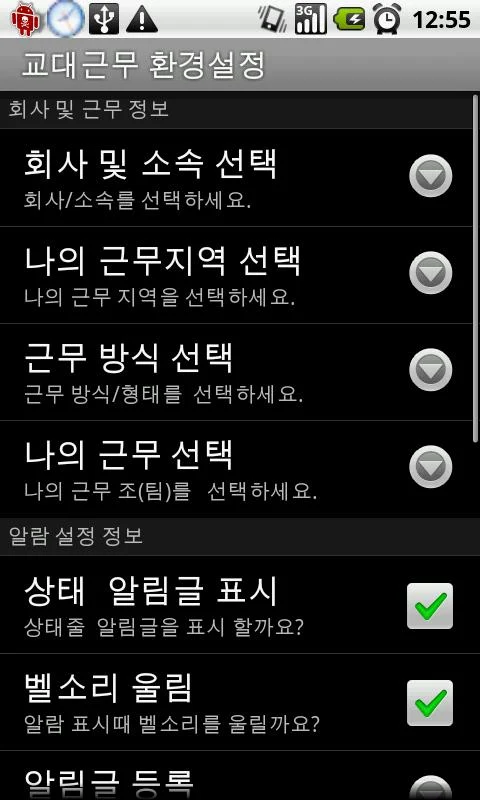
Choose Your Organization: Select your company or department to load its corresponding shift calendar.
View Work Schedules: Check your personal monthly calendar or switch to the company-wide timetable to see other employees' shifts.
Set Work Alarms: Configure reminder times and notification intervals for upcoming shifts.
Add Records and Notes: Use the diary and calendar notes to record appointments, daily tasks, overtime, and other important details.
App Experience
Shift Work focuses on the scheduling needs of employees with recurring work patterns. Its personal calendars and company-wide timetables cover two different aspects of shift planning: keeping track of individual working days and checking when colleagues are on duty.
The alarm function provides advance notifications for upcoming shifts, while the diary and overtime records cover everyday documentation. These tools complement the main calendar without making the app feel like a general-purpose planner.
Its organization-specific schedules are another defining feature. Employees can select from the available companies and departments rather than having to build an entire shift pattern themselves. However, the available options are limited to the organizations included in the app, so users should check the list before getting started. Additional schedule requests can be submitted to the developer.
Frequently Asked Questions
1. What if my company is not listed?
You can contact the developer and request that your organization's shift schedule be added. New schedules may become available in future updates.
2. Can I check my colleagues' work schedules?
Yes. The company-wide timetable displays the organization's monthly shift arrangements, allowing you to compare colleagues' schedules with your own.
3. Can I customize work alarm times?
Yes. You can configure reminders for scheduled shifts and choose how far in advance notifications should arrive. Make sure notifications are enabled in your device settings.
4. Does the app support overtime tracking?
Yes. You can record additional working hours and use calendar notes to document overtime or special work arrangements.
5. Can I edit the company's shift timetable?
The timetable follows the shift arrangements provided for the selected organization. If you notice incorrect information or need a correction, contact the developer through the available feedback channel.
6. Can I use the diary for personal appointments?
Yes. The diary and calendar notes can also be used to record personal appointments, daily tasks, and other important dates.
- Version1.20
- UpdateNov 13, 2026
- DeveloperS.H KIM
- CategoryLifestyle
- Requires AndroidAndroid 2.2+
- Downloads150K+
- Package Namekr.co.clipon.ShiftWork
- Signature92472387e6902d04cda5347481ab481e
- Available on
- ReportFlag as inappropriate









Suitable for shift work
Easy to use with no learning curve
Wide coverage
Limited functionality
Potential technical risks exist
Insufficient customization