
GSRTC - Bus schedules & tickets
Travel effortlessly in Gujarat with GSRTC's reliable bus scheduling service

- 7.2.6 Version
- 1.6 Score
- 5M+ Downloads
- Free License
- 3+ Content Rating

GSRTC
App Overview
GSRTC is the official mobile app of the Gujarat State Road Transport Corporation, which operates public bus services across Gujarat and neighboring states. Its transport network includes more than 8,000 buses, 16 divisions, 129 depots, and 226 bus stations.
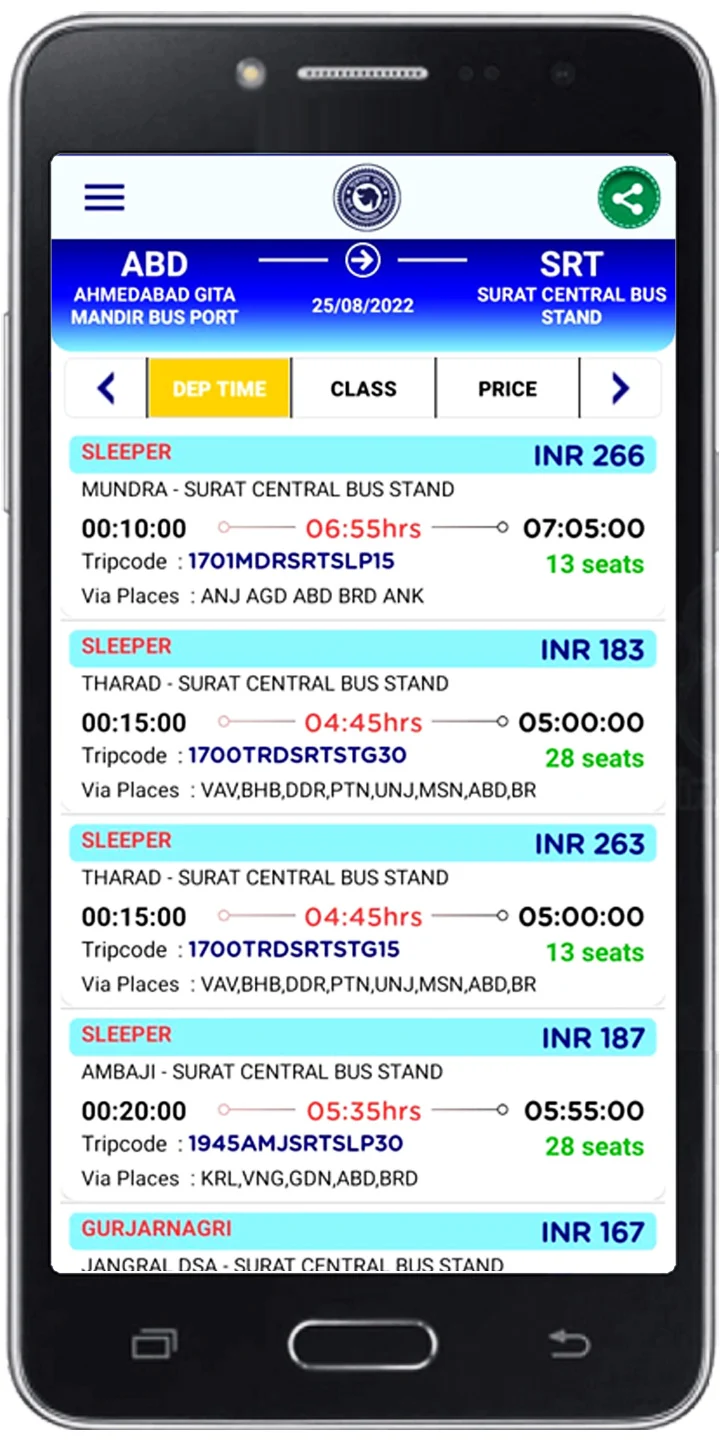
The app provides passengers with mobile access to bus travel information and online reservation services. Users can plan journeys between locations, check service availability, review fares, and reserve seats. A bus tracking facility is also available for supported services.
In addition to regular bus reservations, the app provides information about special transport services, depot contacts, and local and intercity routes.
Key Features
Bus Schedule Search: Check departure times and available bus services at different stations.
Bus Route Search: Find services operating between selected departure and destination locations.
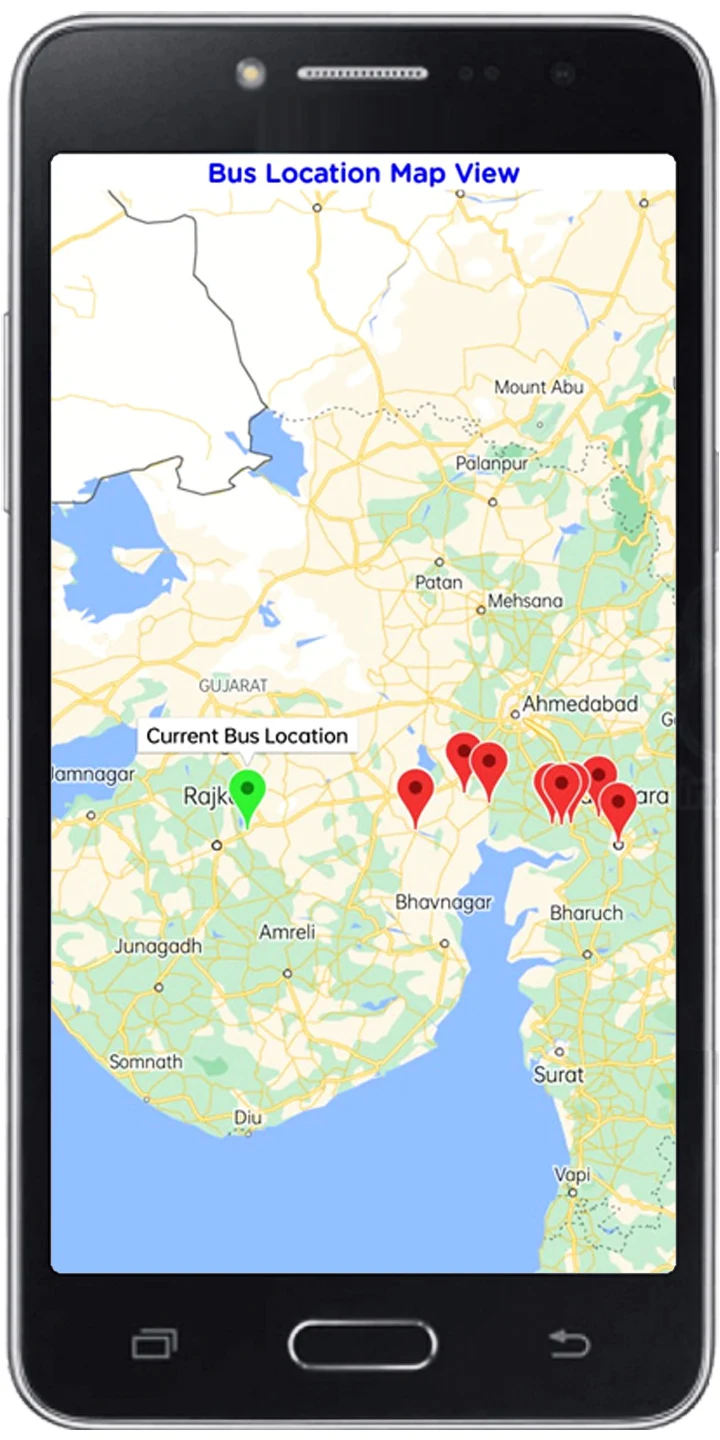
Live Bus Tracking: View the current location of eligible buses on a map.
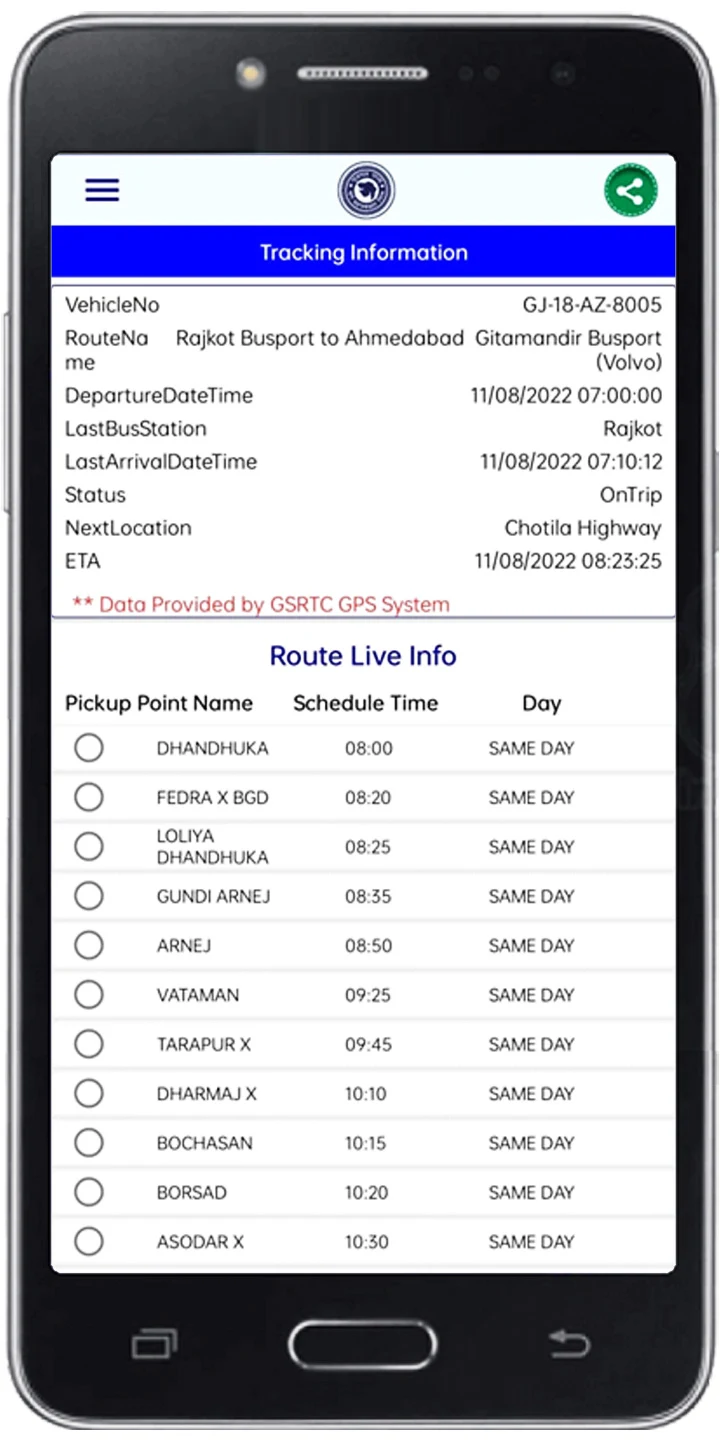
Route and Stop Information: Check journey distances, routes, and upcoming stops.
Ticket Fare Details: Review applicable fares before selecting a bus.
Online Ticket Booking: Reserve seats through the app, including eligible current bookings.
Guest Booking: Purchase tickets without creating a GSRTC account.
Depot Information: Access contact numbers for GSRTC depots across Gujarat.
How to Use GSRTC
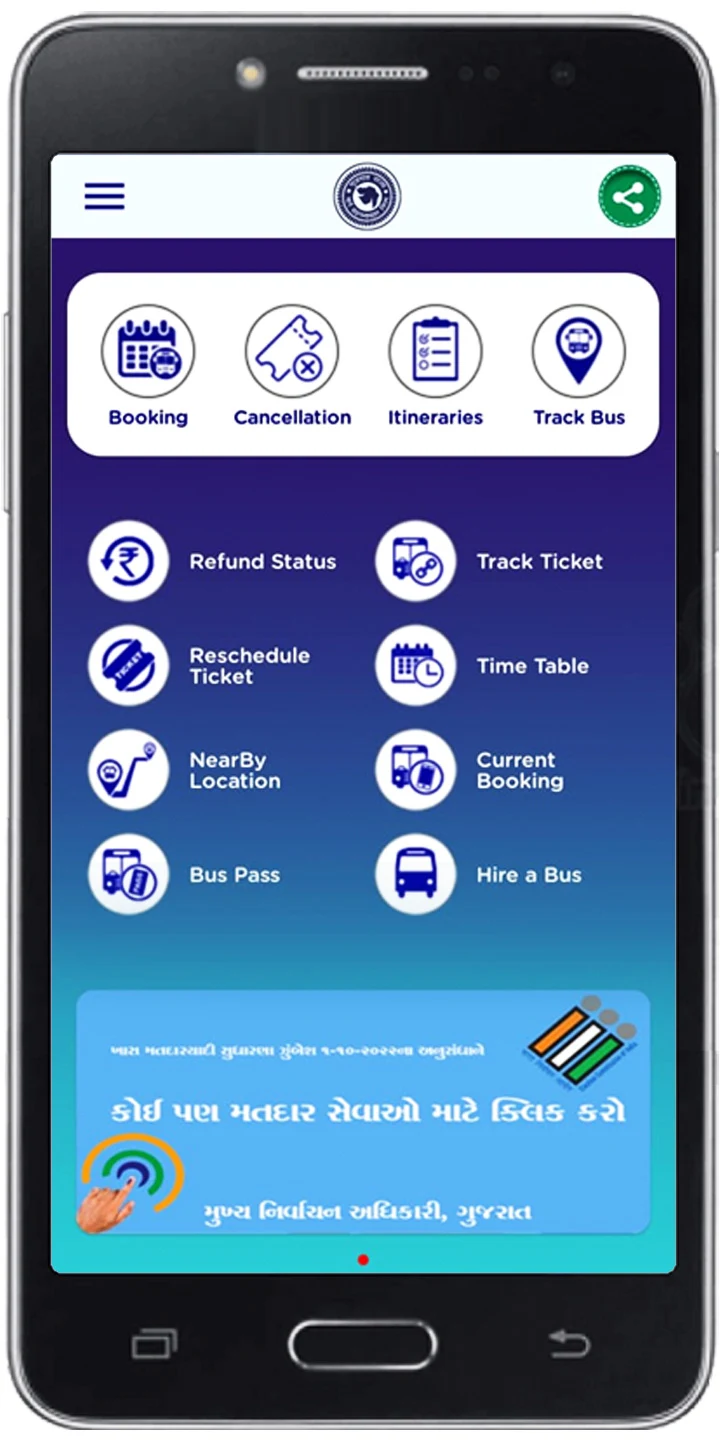
Open the app and select the required service from the main menu. You can search for buses, check station schedules, book tickets, or track a vehicle.
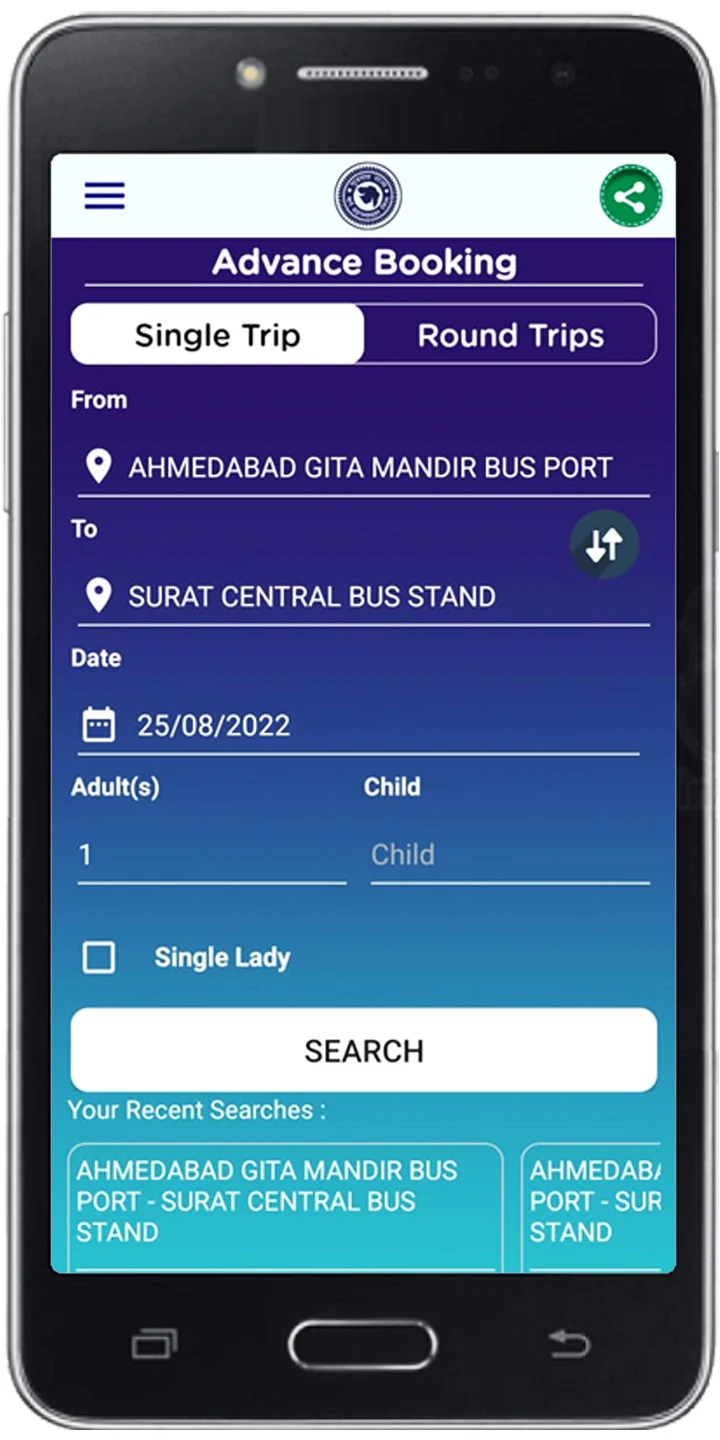
To find a bus, enter your departure and destination locations. Review the available services, including departure times, routes, and fares. Select your preferred bus and follow the on-screen instructions to complete the reservation.
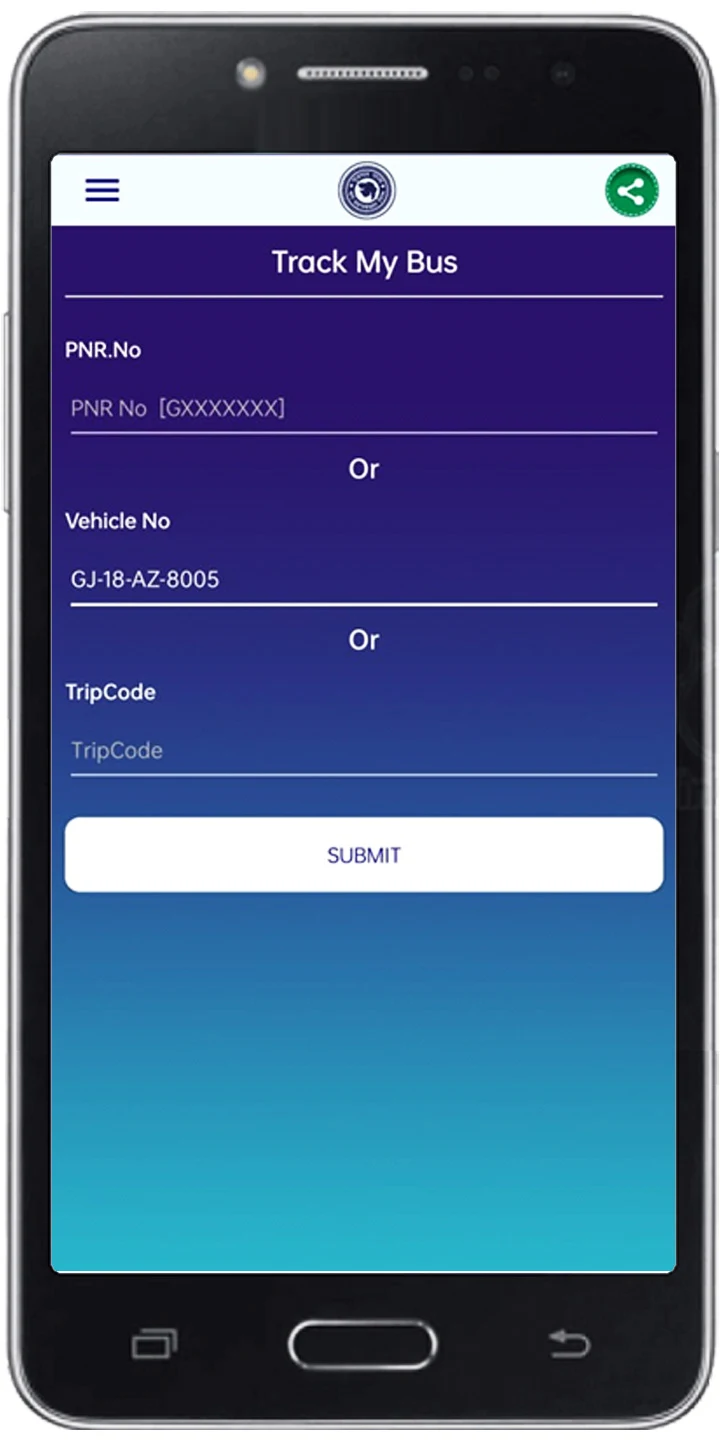
To track a bus, open Track My Bus and select a supported service. Its current position will appear on the map. The schedule and information sections also provide access to upcoming stops, station timetables, and depot contact details.
Special Bus Services
GSRTC operates several types of bus services to accommodate different routes and travel requirements.
Railway Connection Services: Bus connections coordinated with major train schedules.
Festival Services: Additional buses arranged during festivals and peak travel periods.
Educational Services: Bus routes serving schools and colleges.
Pilgrimage Services: Connections to major religious and pilgrimage destinations.
Metro Link Services: Bus connections linking GSRTC routes with metro transport.
Volvo Services: Volvo buses operating on selected routes.
Intercity Services: Regular bus connections between cities.
Contract Services: Buses available for private hire, special events, and other travel arrangements.
Ticket Booking and Travel Policies
Online Booking Hours
GSRTC's online and mobile ticket booking services are unavailable daily from 11:50 PM to 12:20 AM due to routine system processing. Passengers should complete reservations outside this period.
Child Fare Criteria
GSRTC applies the following child fare rules:
Children aged five or younger can travel without a separate fare.
Children over five and up to twelve years old are charged half fare.
Ticket Cancellation and Refund Policy
Refund claims must be submitted within 30 days of the journey date. Passengers can contact a GSRTC depot or division office, send an email, call the toll-free helpdesk, or submit a complaint through the official website or app.
Refunds may be available when a journey cannot be completed because of a delay exceeding two hours, partial operation of a service, or trip cancellation. The refund amount depends on the circumstances and applicable GSRTC rules.
Tips for Avoiding Failed Transactions
When purchasing an e-ticket or mobile ticket, follow these precautions:
Avoid using the browser's Back or Forward buttons during payment.
Do not refresh the page while the transaction is being processed.
Maintain a stable internet connection until payment is completed.
Finish the booking within 15 minutes, as the selected seat may be released afterward.
If payment is deducted but no ticket number is generated, GSRTC states that refunds for failed e-ticket or mobile booking transactions are processed within 7–10 working days.
FAQs
Q1. Can I book a ticket for a bus that has already departed?
Yes. The Current Booking option allows passengers to reserve seats on eligible buses that have already started their journeys. Booking depends on seat availability, and tickets purchased through this option cannot be cancelled.
Q2. Can I check my bus's real-time location?
Yes. Open Track My Bus and select a supported service to view its current location on the map.
Q3. Can I book tickets without registering for a GSRTC account?
Yes. The guest booking option allows passengers to purchase tickets without creating an account.
Q4. Are there additional charges for booking tickets online?
According to GSRTC, online e-ticket and mobile booking services do not incur additional booking charges. The fare is the same as that of a reservation ticket purchased at a GSRTC counter.
Q5. What documents do I need to carry when travelling with an e-ticket?
Passengers must carry a valid photo ID and present it to the bus conductor when boarding or to authorized GSRTC staff during the journey.
Q6. What should I do if my payment is deducted but I do not receive a ticket?
If payment is deducted without generating a ticket number, GSRTC states that refunds for failed online booking transactions are processed within 7–10 working days. Passengers can contact GSRTC through its official support channels if the refund is not received within this period.
- Version7.2.6
- UpdateNov 12, 2026
- DeveloperGSRTC Official Ticket Booking App.
- CategoryTravel & Local
- Requires AndroidAndroid 5.0+
- Downloads5M+
- Package Namecom.gsrtc.mobileweb
- Signatureaaf1e620f55e92089a78618ad83a9f2a
- Available on
- ReportFlag as inappropriate
-
NameSizeDownload
-
16.34 MB
-
16.34 MB
-
16.34 MB