
百度地图 - Maps & Directions
Navigate seamlessly with real-time traffic updates, explore local hotspots.

- 21.8.40 Version
- 2.9 Score
- 4M+ Downloads
- Free License
- 3+ Content Rating




Baidu Maps
App Overview
Baidu Maps is an AI-powered mapping and navigation app that combines location search, route planning, traffic updates, and travel information. It supports driving, walking, cycling, and public transportation, allowing users to compare routes and select directions based on their preferred travel method.
The app includes voice control, augmented reality (AR) navigation, panoramic street views, and indoor maps. Users can search for addresses, landmarks, businesses, and nearby places of interest. Offline maps are also available for selected cities, providing access to downloaded map data without an internet connection.
Baidu Maps is primarily designed for the Chinese market, where its local mapping data and location-based services are most comprehensive. Its international coverage extends to more than 200 countries and regions, although map details, navigation features, and local services vary by location.
Key Features
Location Search: Search for addresses, landmarks, businesses, and nearby places. The search function can recognize alternative place names and correct some common Pinyin and spelling errors.
Route Planning: Compare routes for driving, walking, cycling, and public transportation, with additional options for taxis, trains, and flights.
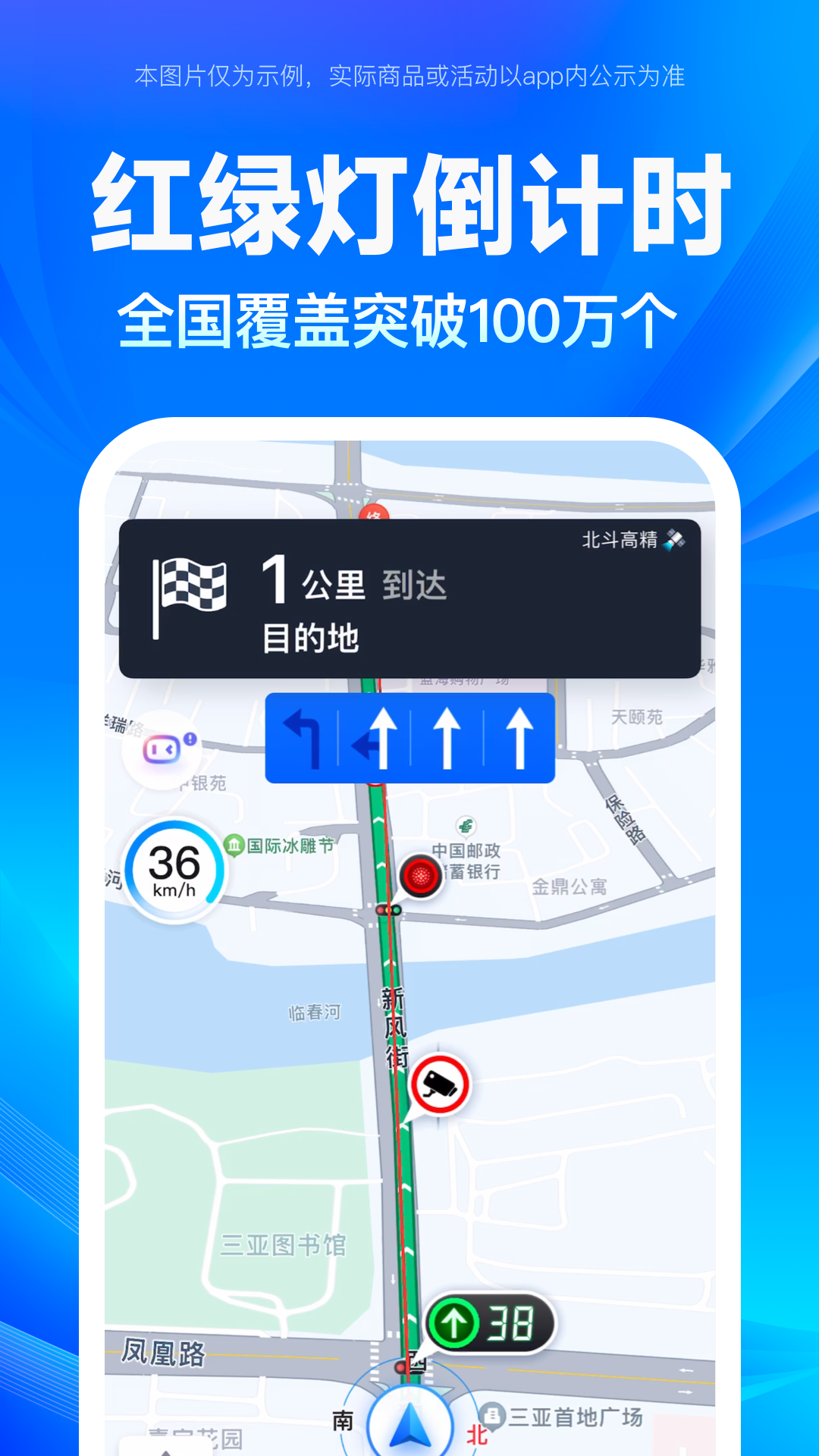
Real-Time Traffic: View current road conditions and receive alternative route suggestions when traffic congestion affects your journey.
Voice Control: Use voice commands to search for destinations, request directions, and operate supported navigation functions.
AR Navigation: Follow directional guidance displayed over real-world surroundings through augmented reality.
Public Transportation: Check bus routes, transit connections, station information, and arrival reminders in supported cities.
Map Display Options: Switch between standard, satellite, panoramic, indoor, and heat map views.
Offline Maps: Download map data for selected cities and access supported mapping information without mobile data or Wi-Fi.
Travel Discovery: Browse restaurants, attractions, entertainment venues, and recommended sightseeing routes.
How to Use Baidu Maps
1. Search for a Destination
Enter an address, landmark, or business name in the search bar. Select the appropriate result to view its location and available details. You can also use voice input to search for destinations.
2. Plan a Route
Set your starting point and destination, then choose a transportation method. Compare the suggested routes, estimated travel times, and journey details before selecting one.
3. Start Navigation
Select your preferred route and tap the navigation option. Follow the on-screen directions and spoken instructions. AR navigation is also available in supported locations and on compatible devices.
4. Find Nearby Places
Use the nearby search function to explore restaurants, shops, attractions, and other businesses. You can search around your current location or choose another area as the search center.
5. Download Offline Maps
Open the offline maps section and select a supported city or region. Download the required map data before travelling to access supported map information without an internet connection.
App Experience
Baidu Maps combines navigation with local search and travel information, making it particularly useful for exploring cities in China. Its search results connect users with nearby businesses, attractions, and transportation information, while different map views provide additional details about surrounding areas.
The range of navigation options also suits different travel needs. Drivers can compare routes and adjust preferences such as toll road and highway usage, while public transportation users can check transit connections and station details. Panoramic street views and indoor maps provide additional location information when exploring unfamiliar places.
Its main advantage is its detailed coverage of China, where local mapping data and location-based services are most extensive. International users can also search for overseas destinations and browse maps, but should expect some differences in navigation accuracy, available features, and local service coverage.
FAQs
1. Is Baidu Maps free to use?
Yes. Core features, including map browsing, location searches, and route planning, are free. Some third-party services and transportation options may involve additional charges.
2. Does Baidu Maps work outside China?
Yes. Baidu Maps covers more than 200 countries and regions. However, map details, navigation functions, and local services vary depending on the destination.
3. Can I use Baidu Maps offline?
Yes. Download maps for supported cities in advance to access basic mapping information offline. Online searches, live traffic updates, and other connected services require an internet connection.
4. Does Baidu Maps support voice navigation?
Yes. The app supports voice commands for compatible operations and spoken directions during navigation. Available functions depend on the device, settings, and region.
5. Can I check bus routes and public transportation schedules?
Yes. You can search for bus routes and plan public transportation journeys. Real-time transit information and arrival reminders are available in supported areas.
6. How can I report a problem with Baidu Maps?
Open the app, go to My, and select Help & Feedback. You can submit questions, report problems, or send suggestions through this section.
- Version21.8.40
- UpdateNov 13, 2026
- DeveloperBaidu Map
- CategoryTravel & Local
- Requires AndroidAndroid 6+
- Downloads4M+
- Package Namecom.baidu.BaiduMap
- Signaturef4e75690d59be28928e67cb56264d521
- Available on
- ReportFlag as inappropriate
-
NameSizeDownload
-
213.58 MB
-
200.25 MB
-
198.78 MB




















Provides detailed map information for mainland China
Provides real-time traffic flow and road condition information
Supports multiple navigation modes such as walking, driving, and public transportation
Supports voice prompts
Limited support for maps and navigation information outside of China, not as comprehensive as some international map services