
Feem - WiFi file sharing & chat
Easily share files & chat over WiFi with friends, no cables or internet needed – simple, fast, and hassle-free!

- 5.29.0 Version
- 3.8 Score
- 927K+ Downloads
- Free License
- 3+ Content Rating

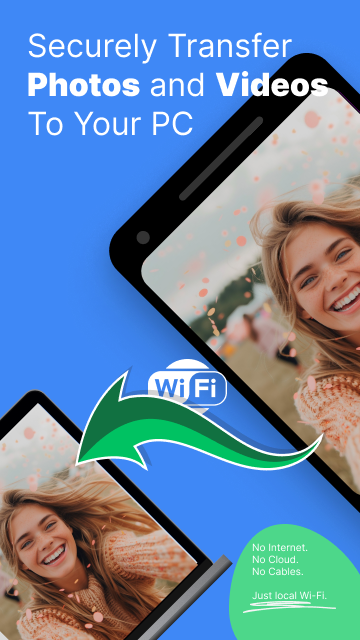
At FeePerfect, we hold the belief that the best sharing occurs among WiFi friends—family, colleagues, and acquaintances who are already connected to the same local network.
No need for email, no struggle with special cables, no searching for a USB drive (which is not compatible with mobile), or waiting impatiently for iTunes to launch.
Plus, you won’t waste any valuable wireless bandwidth!
Simply run Feem on both the sender and receiver devices, select the files you want to share, choose the recipients, and click Upload. Voilà!
Alternatively, you can pick a chat companion and start a session. It’s straightforward, fast, and hassle-free.
Transfer photos easily: from phone to phone, phone to computer, or vice versa.
Feem does not necessitate an active Internet connection; however, the devices need to be linked to the same WiFi router or hotspot.
You can say goodbye to your USB drives.
About Feem

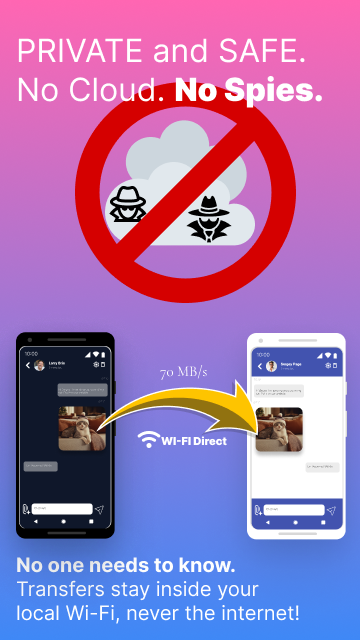
Feem is an app, that allows you to transfer files from one device, directly to another device, without passing through the Internet.
Feem works by pushing files from one device to another. This means you have to send files from the source device.
For increased security reasons, by default Feem doesn’t “pull” files and in no way exposes your whole file system.
Feem doesn’t use the Internet in any form. This means that devices running Feem need to be in the foreground during file transfers. If you launch a file transfer from mobile to desktop and switch to another mobile app for example, your mobile operating system may interrupt the Feem file transfer.
Think of Feem like Whatsapp/Messenger, but without using your Internet connectivity.
Feem is Fast. About twice as fast as Dropbox. And 50 times faster than Bluetooth.
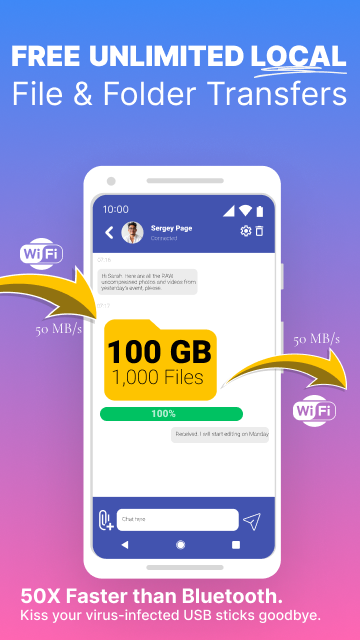
Feem is unlimited. File transfer solutions like Dropbox have file transfer limits. Feem has none.
Feem is super secure. Feem doesn’t use any servers online. There is no server storing your files for a hacker to hack into.
How are devices identified?
By default, Feem assigns random names to devices. E.g. Sarcastic Lizard.
You can change the name of your device by upgrading to Feem PRO.
How to send files:
Ideally, here’s how to use Feem:
- Launch Feem on the sending device and the receiving device.
- The devices need to be in the same wifi network and should discover each other with cute random names.
- On the sending device, click to select the name of the receiving device. This opens a new screen.
- Click on ‘send file’ at the bottom of the screen and select the files you want to send.
- Press send and you’ll see the progress status of your transfer. Wait until it says 100% or done. On mobile, do not switch to another app whilst transfer is in progress.
The file transfer should work 100% of the time and should be super fast.
How to receive files:
The receiving device should have received the files as soon as the sending device says 100% done.
On the receiving device, click on the received file and select to open it or to see it in the destination folder.
How to clear the files:
Feem includes a chat function that can be used to send messages from one device to another. Simply type a message and press the arrow to send this to the other device..
The messages that appear on screen about files transferred are part of this chat function. Simply select the ‘erase chat’ option to remove them and clear the screen.
Chat messages get automatically deleted after 48 hours.
Limitations:
For Feem to do its magic, all your devices need to be close together, within the same Wi-Fi network. Technically within the same LAN (subnet).
This means you can’t use Feem to send files to someone in a different city.
That said, you will find Feem extremely useful at home, at school, and at work.
Feem is equally extremely useful in remote or crisis areas without reliable Internet connectivity.
How is Feem different from similar apps?
Here are the 3 major advantages Feem has over similar apps.
Security.
Feem encrypts all local file transfers with TLS. The others don’t.
Full-Duplex.
Feem operates in full-duplex mode. You can both send and receive files AT THE SAME TIME. Similar apps operate in half-duplex mode; you are limited to either sending or receiving; you cannot send and receive at the same time. This limits productivity, especially in an office environment.
Business Model.
Our business model is simple: If you like the app, you’ll pay for it. Similar apps focus on growth only, then later switch to serving you adware and malware.
Feem v5 is here!
Redesigned from the ground-up to address modern needs.

FeePerfect AG is happy to announce the release of Feem v5, our latest iteration of our popular offline file transfer software. While Feem v4 worked perfectly for many years, it was imperative we launch Feem v5 to satisfy increasing demands on our software, and recent privacy-focused changes in all major operating systems.
Why Feem v5?
Feem v4 was our most stable release for many years now, and users enjoyed using it quite often. So why fix what wasn’t broken?
We knew at the back of our minds that we will have to update our aging technology stack at one point, but we weren’t prepared for the heavy blow we would receive from Google when Google started rejecting apps from the Play Store which were still based on older Android SDKs. You can read more about this here: https://developer.android.com/google/play/requirements/target-sdk. Google Play was our main distribution channel for the Feem app, and we needed to act fast.
Difficult launch.
Our first launch for Feem v5 on Android was a disaster. We were still experimenting with the new Android APIs we were now forced to use, and made a lot of mistakes along the way. The new Android APIs were quite difficult to use compared to older Android APIs, and were quite restrictive (under the guise of increased consumer privacy). The new Android APIs made it extremely difficult to reproduce some of the features we already had working for us in Feem v4, and users kept comparing the instability of Feem v5 to the stability they previously enjoyed in the previous Feem v4. There were multiple times we felt discouraged from the onslaught of negative reviews and felt like giving up. But we remembered why we started building Feem in the first place, and honestly found no other viable alternative worth passing the mantle to. So we pressed on, day in day out for months, amidst lots of personal challenges, until we finally had a stable version of Feem v5 for Android.
We also built Feem v5 for iOS, Windows and MacOS. All of which had very significant changes since Feem v4 was launched.
We now feel confident enough to replace all instances of Feem v4 to Feem v5, and will push the upgrade to as many users as we can. No software is perfect, and there will be bugs to uncover as more users upgrade from Feem v4 to Feem v5. We commit to detecting and fixing those bugs as quickly as we can.
Feem v5 vs Feem v4?
Here are some major differences between Feem v4 and Feem v5.
Notable Features.
Feem v5 now supports SD Cards on Android. Feem v4 couldn’t files on SD Cards on modern Android phones.
Feem v5 now maintains folder structure when transferring folders for free! This was a paid feature in Feem v4.
Feem v5 follows new privacy requirements of modern operating systems. Feem v4 could no longer work well in recent versions of Android, iOS, and MacOS.
Feem v5 sports a more modern UI for easier file selection and transfer. Feem v4’s UI was already getting dated and needed replacement.
Feem v5 shows more thumbnail previews backed by the operating system, including previews for images, videos, PDFs, text files … Feem v4 could only show image previews.
Both Feem v4 and Feem v5 support Wi-Fi Direct within Feem. But Feem v5 now goes a step further to support scanning of Wi-Fi credentials using QR codes. You had to type those manually in Feem v4.
- Version5.29.0
- UpdateOct 10, 2026
- DeveloperFeeperfect Ag
- CategoryTools
- Requires AndroidAndroid 9+
- Downloads927K+
- Package Namecom.feeperfect.airsend.android
- Signature95f57aa01bd04bd5ef09968dd0bcc0af
- Available on
- ReportFlag as inappropriate
-
NameSizeDownload
-
103.59 MB
-
103.89 MB
-
102.20 MB
















Fast file transfer between devices
Easy device connection via Wi-Fi
No need for USB cables
User-friendly interface
Cross-platform compatibility (Android, iOS, Windows)
Supports sending folders with multiple files
Reliable performance without many ads
Good for transferring large files quickly
Highly interactive and simple to use
Some bugs impacting functionality
Unresponsive app in certain situations
Automatic closure after file downloads on PC
Issues with file naming conventions during transfer
Limited external storage support
Confusing navigation and destination folder selection
Glitches in the latest updates compared to older versions
Intrusive full-screen ads disrupting user experience
Needs regular updates for improvement and maintenance