
BrickSeek - Deal-finding & price comparison
Unlock unbeatable savings with alerts & barcode scanning for the best deals across top retailers.

- 2.1.2 Version
- 1.4 Score
- 179K+ Downloads
- Free License
- 3+ Content Rating

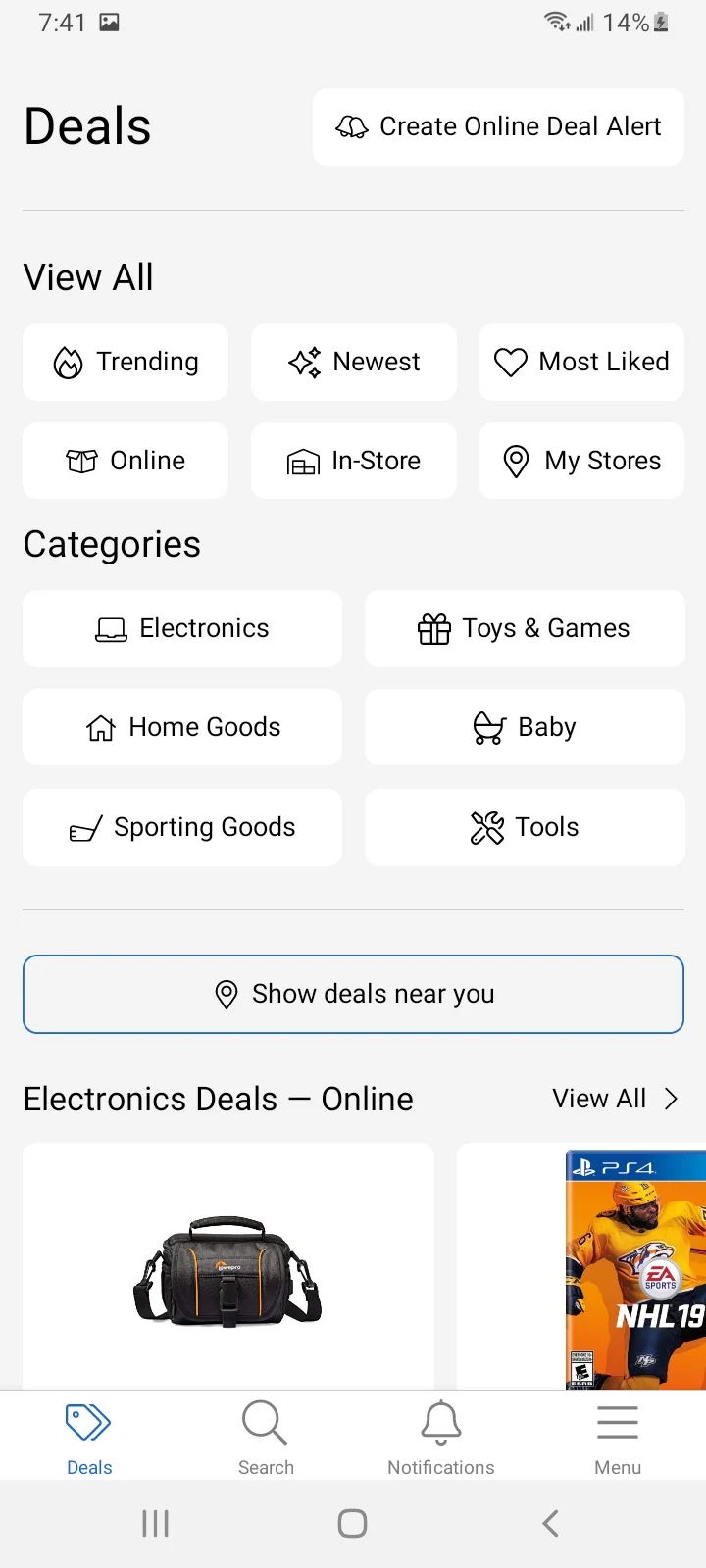
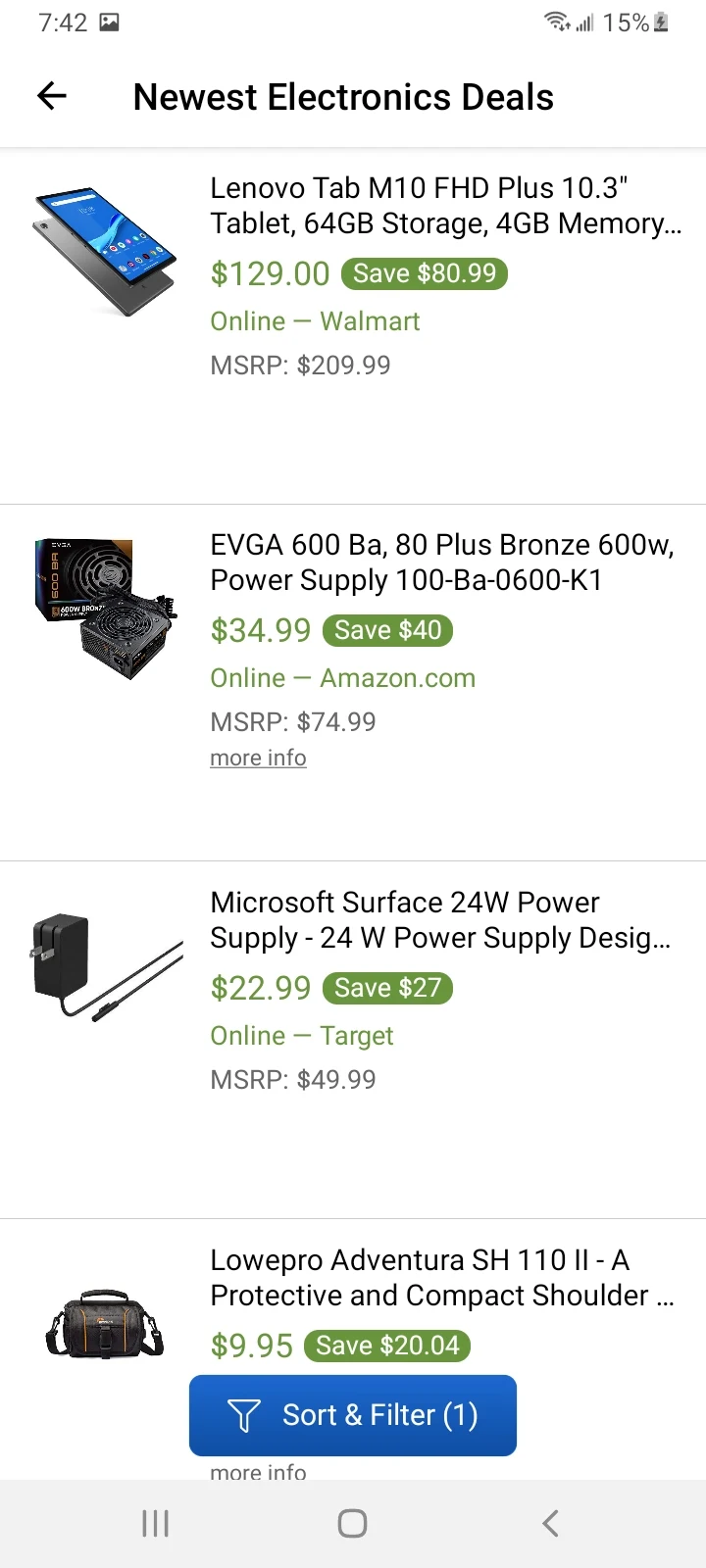
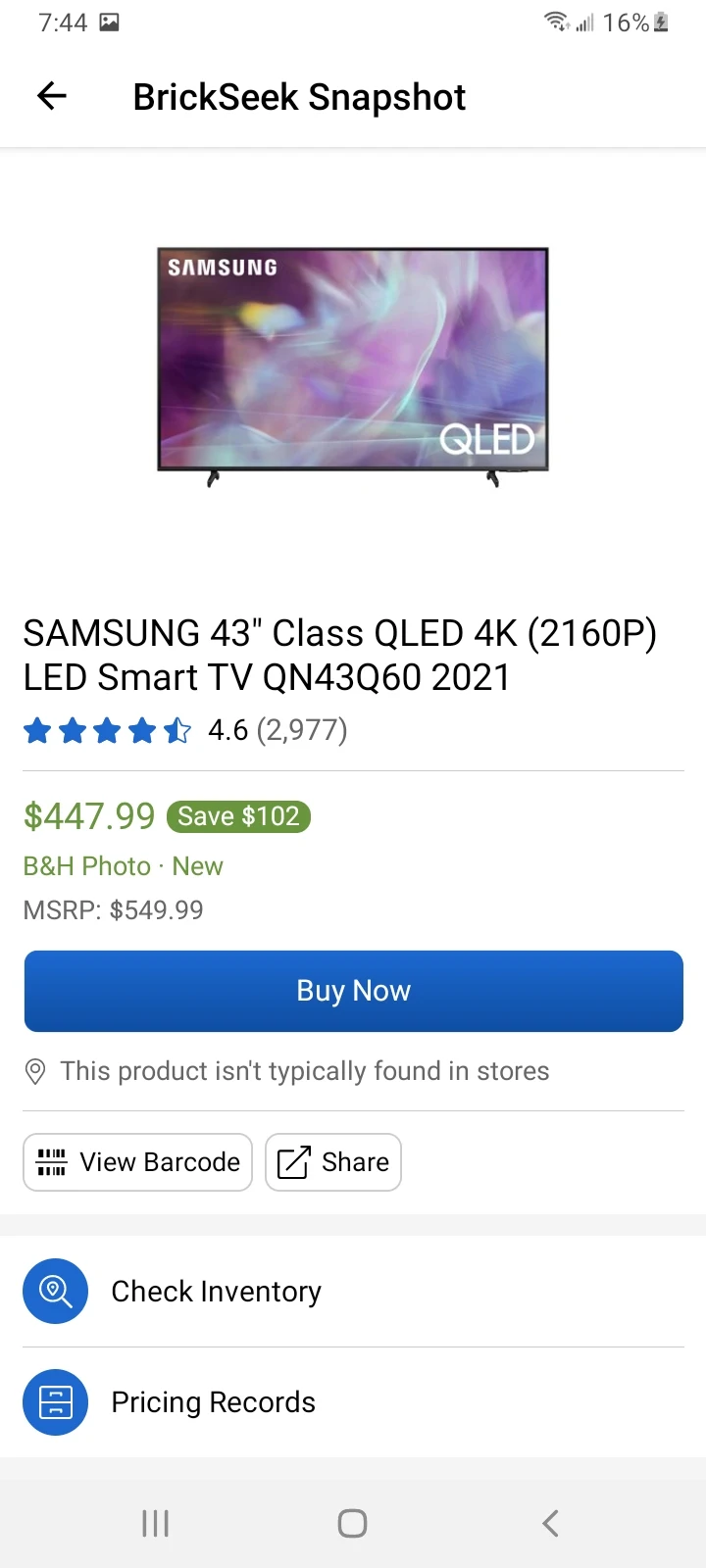
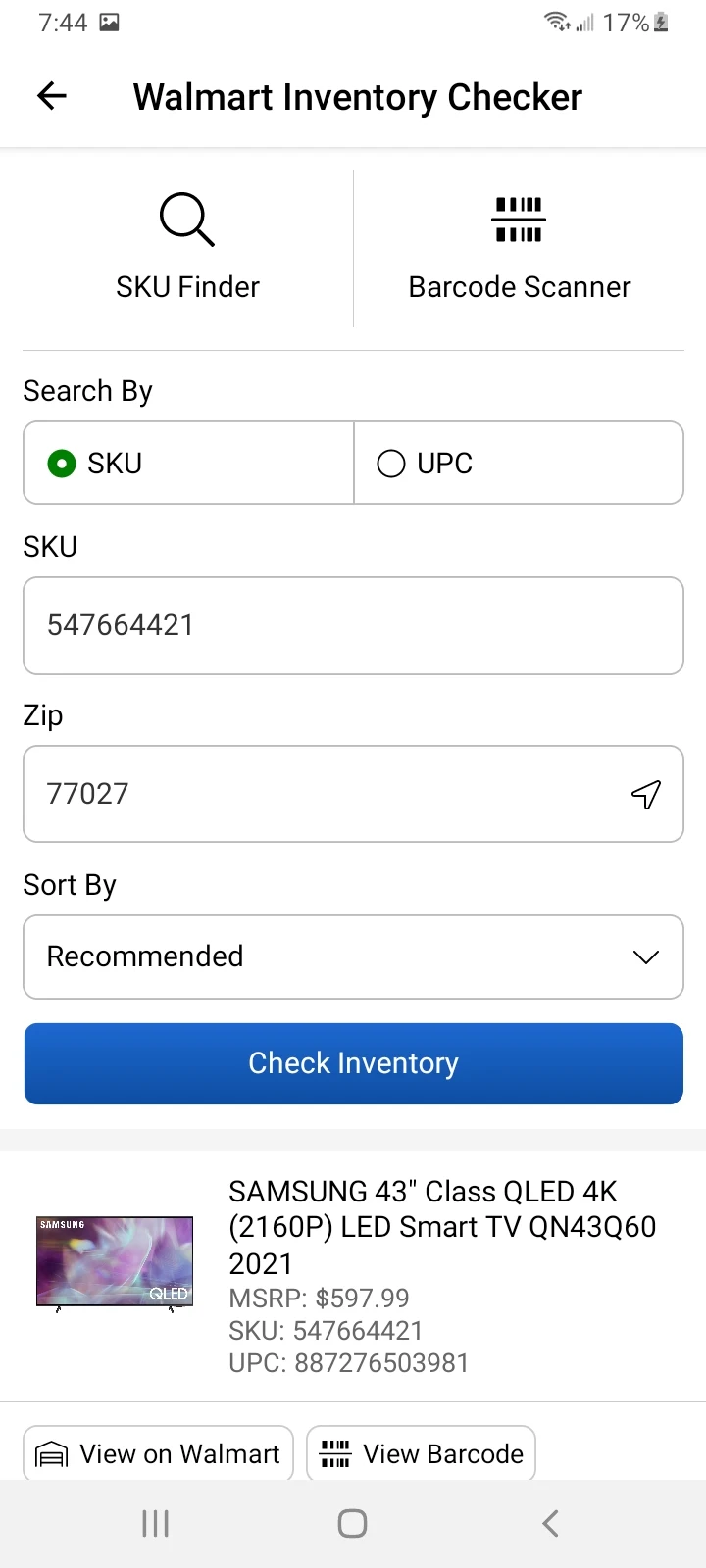
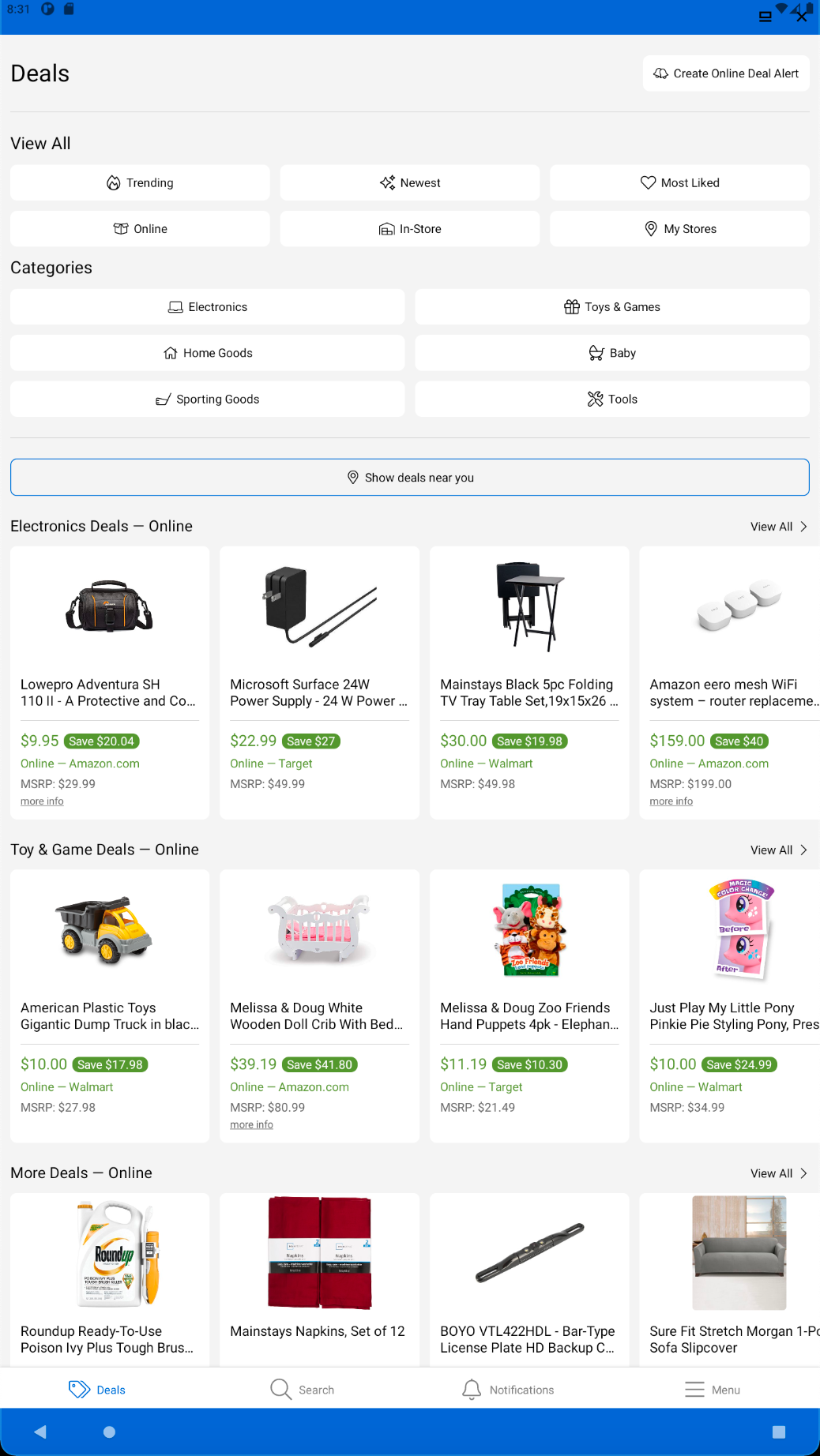
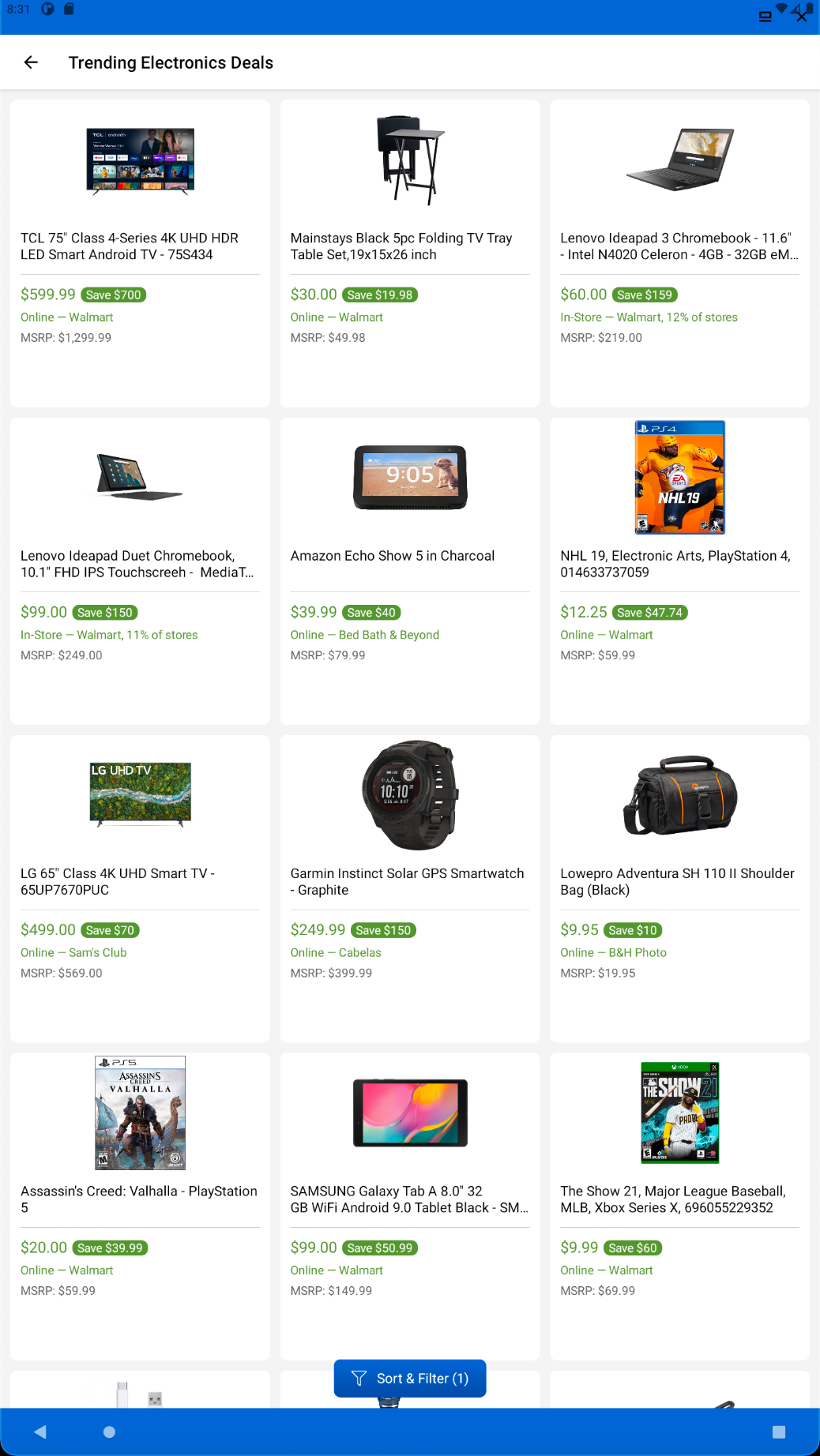
BrickSeek offers a fantastic approach to enjoy substantial savings. Uncover incredible bargains both online and in physical stores from top retailers such as Best Buy, Walmart, Amazon, Home Depot, Bed Bath & Beyond, and others.
Stay informed about the latest deals by setting up personalized online alerts for any product category, including sought-after electronics and essential home items.
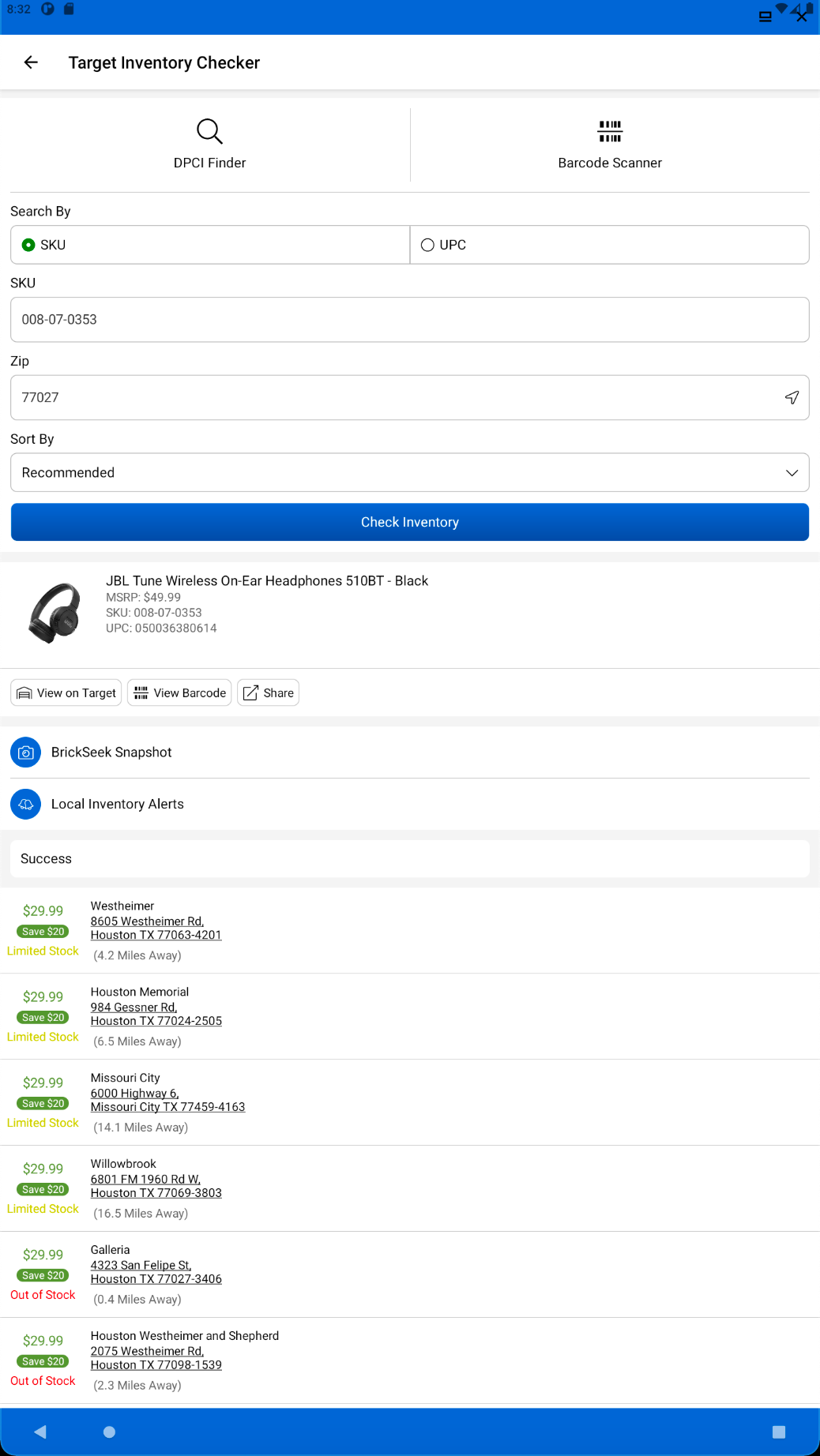
Make informed purchasing decisions. BrickSeek serves as an effective price comparison tool; just scan any barcode to see pricing information online and in-store at various leading retailers.
Common Questions & How to Set Yourself Up for Success 🎉
If you’ve recently joined BrickSeek and you’re thinking,
“Where are the TV deals I was hoping for?” 🤔
You’re not alone—and the good news is, you’re not doing anything wrong!
🙋♀️ One of the most common questions we get is:
“Why haven’t I seen any exciting deals yet?”
The short answer:
👉 Deals ebb and flow. Sometimes they’re hot and frequent. Other times, it’s all about timing, patience and preparation. And that’s exactly what this post is here to explain.
📉 The Nature of Deals: Ebb, Flow and Timing
Markdowns happen in cycles—based on:
• Inventory levels
• Store/region-specific clearance schedules
• Seasonal changes ⛱🏂🍂🌱
• Online flash sales ✨
• Manufacturer promotions
Some days, it might feel slow—like nothing amazing is happening in your area or for the categories you care about. But often, a wave of deals is right around the corner. 🌊
📡 Think of BrickSeek like a radar system. You might not see something today—but when the radar pings, you’ll want to act fast! 🏃♀️
✅ How to Set Yourself Up for Deal-Hunting Success
The #1 mistake new members make?
👉 Not setting up their Deal Alerts.
BrickSeek can’t notify you about price drops in categories you haven’t told it to watch. If you haven’t created all 10 alerts yet, you’re leaving potential deals on the table. Here’s how to get fully prepped:
1. Set All 10 Deal Alerts
Max them out. Focus on a mix of:
• High-interest categories (TVs, electronics, tools, toys)
• Everyday essentials (kitchen gear, cleaning, personal care)
• Seasonal items (patio furniture in summer, gifts near the holidays)
📢 Pro Tip: Adjust your alerts each month based on what you’re shopping for.
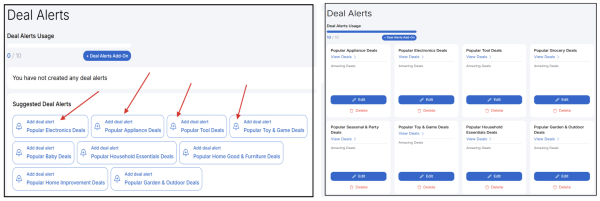
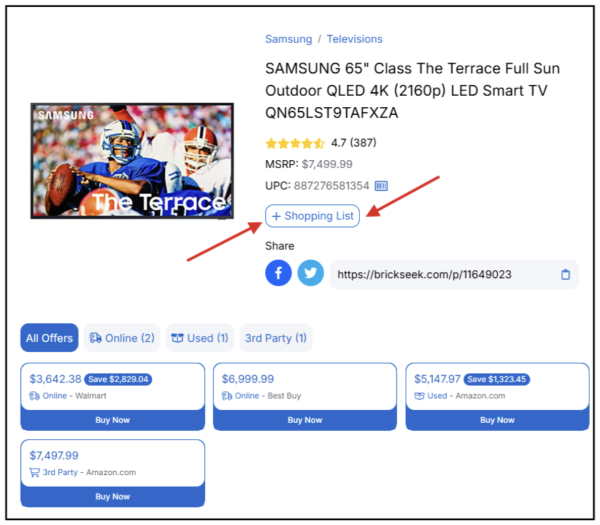
2. Add Specific Items to Your Shopping List.
Want a certain TV or product? Add it to your Shopping List. BrickSeek will scan it 24/7 and notify you the moment a price drop is detected.
3. Pay Attention to Notifications & Emails
• When BrickSeek sends you a Deal Alert or Daily Update, timing matters. Some items sell out in hours—or even minutes.
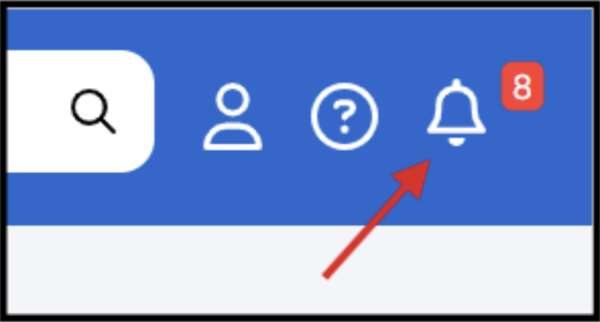
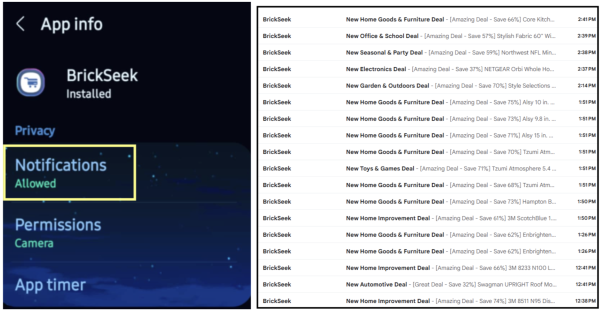
• In the account settings area of your BrickSeek account, confirm where notifications are being sent in addition to your Notifications area (bell icon).
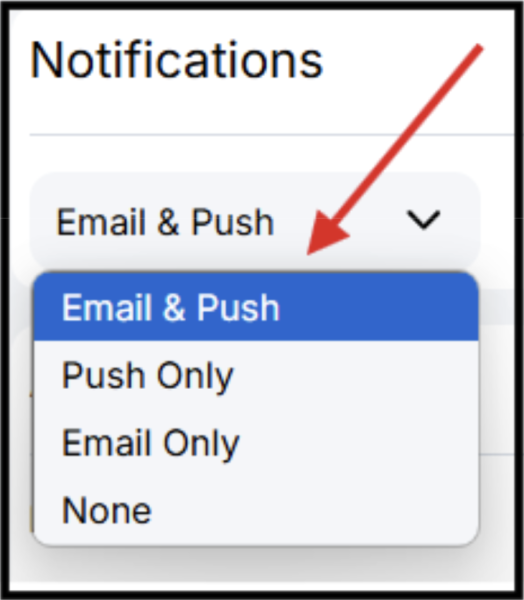
• Set your phone’s app to allow BrickSeek push notifications and be sure your email filters aren’t pushing BrickSeek updates into your promotions or spam folder.
🔄 “I’m Not Seeing Any Local Deals…Why?”
Every store is different. Inventory, markdowns and policies vary by location, by retailer and even by manager. 📌 Common reasons you may not see deals immediately:
• You’re searching too broadly or too narrowly
• Your selected “My Stores” don’t have active markdowns right now
• Your Deal Alerts haven’t been triggered yet
• The categories you’re tracking haven’t hit clearance cycles
🕒 Patience Pays Off
Some members see big wins right away. Others take a few weeks before their first major deal pops. But the key is:
✔ Be patient
✔ Stay consistent
✔ Check your emails and app daily
💰 We’ve seen members save hundreds—even thousands—over time just by being ready when the right deal lands. 💵
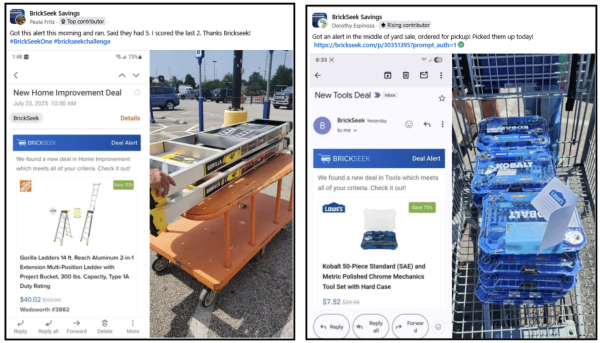
👉 WIth her Home Improvement Deal Alert, Paula saved over $275!
👉 An alert for an easy Tools pick up deal, saved Dorothy approximately $270!
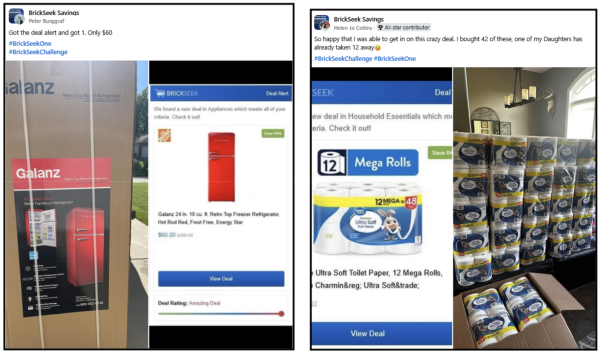
👉 With his Appliance Deal alert, Peter was able to save over $500!
👉 Helen saved over $340 and didn’t even have to leave her house to score this online Household Essentials deal.
❓ Other Common FAQs
Q: Can BrickSeek guarantee that the deal will be available at my store?
A: No, inventory and pricing are controlled by the retailer. BrickSeek gives you the most accurate possible info, but in-store stock can change quickly.
Q: I’m only seeing full-priced items—why?
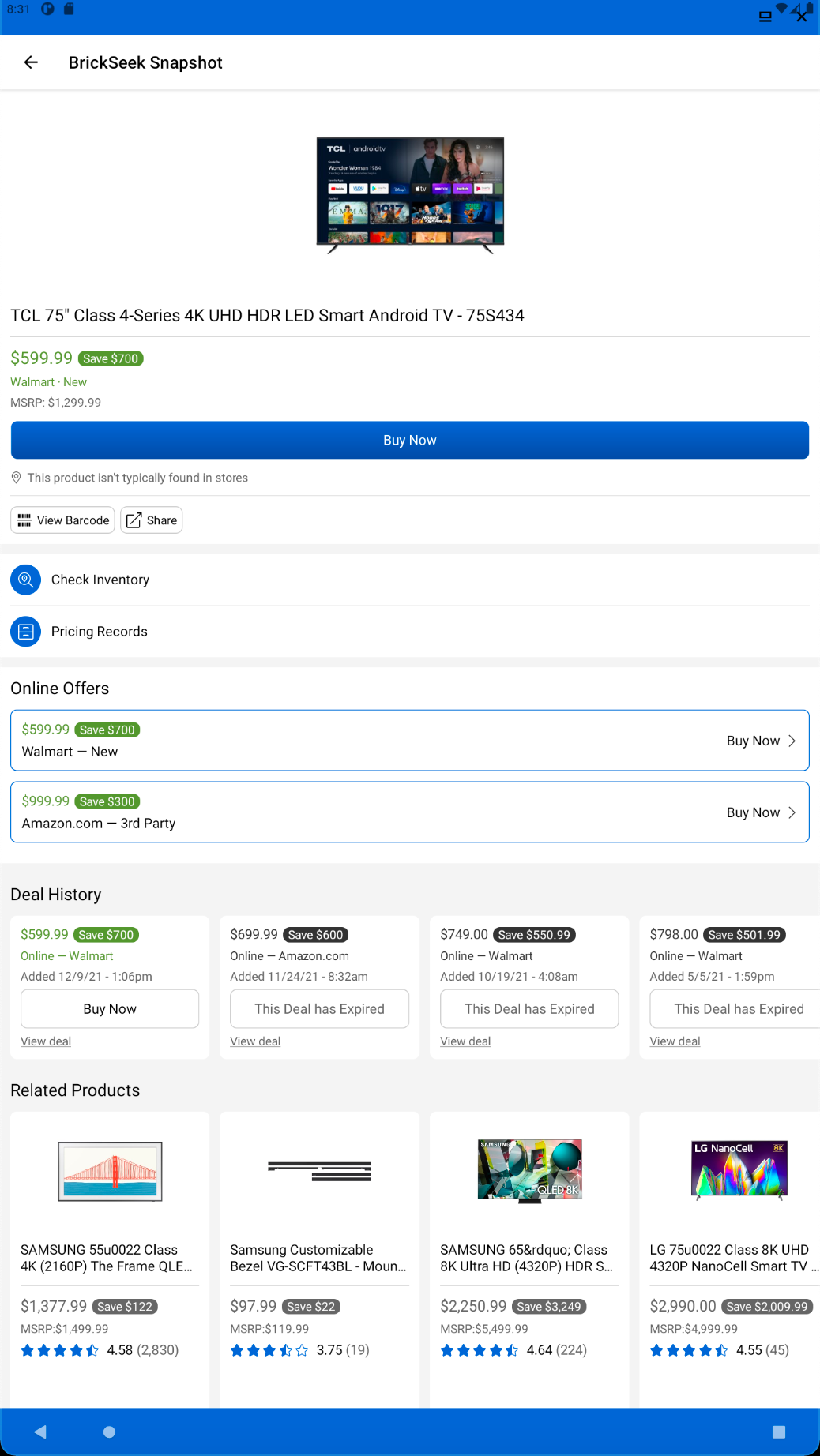
A: It might be a quiet period in your area or category. Stay the course, refine your alerts and check the Snapshot Page to compare prices.
Q: How do I know if it’s actually a good deal?
A: Use BrickSeek’s Snapshot Page to evaluate if the current price is worth jumping on.
🎯 Final Thought: Your Membership is an Investment 💰
You don’t need to score a massive deal every day to get your money’s worth. In fact, just one smart find that saves you more than $10 covers the cost of your BrickSeek One membership for the entire month.
✨✨ But here’s the bonus: ✨✨
That same deal could do even more than save you money. 🎉
When you share it in our BrickSeek Savings Facebook Group and include the hashtags #BrickSeekChallenge and #BrickSeekOne, you’ll earn an entry into our exclusive monthly giveaway—where members can win:
• Free BrickSeek membership credits
• Official BrickSeek merch (shirts, hoodies, hats)
• BrickSeek Mystery Deal Boxes (real deals we scored and are giving away!)
🏆 One deal = your membership pays for itself and gives you a shot at winning even more.
🚨So stay ready, keep your alerts active, and when that deal hits—go for it.🔥

🛠 Ready to Lock in Your First Big Find?
✅ Set your Deal Alerts
✅ Add items to your Shopping List
✅ Open every Daily Update email
✅ Stay active in the BrickSeek Savings Group
✅ Take the #BrickSeekChallenge by saving $10+ and sharing your find!
- Version2.1.2
- UpdateSep 24, 2026
- DeveloperBrickSeek
- CategoryShopping
- Requires AndroidAndroid 6+
- Downloads179K+
- Package Nameapp.brickseek.com.brickseekapp
- Signature8e6a9eb980a190800f6c21a1549f7dea
- Available on
- ReportFlag as inappropriate
















User-friendly for deal hunting
Potential for significant savings
Quick access to local inventory information
Alerts for new deals and promotions
Built-in barcode scanner feature
Offers both free and premium subscription options
Useful for resellers looking for discounted items
Recent updates decreased functionality and user experience
Inaccurate inventory counts and pricing information
No option to browse all deals or search as before
Frequent login issues and app crashes
Limited customization and filtering options
Poor customer service and unresolved technical problems
Daily deal feature not appealing to users seeking variety