
ZUS Coffee - Coffee delivery service
Experience handcrafted coffee delivered to your doorstep—premium quality, convenience & special offers await you!

- 5.5.8 Version
- 3.2 Score
- 2M+ Downloads
- Free License
- 3+ Content Rating


About the ZUS Coffee App
The ZUS Coffee app is the official mobile ordering app from ZUS Coffee, developed by ZUS Coffee Global. ZUS positions itself as a tech-driven coffee chain, and the ZUS Coffee app is the main way customers order handcrafted specialty coffee for pickup or delivery.
Instead of relying on walk-in queues, the ZUS Coffee app gives users an online-to-offline flow: browse drinks, choose an outlet, place the order, and collect or get it delivered.
Store-ready features:
Order handcrafted coffee and menu items in a few taps
Choose Pickup or Delivery by nearest outlet
Auto-detect closest ZUS outlet
ZUS Coffee Club membership built into the app
ZUS Points, vouchers, missions, and rewards wallet
Payments via ZUS Balance, Touch ’n Go, GrabPay, Boost, ShopeePay, cards, and FPX
First-time app-user Buy 1 Free 1 promo (T&C apply)
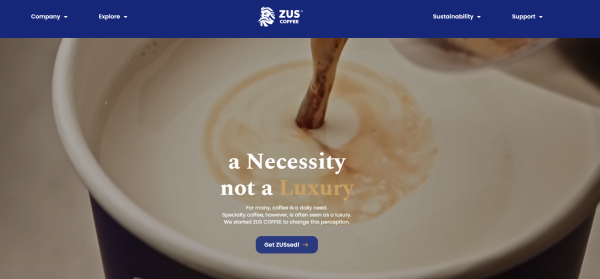
The Play Store listing describes the ZUS Coffee app as “a Necessity, not a Luxury” and highlights 100% Arabica beans, anti-spillage lid, and coffee delivery experience.
How to Use the ZUS Coffee App
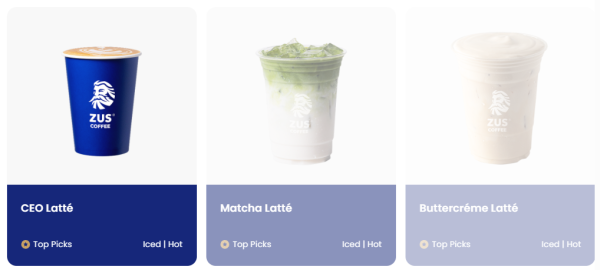
The ZUS Coffee app follows a simple three-step order flow from the official site:
Enter your address — the app detects nearby ZUS outlets for delivery.
Select your beverage — pick handcrafted drinks, modifiers, and quantity.
Checkout — choose pickup or delivery, apply voucher if available, then pay.
Reward setup guide:
Sign up in the app → you automatically join ZUS Coffee Club
Earn ZUS Points for every MYR spent on eligible app orders
Collect cup counts only through ZUS app orders, not normal walk-in counters
Upgrade tier by buying full-price handcrafted cups:
Easy Goer → Rising Star → Super Addict → ZUS Elite
Redeem rewards from the app wallet: free drinks, birthday cake voucher, delivery perks
Use referral code during signup if you have one; new-user vouchers appear in-app
Tip for store copy: cup counts and Coffee Club tracking are app-order features — the ZUS Coffee app is what unlocks them, not the physical counter alone.
ZUS Coffee App FAQ
Is the ZUS Coffee app free?
Yes. The app is free to download and use; only orders are charged.
What payment methods are supported?
The ZUS Coffee app supports ZUS Balance, Touch ’n Go eWallet, GrabPay, Boost, ShopeePay / SPayLater, Visa/Mastercard, and FPX online banking.
How do I get Buy 1 Free 1?
The official site promotes Buy 1 Free 1 for first-time app-users. Voucher availability and validity show inside the ZUS Coffee app wallet.
Do walk-in orders count for membership cups?
No. Cup counts are only collected through orders placed in the ZUS Coffee app. In-store baristas can still help earn ZUS Points if you give your registered phone number.
Why did payment fail?
Force quit the ZUS Coffee app, update to the latest version, switch payment method, and check balance or internet connection. If money was deducted without an order, screenshot the transaction and contact ZUS support.
Can I edit an order after checkout?
Usually no — address, items, pickup/delivery mode are locked after the order is placed in the ZUS Coffee app.
Why Install ZUS Coffee?
Install the ZUS Coffee app if you order ZUS regularly and want faster pickup, delivery, and app-only rewards.
Best-fit users:
Malaysia users near ICA-style grab-and-go coffee outlets
Commuters who pre-order before reaching the store
Rewards users tracking ZUS Points and cup counts
First-time users claiming Buy 1 Free 1
ZUS Elite seekers who buy handcrafted drinks often
- Version5.5.8
- UpdateOct 16, 2026
- DeveloperZUS Coffee Global
- CategoryFood & Drink
- Requires AndroidAndroid 8.0+
- Downloads2M+
- Package Namecom.coffee.love_coffee
- Signature57d8791845ca331c9eefa8a85df70e03
- Available on
- ReportFlag as inappropriate
-
NameSizeDownload
-
86.45 MB
-
92.12 MB
-
89.67 MB












Convenient online ordering process
Quick response from customer support
Easy app navigation and user-friendly interface
Detailed menu and ingredient descriptions
Reward points system through the app
Swift delivery times
Regular promotions and offers available
Ability to top up e-wallets for discounts
Integration of additional payment methods
Frequent app crashes and bugs after updates
Delayed responses from customer service
Inability to track deliveries or see estimated wait times
Difficulties with payment processing, especially card details
Limited ability to use vouchers at checkout
Unreliable notifications regarding promotions
Missing funds in e-wallet after top-ups
Lack of feedback on order status during peak times
Poor quality control on products and availability