SolarPortal - Solar system monitoring & management
Easily monitor & manage your solar systems with real-time data access, saving time & money wherever you are!
- 2.3.7 Version
- 2.0 Score
- 208K+ Downloads
- Free License
- 3+ Content Rating

1. App Overview
SolarPortal is a solar energy monitoring and management application developed by Azure Solar and associated with GoodWe Technologies Co., Ltd. It serves as a mobile interface for the SolarPortal online platform, enabling solar system owners, operators, installers, and maintenance personnel to manage photovoltaic (PV) installations and monitor connected equipment.
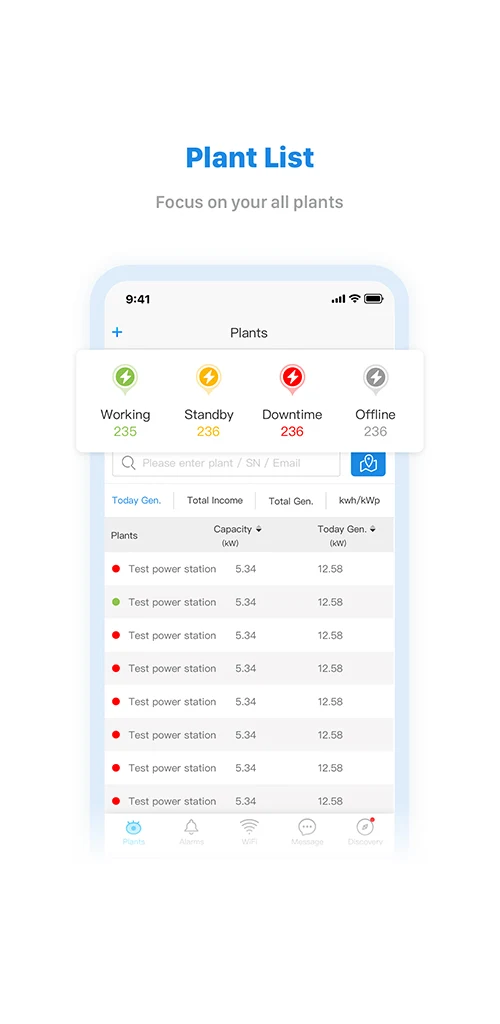
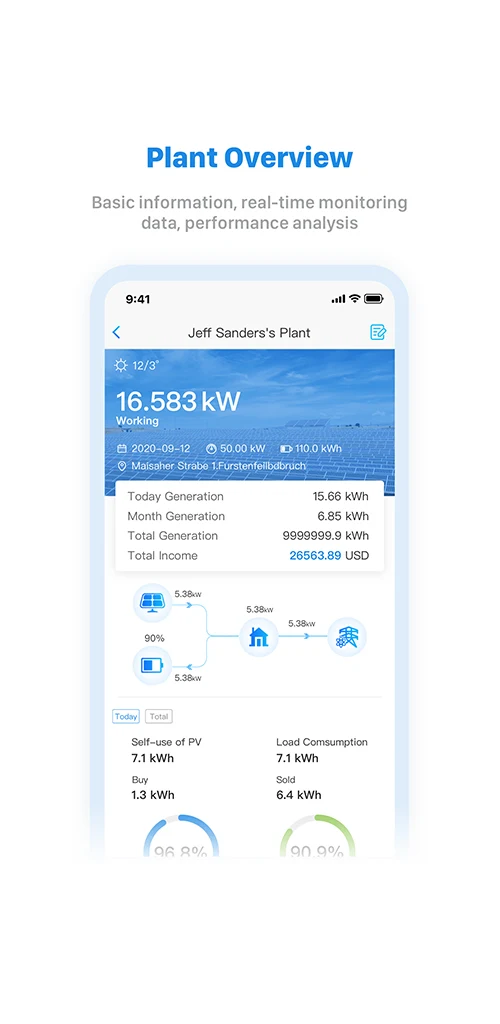
The platform covers power plant management, inverter monitoring, equipment diagnostics, and maintenance information. Users can register solar installations, review inverter operating data, check software versions, and monitor equipment alarms. Its management tools accommodate both individual installations and larger portfolios of PV systems, with account and organization management functions for different user roles.
SolarPortal is compatible with supported inverter communication devices that use Wi-Fi, LAN, 4G, and GPRS connections. Depending on the hardware and account permissions, technical personnel can access communication settings, inspect equipment conditions, and adjust supported configuration parameters. These functions make the platform relevant to both routine system monitoring and installation maintenance.
The mobile application extends the web-based SolarPortal service to smartphones, allowing authorized users to access installation records and technical information remotely. Available functions vary according to the connected equipment, account type, and assigned permissions.
2. Key Features
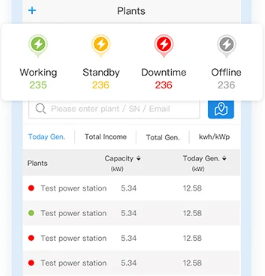
PV Installation Management: Register and manage solar power plants, including their associated system information.
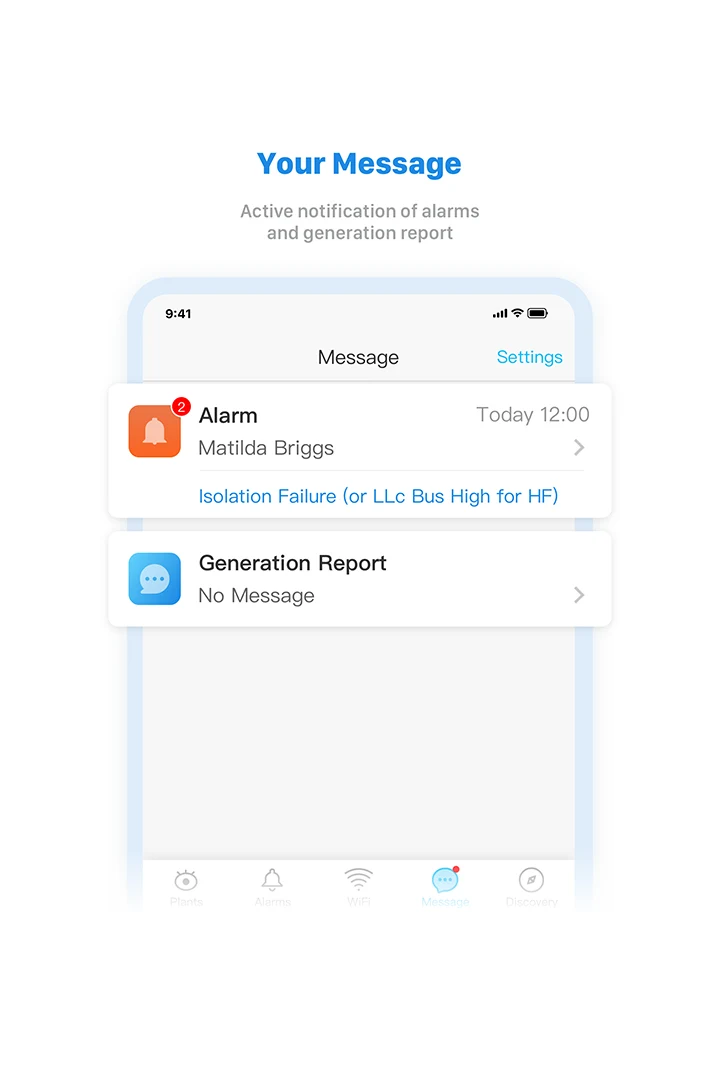
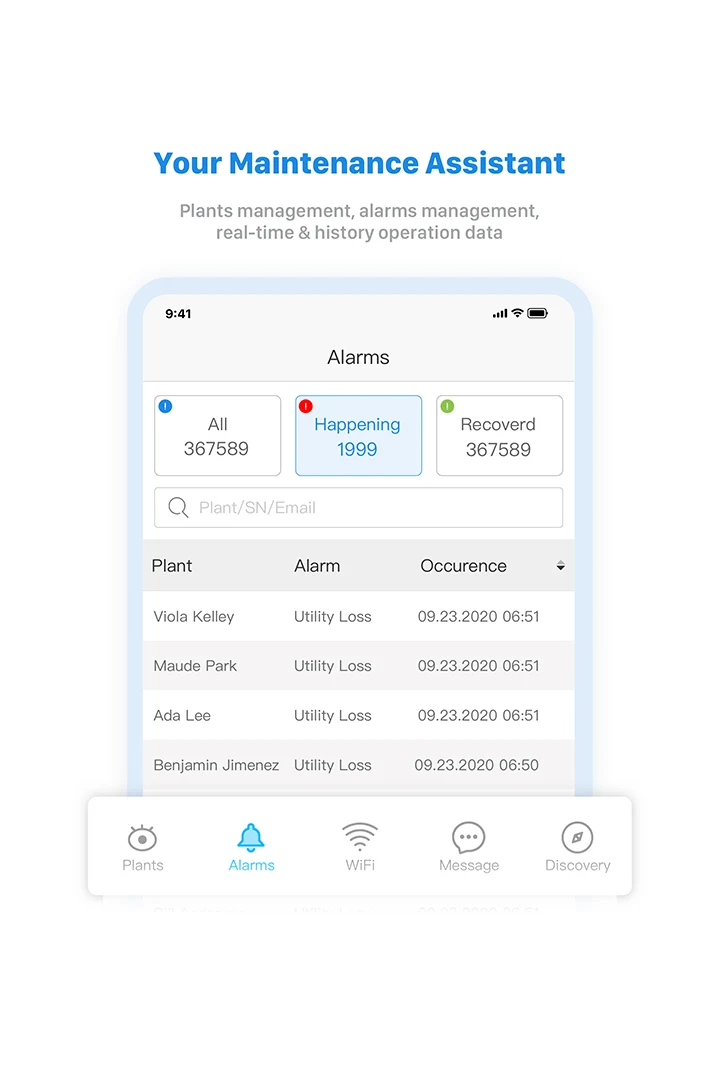
Inverter Monitoring: Review inverter operating data, software versions, and equipment alarms.
Multiple Communication Methods: Work with compatible inverter communication devices using Wi-Fi, LAN, 4G, and GPRS.
Equipment Configuration: Access network and communication settings for supported inverter hardware.
Equipment Diagnostics: Inspect equipment conditions and review reported faults or alarms.
Account and Organization Management: Manage user information and organizational details across different account types.
Mobile System Access: View installation records and access supported monitoring and configuration functions from a smartphone.
3. Main Functions
Register an account using an email address and verification code.
Sign in to view photovoltaic installations assigned to the account.
Add solar power plants and update their registration details.
Check inverter operating data and installed software versions.
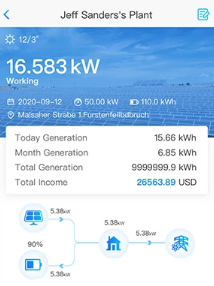
Monitor equipment status and review reported alarms.
Configure available network and communication parameters for compatible inverters.
Update organization information and manage account details.
Access technical information for equipment inspection and maintenance.
4. Frequently Asked Questions (FAQ)
Q1: What is SolarPortal used for?
SolarPortal is a platform for monitoring and managing photovoltaic installations. Its mobile application allows authorized users to view registered power plants, inspect inverter information, check equipment alarms, and access supported configuration tools.
Q2: Who can use SolarPortal?
The platform is designed for solar installation owners, plant operators, installers, and maintenance professionals. Available functions depend on the user's account type and assigned permissions.
Q3: Is an account required to use SolarPortal?
Yes. Users must register or sign in to access platform information. End users can register with an email address and verification code. Installer and company accounts may require authorization from an existing administrator or equipment supplier.
Q4: Which communication methods does SolarPortal support?
SolarPortal works with compatible inverter communication devices using Wi-Fi, LAN, 4G, and GPRS. Compatibility depends on the inverter model and installed communication hardware.
Q5: Is SolarPortal free?
The Android application is free to download. However, certain platform services may involve additional charges under the applicable service terms.
Q6: Is SolarPortal available for iPhone?
SolarPortal previously had an iOS version, but its App Store listing was removed in 2026 according to archived listing records. The Android version remains available on Google Play.
- Version2.3.7
- UpdateNov 27, 2026
- DeveloperAzure Solar
- CategoryTools
- Requires AndroidAndroid 5.0+
- Downloads208K+
- Package Namecom.goodwe.solarportal
- Signature69fbe27475a1da988b62d081c71e814b
- Available on
- ReportFlag as inappropriate
-
NameSizeDownload
-
93.68 MB
-
91.27 MB
-
80.93 MB