
RTO Vehicle Information - Vehicle registration check
Discover vehicle details instantly with this handy RTO database app
- 13.36 Version
- 4.5 Score
- 52M+ Downloads
- In-app purchases License
- 3+ Content Rating


About RTO Vehicle Information
RTO Vehicle Information is an Indian vehicle information app that provides access to vehicle registration records, traffic fine details, driving licence information, and related services. Users can search by vehicle registration number to view available Registration Certificate (RC) details, including ownership information and registration date.
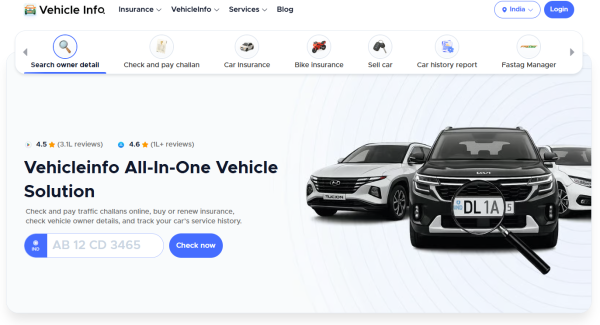
The app also includes an eChallan checker, a driving licence lookup tool, and a resale value calculator for cars and bikes. Its insurance section allows users to browse available vehicle insurance policies and compare coverage options. These features cover common tasks involved in checking vehicle records, evaluating used vehicles, and exploring insurance plans.
Key Features
Vehicle Registration Lookup: Search for available RC details using a vehicle registration number, including ownership information and registration date.
eChallan Checker: Check recorded traffic violations and outstanding fines associated with a vehicle.
Resale Value Calculator: Get an estimated market value for a used car or bike based on its details.
Driving Licence Lookup: Search for driving licence records and check available licence status information.
Vehicle Insurance: Browse car and bike insurance policies and review their coverage options.
How to Use RTO Vehicle Information
Select the relevant service from the app's main menu to access its corresponding tool.
For vehicle records, open the RC section and enter the registration number. To check traffic fines, use the eChallan section and provide the requested vehicle information. Driving licence searches are handled through the DL section.
The resale value calculator requires basic car or bike details to generate an estimated price. In the insurance section, users can browse available policies and compare their coverage before deciding which option to consider.
Tips for Using the App
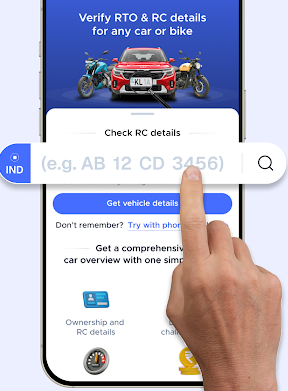
Double-check vehicle registration and licence numbers before submitting a search.
Review available RC records when checking a second-hand vehicle.
Treat resale estimates as reference prices rather than guaranteed selling values.
Compare insurance coverage and policy exclusions before choosing a plan.
FAQs
1. What services does RTO Vehicle Information offer?
The app includes vehicle registration lookups, eChallan checks, driving licence searches, used vehicle price estimates, and insurance services.
2. How can I check a vehicle's RC details?
Open the RC section, enter the vehicle registration number, and submit the search to view the available registration records.
3. Can I check traffic fines using a vehicle registration number?
Yes. Use the eChallan section to search for recorded traffic violations and outstanding fines associated with the vehicle.
4. Does the app allow driving licence status checks?
Yes. The DL section lets users search for available driving licence records and view the corresponding status information.
5. Can I estimate the resale value of a used car or bike?
Yes. Enter the required vehicle details in the resale value calculator to receive an estimated price. The actual market value may vary depending on the vehicle's age, condition, and demand.
6. How can I contact customer support?
You can use the in-app support option or email the support team at support@vehicleinfo.app.
- Version13.36
- UpdateNov 19, 2026
- DeveloperCARS24 Services Private Limited
- CategoryAuto & Vehicles
- Requires AndroidAndroid 7.0+
- Downloads52M+
- Package Namecom.vehicle.rto.vahan.status.information.register
- Signature5cfb1545bc27e1893da542544472a468
- Available on
- ReportFlag as inappropriate
-
NameSizeDownload
-
50.66 MB
-
61.84 MB
-
39.68 MB











complete information
accurate reminder
Paid shown unpaid after update