
PlayStation App - Gaming & messaging platform
Connect, chat, and control your PlayStation console on the go.

- 25.11.1 Version
- 4.1 Score
- 92M+ Downloads
- Free License
- 12+ Content Rating


About PlayStation App
PlayStation App is Sony's official mobile app for PlayStation Network (PSN) users. It combines social communication, PlayStation Store access, gaming news, and remote console management, allowing players to manage their gaming activities from a mobile device.
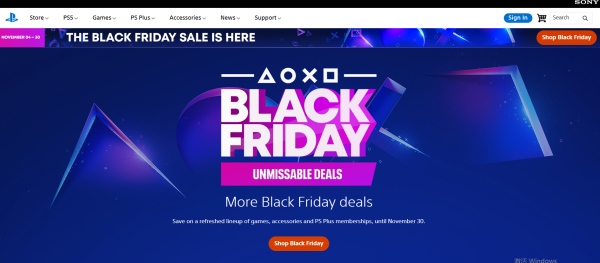
Users can view their friends' online status and current games, exchange messages, and join voice chats. Player profiles and trophy collections are also accessible through the app. Its integrated PlayStation Store features game releases, pre-orders, add-ons, and promotional offers.
For PS5 and PS4 owners, the app offers remote console functions. Users can purchase games and send them to a linked console for downloading. PS5 owners also have access to additional options, including storage management, quick sign-in, and remote game launching.
Key Features
Friends and Messaging: View friends' online status and current games, exchange messages, and join voice chats
Player Profiles and Trophies: Browse player profiles, trophy collections, and gaming achievements
PlayStation Store: Explore games, upcoming releases, pre-orders, add-ons, and promotional offers
Gaming News: Read PlayStation announcements, game updates, and gaming-related news
Mobile Notifications: Receive alerts about messages, game invitations, and other PSN activities
Remote Downloads: Purchase or select eligible games and add-ons and send them to a linked PS5 or PS4
PS5 Storage Management: Check console storage and manage available space remotely
Remote Console Access: Use supported PS5 functions, including quick sign-in and remote game launching
How to Use PlayStation App
Sign in with your PlayStation Network account after installing the app. The main interface provides access to friends, messages, the PlayStation Store, gaming news, and console management options.
The Friends and Messages sections let you view contacts, check their gaming activity, exchange messages, and start voice chats. You can also open player profiles to view trophies and other account information.

To purchase games, browse the PlayStation Store and select a title to view its details, available editions, and add-ons. Eligible purchases can be sent to a linked console for remote downloading.
For remote downloads, make sure your PS5 or PS4 is linked to the same PSN account and configured for remote access. Select the download option for an eligible game or add-on and choose the connected console.
PS5 owners can access additional console controls, including storage management, quick sign-in, and remote game launching. The available options depend on console compatibility and system settings.
FAQs
1. Can I use PlayStation App without owning a PS5 or PS4?
Yes. You can use basic features such as messaging, voice chats, browsing the PlayStation Store, viewing player profiles, and reading gaming news without owning a console. Remote console functions require a compatible linked device.
2. Why is my PS5 or PS4 not appearing in the app?
Check that the console is connected to the internet and signed in with the same PSN account used in the app. Also, verify that remote access settings are enabled where required.
3. Can I download games to my console while I'm away?
Yes. You can purchase or select eligible games and add-ons through PlayStation App and start downloads remotely. The console must have an internet connection and the appropriate power and remote access settings enabled.
4. How do I reset my PlayStation Network password?
Visit the PlayStation Account Management sign-in page and select Trouble Signing In?, followed by Reset Your Password. Enter your registered email address and follow the instructions in the recovery email. Check your spam folder if the message does not arrive.
5. Why can't I sign in to PlayStation App?
Check your PSN email address, password, and internet connection. If two-step verification is enabled, enter a valid verification code. Temporary service interruptions or account restrictions may also affect access.
6. Does PlayStation App support two-step verification?
Yes. When two-step verification is enabled on your PSN account, you may need to enter a verification code during sign-in. Depending on your account settings, the code can be received through SMS or generated by an authenticator app.
- Version25.11.1
- UpdateNov 18, 2026
- DeveloperPlayStation Mobile Inc.
- CategoryEntertainment
- Requires AndroidAndroid 8.0+
- Downloads92M+
- Package Namecom.scee.psxandroid
- Signatured17138664b89efeac71a739fdda9df43
- Available on
- ReportFlag as inappropriate
-
NameSizeDownload
-
70.39 MB
-
70.39 MB
-
70.25 MB











Allows users to receive notifications and messages from PlayStation Network
Provides real-time updates of personal achievements and game statistics
Supports control of PlayStation consoles via mobile phones
Some advanced features may not be as good on mobile devices as on the console