
OurFamilyWizard Co-Parent App - Co-parenting management & communication
Transform co-parenting dynamics with streamlined communication, shared schedules, and tools for collaboration and peace.

- 5.10.0 Version
- 2.7 Score
- 315K+ Downloads
- In-app purchases License
- 3+ Content Rating

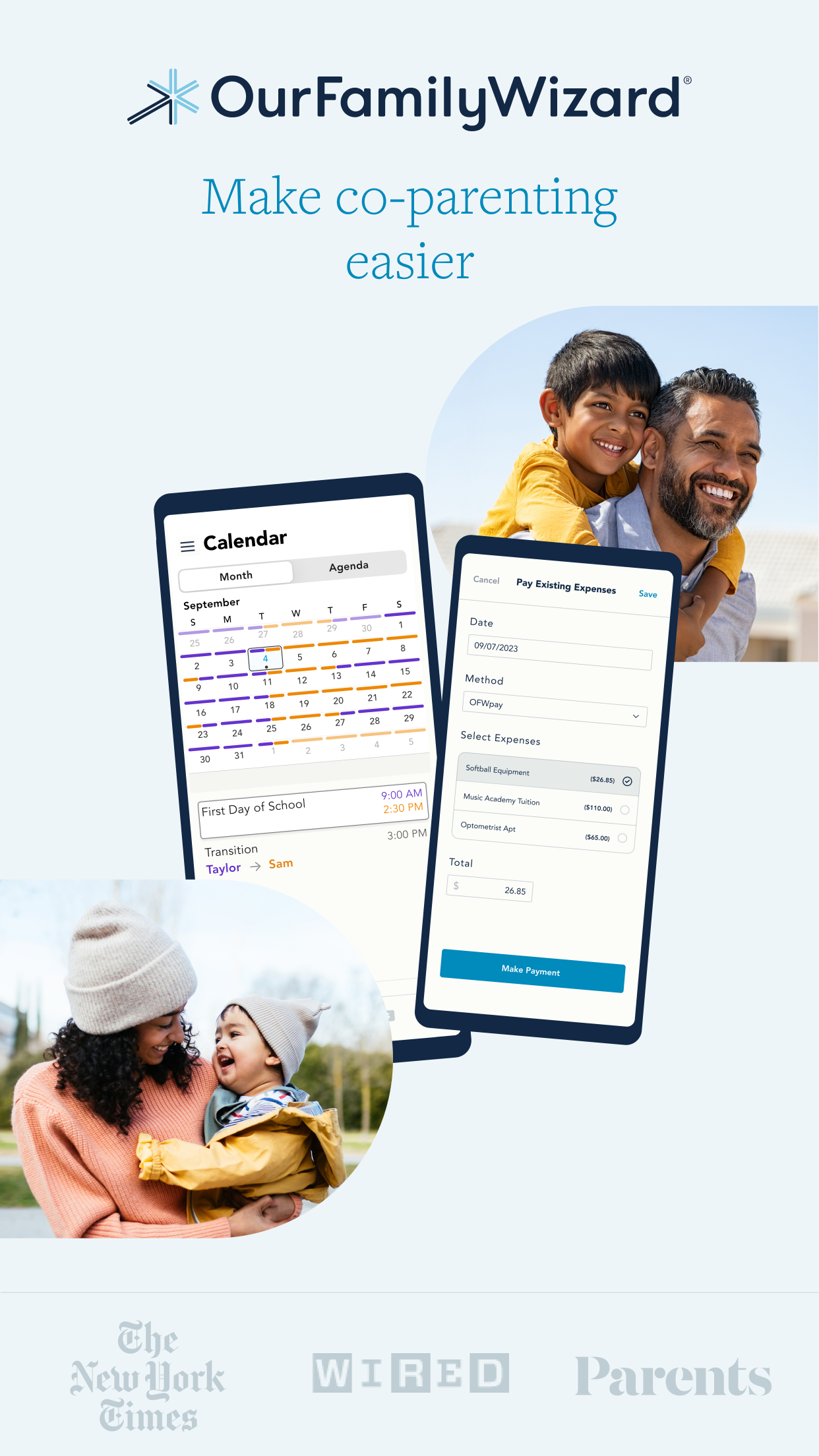
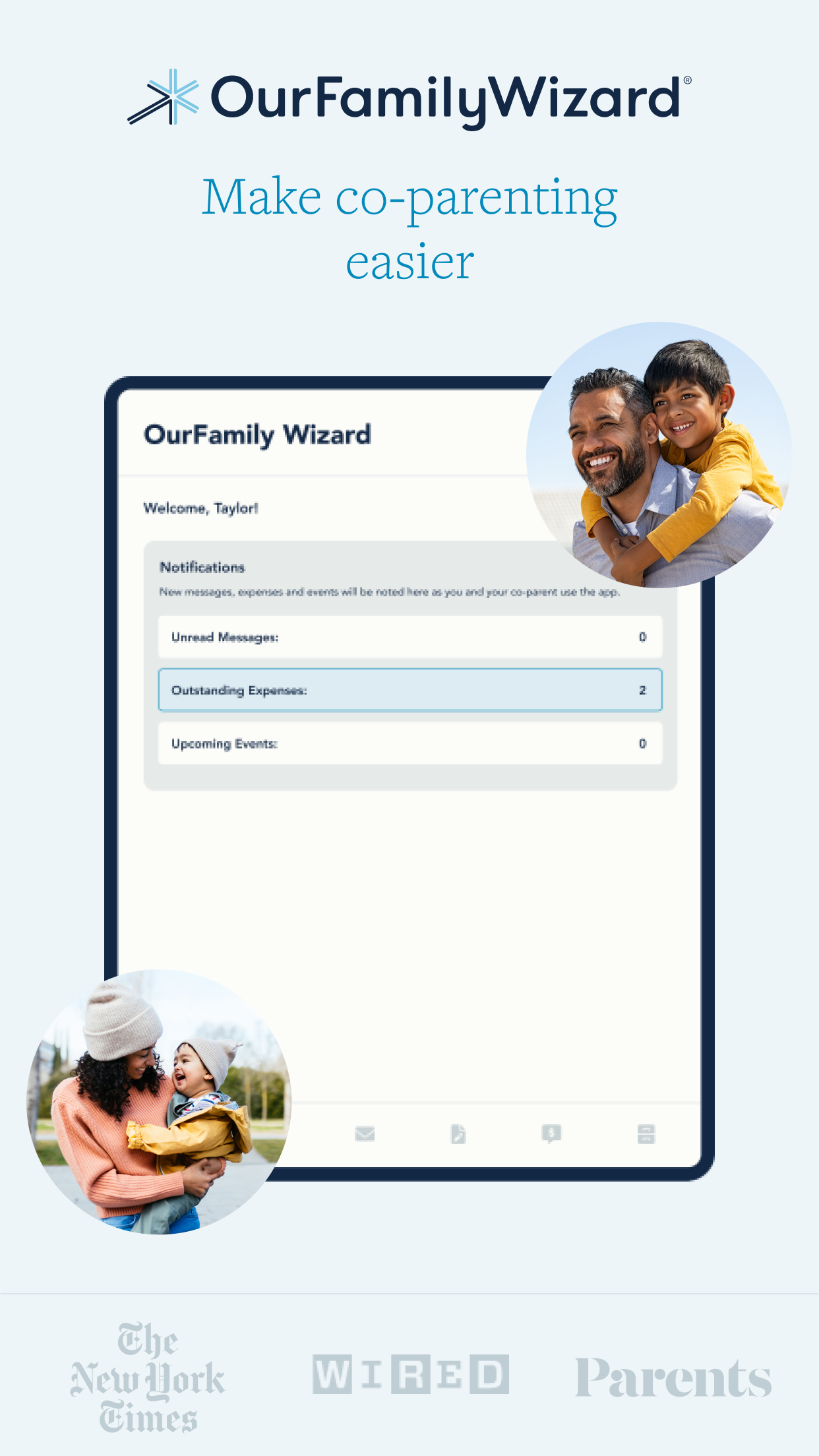
OurFamilyWizard simplifies the process of co-parenting. This application is specifically designed to help minimize conflicts, allowing your children to flourish following a separation or divorce. With our robust and adaptable tools, you can save time, emotional effort, and mental clarity.
All your digital co-parenting interactions are conveniently housed within a secure app, keeping everything organized and well-documented. Furthermore, you can protect your children from adult discussions that aren't relevant for them.
App Advantages
- Court-Approved: Accepted by courts in all 50 states, it's the preferred co-parenting tool for legal professionals.
- Data Security: All records are immutable, ensuring the authenticity and reliability of information, providing a basis for potential legal proceedings.
- Adaptable: The app's features can flexibly adapt to changing parenting situations (e.g., schedule adjustments, cost fluctuations).
- User Verification: Numerous parents report that it reduces conflict, provides a more stable environment for their children, and even improves their academic and psychological well-being.
Additional Information
- Trial & Pricing: Offers a 30-day free trial with a money-back guarantee. See full pricing for details.
- Professional Support: Provides client management capabilities not only for parents but also for legal professionals.
- Media Coverage: Featured in renowned media outlets such as The Wall Street Journal, Forbes, and USA Today.
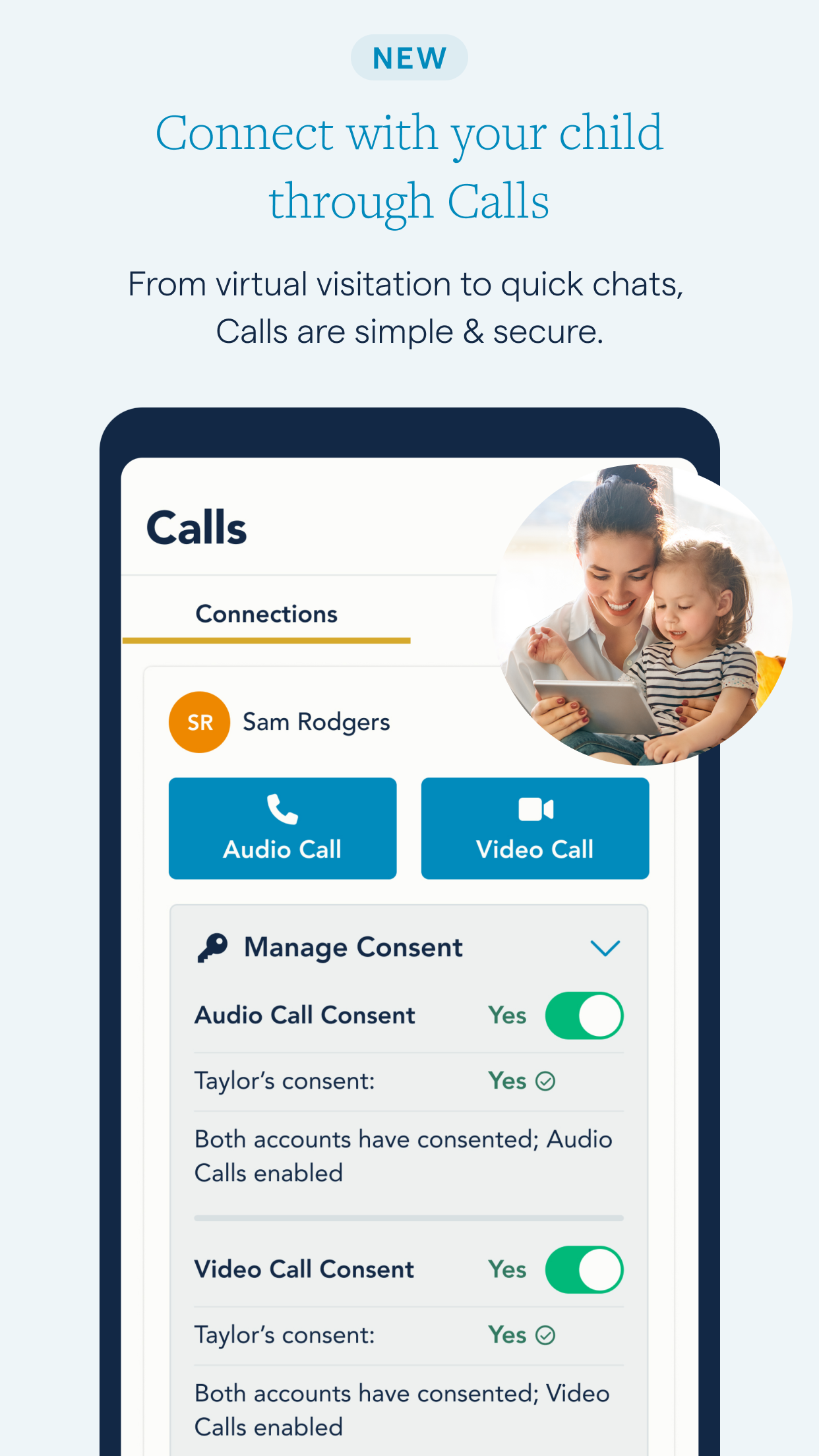
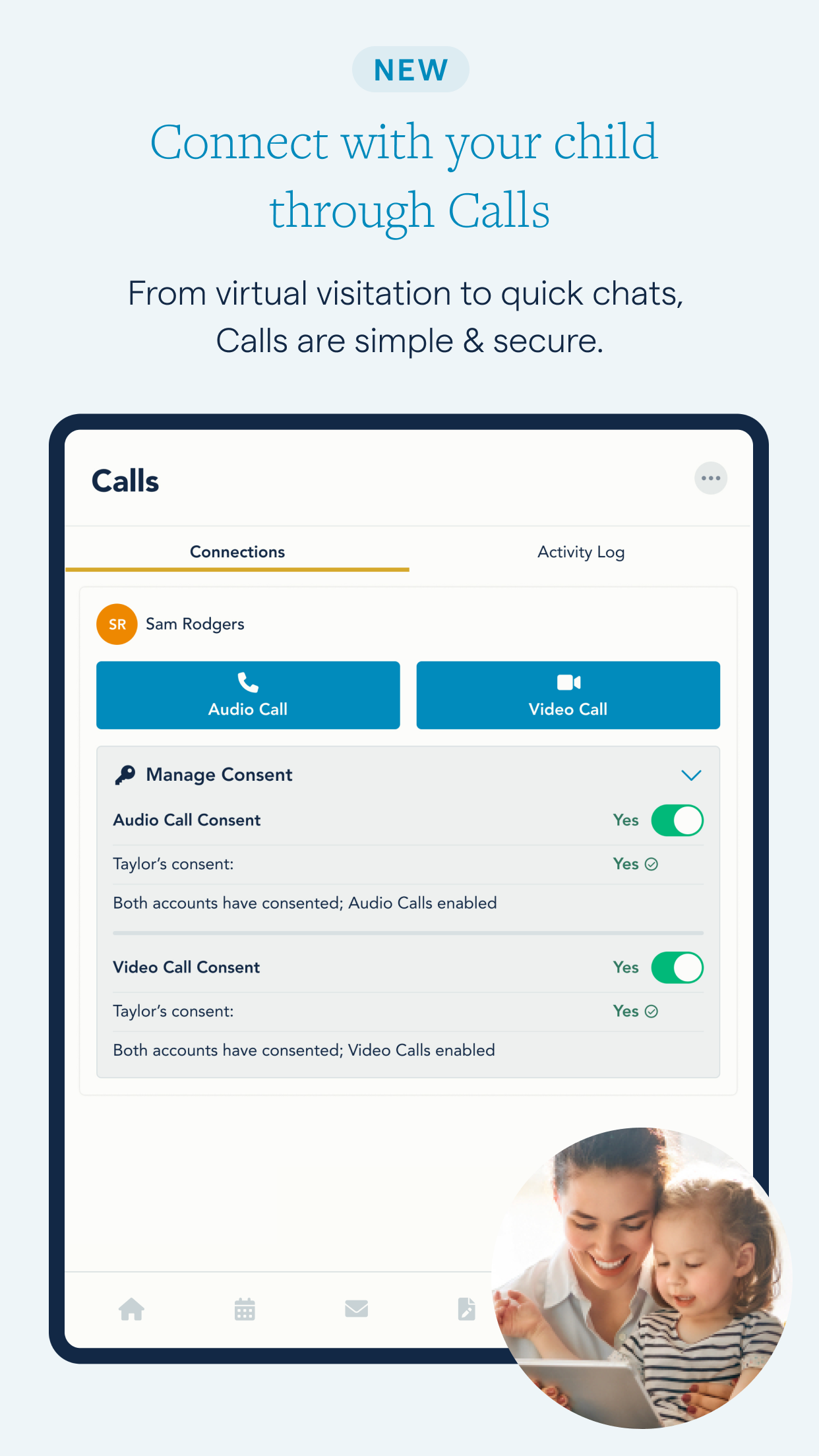
NEW: STAY CONNECTED THROUGH CALLS
• Maintain closeness even when apart
When you or your child feels the absence of the other, reach out with an audio or video call.
• Virtual connectivity
The calling feature offers a straightforward solution for virtual visitation, midweek meetings, or long-distance co-parenting.
• Automatic documentation
Calls automatically track details including all dates, times, and activities during the calls, integrated alongside your other co-parenting messages.
Simplify Communication
• Utilize a single app
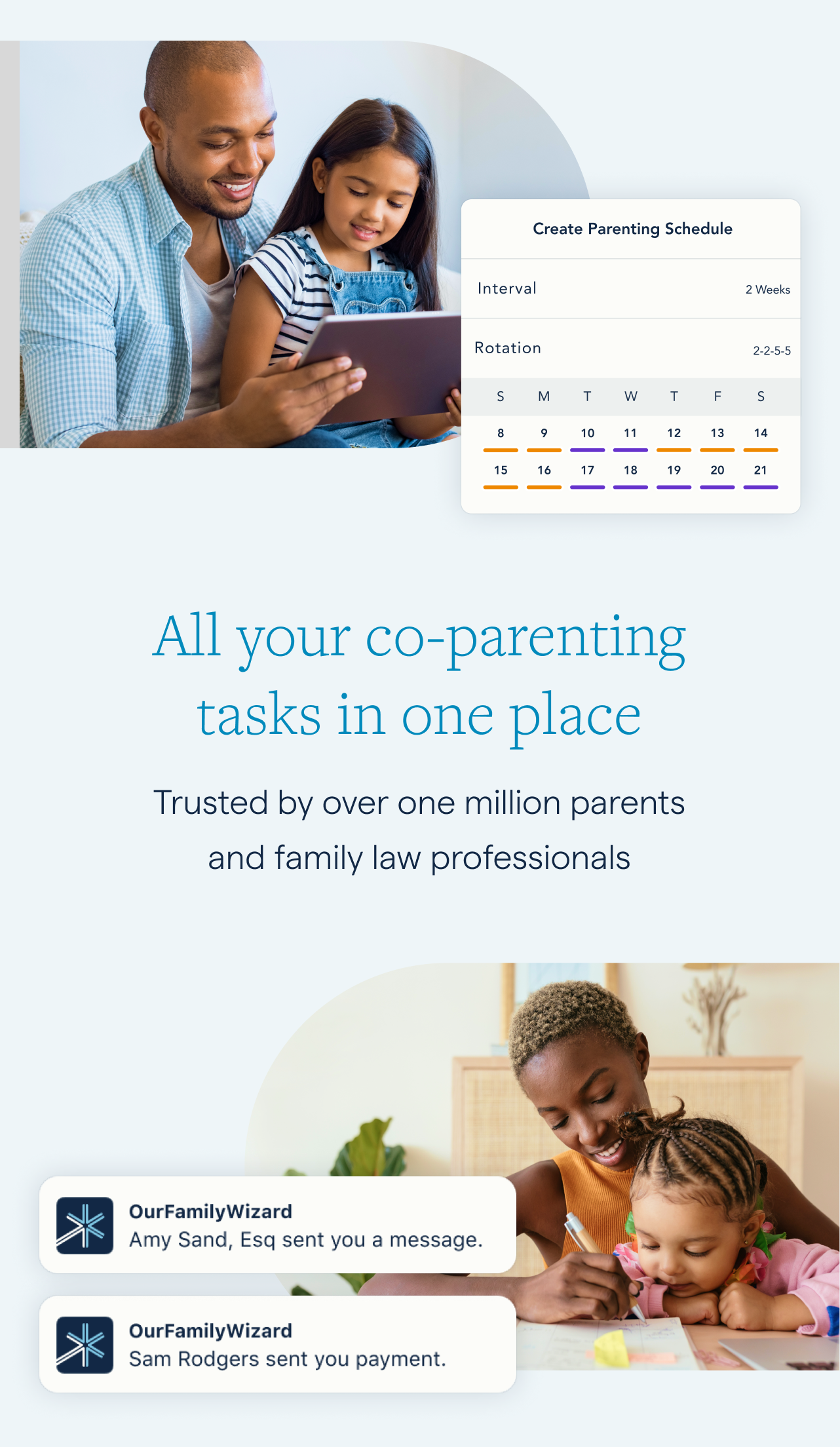
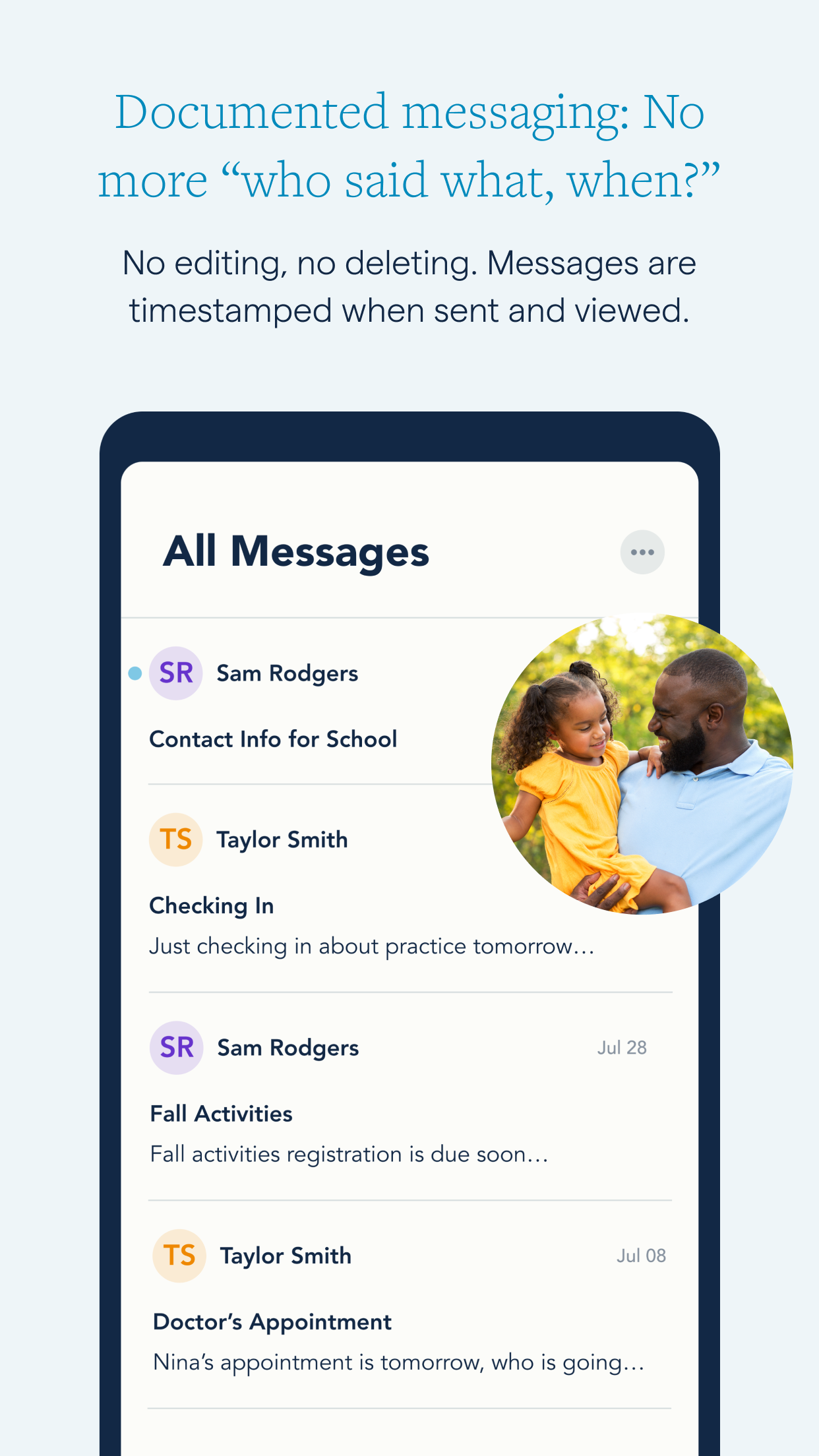
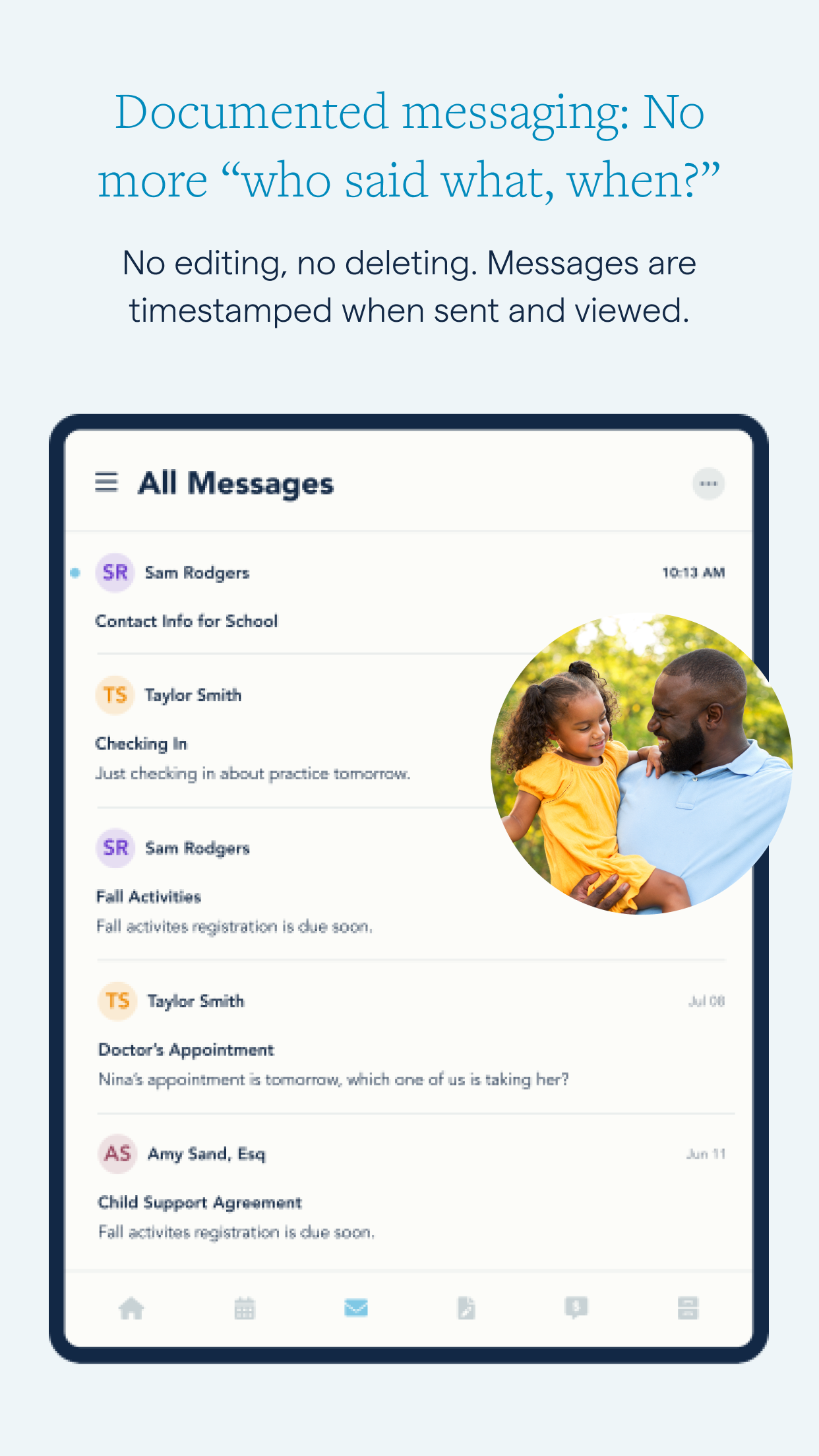
No need to sift through messages or attachments across various platforms like DMs, texts, phone calls, and emails—everything is streamlined in one secure space.
• Monitor accuracy
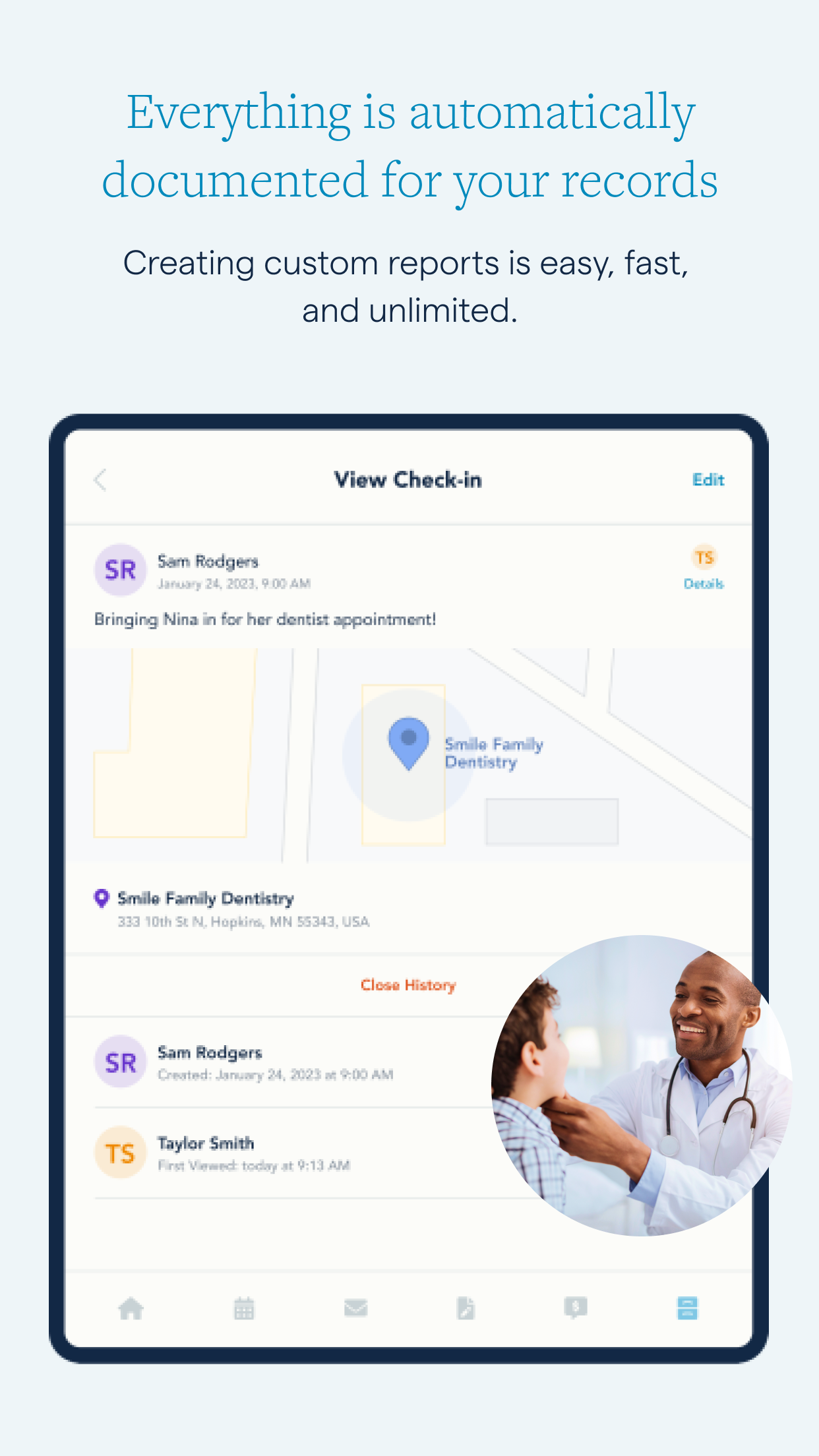
Once a message is sent, it's permanent, eliminating debates about what was said and when it was seen with first-viewed timestamps.
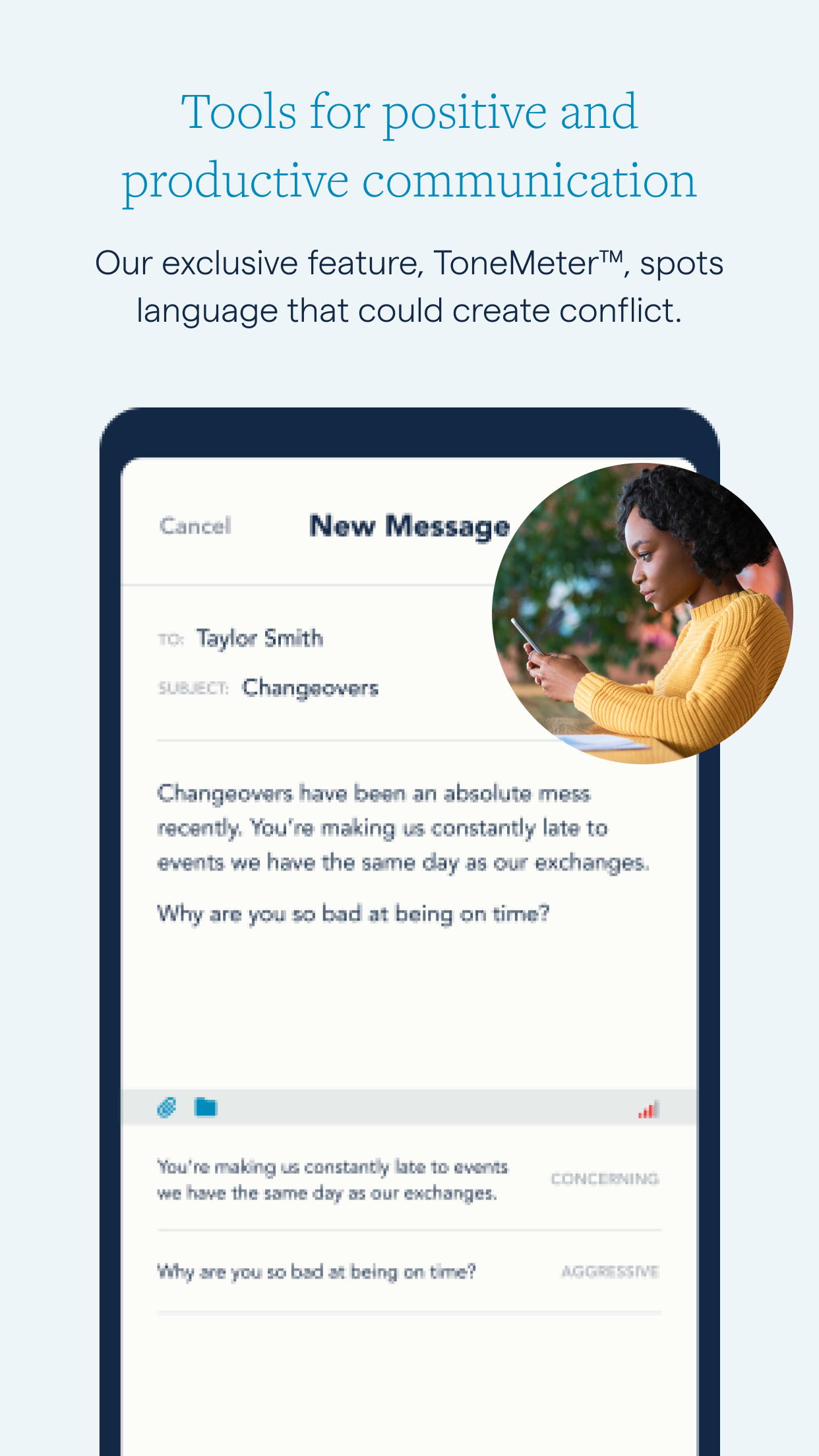
• Communicate effectively
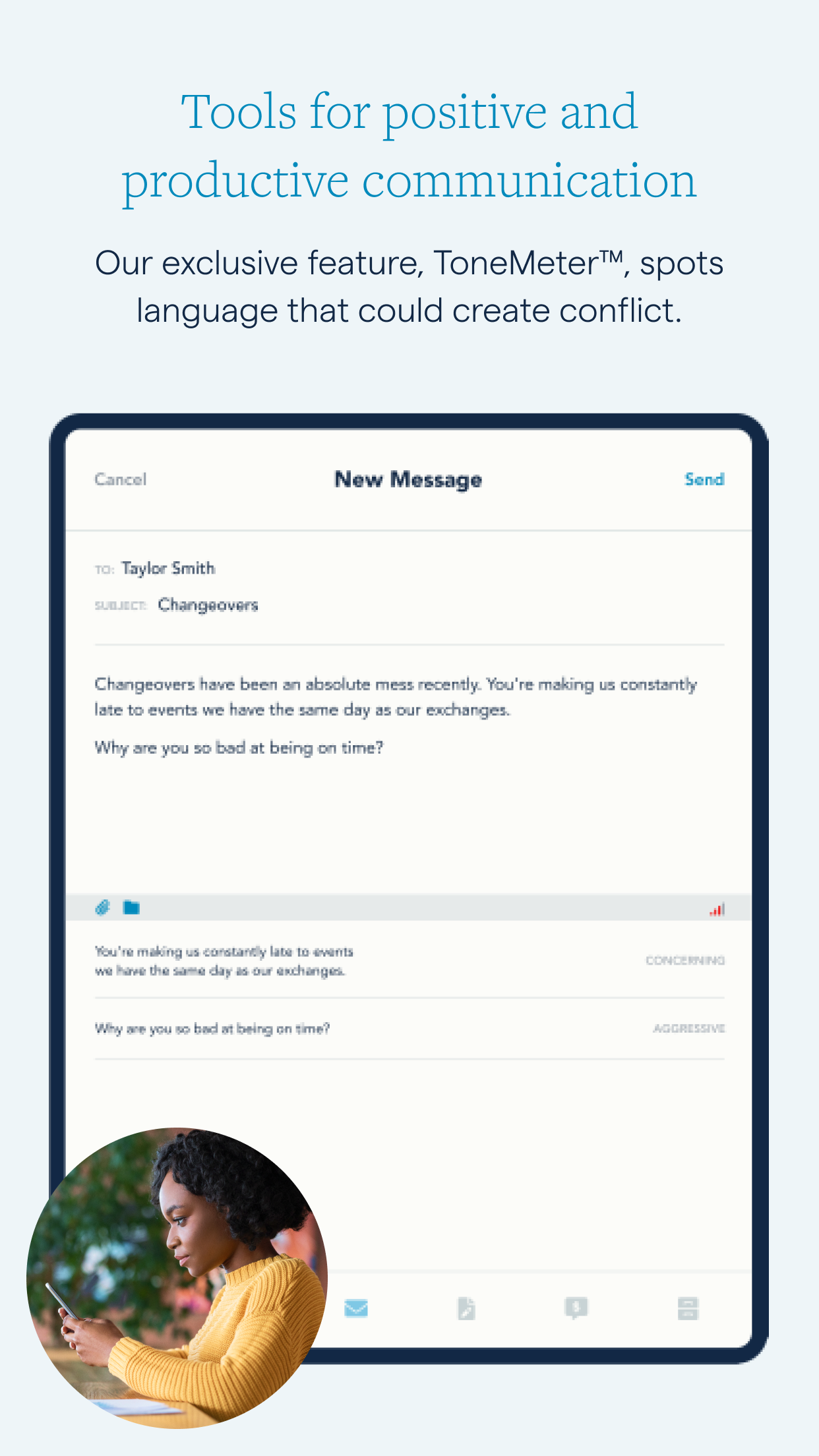
ToneMeter™ identifies language that could heighten tensions.
Coordinate Your Calendar
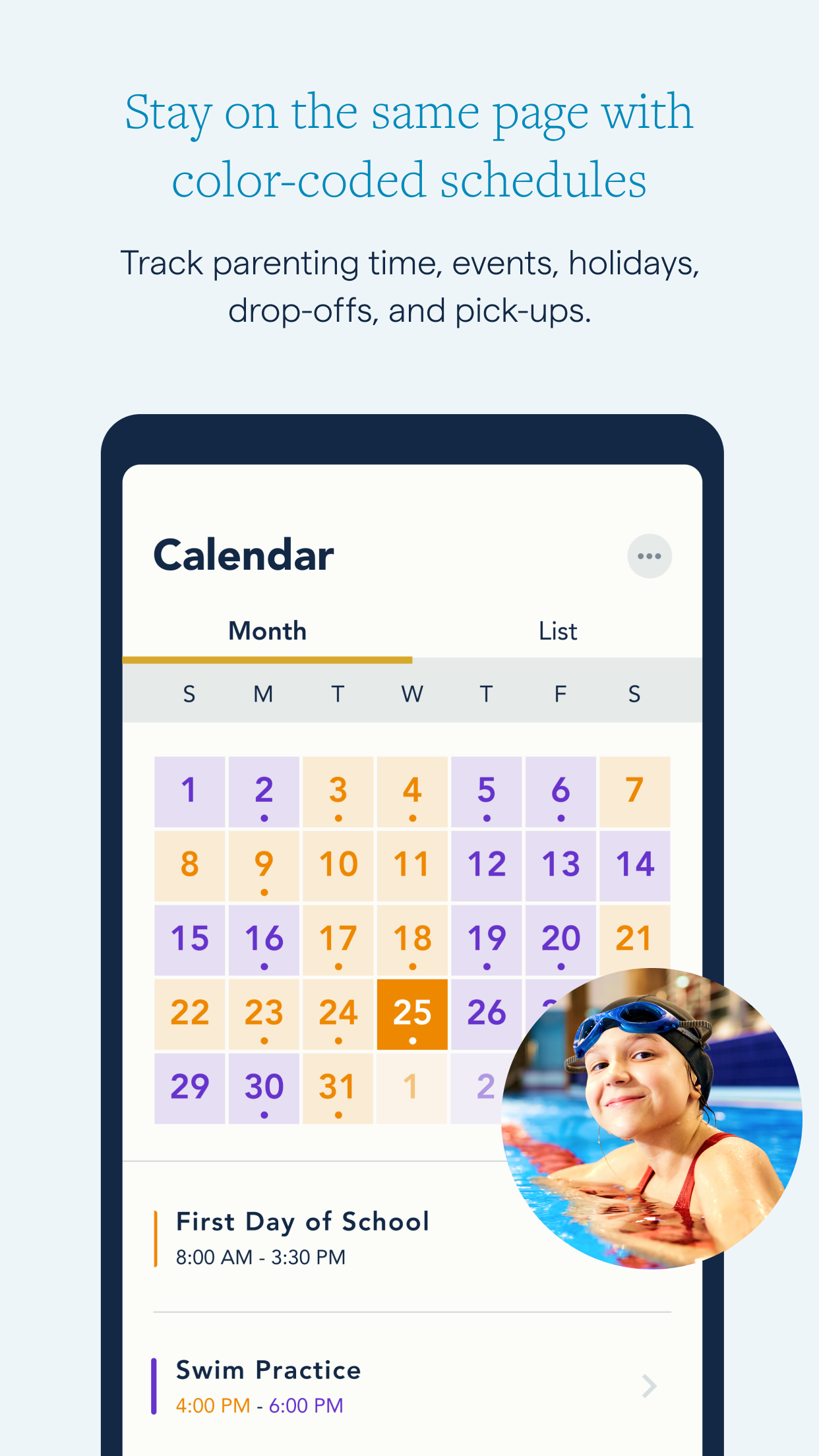
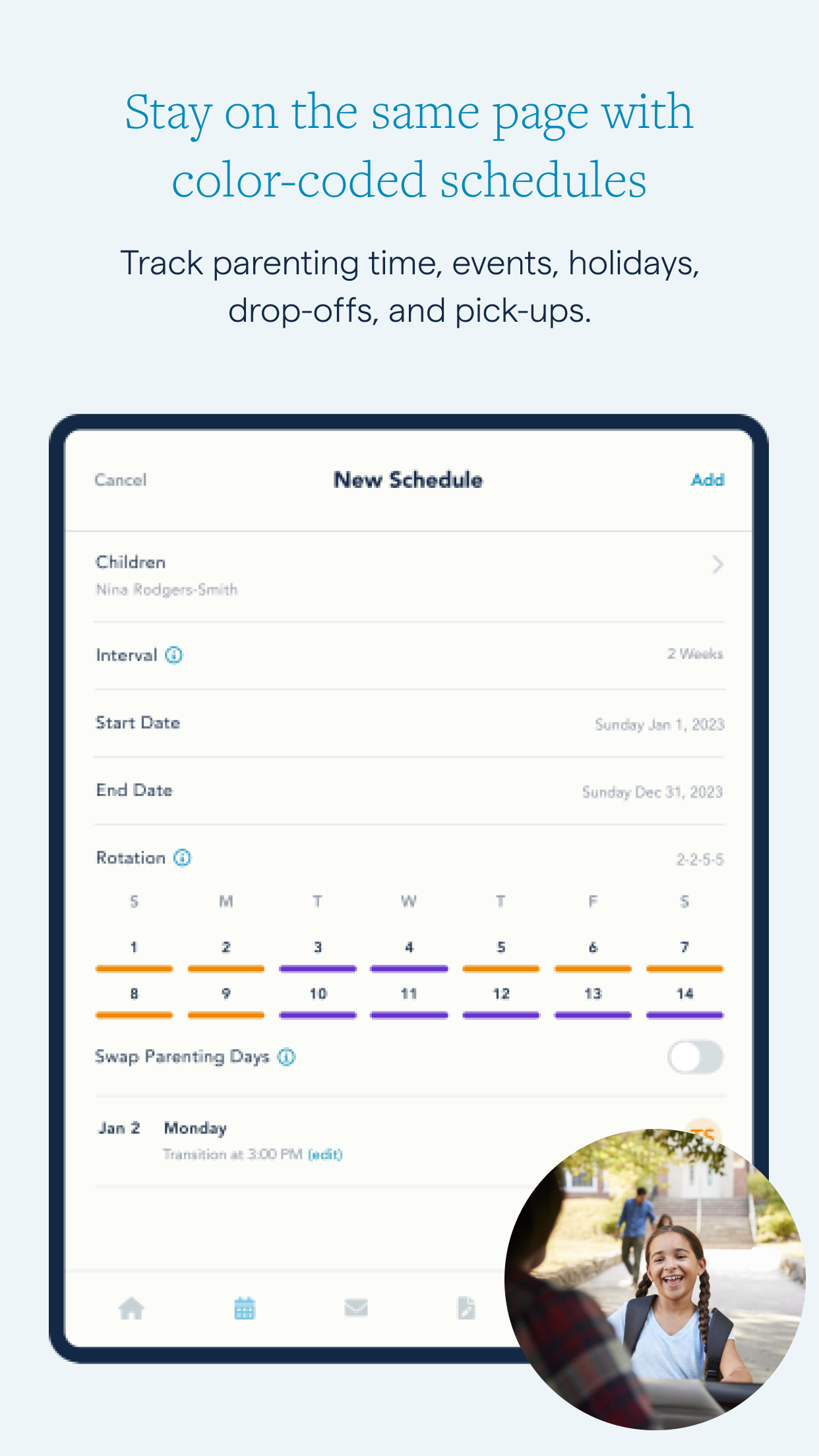
• Develop a schedule for parenting time (custody schedule)
This color-coded calendar highlights upcoming events, holidays, and pick-up/drop-off times.
• Promote consistency
When everyone has access to the same calendar, scheduling errors become a thing of the past.
• Manage Change Requests
If a temporary adjustment to the schedule is needed, use a simple form to modify the calendar.
Streamline Your Expenses
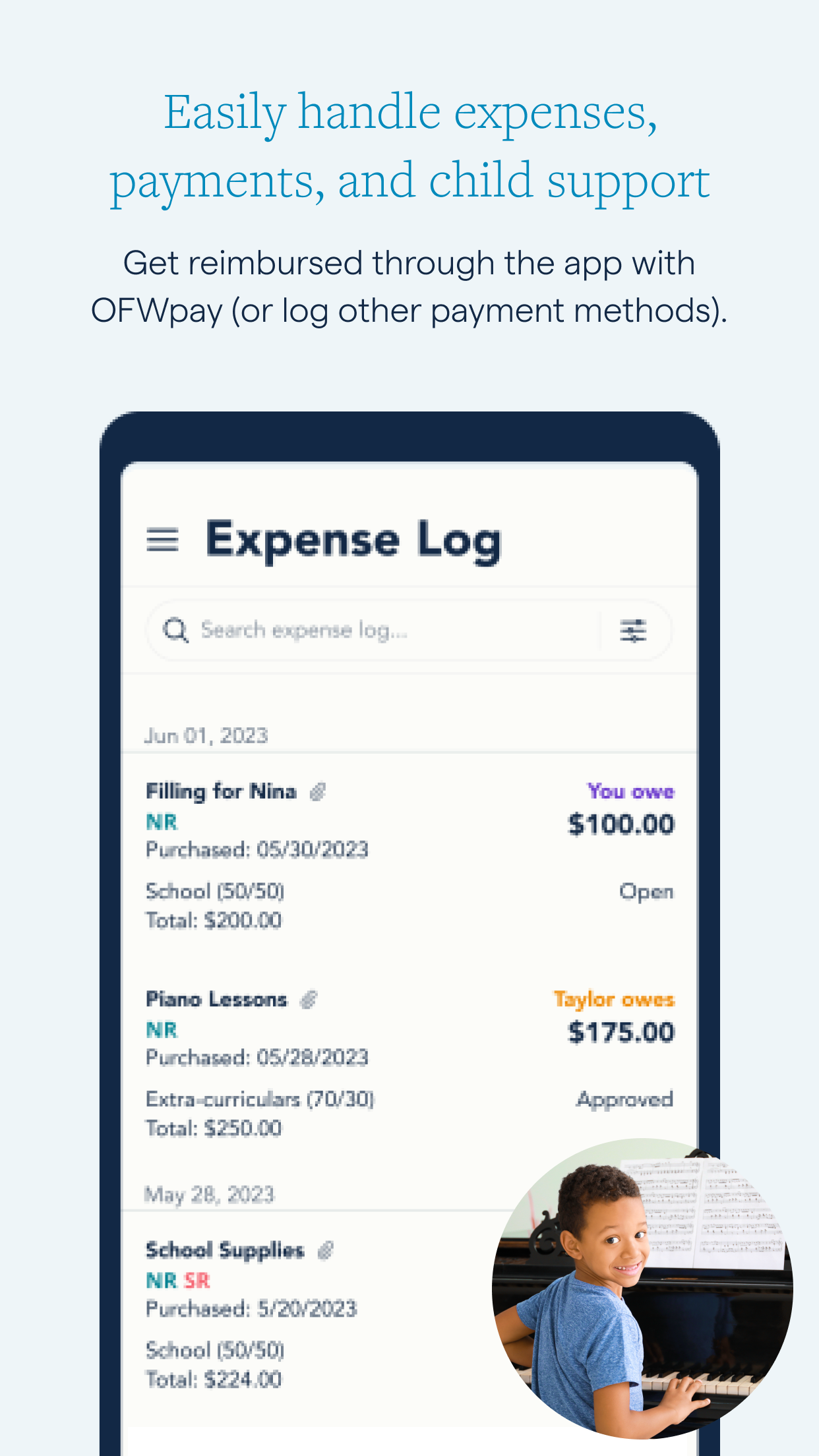
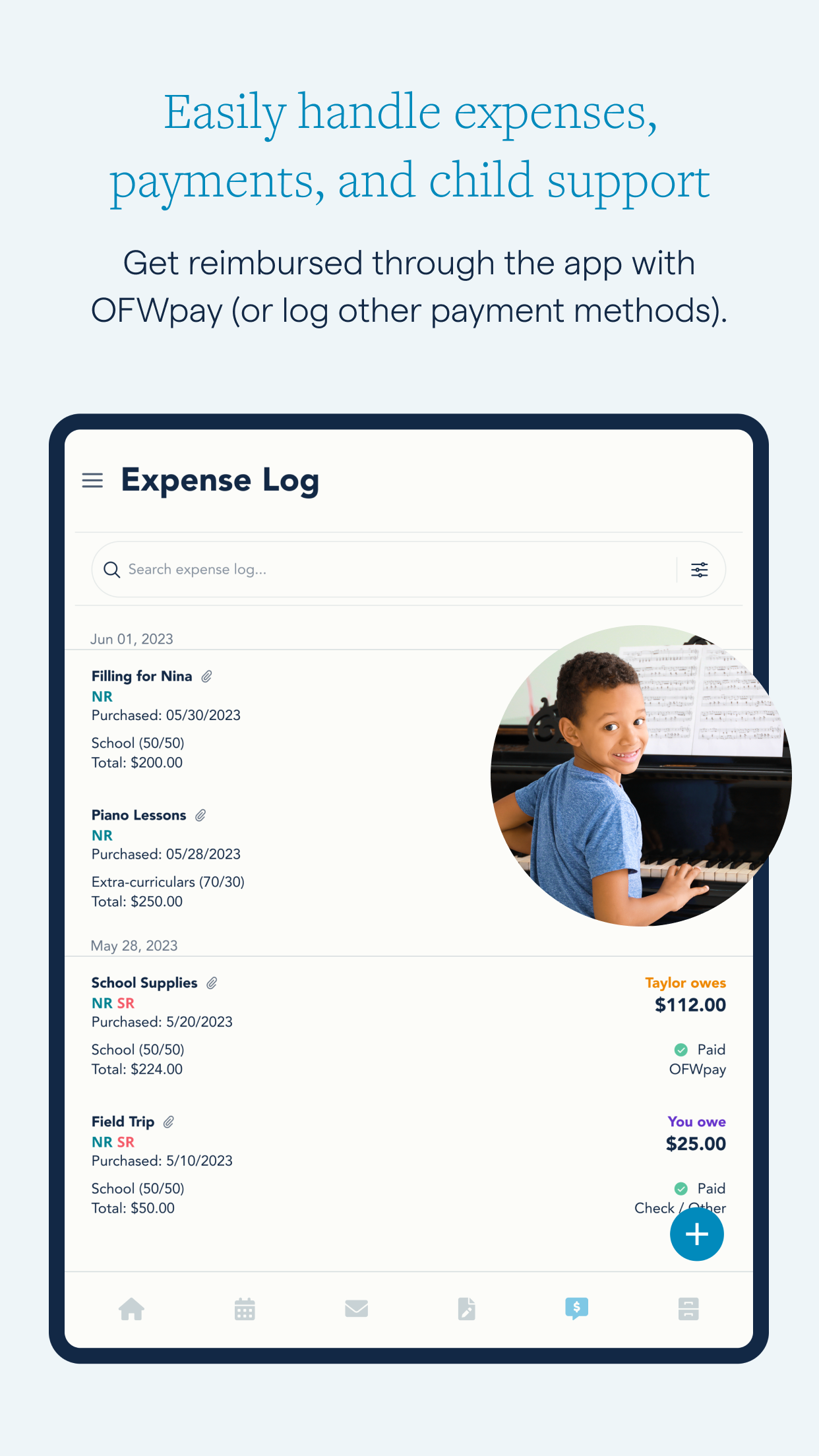
• Simplify expense tracking
Maintain clear records of co-parenting expenditures and receipts securely.
• Tailor categories
Create personalized categories with your own breakdowns.
• Consolidate financial matters
With OFWpay, you can make reimbursements and even schedule child support payments through the app, or log payments made by different means.
Keep a Meaningful Journal
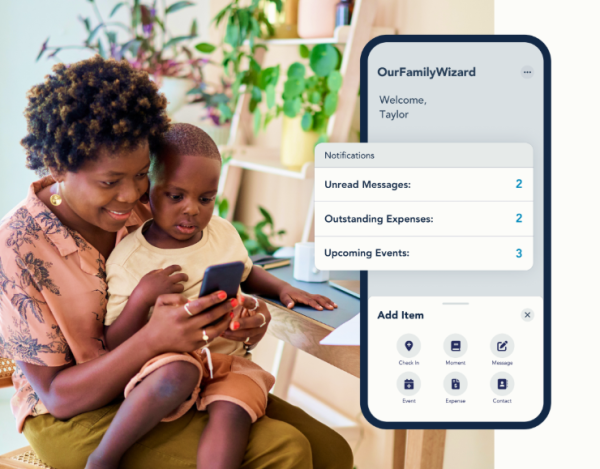
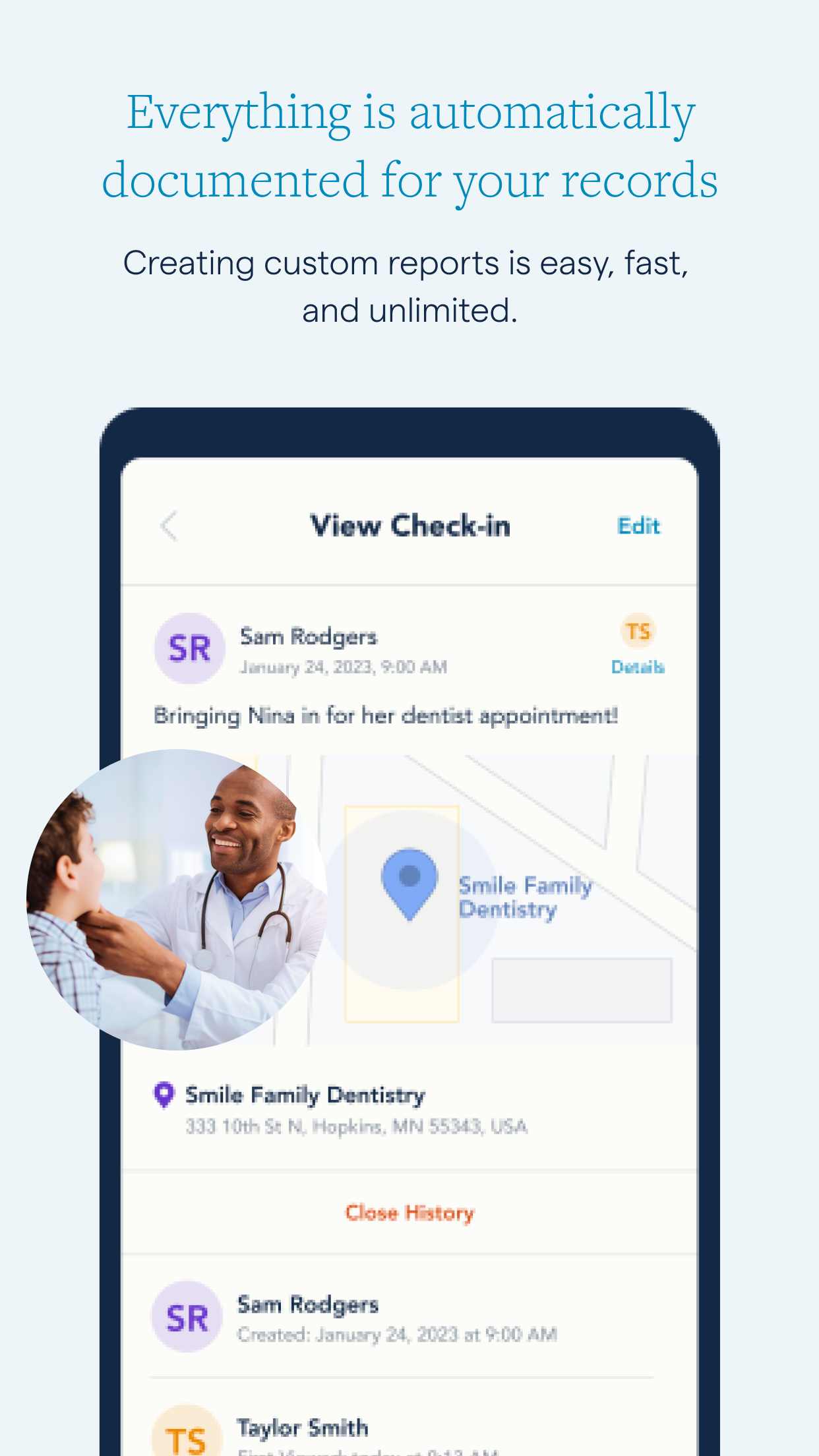
• Record arrival times
Confirm your attendance at drop-offs and pick-ups with GPS Check-Ins.
• Document experiences
Capture parenting insights and special moments through photos and notes.
Share Important Information About Your Kids
• Maintain critical information
Easily share and view health records, clothing sizes, school details, and more.
• Decrease messaging
No need to send messages for basic information—simply check the Info Bank instead.
Documentation and Reports
Should court or mediation be required, having quick and accessible documentation makes the process simpler. Customizing and downloading a report from any app function takes just a couple of minutes.
Grant Access to Your Professionals
Your family law expert can gain insight into all app activity with your approval and a Practitioner Account, assisting in managing essential details and quickly download reports—possibly leading to reduced legal costs. This service is available for:
- Lawyers
- Mediators
- Parenting coordinators
- Guardians ad litem
- Therapists
Ensure Everyone is Aligned
OurFamilyWizard not only aids coordination between co-parents but also enables you to add accounts for your children and other childcare participants. (These accounts will have access to limited features.)
About OurFamilyWizard
For over two decades, OurFamilyWizard has been the top co-parenting application, utilized by over 1 million individuals navigating co-parenting situations and family law professionals. Courts across the United States and Canada frequently recommend or mandate the use of OurFamilyWizard for co-parents.
OurFamilyWizard has received recognition in various prominent media including the New York Times, Parents.com, Verywell Family, NPR, WIRED, the Today Show, among others.
OurFamilyWizard Account System
1. Co-parent/Parent Accounts
- Permissions: Both parents have equal permissions and can use all platform tools to create and edit various information entries.
- Operations: Third-party, child, and professional accounts can be added free of charge, with no additional limit.
2. Third-Party Accounts
- Suitable for: Grandparents, stepparents, other relatives, and other childcare assistants.
- Permissions: Can independently send and receive messages, view/create family logs, view the family calendar, and receive timely updates.
- Benefits: Completely free; both parents can add/remove these accounts independently.
3. Child Accounts
- Permissions: Only basic necessary permissions are granted. Children can view the family calendar, share life through logs, and send messages to family members; **direct communication between parents is blocked** to prevent children from being involved in adult conflicts.
- Benefits: Completely free.
4. Practitioner Accounts
- Suitable for: Lawyers, mediators, family therapists, and other legal/mental health professionals. Permissions: View family-related activity information, monitor family communication, and directly connect with families for work.
- Benefits: Completely free
Core Value: Covers all roles and accounts, allocates permissions as needed, synchronizes key parenting information, adds collaborative accounts at no extra cost, and balances communication efficiency with the protection of children's physical and mental well-being.
Have Any Questions?
Our customer service and technical support team is available throughout the week. We are eager to assist you.
Make co-parenting more manageable - download OurFamilyWizard today.
Related Questions and Answers
1. **Why is OurFamilyWizard recommended by the court? **
The app's core advantages lie in its traceability and security: all communication records, schedule changes, and expense details are time-stamped and immutable, making them admissible in court. Furthermore, its structured functionality reduces conflict, aligning with the court's goal of "child-centered" mediation for separated families. Consequently, it has been widely recognized by courts in all 50 states.
2. **What specific help does ToneMeter AI provide? **
It's a communication tool that helps users communicate emotionally: When a user types a message, the AI analyzes whether the tone is offensive or emotional, then suggests more neutral and respectful rephrasing (for example, changing an accusatory statement to a factual one). Users can choose to accept, modify, or ignore the suggestions, avoiding unnecessary arguments caused by tone issues and focusing communication more on the child's needs.
3. **Is privacy guaranteed when using the app's calling feature? **
Yes. Calls are made over the internet, not the cellular network, so neither party's phone number is exposed. Both parties must agree to enable this feature before a call. All call records (including the initiator, duration, whether the microphone was muted, etc.) are automatically archived, but the content is not recorded. Only the actions taken are recorded, ensuring traceability while protecting privacy.
4. **What if the other party refuses to cooperate with the shared calendar or update their information?**
The app's "accountability" mechanism is effective: calendar changes, message read status, login history, and more are recorded in real time, providing a clear track of activity. If the other party deliberately refuses to cooperate, these records can be presented as evidence to the court or mediation team to ensure compliance with the shared parenting plan.
5. **What payment methods does the expense tracking feature support?**
In addition to recording offline payments like cash and bank cards, the app also features OFWpay™, which allows for direct bank transfers to split expenses. Transfer records are automatically synchronized to the system, preventing manual accounting omissions. You can also set the split ratio (e.g., 50/50) and display outstanding balances in real time to reduce settlement disputes.
6. Can non-parent guardians (such as grandparents) use this app?
Yes. The app supports adding users based on family needs. With authorization, guardians can access their child's schedule, medical information, and other information through a shared calendar and information library, allowing them to participate in collaborative parenting. This is particularly suitable for multi-parent collaboration.
- Version5.10.0
- UpdateOct 12, 2026
- DeveloperOurFamilyWizard, LLC
- CategoryParenting
- Requires AndroidAndroid 7.0+
- Downloads315K+
- Package Namecom.ourfamilywizard
- Signature5bfc44c4f95a898bd7925074db880930
- Available on
- ReportFlag as inappropriate
-
NameSizeDownload
-
25.38 MB
-
25.48 MB
-
25.48 MB













Clear communication between co-parents
Documentation of all messages for court purposes
Easy access to calendar and event scheduling
Tone meter to monitor message tone
User-friendly interface after initial learning curve
Helpful customer support
Organizes child-related expenses
Multiple features for various parenting needs
Ensures accountability in communication
High subscription cost with limited features
Unreliable notifications for messages and calls
Clunky user interface and navigation issues
Frequent crashes and freezing of the app
Limited attachment capabilities in messaging
No way to efficiently organize conversations
Difficulties with calendar synchronization
Inconsistent performance across different devices
Bugs that require constant troubleshooting