
My Aurora Forecast & Alerts - Aurora forecasting & alerts
Discover your best chance to see the Northern Lights with KP index, alerts & recommended viewing locations!
- 6.5.3.1 Version
- 3.2 Score
- 3M+ Downloads
- Free License
- 3+ Content Rating

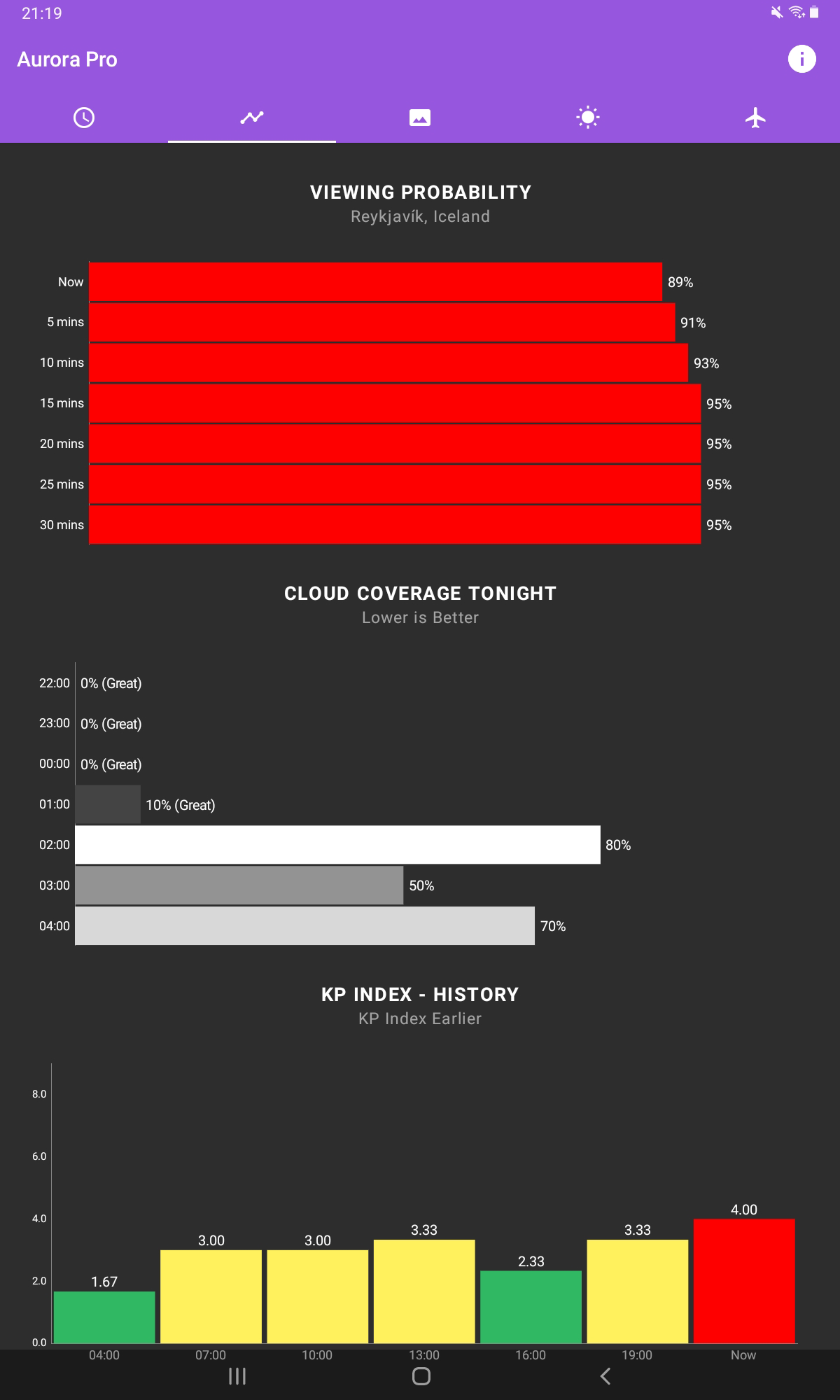
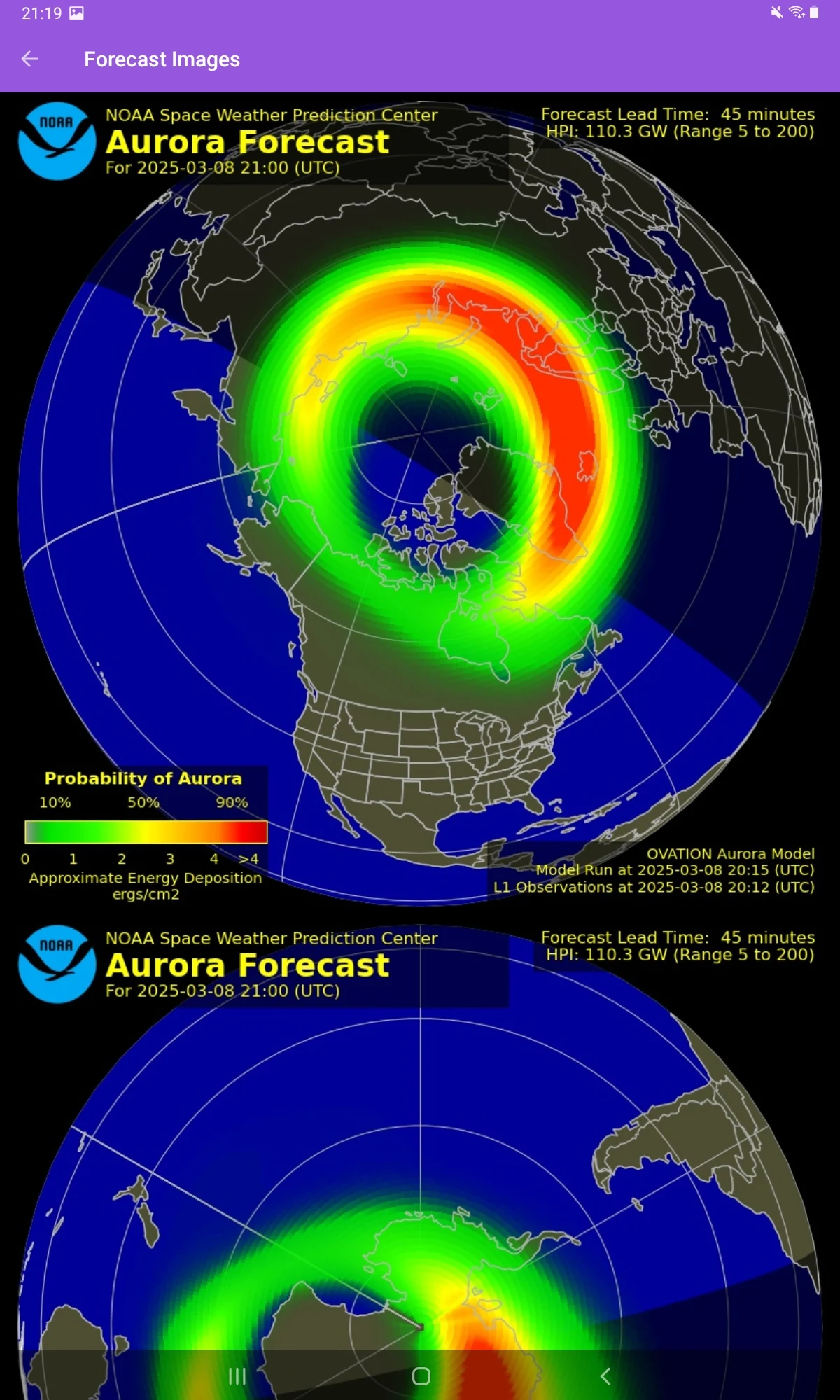
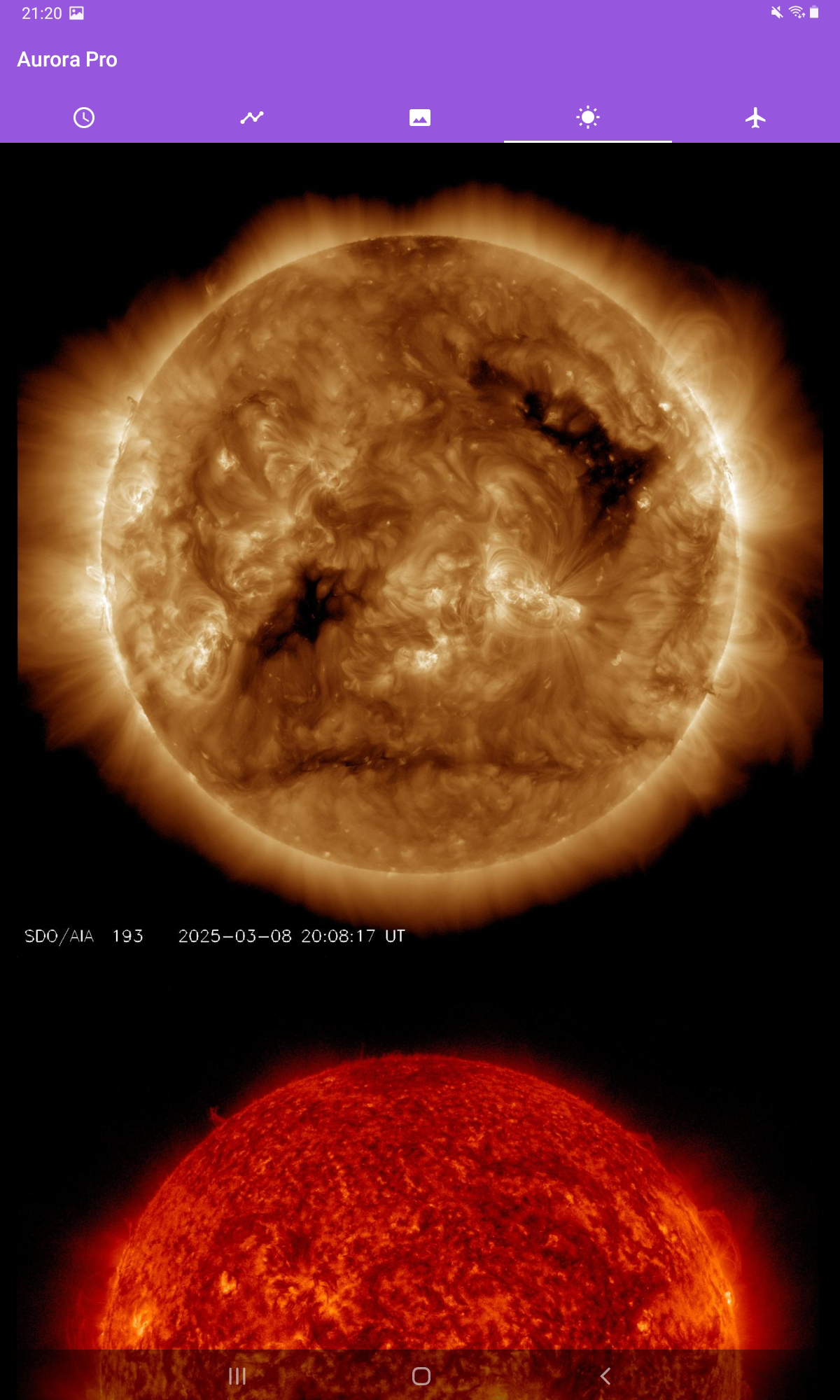
My Aurora Forecast & Alerts
App Overview
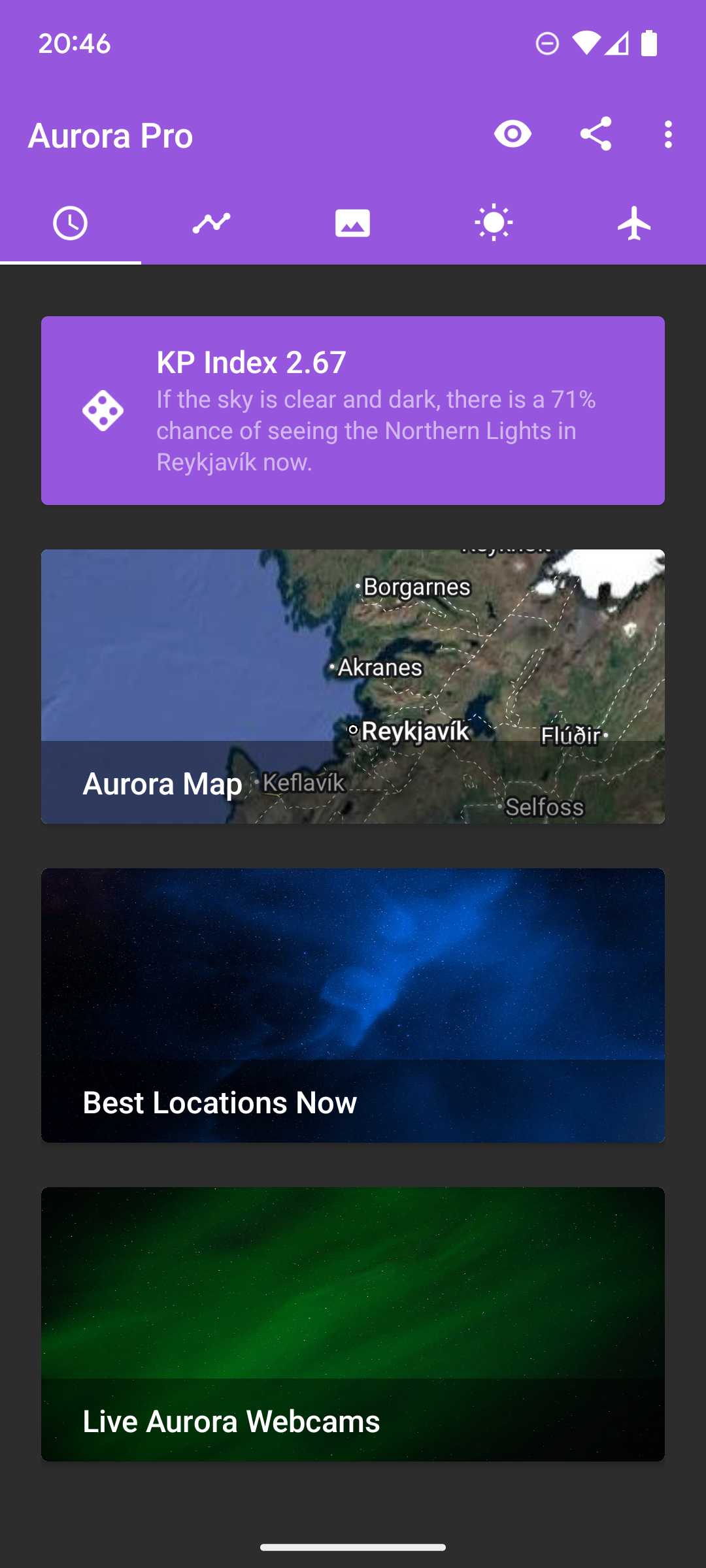
My Aurora Forecast & Alerts is an aurora tracking app for people interested in observing the Northern Lights. It displays current KP index readings, aurora forecasts, suggested viewing locations, and a global activity map based on the SWPC Ovation model.
Users can follow short-term predictions or consult extended forecasts when planning trips to aurora destinations. The app also includes solar wind statistics, high-resolution images of the Sun, and live aurora webcams from locations around the world.
In addition to viewing predictions, users can explore space weather information related to geomagnetic activity. My Aurora Forecast has a dark-themed interface and is free to use, with advertisements and no in-app purchases.
Key Features
1. KP Index Readings: Displays current KP index values to show the level of geomagnetic activity and indicate the potential for aurora visibility.
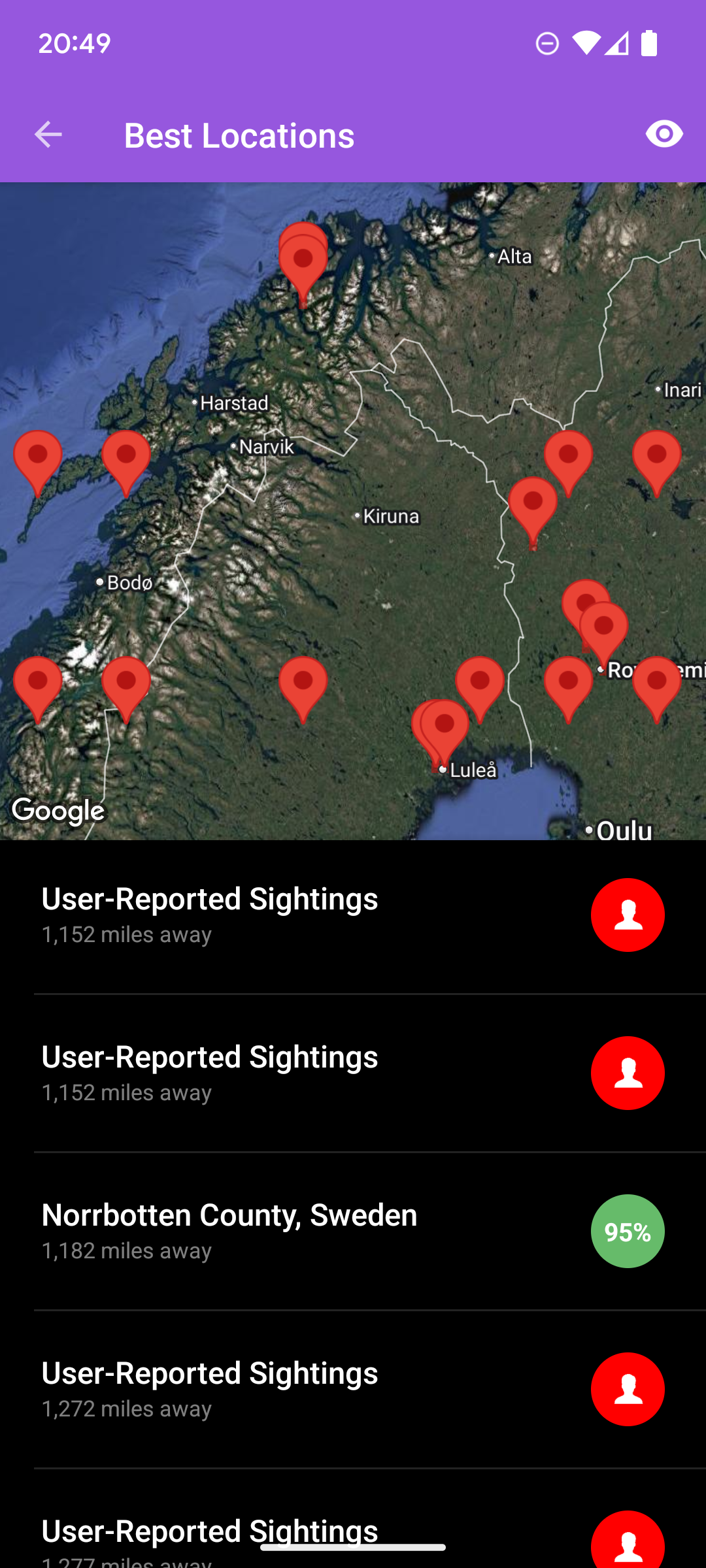
2. Suggested Viewing Locations: Recommends observation spots based on predicted aurora conditions and geographical information.
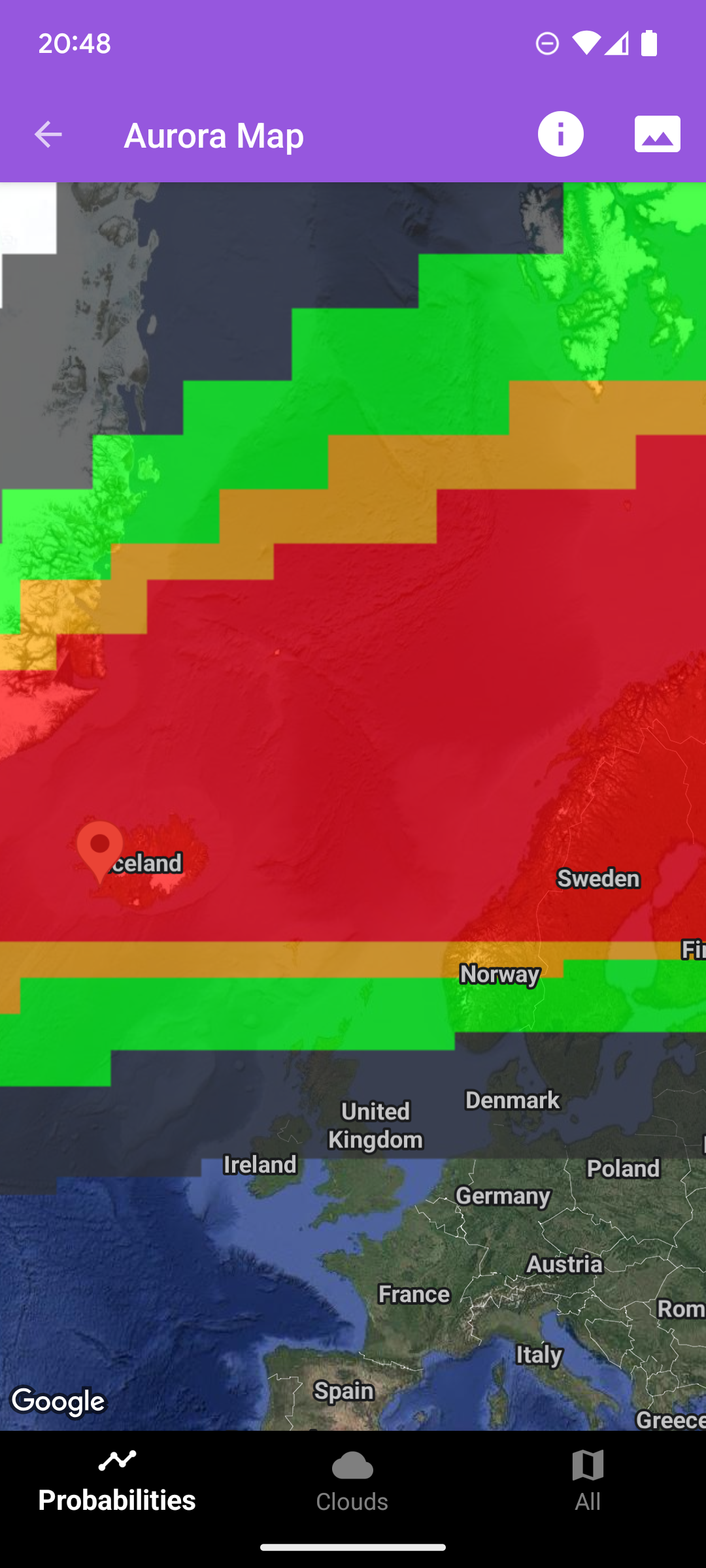
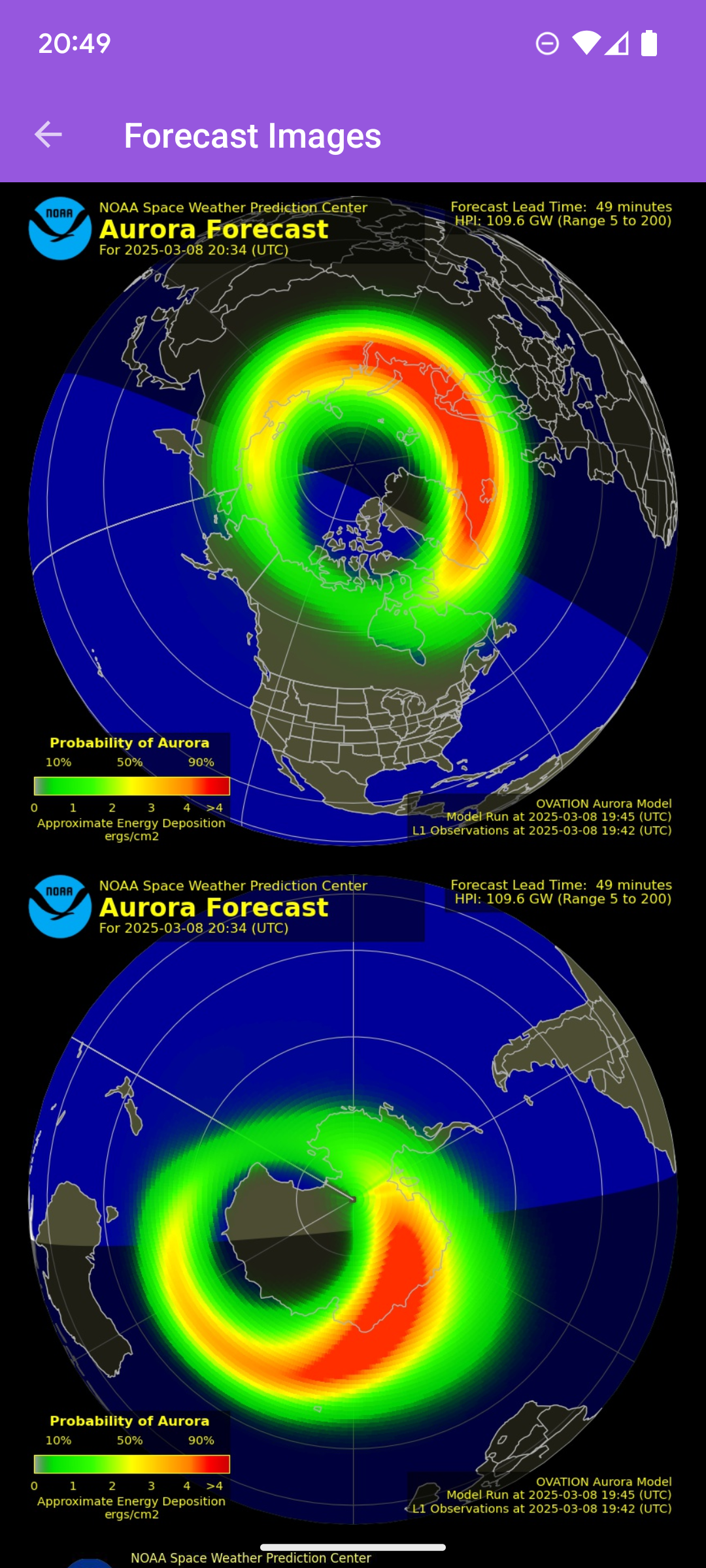
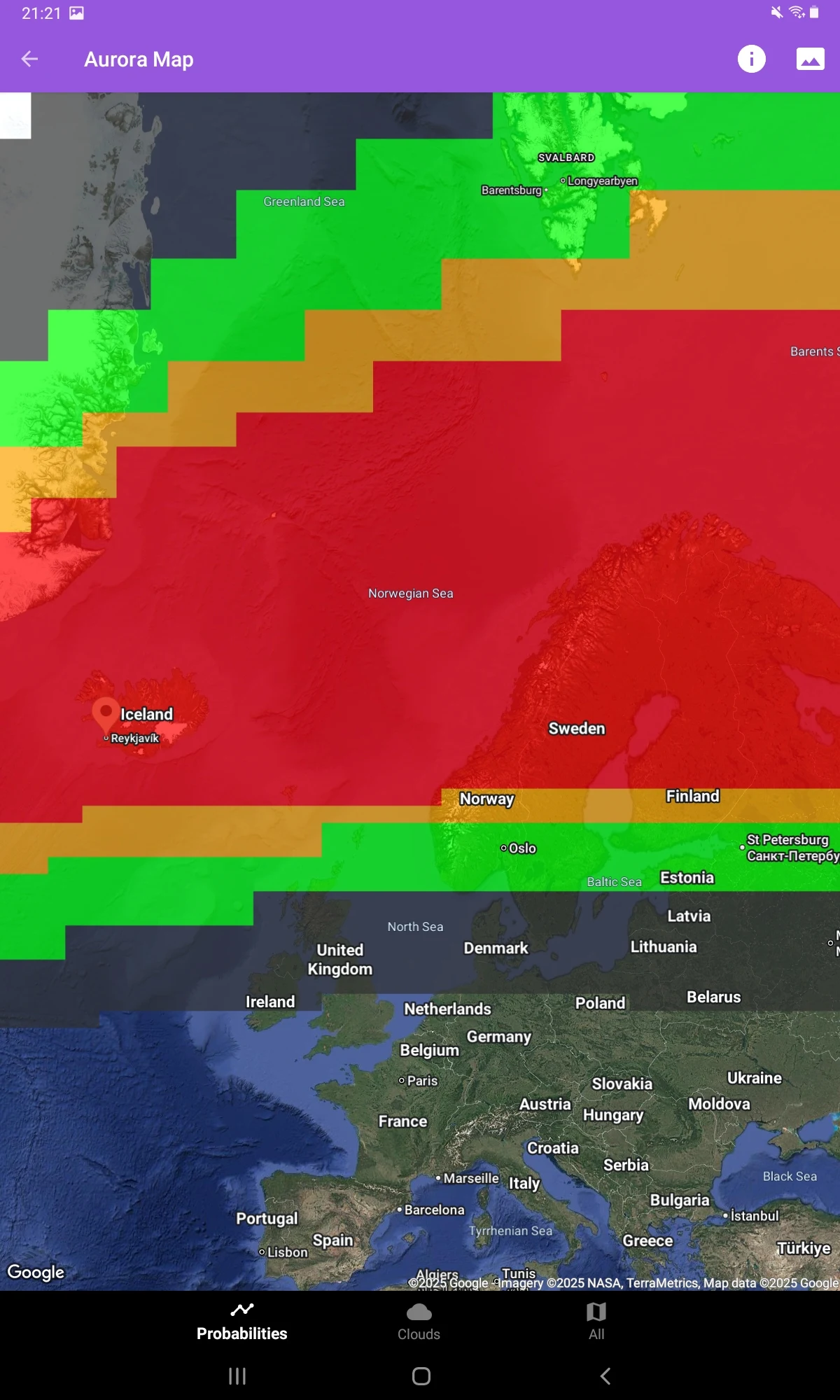
3. Global Aurora Activity Map: Uses the SWPC Ovation model to display predicted auroral activity across different regions.
4. Aurora Alerts: Sends free push notifications when increased auroral activity is expected.
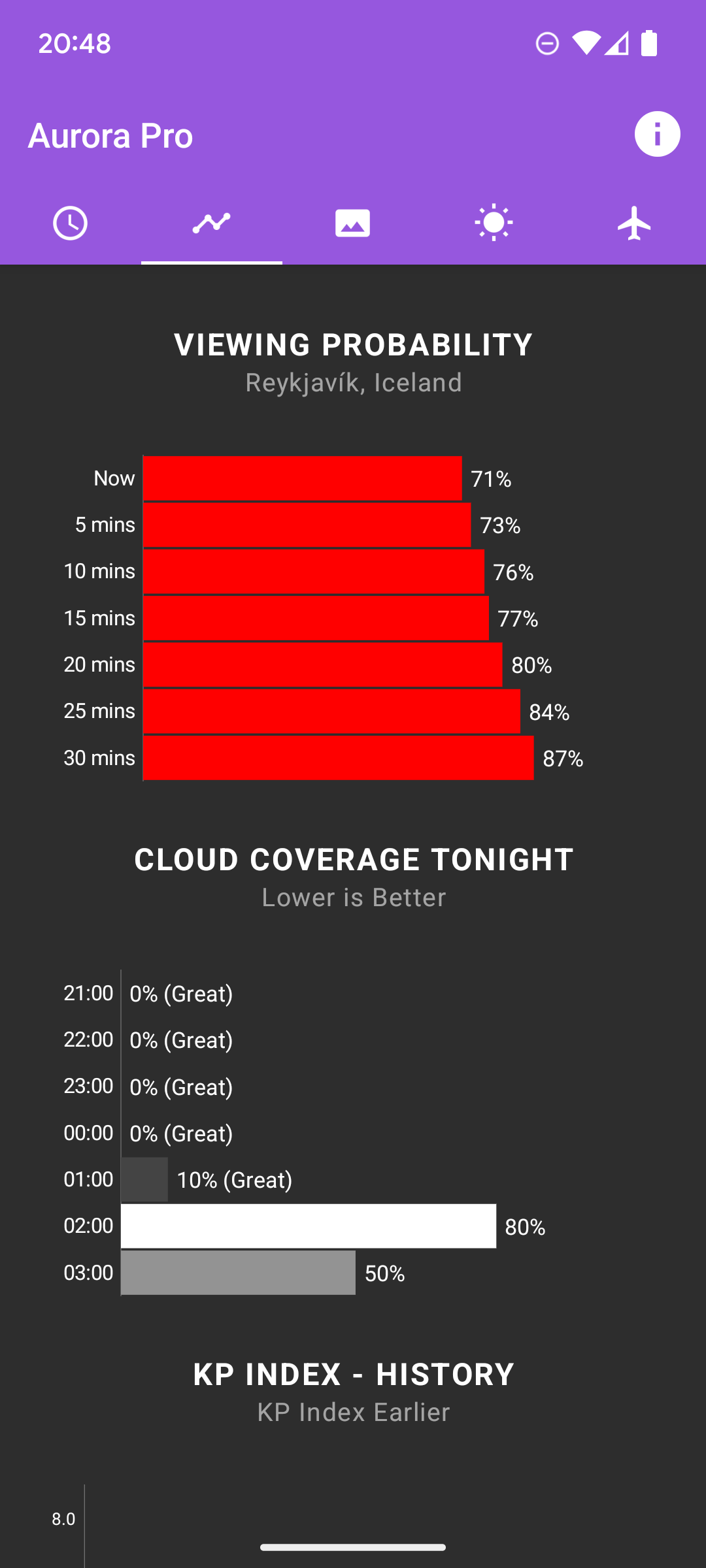
5. Multiple Forecast Periods: Provides predictions covering the coming hour, several hours ahead, and longer periods for future planning.
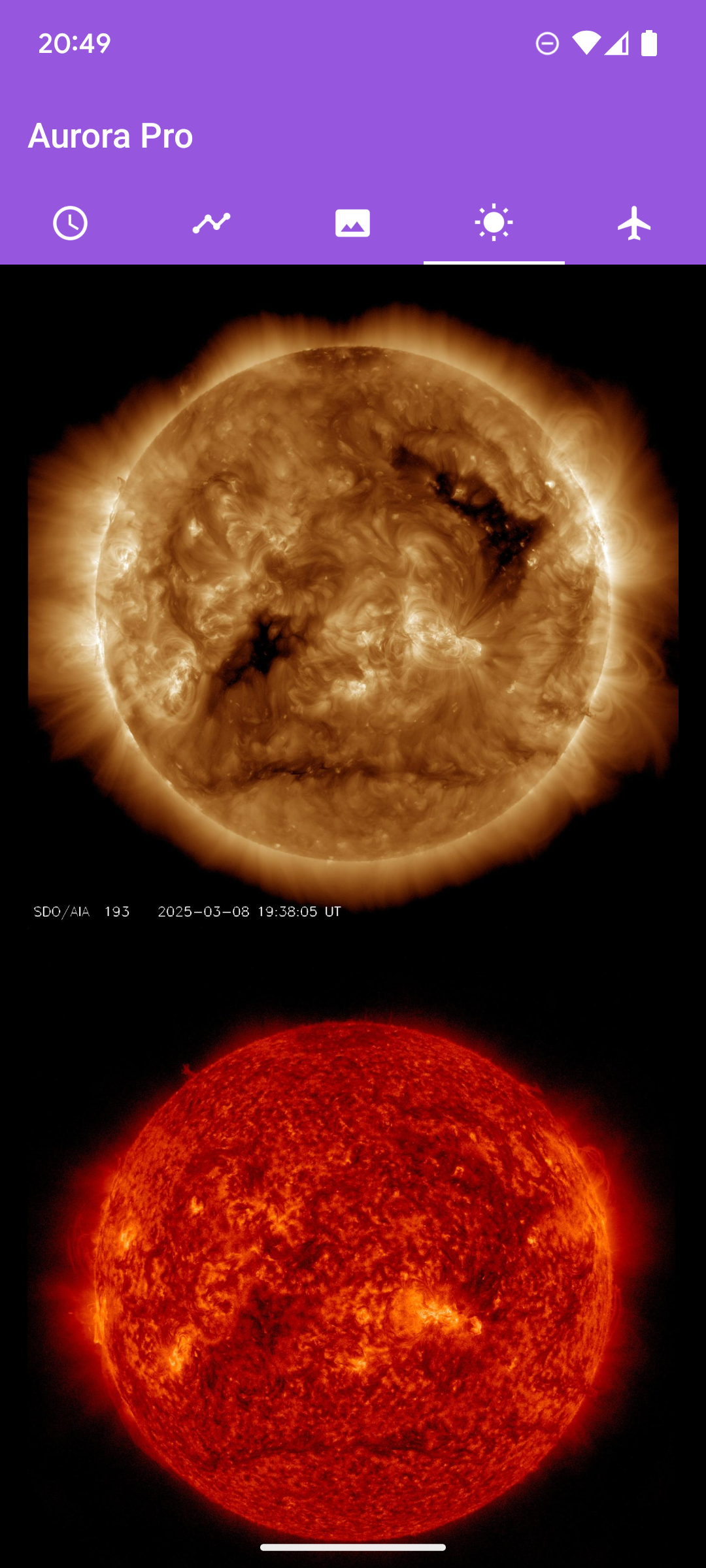
6. Solar Wind Information: Includes solar wind statistics and high-resolution Sun images for those interested in the solar activity behind geomagnetic disturbances.
7. Live Aurora Webcams: Offers webcam feeds from locations around the world, allowing users to view aurora activity remotely.
How to Use My Aurora Forecast
1. Review the KP Index: Open the app and check the latest reading for an overview of current geomagnetic activity.
2. Explore the Aurora Map: View predicted auroral activity across different geographical regions.
3. Select a Viewing Location: Check the suggested observation spots and their locations when planning where to watch the Northern Lights.
4. Compare Forecasts: Switch between forecast periods to monitor upcoming conditions or prepare for a future trip.
5. Enable Aurora Alerts: Turn on notifications in the app and grant notification permissions in your device settings.
6. View Additional Data: Explore solar wind statistics, Sun images, and webcam feeds for more information about solar activity and aurora observations.
Viewing Experience
My Aurora Forecast brings together aurora predictions, geographical information, and space weather data in one app. The KP index and global activity map give users an overview of geomagnetic conditions, while the suggested locations offer specific areas to consider for observation.
The extended forecasts are particularly relevant to travelers planning Northern Lights trips to destinations such as Iceland, Alaska, and Canada. Webcam feeds also let users see conditions in distant regions without having to travel there.
Those interested in astronomy can explore the solar wind statistics and Sun images to learn more about the solar activity associated with auroras.
One important limitation is that favorable predictions do not guarantee a visible aurora. Cloud cover, local weather, light pollution, and geographical location all affect viewing conditions. Checking the local weather before heading out remains essential.
Frequently Asked Questions
Q1: What does the KP index mean in My Aurora Forecast?
The KP index measures geomagnetic activity on a scale from 0 to 9. Higher values generally indicate stronger geomagnetic disturbances and a greater potential for aurora activity. Visibility also depends on geographical location and local conditions.
Q2: Does My Aurora Forecast send aurora alerts?
Yes. The app offers free push notifications when increased auroral activity is expected. Enable the alerts in the app and allow notifications through your device settings.
Q3: Can I use the app to plan a Northern Lights trip?
Yes. Its extended forecasts and suggested viewing locations can help with planning an aurora-watching trip. However, predictions should be considered alongside local weather and viewing conditions.
Q4: Can I watch the Northern Lights through the app?
Yes. The app provides live webcam feeds from various locations around the world. You can use them to view aurora activity remotely, depending on visibility at each camera location.
Q5: Does the app include local weather forecasts?
The app primarily focuses on aurora predictions and space weather rather than local meteorological forecasts. A separate weather service is needed to check cloud cover and other local conditions.
Q6: Is My Aurora Forecast free?
Yes. The app is free to use and has no in-app purchases. Advertisements are displayed in the free version.
- Version6.5.3.1
- UpdateNov 11, 2026
- DeveloperjRustonApps B.V.
- CategoryWeather
- Requires AndroidAndroid 5.0+
- Downloads3M+
- Package Namecom.jrustonapps.myauroraforecast
- Signaturee1b1b35cb5aea01e4e007cc2baebe82d
- Available on
- ReportFlag as inappropriate
-
NameSizeDownload
-
21.13 MB
-
27.78 MB
-
25.84 MB













Accurate real-time notifications
Useful forecasts for aurora visibility
User-friendly interface
Allows users to see aurora chances within a defined time frame
Provides cloud cover information for better viewing decisions
Free with optional pro version
Collector of user sightings worldwide, enhancing community experience
Encourages outdoor activity and exploration of the night sky
Intrusive ads causing frustration
Potential privacy concerns about data sharing
Notifications sometimes fail or are inaccurate
Issues with location settings affecting functionality
Can freeze or become slow at times
Default notification settings might mislead users
Not always accurate regarding cloud cover predictions
Lacks customization options for alerts