
Logarithm Calculator - Logarithm calculator & learning
Unlock the power of math with easy logarithm calculations & tailored learning for students in school & college!
- 24.1 Version
- 2.9 Score
- 198K+ Downloads
- Free License
- 3+ Content Rating

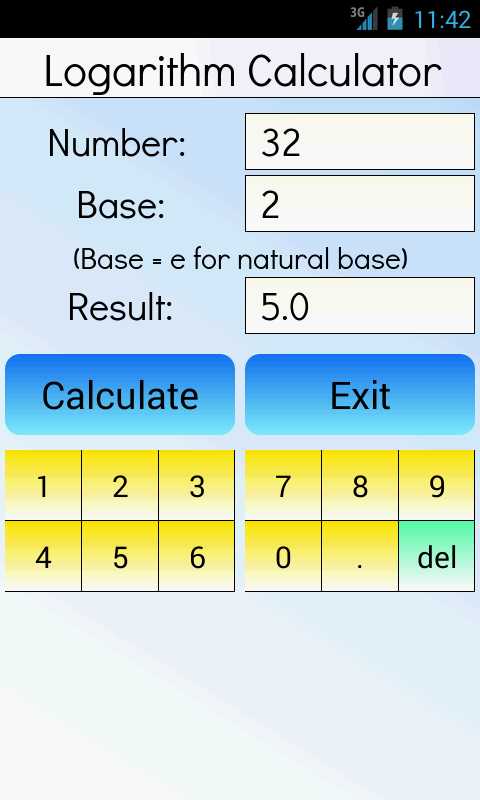
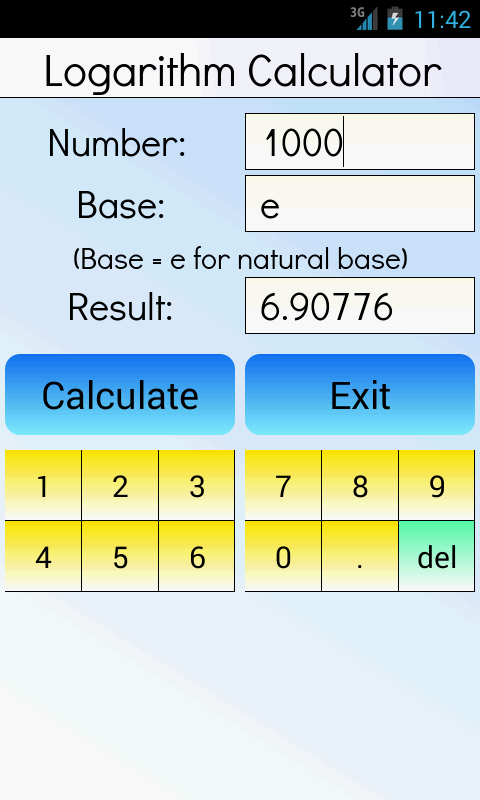
This is a complimentary mathematical calculator that can compute the logarithm of a number to a specified base. Users have the option to select the desired base.
The ideal math tool for both high school and college students! It can assist learners in understanding algebra concepts.
It’s important to note that the logarithm of a given number indicates the power to which a constant value, known as the base, must be elevated to yield that number. For instance, the logarithm of 1000 when using base 10 is equal to 3.

Features:
- Easy to Use: A simple interface and easy operation make it easy to use even for those without prior knowledge of algebra or logarithms. For example, online logarithm calculators typically require users to enter the base and true number in the corresponding input boxes and click the calculate button to obtain the result.
- Efficient Calculation: Results are instantly calculated without waiting. For example, the logarithm calculator on the front-end network can quickly calculate logarithms of any base, saving users time.
- Accurate Results: Supports scientific notation and decimal operations, providing highly accurate results to meet users' needs for precise values.
- Data Security: Some logarithm calculators, such as the online logarithm calculator developed by NewTum, perform all calculations on the user's device, ensuring data security and preventing data leakage.
Functions:
- **Basic Calculations**: Calculates natural logarithms and logarithms of any base. For example, the logarithm calculator on the front-end website allows users to directly click shortcut buttons to calculate common logarithms (base 10) and natural logarithms (base e). You can also manually enter the base for other logarithm calculations.
- **Equation Solver**: It can solve the equation "y = log_a(x)" for y, x, and a. It can also solve logarithmic equations of up to 20th-degree polynomials, helping users solve complex mathematical problems.
- **Expression Simplification**: Simplifies logarithmic expressions. By applying the rules of logarithm calculations, complex logarithmic expressions can be simplified into a form that is easier to understand and calculate.
- **Process Display**: Some logarithm calculators display the calculation steps to help users understand the principles and process of logarithm calculations. For example, the logarithm calculator on log-calculator.com displays the calculation steps and results. - **Function Graph**: Automatically graphs logarithmic functions, helping users intuitively understand their properties and changing patterns. The graph dynamically adjusts as the base changes.
- **History Saving**: Saves your calculation history, making it easy to review and reuse previous results. Users can also delete and sort the history.
FAQs:
1. Q: What are the basic steps for using this logarithm calculator?
A: Enter the **base** and **argument** of the logarithm in the corresponding input boxes, click the calculate button, and you will get the calculation result instantly. The operation is straightforward.
2. Q: Is there a shortcut for calculating common logarithms (base 10) and natural logarithms (base e)?
A: Yes, you can directly click the shortcut button on the page to calculate, without manually entering the corresponding base, improving operational efficiency.
3. Q: How do I calculate the logarithm of any base other than 10 and e?
A: Manually enter the desired value in the base input box, enter the argument, and click calculate to get the corresponding result.
4. Q: Is there a difference in operation between solving logarithmic equations and simplifying expressions?
A: Select the corresponding function module (Solve Equation/Simplify Expression), enter the equation or expression content as prompted on the page, and click calculate to get the result/simplified form.
5. Q: How do I view the steps of logarithm calculation?
A: After the calculation is completed, the system will automatically display the corresponding calculation process, requiring no additional operation and helping to understand the calculation principle.
- Version24.1
- UpdateSep 30, 2026
- DeveloperGK Apps
- CategoryEducation
- Requires AndroidAndroid 4.4+
- Downloads198K+
- Package Namean.LogarithmX
- Signaturef287200b47d43aca13c2cf638acf1d1a
- Available on
- ReportFlag as inappropriate
-
NameSizeDownload
-
1.38 MB
-
2.16 MB
-
2.14 MB


















Rich in features
Efficient computing
Easy to use
Highly educational
Ads may interfere
Device or network dependent
Accuracy limitations