
HAZi - Voice chat & games
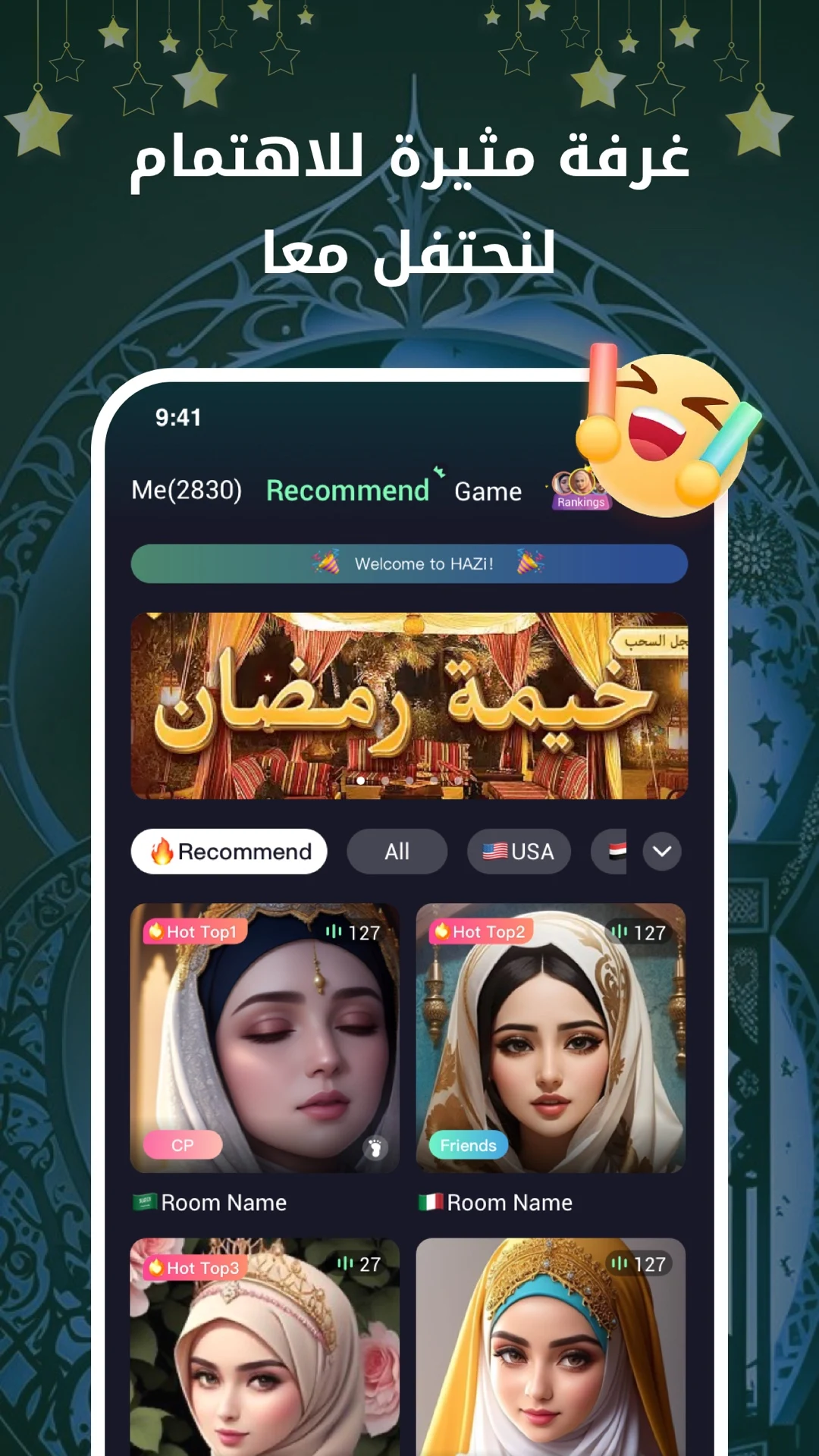
Connect instantly with friends worldwide through group voice chats, music sharing, & fun interactive games.

- 1.0.27 Version
- 1.0 Score
- 283K+ Downloads
- In-app purchases License
- 12+ Content Rating




Features:
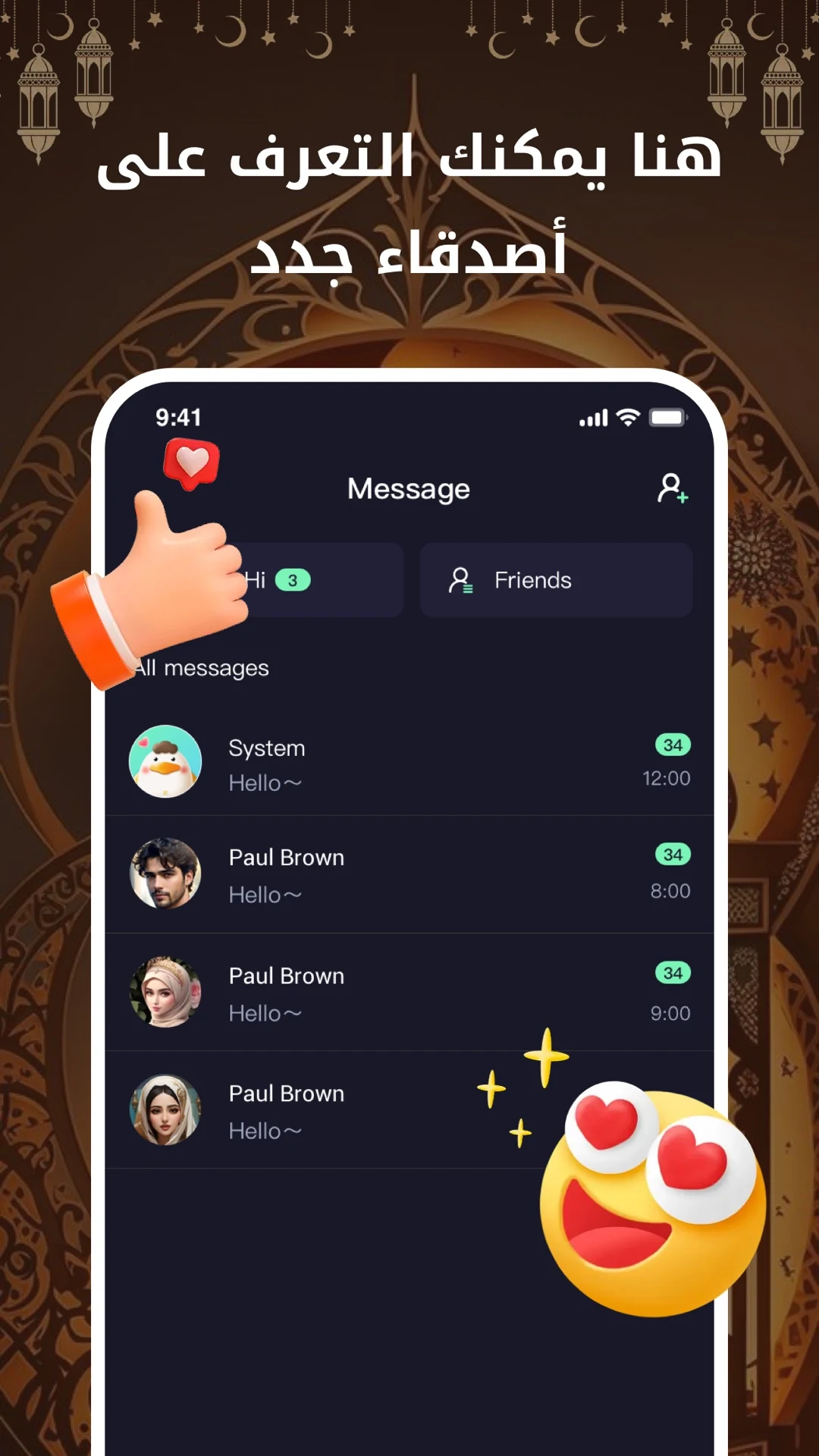
Making new friends has never been simpler:
Select from THOUSANDS of live group voice rooms available every day, and filter them by countries or topics. More than 50 countries are represented, along with a wide variety of subjects to explore.
Celebrate with friends regardless of distance:
Engage in group voice conversations with friends anywhere, share your favorite music in the room, enjoy karaoke together, and participate in various games right within the group chat. Let’s kick off the celebration!
Core Advantages:
- Low Barrier to Making Friends: The "Voice Room" model replaces the traditional "one-on-one matching" model. Users can simply enter a room and engage in conversation without complicated operations, reducing the pressure of "actively breaking the ice" and achieving the core goal of "simple friendship."
- Strong International Attributes: Covering over 50 countries and supporting country-specific filtering, it precisely meets the needs of "making friends with foreigners and understanding diverse cultures," setting it apart from ordinary domestic social apps.
- Scenario-Based Interaction: Features such as music sharing, karaoke, and group games provide users with social scenarios where they can "work together," making the friendship process more natural rather than simply "chatting."
Specific Steps:
1. **Download and Install**: If using the HAZi app on a computer, first download and install the BlueStacks Android emulator. Then, open BlueStacks, search for "Haza - Group Voice Chat Rooms" in the search bar in the upper-right corner, and click the search result to install. If using the app on a mobile phone, go directly to the App Store, search for "Haza - Group Voice Chat Rooms," and download and install.
2. **Register and Login**: After opening the HAZi app, follow the prompts to register by providing your phone number or other relevant information and set a password. After registration, log in using your registered phone number and password.
3. **Create or Join a Room**: After logging in, users can create their own voice chat room, set the room name, theme, and other relevant information, and then invite other users to join. They can also directly join a room already created by another user by searching for the room number or selecting a popular room recommended by the platform.

4. **Interactive Communication**: After entering a room, users can communicate via voice. If they wish to speak, they may need to raise their hand and request permission from the room administrator. Additionally, users can participate in various interactive activities, such as sharing music, singing, and playing games, according to the room's scheduled activities.
5. **Room Management (Optional)**: As a room administrator, you have certain administrative privileges and can set the public or private attributes of the room, determine whether a password is required to join the room, and perform management operations such as kicking and muting room members.
FAQs:
1. **Q:** What is HAZi primarily used for?
**A:** HAZi is a social application focused on group voice chat. Users can join/create voice rooms, communicate with users worldwide in real-time, share music, sing karaoke, and play games within the room. Its core function is to easily make new friends.
2. **Q:** What are the core advantages of HAZi?
**A:** ① Low barrier to entry: Voice room mode replaces one-on-one matching, eliminating the need for proactive icebreakers; ② Strong international reach: Covering 50+ countries, supporting country-based filtering, making it easy to meet foreign friends; ③ Contextualized interaction: Music, karaoke, games, and other scenarios make social interaction more natural.
3. **Q:** Can HAZi be used on both computers and mobile phones?
**A:** Yes. For mobile devices, download and install directly from the app store; for computers, you need to install the BlueStacks Android emulator first, then search for and install HAZi within the emulator.
4. **Q:** Do I need to register an account to use HAZi?
**A:** Yes, you need to register and log in with your mobile phone number and other information before you can create/join voice rooms and participate in interactions. Without registration, you cannot use the core functions.
5. **Q:** How do I join or create a voice room?
**A:** After logging in, you can directly join popular rooms recommended by the platform, or search for a room number; you can also create your own room, set the name, theme, and other information, and then invite others to join.
- Version1.0.27
- UpdateOct 28, 2026
- DeveloperGema LLC
- CategorySocial
- Requires AndroidAndroid 5.0+
- Downloads283K+
- Package Namecom.jiumi.clubly
- Signature3412e3232b0b8b1a37cfc8a9019151b2
- Available on
- ReportFlag as inappropriate
-
NameSizeDownload
-
162.53 MB
-
161.47 MB
-
169.79 MB











Free to use
Rich social features
Virtual gift interaction
Reward system
Matching is difficult
Low-quality users exist