
Gogoro® - Smart scooter control & rewards
Experience the ride of your life! Control, customize, earn rewards & optimize performance with every trip on your Smartscooter™.
- 3.10.0.821.4174 Version
- 2.8 Score
- 216K+ Downloads
- Free License
- 3+ Content Rating


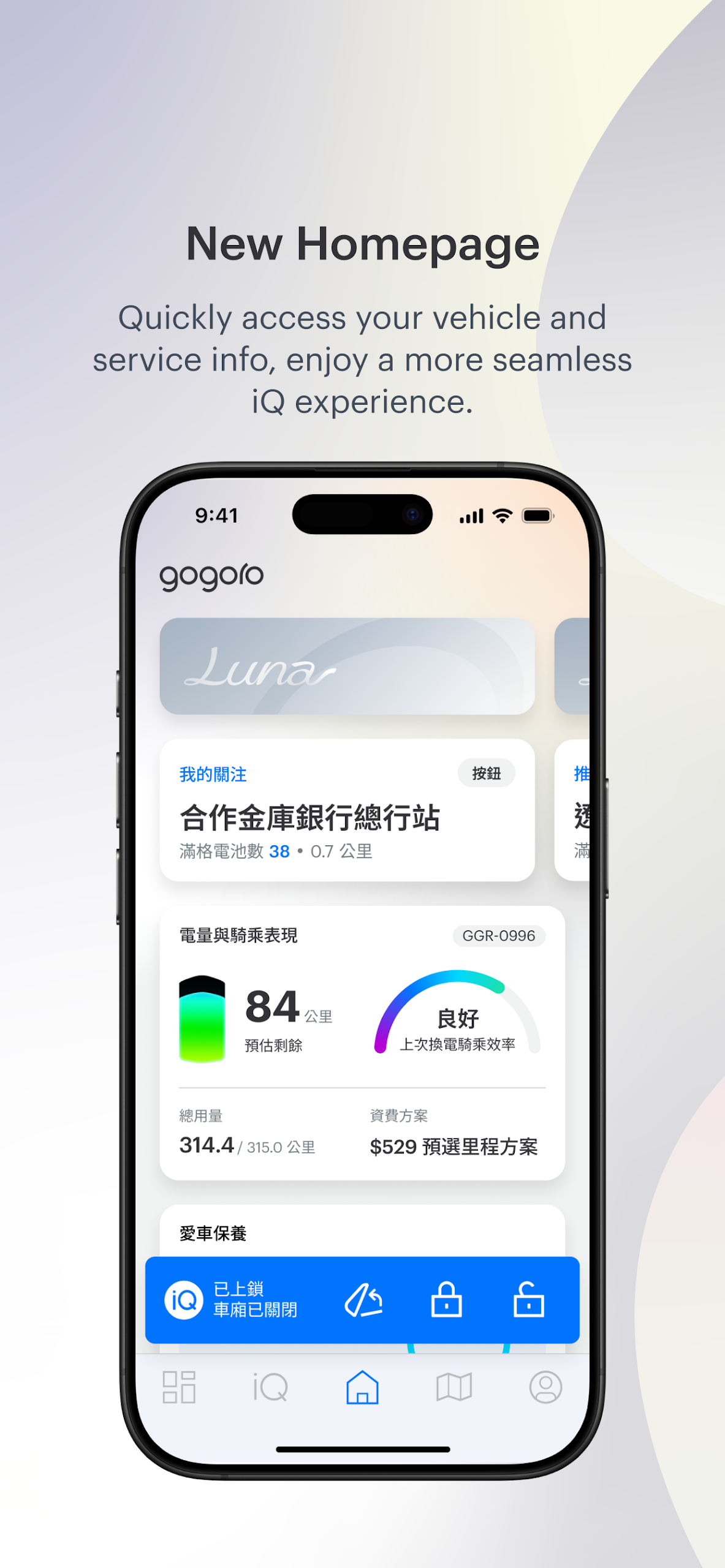
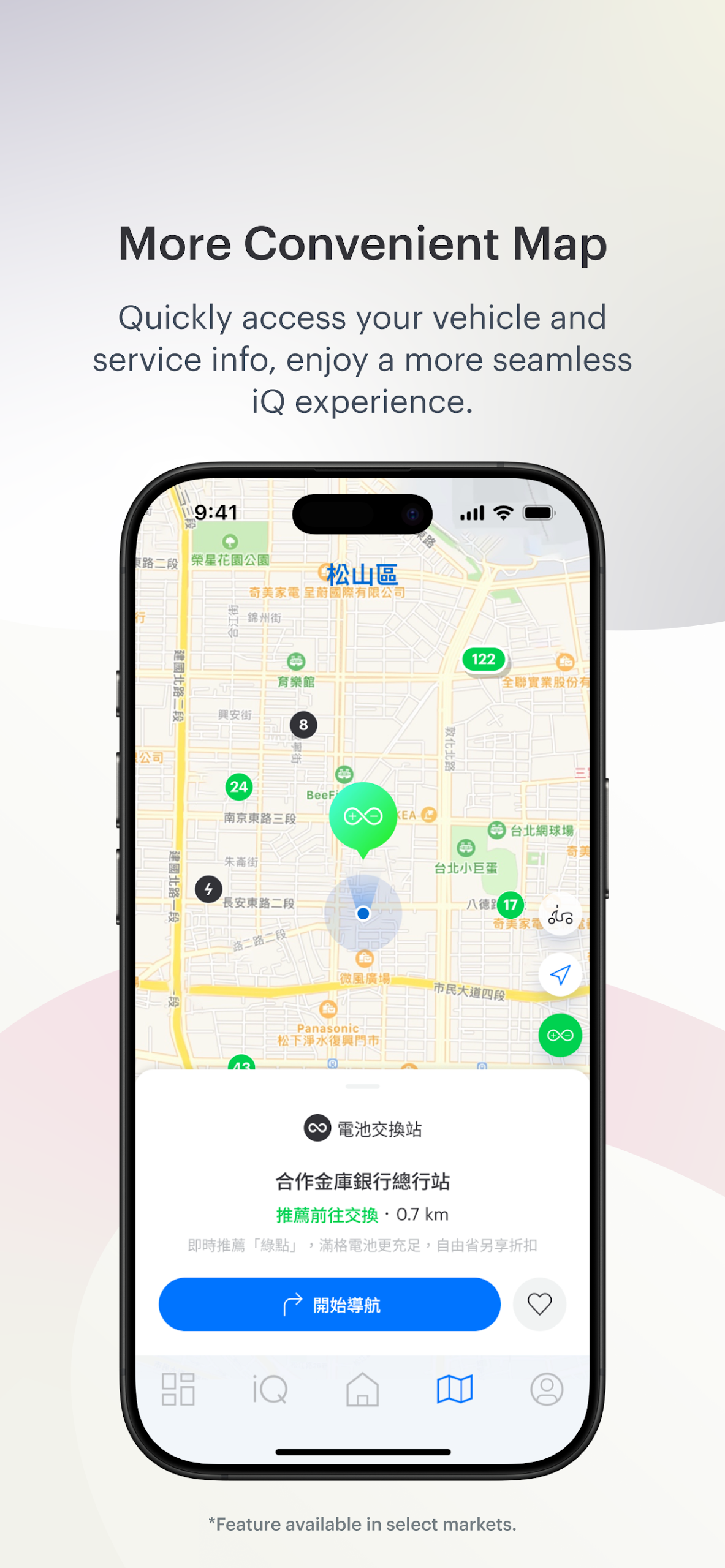
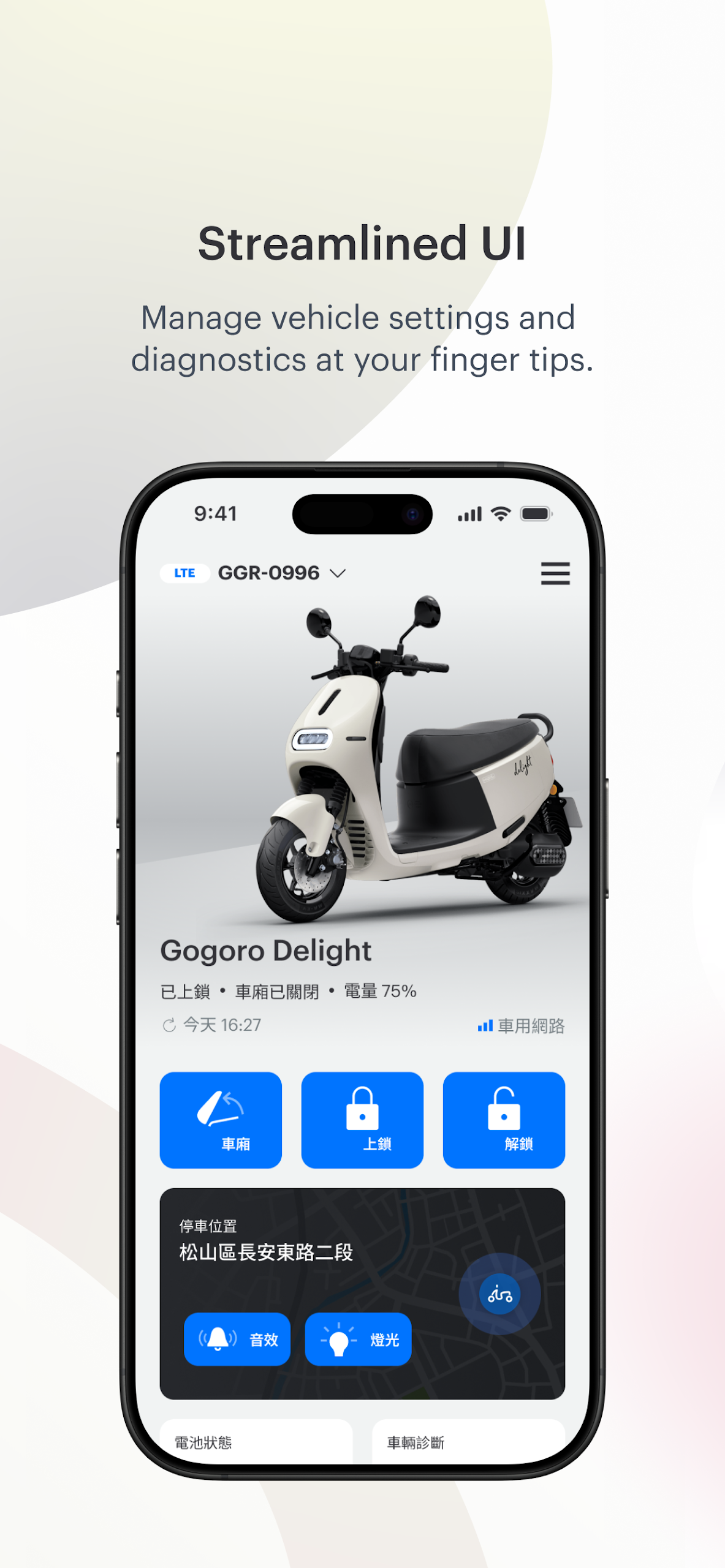
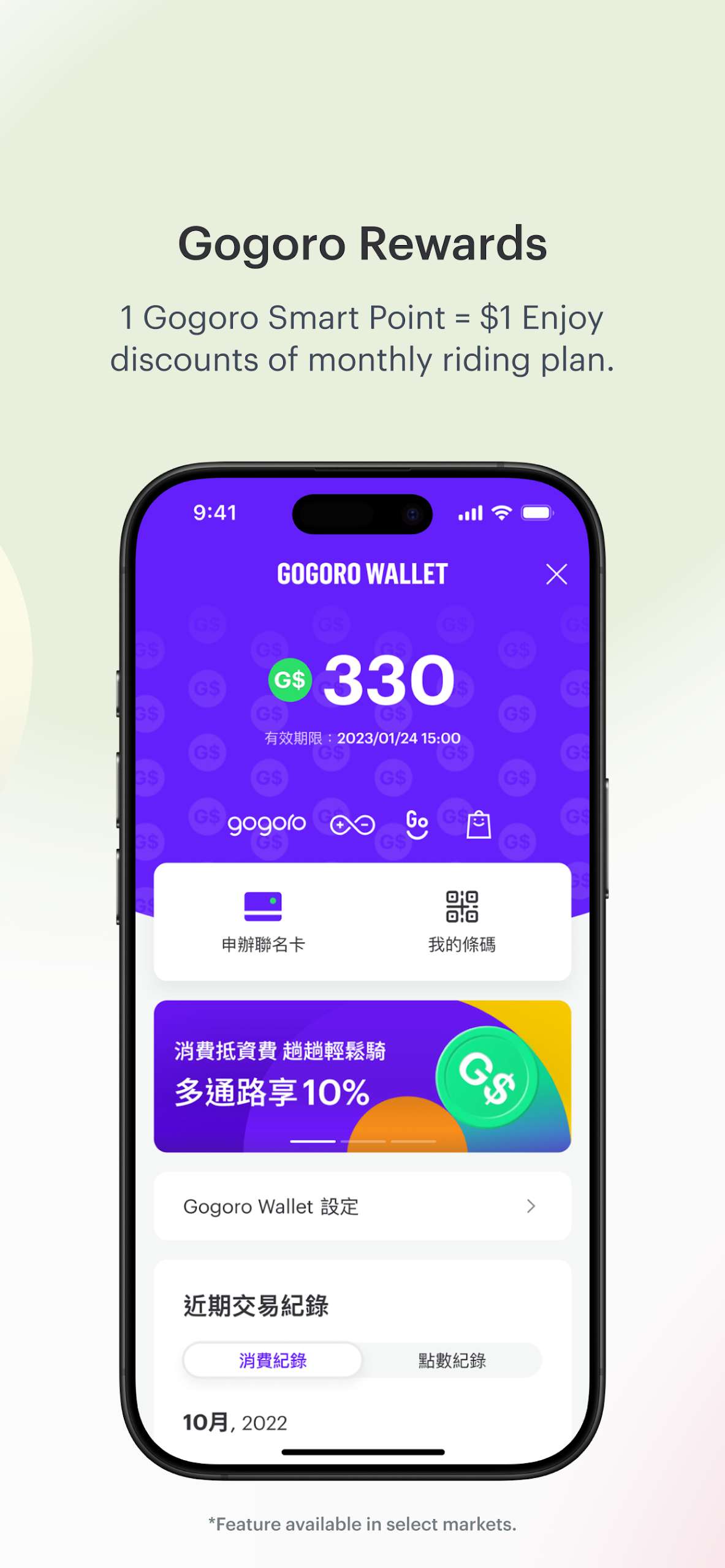
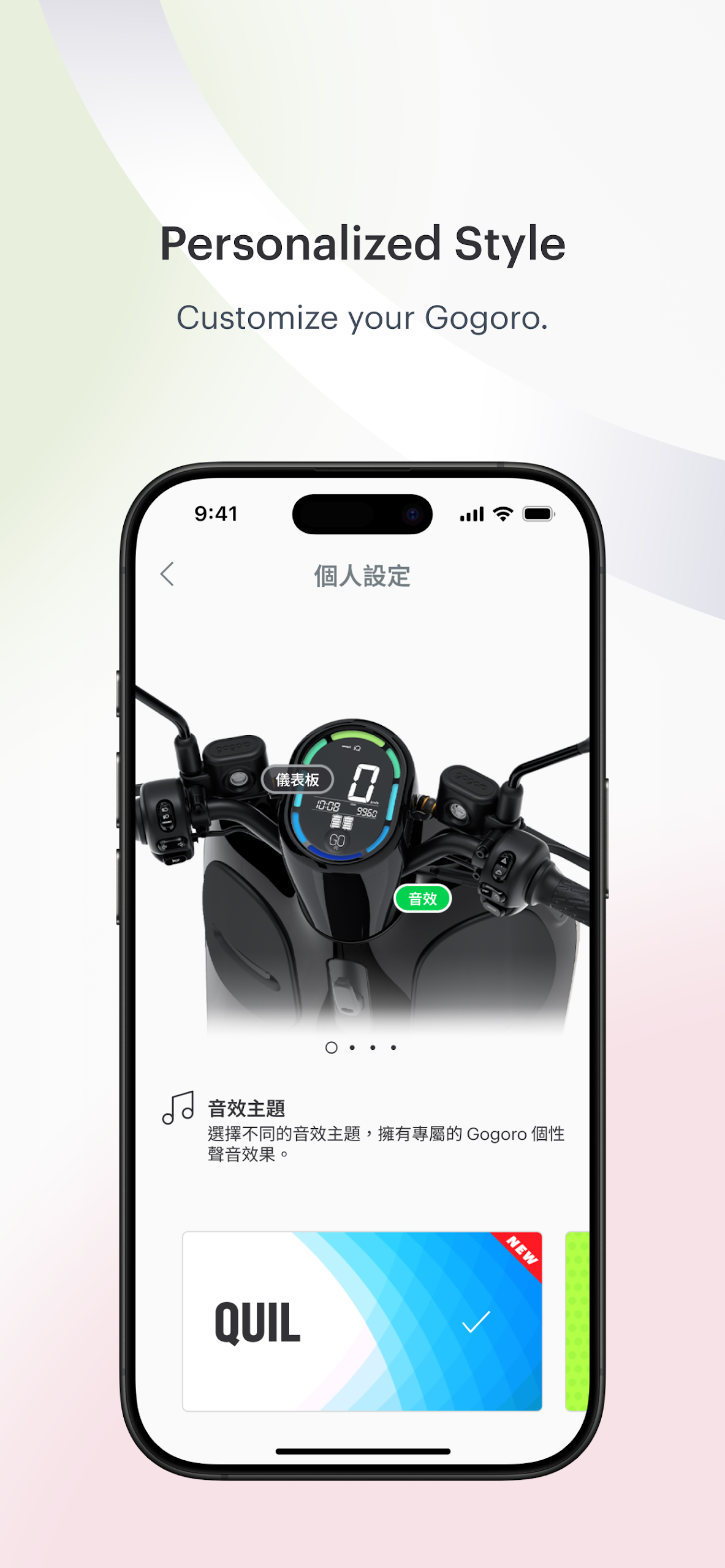
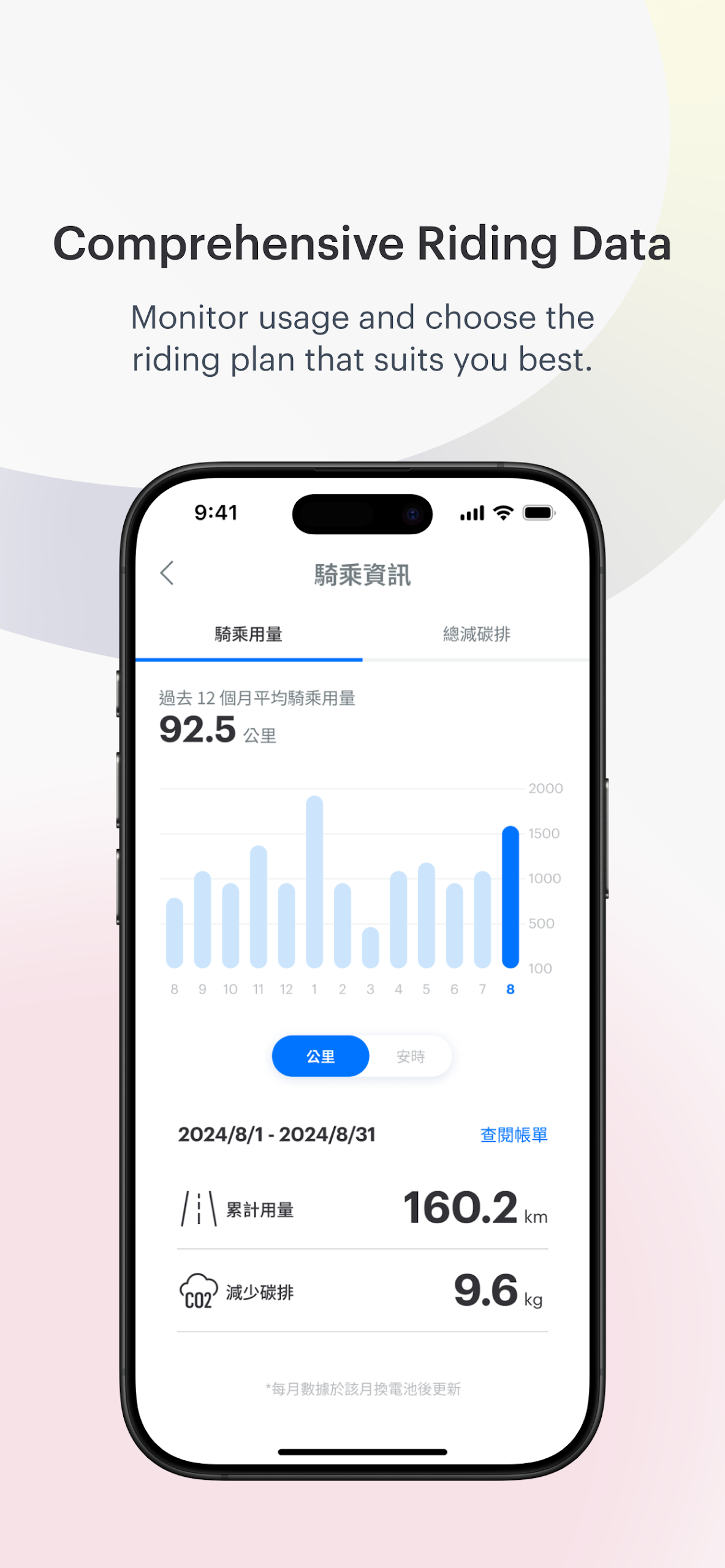
Welcome to your Gogoro® experience!
Participate in our Gogoro Rewards initiative to begin accumulating and redeeming Gogoro Smart Points, which can be used for battery service fee discounts without any maximum limit, along with other exciting perks!
No matter where you ride, you maintain complete control. Quickly locate batteries. Enhance performance. Tailor your ride. Recall your parking spot. Use your app as a key. Earn rewards. Install the latest updates. The Gogoro® App keeps you continually connected to your Smartscooter™, ensuring that you have the freedom and flexibility to maximize every journey.
- Locate Batteries
The Gogoro® App identifies GoStation™ kiosks throughout the city. Find nearby batteries or ride to a GoStation at your destination. Smart energy management makes your rides hassle-free.
- Personalize Your Ride
You are unique, and your rides should reflect that. Customize your Smartscooter™ with vibrant dashboard colors, light patterns, and custom sound effects. Experience something different with each ride.
- Optimize Energy Use
Utilize the Gogoro® App to manage your energy consumption. Fine-tune your riding style by adjusting the amount of energy saved through regenerative braking. Monitor your energy efficiency with our additional dashboard*. Tools designed to help you achieve greater distances when needed.
- Real-time Diagnostics
Enjoy your journeys with assurance. The Gogoro® App continuously monitors the status of your Smartscooter™. If any maintenance concerns arise, you’ll be notified right away and, if necessary, we can assist you in booking a prompt service appointment.
- Trip Insights or Advanced Dashboard
Track metrics from each ride. Get an overview of top speed, longest trips, energy usage, and CO2 savings effortlessly. For those passionate about riding, use your phone as a secondary dashboard to see real-time details regarding your performance, efficiency, power, and physics*.
- Security and Convenience
Employ your smartphone or compatible wearable as your smart key. Lock, unlock, and access the trunk with just a button press (with strong digital security). Seeking extra protection? Activate Security Boost Protection*, so even if someone has your key, they won’t be able to ride off without your fingerprint or personal PIN.
- Earn Badges
Gogoro adds more excitement to everyday riding. Did you complete your first swap? Achieve a new top speed? Join a group ride? Collect badges along your journey and unlock hidden features, themes, and rewards. The more you ride, the greater your rewards.
- Always Current
Ensure your Smartscooter™ is always updated with a simple button press. New features will be available as soon as they're released. It's not your typical scooter, nor like many other two-wheeled vehicles.
* Currently available on select models only.
FAQs
Q: When will the "My Account" page be updated?
A: Released on April 13, 2023.
Q: If I entered a mobile phone number on the "Member Profile" page before the update, can I log in directly using that number?
A: The number needs to be verified before it can be used as a login method.
If you log in using an unverified mobile phone number, a message will appear: "The mobile phone number you entered is not verified. Please log in via email and then go to My Account to verify your phone number."
Q: If I haven't entered a mobile phone number on the "Member Profile" page, do I need to verify it?
A: Not necessarily. However, you can verify your mobile phone number at any time on the Member Profile page.
My Account Billing Information
1. Under [Recent Payments], click [View More] to view your last 12 billing records.
2. Click the [+] icon in the upper-right corner of each bill to expand the current bill information.
3. After expanding, click [Bill Details] in the lower-right corner to view more information about the current bill payment and invoice.
Bill charges display: outstanding balance from previous periods, current period adjustments, and current period increases.
E-billing is encrypted. To open it, you must enter your contract user's ID number. If you are a company, please enter your unified ID number.
To change the delivery address for paper bills, please contact us through [Contact Us], select [General Inquiry] → [Bills, Payments, and Invoices]. We will assist you.
E-bill/Paper Bill Delivery Methods
E-bills: Sent to your My Account Email
Paper bills: Mailed to the address you provided when you signed up for the contract.
Replacement bill delivery methods
If you need a replacement bill, we will send an "electronic bill" to your My Account email address.
Please contact us through [Contact Us], select [General Inquiry] → [Bills, Payments, and Invoices], and someone will assist you.
Payment method linked to automatic debit
Please note that Gogoro will never ask you to provide bank account or credit card information or request ATM payment via phone or text message. If you receive such a scam call, do not provide any information and hang up immediately to protect your rights. If you have any questions, please contact the Gogoro Customer Service Center.
Payment Methods
During the payment period, we offer the following payment methods:
- ATM transfer
- Online credit card payment (log in to the Gogoro Network® app or website)
- Apple Pay (iOS app only)
- Taishin Bank counter payment (Due to processing times, payment may take 2-3 business days to be credited to your account)
Set up automatic transfer from your credit card or bank account
Convenience store payment (Please keep your receipts. Due to processing times, payment may take 4-7 business days to be credited to your account, and overdue bills cannot be paid.)
Unpaid bills from previous periods will be consolidated and displayed on the latest bill, allowing you to pay them all at once.
Reminder! Overdue bills may affect your battery service. Please pay as soon as possible!
Automatic Debit Settings
Method 1: Apply for automatic credit card debits
Go to [My Account], select [View More] under [My Battery Plans] to access your current plan.
Scroll down to [Automatic Debit Settings] and select [Add Credit Card].
Read the terms and conditions carefully, check [Agree], and click [Confirm].
Fill in your credit card information and click [Add Credit Card] to complete your credit card automatic debit application.
If you wish to cancel automatic credit card debits, please click [Remove Automatic Debit] under [My Battery Plans].
Reminder:If you have Gogoro Wallet enabled and set up automatic point debits, automatic debits will prioritize points currently in your account, with any remaining balance used for debits.
If you wish to cancel automatic credit card debits, please click [Remove Automatic Debit] under [My Battery Plans].
If your setup fails, a failure message will appear. Please check that your information is correct and try again, or contact your issuing bank to confirm the status of your credit card. The cards listed in your payment settings in My Account only represent multiple credit cards available for debit, not the cards set for automatic debit on your monthly bill.
Method 2: Apply for a scheduled bank transfer
Go to [My Account], select [View More] in [My Battery Plans] to view your current battery plan.
Scroll down to [Automatic Debit Settings] and select [Apply] for scheduled bank transfer.
Enter your bank account information, ID number, and other relevant information, then click [Next] to submit your application.
Log in to the [Official Website] on your computer, select [Download Authorization Form] in [My Battery Plans].
Sign/stamp the authorization form and mail it to the following address to complete your application.
- Version3.10.0.821.4174
- UpdateSep 24, 2026
- DeveloperGOGORO Taiwan Limited
- CategoryLifestyle
- Requires AndroidAndroid 5.0+
- Downloads216K+
- Package Namecom.gogoro.smartclient
- Signature479f553acdfc03ea7ba3434c314a91cd
- Available on
- ReportFlag as inappropriate







Improved UI and features
Customization options for scooters
Easy to use interface
Keyless functionality available
Availability of multiple features beyond regular scooters
Positive reception from motorcycle enthusiasts
Widgets non-functional and too large
Frequent connection issues
App bugs leading to service booking deletion
Incomplete localization and slow map performance
Presence of ads despite product purchase
Privacy concerns with unwanted notifications
Frustration with reliance on app access for unlocking scooter
Overall dissatisfaction with update quality