
Energy Bar - Original Edition! - Battery level display & animation
Experience real-time battery updates with a dynamic energy bar featuring vibrant animations & customizable settings for efficiency.
- EB_6.4.4_BETA Version
- 4.3 Score
- 846K+ Downloads
- In-app purchases License
- 3+ Content Rating

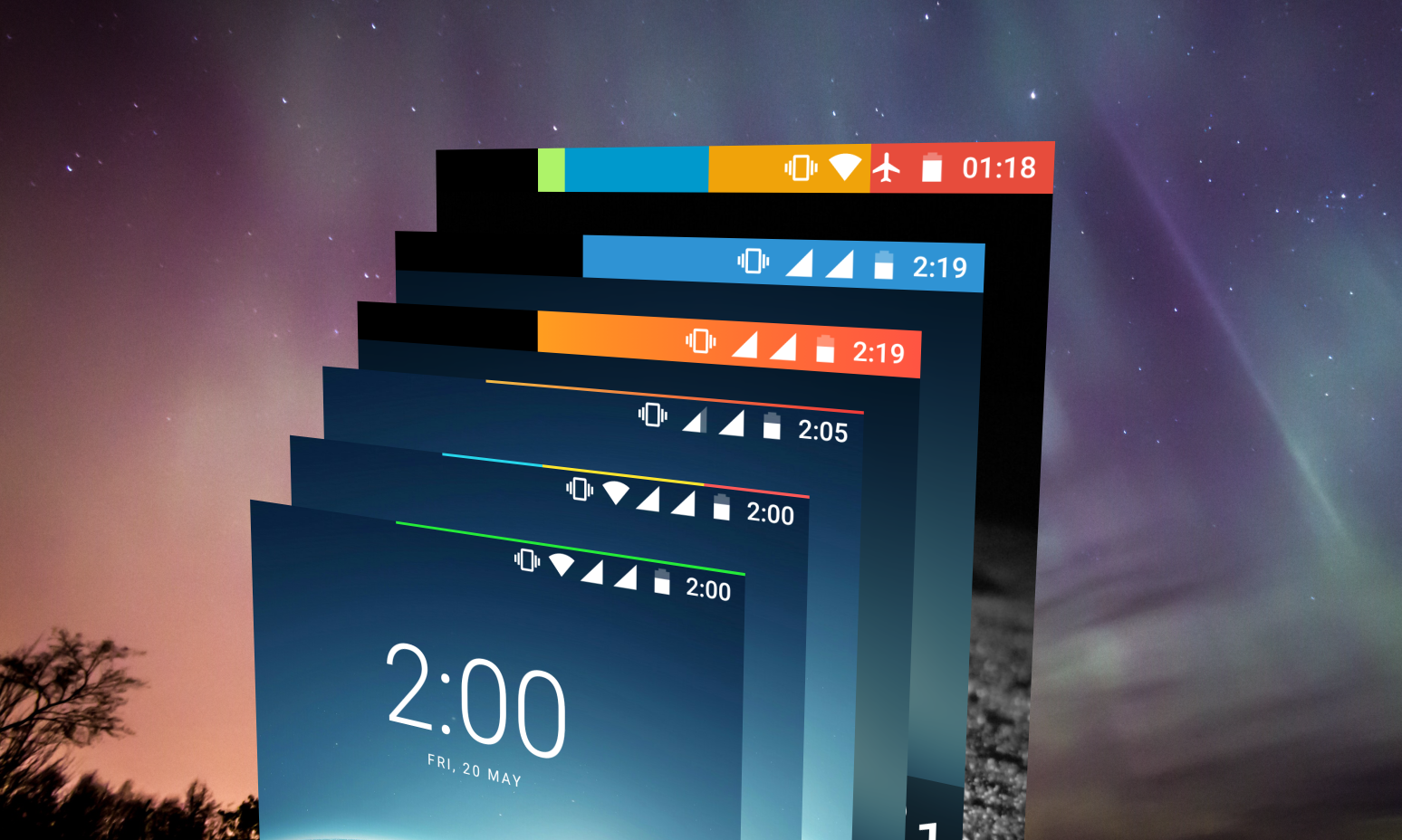
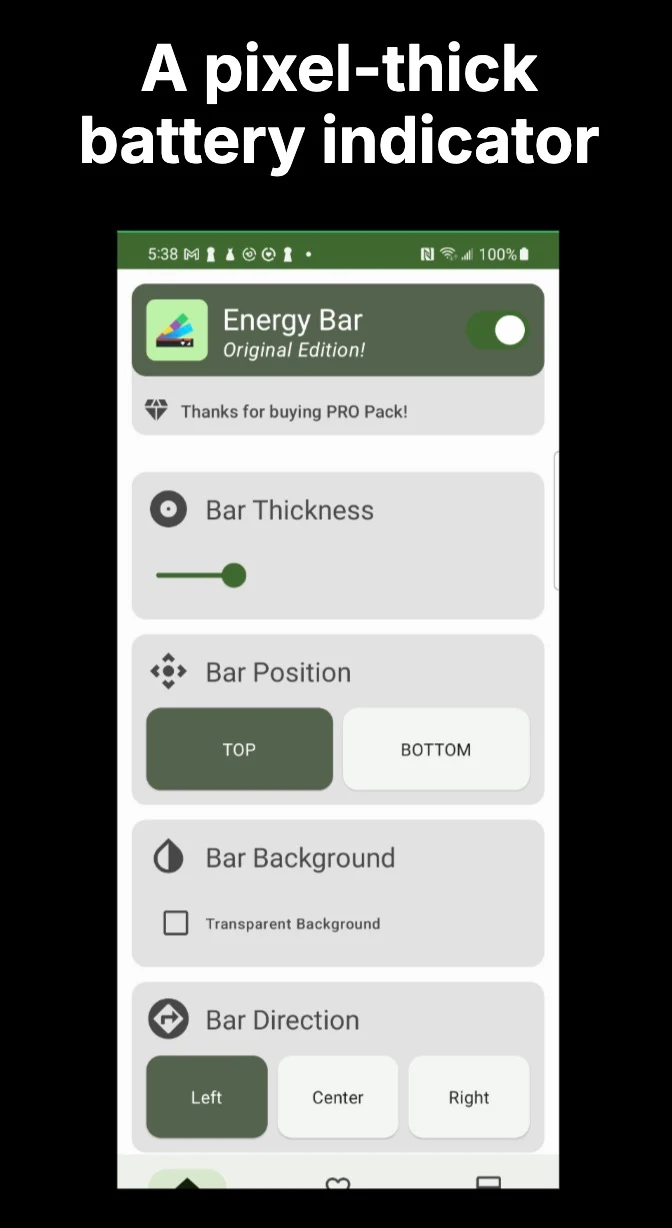
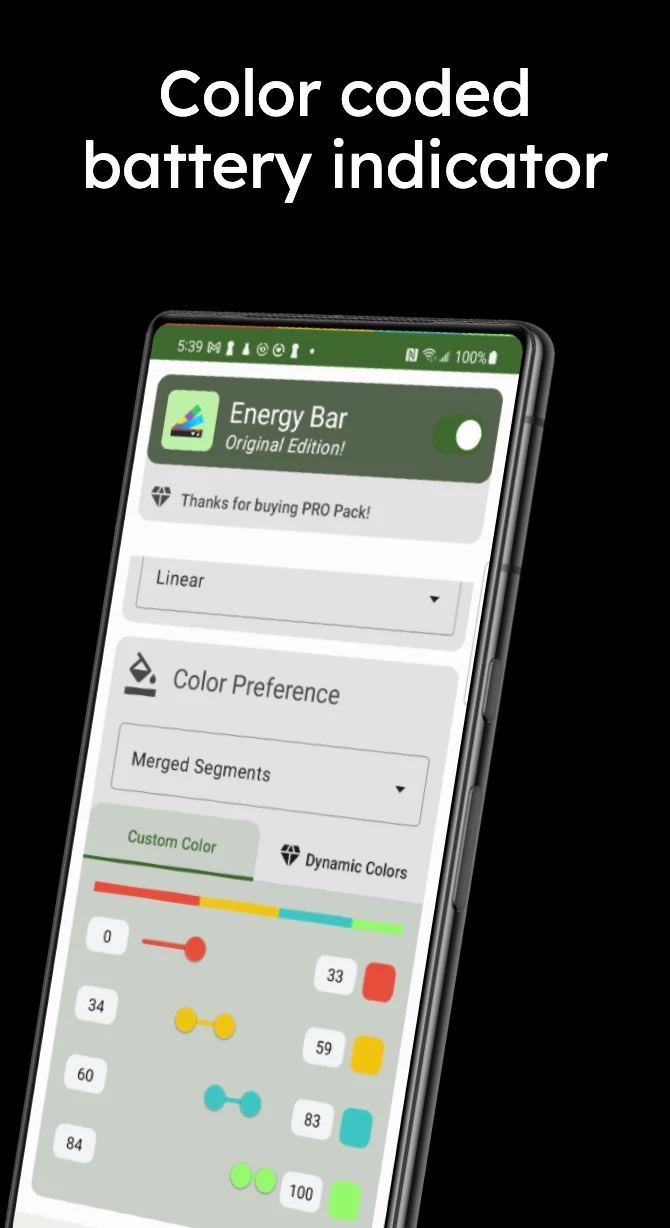
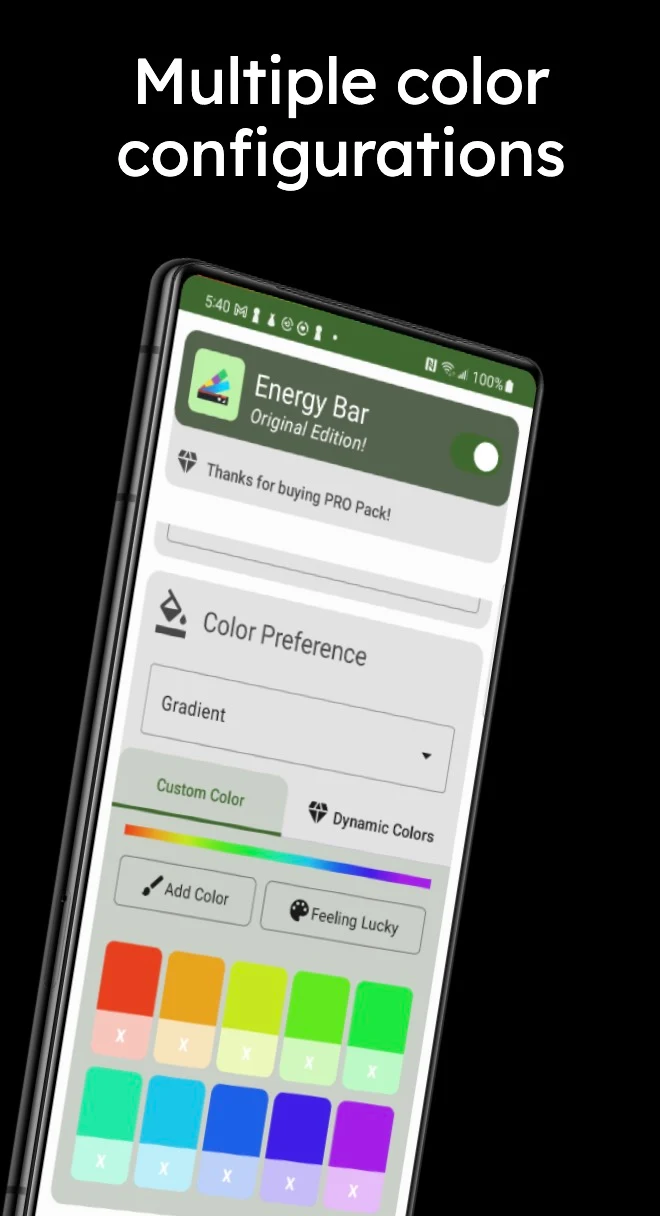
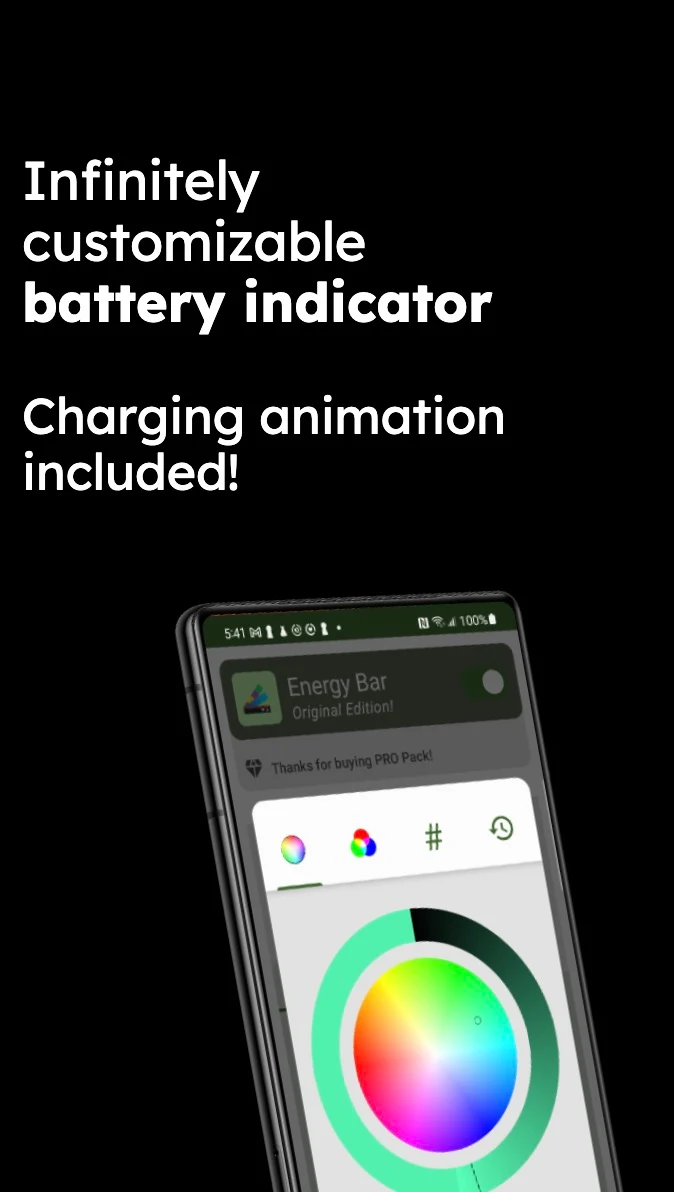
This application introduces a customizable Energy Bar positioned at the top of your display that shows the current battery charge level.
Just when you think a simple battery indicator can't convey such important information, try connecting your charger – the intricate animation will truly impress you. The animated pulsation and the bar's movement not only reflect the current battery status but also indicate the charging progress since you've plugged in your charger.
Is your device fully charged? The bar will stretch across the entire width of your screen.
If your battery is running low, the length of the Energy Bar will decrease accordingly.
Similar applications for other devices
- Energy Ring - General Edition! for OnePlus 8, OnePlus 8 Pro, Galaxy A51, A71, Z Flip
- Energy Ring - Galaxy S20/Ultra/5G/+
- Energy Ring - Galaxy S10/e/5G/+
- Energy Ring for Galaxy Note 10/5G/+
- Energy Bar Curved Edition for S8/S9/S10/+
- Energy Bar Curved Edition for Note 8/9
The latest version of the app allows Energy Bar to function seamlessly as an Accessibility Service. For users, this means that Energy Bar is dependable and integrates well with the system. Additionally, it features an appealing user interface that enables various configurations while the bar is displayed on your screen.
Key features include
✓ Customizable width for the Energy Bar ranging from 1 pixel to the full status bar (pro feature)
✓ Minimal CPU usage, as the Energy Bar activates only when there's a change in battery level
✓ Configurable origin position of the Energy Bar (left/center/right)
✓ Ability for the Energy Bar to disappear during full-screen content (applications, videos, images, games, etc.)
✓ Automatic color changes based on real-time battery level
✓ Options for a single color, multiple color segments, or gradient effects (pro feature)
✓ Freedom to choose any color for your preferred settings
✓ A stylish pulsating effect whenever a power source is connected to your device
While all these features are impressive, what about the battery consumption of the Energy Bar?
This question really excites me to answer. Energy Bar is designed with an emphasis on efficient battery use (after all, that's why you downloaded this app!). It quietly occupies space on your screen without exerting noticeable CPU load; when the battery level changes, Android activates the Energy Bar. Once it updates the information, it quickly returns to a standby state. To optimize efficiency further, the Energy Bar enters deep sleep mode when the screen is off, meaning it does not monitor battery changes while the display is inactive.
Accessibility Service Requirement
- For Energy Bar to operate on the lock screen, it is required to function as an Accessibility Service. This service does not access or track any data. This feature is particularly beneficial for individuals who have difficulty reading numbers and prefer visual information.
- No charging animation? Here's a fix for Samsung devices:
- Navigate to Settings > Accessibility > Visibility Enhancements > Remove Animations and uncheck if it is currently selected.
Regarding screen burn-in
The original version of the Energy Bar app has been utilized over several years on AMOLED devices without any reported issues. However, there is no guarantee that such occurrences may be entirely avoided.
Accessibility Service Requirement
As mentioned, the Energy Bar needs to run as an Accessibility Service to appear on the lock screen, and it does not monitor any data whatsoever. This is especially valuable for users who may struggle with numerals and benefit more from visual representation.
User Reviews
1. Request for a Chinese interface; feedback indicates that the battery bar disappears on the lock screen after enabling the full-screen hiding function.
2. The app has a single function, perfectly meeting the need for battery bar viewing, and it's also good at saving power.
3. Currently, there's no Chinese version, making operation inconvenient to understand. We hope a Chinese version can be added; we also look forward to compatibility with notch-screen models.
Related Questions and Answers
- **Q**: What is the main function of the Energy Bar app?
**A**: The Energy Bar app's main function is to display a customizable energy bar at the top of the screen, indicating the current battery charge level. It reflects battery status and charging progress through animated pulsations and movement of the energy bar. When the device is fully charged, the energy bar stretches to the full width of the screen; when the battery is low, the length of the energy bar shortens accordingly.
- **Q**: What are the key features of the Energy Bar app?
**A**: Key features of the Energy Bar app include customizable energy bar width, ranging from 1 pixel to the entire status bar; low CPU usage, activating only when the battery level changes; configurable energy bar starting position (left/center/right); the energy bar disappears when full-screen content (apps, videos, images, games, etc.) is displayed; the bar automatically changes color based on the real-time battery level, with options for a single color, multiple color segments, or a gradient effect (Pro version feature); and a stylish pulsating effect when the device is connected to a power source.
- **Q**: Why does the Energy Bar app need to run as an Accessibility Service?
**A**: The Energy Bar app needs to run as an Accessibility Service to display the energy bar on the lock screen. This service does not access or track any data and is particularly helpful for users who have difficulty reading numbers and prefer visual information.
- **Q**: What should I do if the charging animation doesn't appear after using the Energy Bar app?
**A**: On Samsung devices, this may be because the "Remove animation" feature is enabled. You can navigate to Settings > Accessibility > Visibility Enhancements > Remove animation and uncheck it if it's already selected.
- **Q**: Does the Energy Bar app consume a lot of battery?
**A**: The Energy Bar app is designed to use battery efficiently. It quietly takes up space on the screen and doesn't create a noticeable CPU load. When the battery level changes, Android activates the Energy Bar and quickly returns to standby after updating the information. When the screen is off, the Energy Bar enters a deep sleep mode and doesn't monitor battery changes, so it doesn't consume excessive battery.
- VersionEB_6.4.4_BETA
- UpdateOct 16, 2026
- DeveloperIJP
- CategoryPersonalization
- Requires AndroidAndroid 4.3+
- Downloads846K+
- Package Nameyou.in.spark.energy
- Signature343e42c74f7d19637a72fbdf942200da
- Available on
- ReportFlag as inappropriate
-
NameSizeDownload
-
2.94 MB
-
2.72 MB
-
3.11 MB











Easy visibility of battery level
Customization options for colors and animations
Lightweight and minimal impact on battery performance
Clear indication when charging or unplugged
Works well across multiple devices
Supports various screen and notch configurations
User-friendly interface
Enhances the aesthetic appeal of the status bar
Fast installation as a first app on new devices
Occasionally shuts off or becomes non-functional after updates
Some features locked behind a paywall after previous free access
Compatibility issues with certain phone models or Android versions
Requires repetitive setup for configuration settings
Intermittent glitches causing inaccurate battery readings
Limited options for bar positioning and appearance customization
Users report problems with previous purchase authentication
Ads appearing despite purchasing premium versions
Bugs introduced in recent updates affecting functionality