English

TownSq Community - Community management app

Experience seamless neighborhood living with easy connections, updates, & events for a vibrant community life.

TownSq Community
  • 5.1.1 Version
  • 1.4 Score
  • 345K+ Downloads
  • Free License
  • 12+ Content Rating
Download Android APK (36.48 MB)
Old Versions
TownSq Community TownSq Community TownSq Community TownSq Community TownSq Community
CONS

Frequent login errors and authentication issues

Annoying fees associated with electronic payments

Poorly designed user interface and navigation

Limited functionality for document management

Bugs causing crashes and slow performance

Inability to edit or delete posts and comments

Lack of responsive customer support

Confusing balance displays creating unnecessary worry

Difficulty accessing features specific to user roles (e.g., board members)

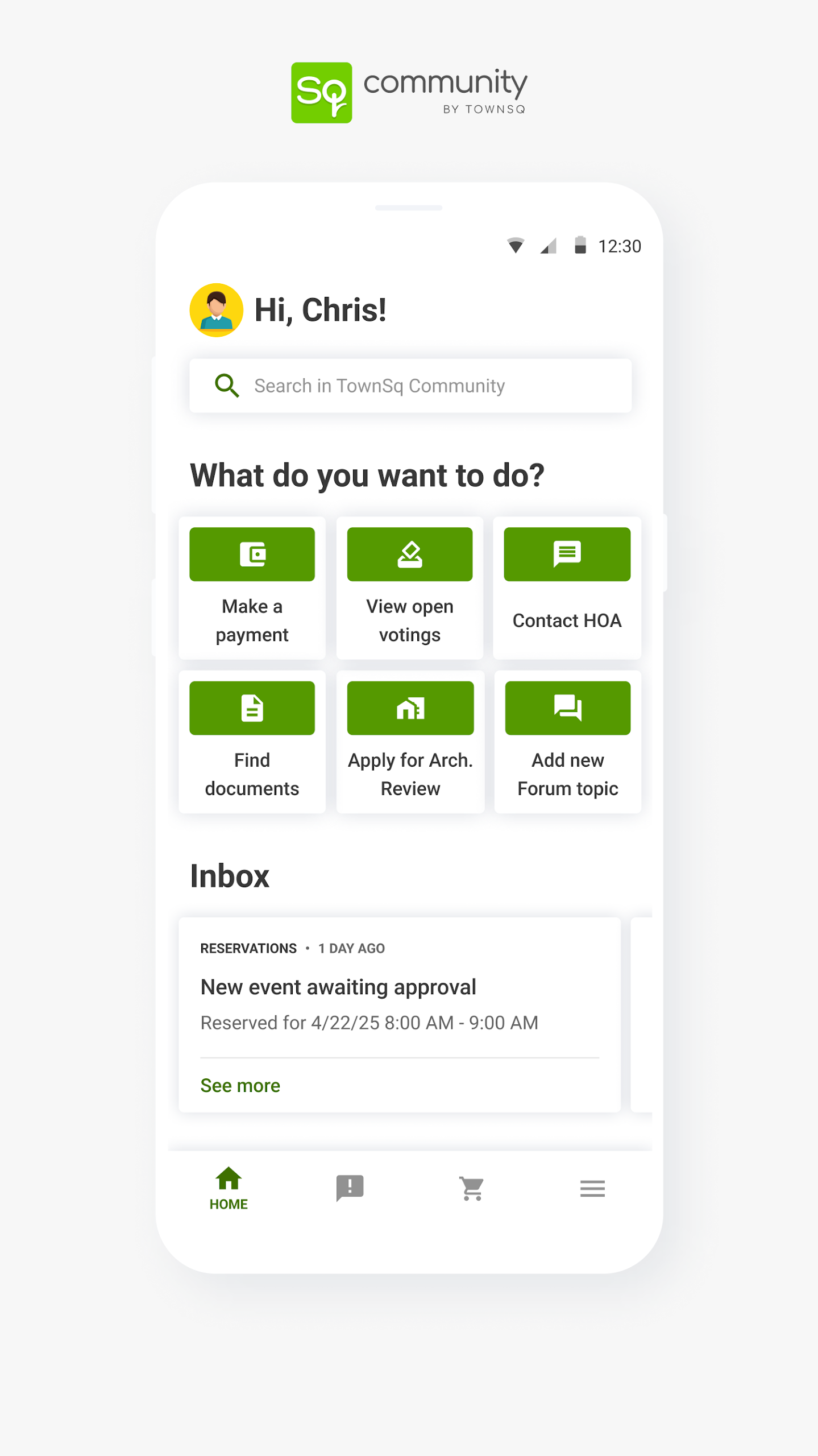
TownSq Community stands out as a premier, worldwide platform aimed at enhancing life in communal living environments. It serves as the ultimate go-to resource for overseeing residential living, providing users with a comprehensive mobile interface that facilitates connection, collaboration, and keeps you updated on all activities within your community. Whether it's related to daily functions, continuous upkeep, or various initiatives and gatherings, TownSq is utilized by management teams, board members, and residents to foster a more streamlined and interconnected experience according to their preferences.

What’s New in TownSq: AI Reply Suggestions & a Smarter Workspace

Explore TownSq’s latest updates, featuring AI Suggested Reply for faster communication and an enhanced Workspace to boost HOA productivity and collaboration.
TownSq Community

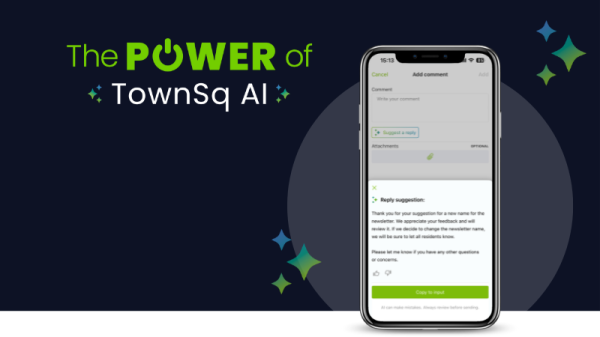
At TownSq, we’re committed to making homeowners’ association (HOA) management simpler, smarter, and more efficient. We’re thrilled to unveil two major updates designed to streamline your daily operations: TownSq AI | Suggested Reply and our new and improved Workspace. Hot off the development line, these innovations are built to save time, reduce friction, and help managers and board members focus on better serving their communities!

Whether you’re juggling resident requests, messages, or multiple projects, our latest and greatest tools can make workflows smoother and more intuitive. Read on to discover how effortless community management can be with TownSq.

AI Suggested Reply: Respond Smarter, Not Harder

Managing resident communication can be one of the most time-consuming responsibilities for HOA leadership, but TownSq’s new feature, AI Suggested Reply, aims to change that. Respond quickly and consistently with artificial intelligence (AI) that suggests replies based on your community documents, announcements, and information. Your virtual HOA assistant, Suggested Reply keeps managers and board members in control with the ability to use, edit, or ignore a suggested response, so messaging is always professional and consistent.  

The benefits go beyond efficiency. TownSq’s AI Suggested Reply lives natively within TownSq Community and TownSq Business, making it secure, no third-party tools or extra tabs. Sensitive community data is only accessible to users with the appropriate authorizations, so private information is never shared between communities.

Designed especially for high-volume inboxes, Suggested Reply gives managers and board members a head start on resident communications without ever drafting from scratch. Click the video to see it in action.

The New Workspace: Task Management Made Easy
TownSq Community

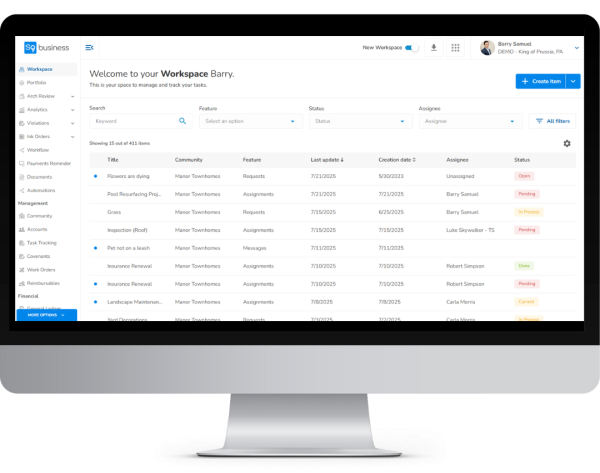
TownSq has you covered with tasks beyond resident inquiries, too. The new Workspace in TownSq Business upgrades day-to-day operations with increased clarity, collaboration, and control so nothing slips through the cracks. Key upgrades include:

A sleek, centralized view for task prioritization and faster decision-making.

Quick sorting and smart filters to locate relevant assignments, messages, and requests instantly.

Customizable columns that display only what you need for swift project completion.

Enhanced visibility to track task ownership and progress at a glance for increased accountability.

Greater organization means greater productivity and resident satisfaction. TownSq’s Workspace upgrades make maximizing morale more attainable than ever before, but there’s no rush getting acclimated to the updated layout. Users can toggle between the old and new interfaces for a more comfortable transition into a seamless way to work.

Leverage Modern HOA Management with TownSq

We hope these latest enhancements reflect our passion for innovation and an elevated user experience. By combining intelligent automation with thoughtful design, TownSq is helping communities redefine the future of HOA living and management.

From seasoned property managers to dedicated board members, TownSq’s precision tools are engineered to power your success. See how our leading, full-spectrum technology can transform your workflow without the overhead. Schedule a free, custom demo to make your next move your best.

TownSq’s Digital Voting Feature: The HOA Tool You Didn’t Know You Needed

TownSq Community

Voting events are crucial to the success and well-being of any homeowners’ association (HOA). They keep communities organized, connected, and future-focused. As technology continues to reshape the HOA landscape, digital voting is quickly becoming the top tool for driving participation and streamlining elections.

Read on to discover how TownSq’s powerful Digital Voting feature helps communities run more seamless, secure elections—and why it’s time to make the switch!

1、What Is Digital Voting for HOAs?

Traditionally, HOA elections have been conducted in person with paper ballots. Digital voting allows HOA residents to cast their votes electronically through a secure platform. This next-generation approach to a conventional practice is not only cost-effective, but it also makes it easier for residents to actively engage in the decisions that shape their quality of life.

Discover more with our free eBook: Online HOA Elections: Why They're Important & How to Manage Them

2、Can My Communities Use Digital Voting?

While many states permit digital voting, it’s essential to check each associations' governing documents and relevant laws before proceeding. For example, California recently passed a bill that allows HOAs to conduct elections by secret electronic ballot, but there are restrictions regarding voting topics, notices, communications, and more. As always, consult legal counsel for further guidance.  

Benefits of Digital Voting for HOAs

Voting is a crucial part of the community living experience, but all too often, in-person elections and paper ballots can negatively impact participation, limit transparency, and increase administrative costs. Leveraging an electronic voting platform empowers voters and administrators to run secure, legally binding elections without the overhead or overwhelm.

For instance, TownSq’s Digital Voting feature simplifies complex election processes with tools and functions, like:

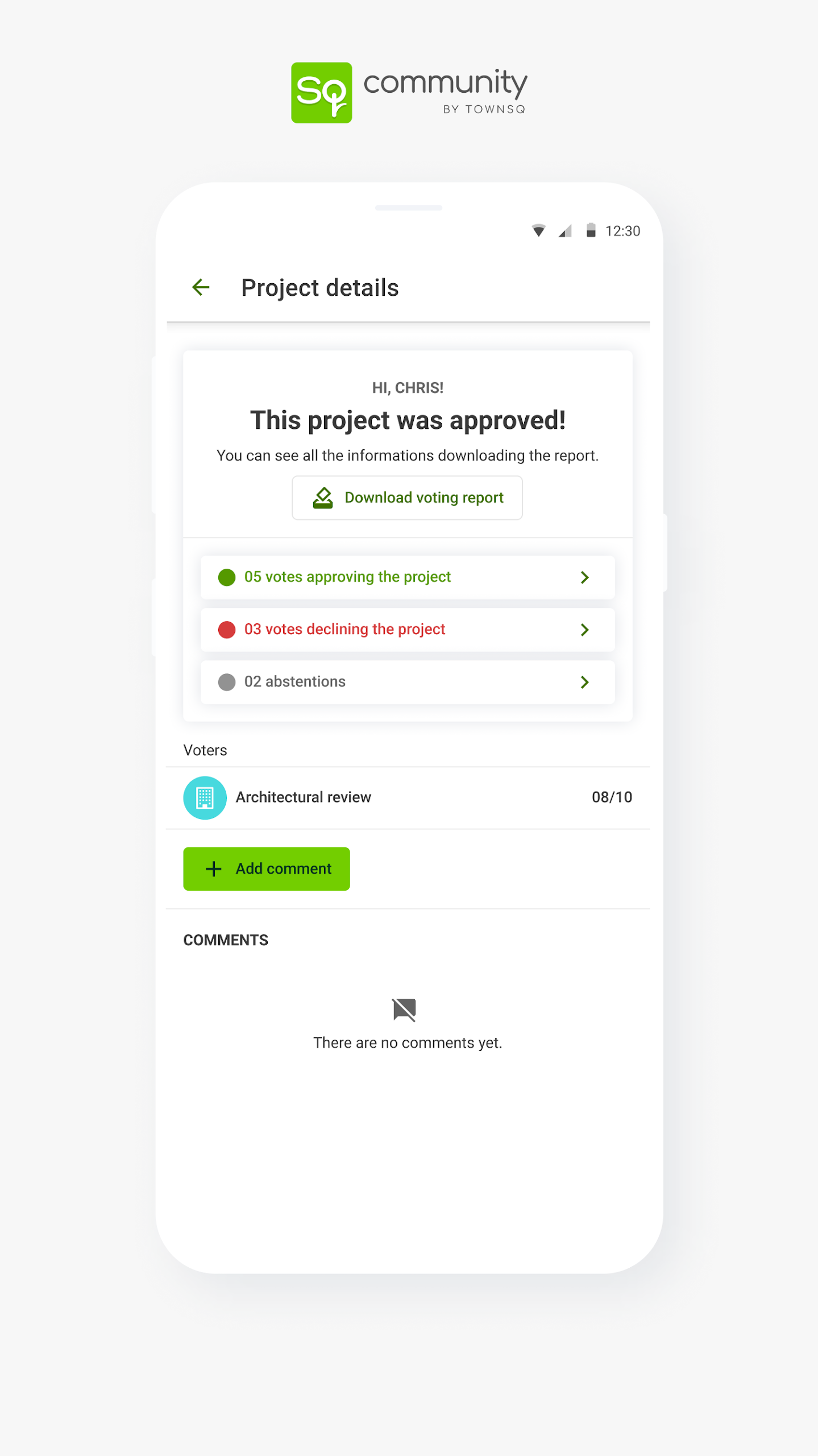
  • Seamless setup: Launch ballots quickly with a guided, three-step ballot creation flow. ‍
  • Flexible participation controls: Choose voting groups manually or by linked units.
  • ‍Ballot preview: Review ballots before publishing to ensure reliability and confidence.
  • ‍Clear eligibility verification: View which units are eligible to vote—no tab-switching or support requests.
  • ‍Quorum tracking bar: Set quorum requirements and monitor progress visually.‍
  • Outcome clarity: Percentages reflect actual results for both weighted and unweighted votes.‍
  • Customizable results sharing: Admins can choose whether to share voting outcomes with participating groups.

Practical, purpose-built HOA voting software simplifies voting events while enhancing transparency, trust, and engagement.

Learn More: Expert Tips for Meeting Quorum at Your HOA Annual Meeting

How to Get the Most Out of TownSq’s Digital Voting Feature

TownSq’s Digital Voting feature can boost resident engagement with vote-from-anywhere capabilities. Follow these expert tips to deliver the best HOA election experience:

1. Create ballots early.

Never wait until the last minute to make ballots. Create yours in advance, so residents can view information and ask questions. When voters know what to expect, they’ll be better prepared when the voting window opens.

2. Post consistent announcements.

Communication is critical to the success of every election. Clearly communicate dates, ballot topics, instructions, and other need-to-know information frequently to encourage resident participation and efficiency. You can use announcements to inform owners that voting will be held in TownSq and send emails or push notifications when voting opens, during the voting period, and before voting closes.

TownSq Community

3. Consolidate ballot items.

From board officers to budgets, your HOA may have various initiatives that need to be addressed in an election. If your community has multiple items to vote on, consider unifying them in a single ballot. You can add one or multiple questions to a ballot, and each question can have a title, description, and a document, image, or video attachment to provide thorough context.

4. Offer anonymous ballots.

Your community may be able to TownSq’s secret ballot functionality, which lets residents submit their votes anonymously. Admins can see the status during the voting window (how many votes and the percentage of votes) and download the results; however, the selections aren’t visible. Communities that use this enhancement will likely experience an uptick in vote volume and participation.

5. Track real-time progress.

Per your governing documents and state laws, HOAs may have to meet a quorum to conduct an election. A quorum is the minimum number of residents needed to confirm that the community’s interests are fairly represented. [CS4] If the quorum isn’t achieved, votes may be invalid, and the election may need to be rescheduled. If necessary, admins can extend the voting period to guarantee a quorum is reached.

6. Share results immediately.

After the voting window closes, admins can generate reports with voting details. The PDF report compiles voting information that can be made public to the community, including winners, percentages, and unit participants. To promote visibility and integrity, share the results with residents as soon as possible.

Show More
Information
  • Version5.1.1
  • UpdateSep 28, 2026
  • DeveloperTownSq
  • CategoryCommunication
  • Requires AndroidAndroid 4.1+
  • Downloads345K+
  • Package Namebr.socialcondo.app
  • Signature94ea3ec4a031c87c967b05692d5d9226
  • Available on
  • ReportFlag as inappropriate

Old Versions
User Reviews
1.4 2 Reviews
5
4
3
2
1
  • Cheryl Armstrong
    Cheryl Armstrong

    Finding the 2FA authentication feature can feel frustrating. Many users share concerns about security, especially without this important layer of protection. The absence of 2FA raises doubts about the app's reliability. After over two years, it’s disappointing not to see any updates on this front. Security matters a lot. Users expect better from their apps.

  • Rich R
    Rich R

    This application feels extremely basic. Limited functionality everywhere. I can't read any documents. Editing my profile is impossible. My name and address show up for everyone to see. No FAQ section to guide me through issues. I reached out to my property management to update my email address, but now I'm flooded with duplicate messages in both accounts. It's frustrating. I really need help!

Security Status
Clean

It’s extremely likely that this software program is clean.

What does this mean?

We have scanned the file and URLs associated with this software program in more than 50 of the world's leading antivirus services; no possible threat has been detected.

  • Name: TownSq Community
  • Package Name: br.socialcondo.app
  • Signature: 94ea3ec4a031c87c967b05692d5d9226